Ideogram V3 Balanced delivers the highest-quality image generation with stunning realism, creative design, and consistent styles. Ready-to-use REST inference API, best performance, no coldstarts, affordable pricing.
Chờ
$0.06cho mỗi lần chạy·~16 / $1
Ví dụXem tất cả
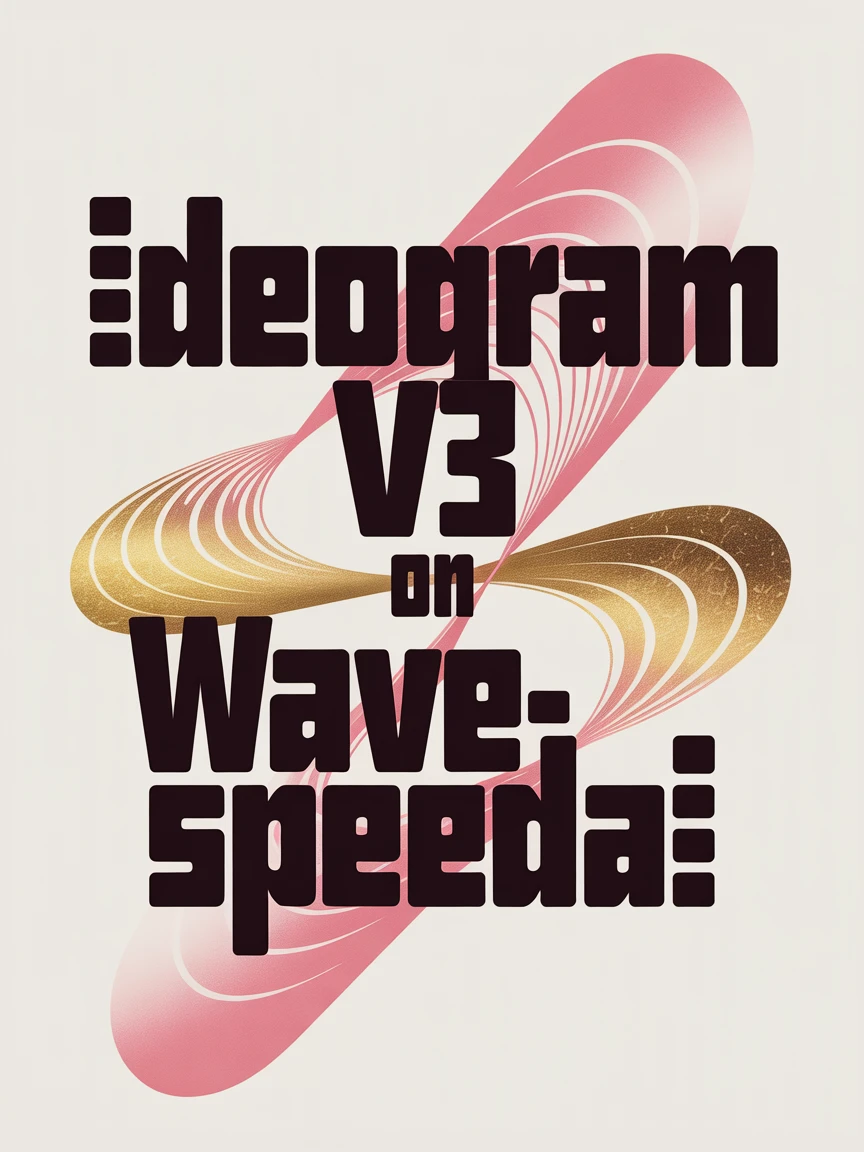
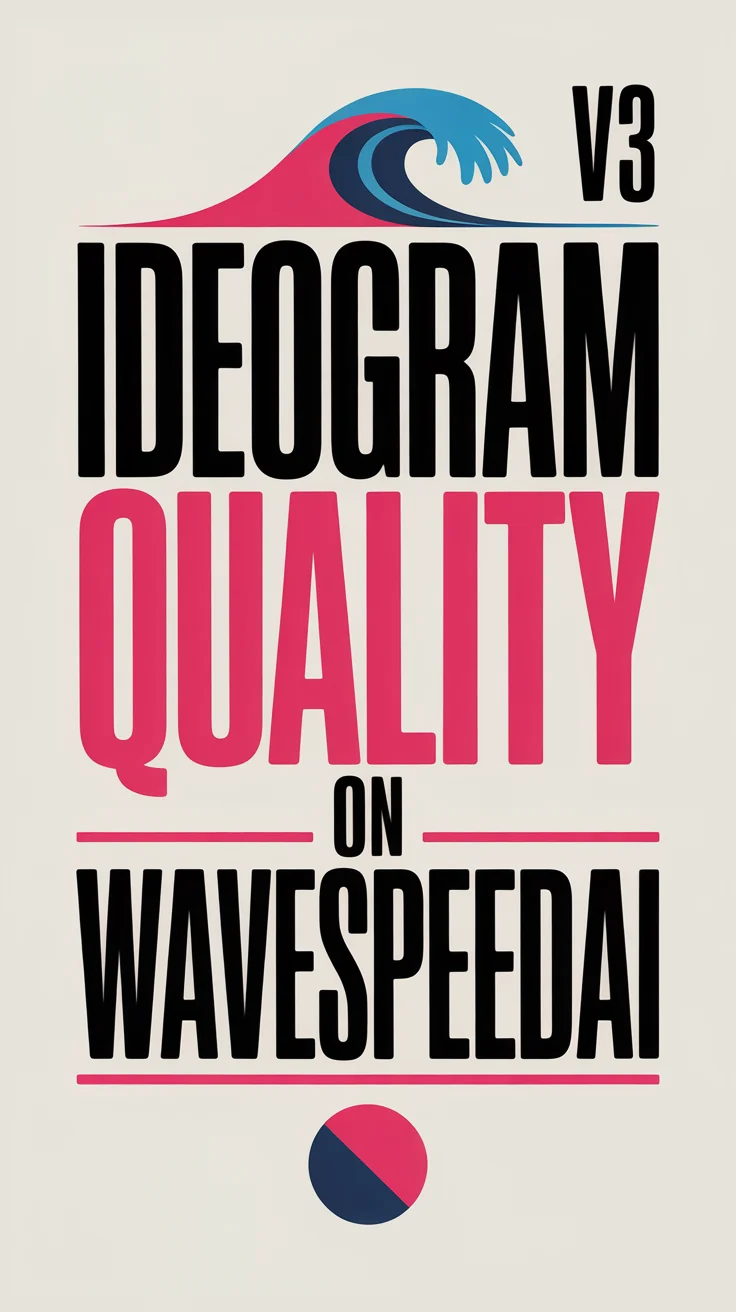
beautiful bauhaus stark typographic poster saying "Ideogram v3 on WaveSpeedAI", pink and gold
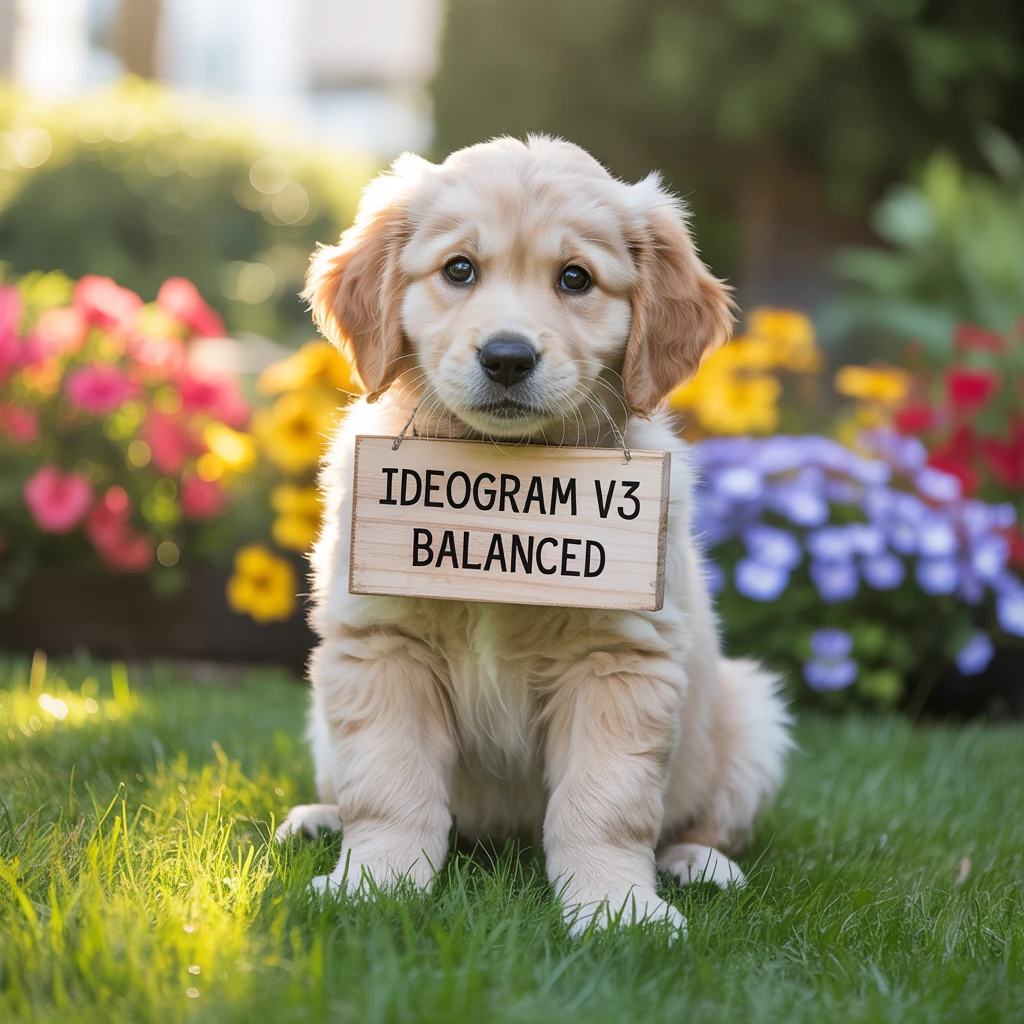
a photo of a puppy holding a sign that says "Ideogram v3 balanced"

High fashion model posing in a minimalist studio, dramatic shadow play, sharp cheekbones, avant-garde makeup, Vogue editorial style, high resolution

Street style portrait of a Gen Z fashion influencer in oversized jacket and sneakers, urban background, natural light, detailed facial expression and accessories

Teenage girl in a school uniform standing on a rainy street in Tokyo, neon reflections on the ground, umbrella in hand, captured with shallow depth of field

A whimsical forest filled with glowing mushrooms and fairy lights, magical creatures hiding behind trees, dreamy pastel colors, Studio Ghibli-inspired style

A cute yellow dinosaur wearing sunglasses and a red cap, standing on a skateboard, cartoon style, clean vector lines, white background

A floating island with waterfalls cascading into the clouds, vibrant sky, magical atmosphere, fantasy

A dragon made of living vines and flowers, glowing eyes, perched on a cliff at sunrise, detailed fantasy concept art

Snowy village at night with glowing lanterns, smoke coming from chimneys, peaceful and nostalgic, semi-realistic illustration
Mô hình liên quan



README
Ideogram V3 Balanced
Generate high-quality images with exceptional typography using Ideogram V3 Balanced. This versatile model offers the optimal balance between speed, quality, and cost — perfect for everyday design work, marketing materials, and professional content creation.
Why It Looks Great
- Balanced performance: Optimal trade-off between speed, quality, and price.
- Superior typography: Industry-leading text rendering for posters, logos, and designs.
- Multiple modes: Text-to-image generation, image editing, and masked inpainting.
- Style presets: Choose from Auto, General, Realistic, or Design styles.
- Reference images: Use up to 3 reference images to guide generation.
- Mask support: Precise regional editing with custom masks.
- Flexible aspect ratios: Five format options for any use case.
- Safety Checker: Optional content filtering for appropriate output.
Parameters
| Parameter | Required | Description |
|---|---|---|
| prompt | Yes | Text description of the image you want to generate. |
| image | No | Source image for editing (upload or public URL). |
| mask_image | No | Mask to specify edit regions — white areas will be regenerated. |
| style | No | Output style: Auto, General, Realistic, or Design. Default: Auto. |
| aspect_ratio | No | Output format: 1:1, 16:9, 9:16, 4:3, or 3:4. Default: 1:1. |
| reference_images | No | Up to 3 reference images to guide style and composition. |
| enable_base64_output | No | API only: Returns base64 string instead of URL. |
| Enable Safety Checker | No | Toggle content safety filtering. |
How to Use
Text-to-Image Generation
- Write your prompt — describe the image including any text you want rendered.
- Choose style — select Auto, General, Realistic, or Design.
- Set aspect ratio — pick the format that fits your use case.
- Add reference images (optional) — click "+ Add Item" to include style references.
- Run — click the button to generate.
- Download — preview and save your image.
Image Editing
- Upload source image — the image you want to edit.
- Upload mask (optional) — white areas indicate regions to regenerate.
- Write your prompt — describe the desired changes or new elements.
- Run — click the button to apply edits.
Pricing
Flat rate per image generation.
| Output | Cost |
|---|---|
| Per image | $0.06 |
Style Guide
| Style | Description | Best For |
|---|---|---|
| Auto | Automatically selects the best style | General use, when unsure |
| General | Balanced, versatile output | Wide range of subjects |
| Realistic | Photorealistic, natural appearance | Photos, portraits, products |
| Design | Graphic design aesthetic | Posters, logos, marketing materials |
Best Use Cases
- Everyday Design Work — Create quality designs without premium pricing.
- Marketing Content — Produce professional graphics for campaigns and social media.
- Logo & Branding — Generate polished brand concepts and materials.
- Typography & Posters — Create designs with clean, readable text.
- Production Workflows — Balance quality and volume for regular content needs.
Example Prompts
- "modern minimalist poster saying 'DESIGN WEEK 2025', clean sans-serif typography, gradient background"
- "coffee shop menu board with text 'Today's Special: Caramel Latte', chalkboard style, warm tones"
- "YouTube thumbnail with bold text 'TOP 10 TIPS', energetic colors, eye-catching design"
- "event invitation for 'Summer Garden Party', floral illustrations, elegant script font"
- "app splash screen with logo 'FOCUS', minimal design, calming blue gradient"
Model Comparison
| Model | Cost | Speed | Quality | Best For |
|---|---|---|---|---|
| Ideogram V3 Turbo | $0.03 | Fastest | Good | Rapid iteration, testing |
| Ideogram V3 Balanced | $0.06 | Medium | Better | Everyday production work |
| Ideogram V3 Quality | $0.09 | Standard | Best | Final deliverables, print |
Pro Tips for Best Results
- Balanced is ideal for most production work — great quality at reasonable cost.
- For typography, put the exact text in quotes within your prompt.
- Use the Design style for graphic design work with text elements.
- Use Turbo for testing concepts, Balanced for production, Quality for finals.
- Reference images help maintain consistency across multiple generations.
- Describe typography style: "modern", "clean", "bold", "elegant".
Notes
- Ideogram is renowned for best-in-class text rendering in AI-generated images.
- Balanced mode is the recommended choice for most everyday use cases.
- If using URLs for images, ensure they are publicly accessible.
- The enable_base64_output option is only available through the API.
- Reference images (up to 3) help guide style without directly copying content.
Ideogram v3 Balanced API — Quick start
Grab a WaveSpeedAI API key, then call POST https://api.wavespeed.ai/api/v3/ideogram-ai/ideogram-v3-balanced with your input as JSON. The endpoint returns a prediction id. Start polling the result endpoint around every 2 seconds, increase the interval for long-running tasks, and stop on any terminal status. On completed, read output values from data.outputs. Examples for Ideogram v3 Balanced below.
HTTP example
set -euo pipefail

: "${WAVESPEED_API_KEY:?Set WAVESPEED_API_KEY}"

REQUEST_BODY=$(cat <<'JSON'
{
    "prompt": "A cinematic shot of a city at sunset, soft golden light",
    "style": "Auto",
    "aspect_ratio": "1:1"
}
JSON
)

# 1. Submit the prediction.
SUBMIT_RESPONSE=$(curl --silent --show-error --fail-with-body \
  -X POST "https://api.wavespeed.ai/api/v3/ideogram-ai/ideogram-v3-balanced" \
  -H "Content-Type: application/json" \
  -H "Authorization: Bearer $WAVESPEED_API_KEY" \
  -d "$REQUEST_BODY")

TASK=$(printf '%s' "$SUBMIT_RESPONSE" | jq 'if has("data") then .data else . end')
PREDICTION_ID=$(printf '%s' "$TASK" | jq -r '.id')
if [ -z "$PREDICTION_ID" ] || [ "$PREDICTION_ID" = "null" ]; then
  printf 'Submission response did not contain a prediction id
' >&2
  exit 1
fi
RESULT_URL=$(printf '%s' "$TASK" | jq -r '.urls.get // empty')
if [ -z "$RESULT_URL" ]; then
  RESULT_URL="https://api.wavespeed.ai/api/v3/predictions/$PREDICTION_ID/result"
fi

# 2. Poll until the prediction finishes.
while true; do
  RESPONSE=$(curl --silent --show-error --fail-with-body "$RESULT_URL" \
    -H "Authorization: Bearer $WAVESPEED_API_KEY")
  RESULT=$(printf '%s' "$RESPONSE" | jq 'if has("data") then .data else . end')
  STATUS=$(printf '%s' "$RESULT" | jq -r '.status')
  case "$STATUS" in
    completed) printf '%s\n' "$RESULT" | jq '.outputs'; break ;;
    failed|cancelled|timeout) printf '%s\n' "$RESULT" | jq . >&2; exit 1 ;;
    created|processing) sleep 2 ;;
    *) printf 'Unexpected status: %s
' "$STATUS" >&2; exit 1 ;;
  esac
done
Node.js example
const submitUrl = "https://api.wavespeed.ai/api/v3/ideogram-ai/ideogram-v3-balanced";
const apiKey = process.env.WAVESPEED_API_KEY;
if (!apiKey) throw new Error('Set WAVESPEED_API_KEY');

async function requestJson(url, options = {}) {
  const response = await fetch(url, options);
  if (!response.ok) throw new Error(await response.text());
  return response.json();
}

// 1. Submit the prediction.
const body = await requestJson(submitUrl, {
  method: "POST",
  headers: {
    "Authorization": `Bearer ${apiKey}`,
    "Content-Type": "application/json",
  },
  body: JSON.stringify({
        "prompt": "A cinematic shot of a city at sunset, soft golden light",
        "style": "Auto",
        "aspect_ratio": "1:1"
}),
});
const task = body.data ?? body;
if (!task.id) throw new Error("Submission response did not contain a prediction id");
const resultUrl = task.urls?.get ||
  `https://api.wavespeed.ai/api/v3/predictions/${task.id}/result`;

// 2. Poll until the prediction finishes.
while (true) {
  const resultBody = await requestJson(resultUrl, {
    headers: { "Authorization": `Bearer ${apiKey}` },
  });
  const result = resultBody.data ?? resultBody;
  if (result.status === "completed") {
    console.log(result.outputs);
    break;
  }
  if (["failed", "cancelled", "timeout"].includes(result.status)) throw new Error(JSON.stringify(result));
  if (!["created", "processing"].includes(result.status)) throw new Error("Unexpected status: " + result.status);
  await new Promise(resolve => setTimeout(resolve, 2000));
}
Python example
import json
import os
import time
from urllib.request import Request, urlopen

api_key = os.environ["WAVESPEED_API_KEY"]
headers = {"Authorization": f"Bearer {api_key}", "Content-Type": "application/json"}
payload = {
    "prompt": "A cinematic shot of a city at sunset, soft golden light",
    "style": "Auto",
    "aspect_ratio": "1:1"
}

def request_json(url, data=None):
    request = Request(url, data=data, headers=headers, method="POST" if data else "GET")
    with urlopen(request) as response:
        return json.load(response)

# 1. Submit the prediction.
body = request_json("https://api.wavespeed.ai/api/v3/ideogram-ai/ideogram-v3-balanced", json.dumps(payload).encode())
task = body.get("data", body)
if not task.get("id"):
    raise RuntimeError("Submission response did not contain a prediction id")
result_url = task.get("urls", {}).get("get") or f"https://api.wavespeed.ai/api/v3/predictions/{task['id']}/result"

# 2. Poll until the prediction finishes.
while True:
    result_body = request_json(result_url)
    result = result_body.get("data", result_body)
    status = result.get("status")
    if status == "completed":
        print(result.get("outputs", []))
        break
    if status in {"failed", "cancelled", "timeout"}:
        raise RuntimeError(result)
    if status not in {"created", "processing"}:
        raise RuntimeError(f"Unexpected status: {status}")
    time.sleep(2)
Ideogram v3 Balanced API — Frequently asked questions
What is the Ideogram v3 Balanced API?
Ideogram v3 Balanced is a Ideogram model for image generation, exposed as a REST API on WaveSpeedAI. Ideogram V3 Balanced delivers the highest-quality image generation with stunning realism, creative design, and consistent styles. Ready-to-use REST inference API, best performance, no coldstarts, affordable pricing. You can call it programmatically or try it from the playground above.
How do I call the Ideogram v3 Balanced API?
POST your input parameters to the model's REST endpoint (shown in the API tab of this playground) with your WaveSpeedAI API key in the Authorization header. Submission returns a prediction ID. Poll the result endpoint starting around every 2 seconds, increase the interval for long-running tasks, and stop on any terminal status. The playground generates production-oriented Python, JavaScript, and cURL examples with timeouts, transient-error handling, and safe GET retries. Full request/response shape is documented at https://wavespeed.ai/docs/docs-api/ideogram-ai/ideogram-ai-ideogram-v3-balanced.
How much does Ideogram v3 Balanced cost per run?
Ideogram v3 Balanced starts at $0.060 per run. That figure is the base price — the final charge scales with the parameters you set in the form (output size, length, count, references, or whatever knobs this model exposes), so a higher-quality or larger output costs more than a minimal one. The exact cost for your current input is shown live next to the Generate button before you submit, and the actual per-call charge is recorded on the prediction afterwards.
What inputs does Ideogram v3 Balanced accept?
Key inputs: `prompt`, `image`, `aspect_ratio`, `reference_images`, `enable_base64_output`, `mask_image`. The full JSON schema (types, defaults, allowed values) is rendered above the Generate button and mirrored in the API reference at https://wavespeed.ai/docs/docs-api/ideogram-ai/ideogram-ai-ideogram-v3-balanced.
How long does Ideogram v3 Balanced take to generate?
Median end-to-end generation time on WaveSpeedAI is around 18 seconds per request, based on recent successful runs. Queue time varies with global demand; live status is visible in the prediction record.
Can I use Ideogram v3 Balanced outputs commercially?
Commercial usage rights depend on the model's license, set by its provider (Ideogram). The license summary appears on the model card above; see WaveSpeedAI's Terms of Service for platform-level conditions.