Clarity AI Crystal Upscaler boosts image resolution with AI upscaling and adjustable detail for portraits and landscapes. Ready-to-use REST inference API, best performance, no coldstarts, affordable pricing.
Boşta

$0.03çalıştırma başına·~33 / $1
ÖrneklerTümünü görüntüle






İlgili Modeller





README
Clarity AI Crystal Upscaler
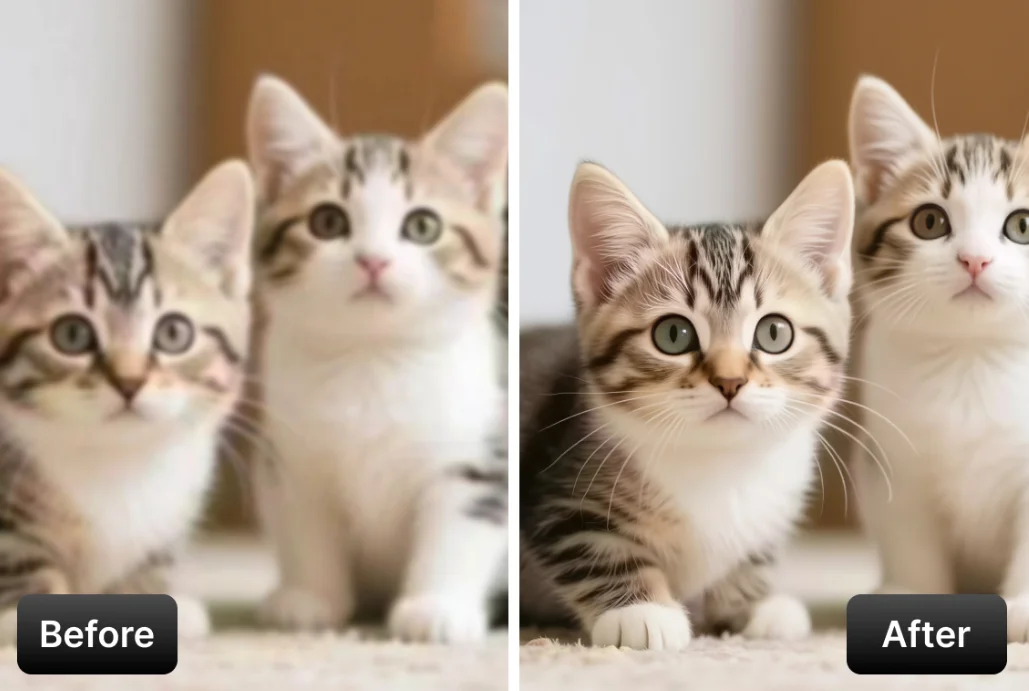
Clarity AI Crystal Upscaler enhances and enlarges images with a megapixel-based output target and adjustable creativity control. It is designed for photo restoration, product image enhancement, print preparation, archival cleanup, and other workflows where you want a sharper, larger final image with predictable output sizing.
Why Choose This?
-
Megapixel-based output control
Choose the target output size directly in megapixels for more predictable delivery planning. -
Clean high-resolution enhancement
Improve sharpness, detail, and overall clarity for photos, scans, product visuals, and creative assets. -
Creativity adjustment
Usecreativityto balance strict source preservation against more generated detail. -
Simple workflow
Upload one image, choose the target megapixels, optionally adjust creativity, and generate the result. -
Production-ready API
Suitable for restoration, publishing, e-commerce, design, and large-format image workflows.
Parameters
| Parameter | Required | Description |
|---|---|---|
| image | Yes | Input image to upscale. |
| target_megapixels | No | Requested output size in megapixels. Range: 1–1500 MP. Default: 4. |
| creativity | No | Negative values stay stricter to the source; positive values add more generated detail. Range: 0 to 10. Default: 0. |
How to Use
- Upload your image — provide the source image you want to enhance.
- Choose target megapixels — select the output size that best matches your delivery needs.
- Adjust creativity (optional) — keep it lower for more faithful restoration, or raise it for stronger generated detail.
- Submit — run the model and download the upscaled image.
Example Use Case
Upscale a product photo for print and marketing use while preserving clean edges, surface texture, and overall realism.
Pricing
Pricing is based on the selected target_megapixels tier.
| Target Megapixels | Cost |
|---|---|
<= 4 MP | $0.05 |
> 4 MP and <= 16 MP | $0.20 |
> 16 MP and <= 36 MP | $0.80 |
> 36 MP and <= 100 MP | $1.60 |
> 100 MP and <= 400 MP | $6.40 |
> 400 MP | $24.00 |
Billing Rules
- Pricing depends on the selected
target_megapixels - Cost uses fixed megapixel tiers rather than scaling linearly
- Crossing into a higher megapixel tier moves the request to the next price bracket
creativitydoes not affect pricing
Best Use Cases
- Photo upscaling — Improve clarity and output size for photography and scanned images.
- Product image enhancement — Prepare sharper visuals for listings, ads, and catalogs.
- Print preparation — Generate larger files for posters, signage, and premium print work.
- Archival restoration — Improve older or lower-resolution source images for reuse.
- Creative asset production — Produce larger, cleaner visuals for design and publishing workflows.
Pro Tips
- Start with a lower megapixel target first, then increase only if you need a larger final output.
- Keep
creativitynear0when you want a more natural, source-faithful result. - Lower
creativitywhen preserving structure, faces, logos, or product accuracy matters most. - Raise
creativitygradually when you want stronger generated texture or enhancement. - Use the cleanest source image available for better detail recovery.
Notes
imageis required.target_megapixelssupports values from1to1500.creativityranges from0to10.- Pricing depends only on the selected megapixel tier.
- Higher megapixel targets may be more suitable for print, presentation, or premium delivery workflows.
Related Models
- Clarity AI Pro Upscaler — A simpler upscaling workflow for clean high-resolution enhancement.
- Clarity AI Flux Upscaler — Upscale images with prompt guidance and optional LoRA style control.
- Clarity AI Creative Upscaler — Add more style-aware and generative control for portraits, illustrations, and creative workflows.
Crystal Upscaler API — Quick start
Grab a WaveSpeedAI API key, then call POST https://api.wavespeed.ai/api/v3/clarity-ai/crystal-upscaler with your input as JSON. The endpoint returns a prediction id. Start polling the result endpoint around every 2 seconds, increase the interval for long-running tasks, and stop on any terminal status. On completed, read output values from data.outputs. Examples for Crystal Upscaler below.
HTTP example
set -euo pipefail

: "${WAVESPEED_API_KEY:?Set WAVESPEED_API_KEY}"

REQUEST_BODY=$(cat <<'JSON'
{
    "image": "https://interactive-examples.mdn.mozilla.net/media/cc0-images/painted-hand-298-332.jpg",
    "target_megapixels": 4,
    "creativity": 0
}
JSON
)

# 1. Submit the prediction.
SUBMIT_RESPONSE=$(curl --silent --show-error --fail-with-body \
  -X POST "https://api.wavespeed.ai/api/v3/clarity-ai/crystal-upscaler" \
  -H "Content-Type: application/json" \
  -H "Authorization: Bearer $WAVESPEED_API_KEY" \
  -d "$REQUEST_BODY")

TASK=$(printf '%s' "$SUBMIT_RESPONSE" | jq 'if has("data") then .data else . end')
PREDICTION_ID=$(printf '%s' "$TASK" | jq -r '.id')
if [ -z "$PREDICTION_ID" ] || [ "$PREDICTION_ID" = "null" ]; then
  printf 'Submission response did not contain a prediction id
' >&2
  exit 1
fi
RESULT_URL=$(printf '%s' "$TASK" | jq -r '.urls.get // empty')
if [ -z "$RESULT_URL" ]; then
  RESULT_URL="https://api.wavespeed.ai/api/v3/predictions/$PREDICTION_ID/result"
fi

# 2. Poll until the prediction finishes.
while true; do
  RESPONSE=$(curl --silent --show-error --fail-with-body "$RESULT_URL" \
    -H "Authorization: Bearer $WAVESPEED_API_KEY")
  RESULT=$(printf '%s' "$RESPONSE" | jq 'if has("data") then .data else . end')
  STATUS=$(printf '%s' "$RESULT" | jq -r '.status')
  case "$STATUS" in
    completed) printf '%s\n' "$RESULT" | jq '.outputs'; break ;;
    failed|cancelled|timeout) printf '%s\n' "$RESULT" | jq . >&2; exit 1 ;;
    created|processing) sleep 2 ;;
    *) printf 'Unexpected status: %s
' "$STATUS" >&2; exit 1 ;;
  esac
done
Node.js example
const submitUrl = "https://api.wavespeed.ai/api/v3/clarity-ai/crystal-upscaler";
const apiKey = process.env.WAVESPEED_API_KEY;
if (!apiKey) throw new Error('Set WAVESPEED_API_KEY');

async function requestJson(url, options = {}) {
  const response = await fetch(url, options);
  if (!response.ok) throw new Error(await response.text());
  return response.json();
}

// 1. Submit the prediction.
const body = await requestJson(submitUrl, {
  method: "POST",
  headers: {
    "Authorization": `Bearer ${apiKey}`,
    "Content-Type": "application/json",
  },
  body: JSON.stringify({
        "image": "https://interactive-examples.mdn.mozilla.net/media/cc0-images/painted-hand-298-332.jpg",
        "target_megapixels": 4,
        "creativity": 0
}),
});
const task = body.data ?? body;
if (!task.id) throw new Error("Submission response did not contain a prediction id");
const resultUrl = task.urls?.get ||
  `https://api.wavespeed.ai/api/v3/predictions/${task.id}/result`;

// 2. Poll until the prediction finishes.
while (true) {
  const resultBody = await requestJson(resultUrl, {
    headers: { "Authorization": `Bearer ${apiKey}` },
  });
  const result = resultBody.data ?? resultBody;
  if (result.status === "completed") {
    console.log(result.outputs);
    break;
  }
  if (["failed", "cancelled", "timeout"].includes(result.status)) throw new Error(JSON.stringify(result));
  if (!["created", "processing"].includes(result.status)) throw new Error("Unexpected status: " + result.status);
  await new Promise(resolve => setTimeout(resolve, 2000));
}
Python example
import json
import os
import time
from urllib.request import Request, urlopen

api_key = os.environ["WAVESPEED_API_KEY"]
headers = {"Authorization": f"Bearer {api_key}", "Content-Type": "application/json"}
payload = {
    "image": "https://interactive-examples.mdn.mozilla.net/media/cc0-images/painted-hand-298-332.jpg",
    "target_megapixels": 4,
    "creativity": 0
}

def request_json(url, data=None):
    request = Request(url, data=data, headers=headers, method="POST" if data else "GET")
    with urlopen(request) as response:
        return json.load(response)

# 1. Submit the prediction.
body = request_json("https://api.wavespeed.ai/api/v3/clarity-ai/crystal-upscaler", json.dumps(payload).encode())
task = body.get("data", body)
if not task.get("id"):
    raise RuntimeError("Submission response did not contain a prediction id")
result_url = task.get("urls", {}).get("get") or f"https://api.wavespeed.ai/api/v3/predictions/{task['id']}/result"

# 2. Poll until the prediction finishes.
while True:
    result_body = request_json(result_url)
    result = result_body.get("data", result_body)
    status = result.get("status")
    if status == "completed":
        print(result.get("outputs", []))
        break
    if status in {"failed", "cancelled", "timeout"}:
        raise RuntimeError(result)
    if status not in {"created", "processing"}:
        raise RuntimeError(f"Unexpected status: {status}")
    time.sleep(2)
Crystal Upscaler API — Frequently asked questions
What is the Crystal Upscaler API?
Crystal Upscaler is a Clarity model for upscaling, exposed as a REST API on WaveSpeedAI. Clarity AI Crystal Upscaler boosts image resolution with AI upscaling and adjustable detail for portraits and landscapes. Ready-to-use REST inference API, best performance, no coldstarts, affordable pricing. You can call it programmatically or try it from the playground above.
How do I call the Crystal Upscaler API?
POST your input parameters to the model's REST endpoint (shown in the API tab of this playground) with your WaveSpeedAI API key in the Authorization header. Submission returns a prediction ID. Poll the result endpoint starting around every 2 seconds, increase the interval for long-running tasks, and stop on any terminal status. The playground generates production-oriented Python, JavaScript, and cURL examples with timeouts, transient-error handling, and safe GET retries. Full request/response shape is documented at https://wavespeed.ai/docs/docs-api/clarity-ai/clarity-ai-crystal-upscaler.
How much does Crystal Upscaler cost per run?
Crystal Upscaler starts at $0.030 per run. That figure is the base price — the final charge scales with the parameters you set in the form (output size, length, count, references, or whatever knobs this model exposes), so a higher-quality or larger output costs more than a minimal one. The exact cost for your current input is shown live next to the Generate button before you submit, and the actual per-call charge is recorded on the prediction afterwards.
What inputs does Crystal Upscaler accept?
Key inputs: `image`, `creativity`, `target_megapixels`. The full JSON schema (types, defaults, allowed values) is rendered above the Generate button and mirrored in the API reference at https://wavespeed.ai/docs/docs-api/clarity-ai/clarity-ai-crystal-upscaler.
How long does Crystal Upscaler take to generate?
Median end-to-end generation time on WaveSpeedAI is around 30 seconds per request, based on recent successful runs. Queue time varies with global demand; live status is visible in the prediction record.
Can I use Crystal Upscaler outputs commercially?
Commercial usage rights depend on the model's license, set by its provider (Clarity). The license summary appears on the model card above; see WaveSpeedAI's Terms of Service for platform-level conditions.