Luma Photon Flash is a Luma text-to-image model that generates images directly from text prompts. Ready-to-use REST inference API, best performance, no coldstarts, affordable pricing.
ว่าง

$0.005ต่อครั้ง·~200 / $1
ตัวอย่างดูทั้งหมด
Teen girl journaling in bed by phone flashlight, stuffed animals around her, stickers on the wall, cozy and introspective vibe

Commuter boarding a city bus at sunset, reflections on the glass, traffic passing by, low-angle shots of buildings and skyline
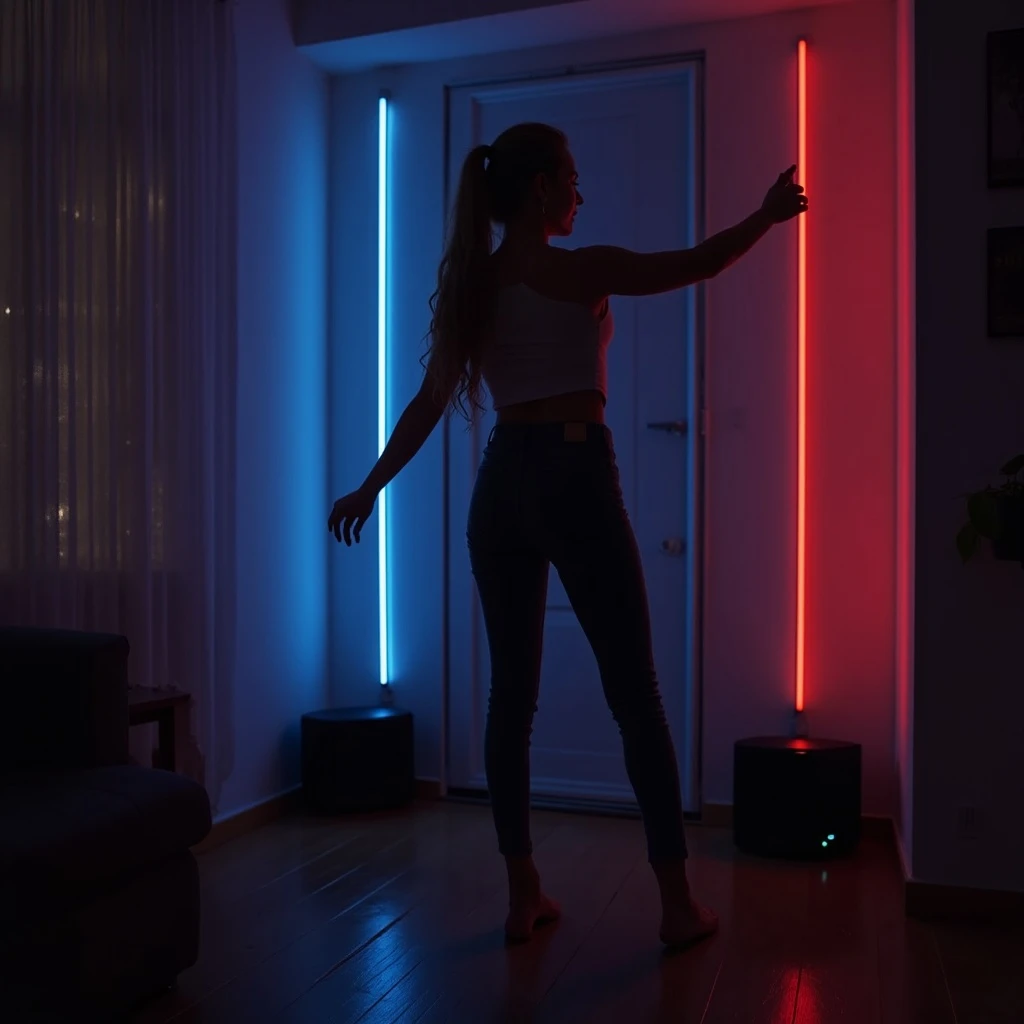
Woman dancing alone in her apartment at midnight, Bluetooth speaker playing upbeat music, lights off except for LED strips
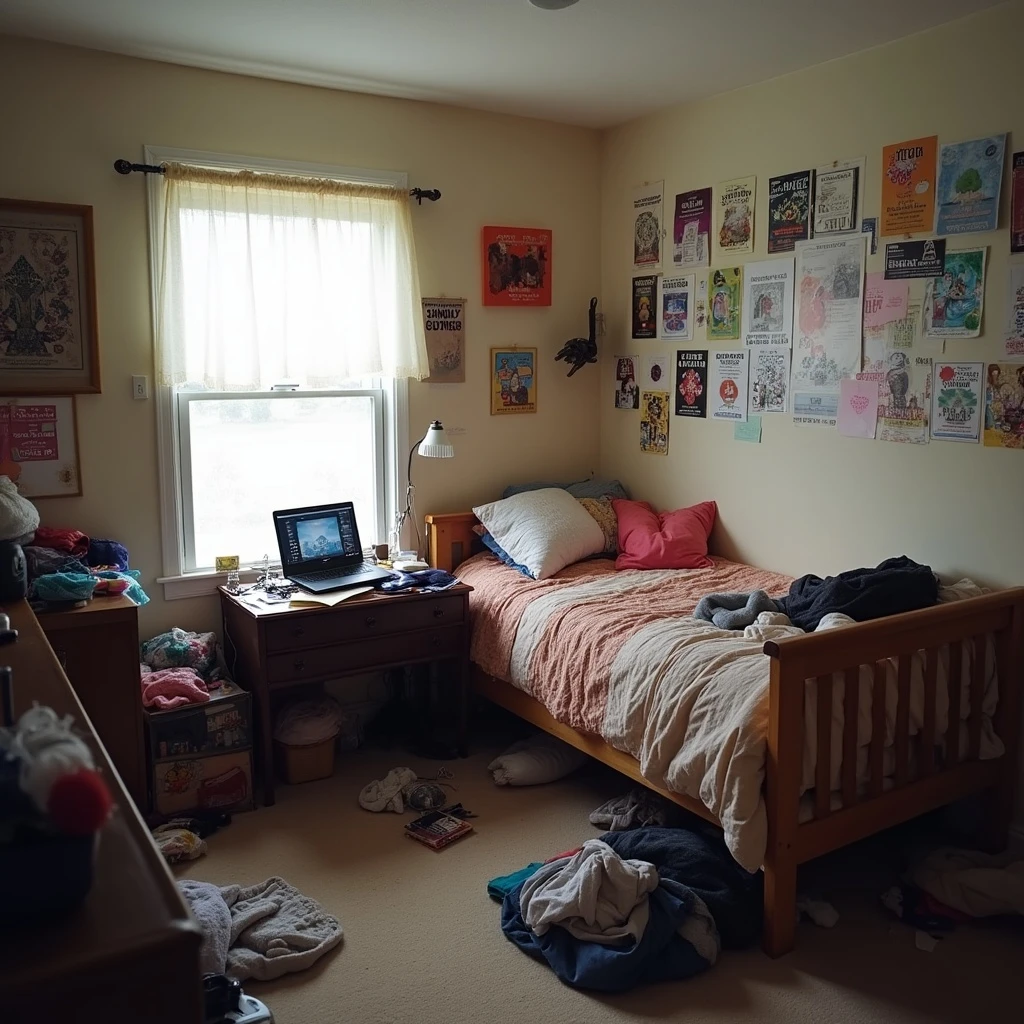
Cluttered teenager's bedroom with posters on the wall, open laptop, messy bed and clothes on the floor, natural lighting

Elderly couple eating breakfast together by the window, morning paper, fruit on the table, warm and tender realism

A barista making coffee behind the counter of a small café, espresso machine steaming, pastries in glass display, moody lighting

Grocery store checkout line, people holding baskets, cash register lights, everyday realism with muted tones

Woman reading a book in a window seat during a rainy afternoon, raindrops on the glass, blanket over her legs, peaceful moment

Man looking out his apartment window at the city lights, dim room behind him, a glass of wine in hand

Someone sitting at a quiet park bench during golden hour, fallen leaves, light breeze, birds in the distance
โมเดลที่เกี่ยวข้อง






README
Luma Photon Flash
Generate images at incredible speed and unbeatable value with Luma Photon Flash. At just $0.005 per image, this ultra-fast text-to-image model delivers quality results for rapid prototyping, high-volume generation, and budget-conscious creative work.
Looking for higher quality? Try Luma Photon for enhanced output.
Why It Looks Great
- Unbeatable price: Just $0.005 per image — generate 200 images for $1.
- Flash speed: Optimized for the fastest possible generation.
- Atmospheric scenes: Creates mood-driven, emotionally resonant imagery.
- Prompt Enhancer: Built-in tool to refine your descriptions automatically.
- High-volume ready: Perfect for batch generation and rapid iteration.
Parameters
| Parameter | Required | Description |
|---|---|---|
| prompt | Yes | Text description of the image you want to generate. |
How to Use
- Write your prompt — describe the scene, mood, and atmosphere.
- Use Prompt Enhancer (optional) — click to automatically enrich your description.
- Run — click the button to generate.
- Download — preview and save your image.
Pricing
Flat rate per image.
| Output | Cost |
|---|---|
| Per image | $0.005 |
| 100 images | $0.50 |
| 1,000 images | $5.00 |
Best Use Cases
- Rapid Prototyping — Test concepts and ideas at minimal cost.
- High-Volume Generation — Produce large batches affordably.
- Mood Boards — Generate multiple atmospheric images for inspiration.
- Social Media Content — Create visuals for posts and stories quickly.
- Creative Exploration — Experiment freely without budget concerns.
Example Prompts
- "Teen girl journaling in bed by phone flashlight, stuffed animals around her, stickers on the wall, cozy and introspective vibe"
- "Neon-lit ramen shop at night, steam rising, lonely customer at counter"
- "Cat sleeping on a sunny windowsill, dust particles in light, peaceful afternoon"
- "Abandoned amusement park at dusk, nostalgic and slightly eerie atmosphere"
- "Couple sharing headphones on a train, city lights passing by window"
Model Comparison
| Model | Cost | Speed | Best For |
|---|---|---|---|
| Photon Flash | $0.005 | Fastest | High-volume, prototyping, budget work |
| Photon | Higher | Standard | Quality output, final deliverables |
Pro Tips for Best Results
- Include mood and atmosphere: "cozy", "introspective", "nostalgic", "peaceful".
- Describe lighting conditions: "phone flashlight", "neon-lit", "sunny".
- Add environmental details for richer scenes.
- At $0.005, generate many variations and pick the best.
- Perfect for exploring ideas before committing to higher-quality generation.
- Flash excels at atmospheric, mood-driven scenes.
Notes
- The most affordable text-to-image option available.
- Flash mode prioritizes speed and cost efficiency.
- Ideal for testing prompts before using premium models.
- Processing is optimized for rapid turnaround.
Photon Flash API — Quick start
Grab a WaveSpeedAI API key, then call POST https://api.wavespeed.ai/api/v3/luma/photon-flash with your input as JSON. The endpoint returns a prediction id. Start polling the result endpoint around every 2 seconds, increase the interval for long-running tasks, and stop on any terminal status. On completed, read output values from data.outputs. Examples for Photon Flash below.
HTTP example
set -euo pipefail

: "${WAVESPEED_API_KEY:?Set WAVESPEED_API_KEY}"

REQUEST_BODY=$(cat <<'JSON'
{
    "prompt": "A cinematic shot of a city at sunset, soft golden light"
}
JSON
)

# 1. Submit the prediction.
SUBMIT_RESPONSE=$(curl --silent --show-error --fail-with-body \
  -X POST "https://api.wavespeed.ai/api/v3/luma/photon-flash" \
  -H "Content-Type: application/json" \
  -H "Authorization: Bearer $WAVESPEED_API_KEY" \
  -d "$REQUEST_BODY")

TASK=$(printf '%s' "$SUBMIT_RESPONSE" | jq 'if has("data") then .data else . end')
PREDICTION_ID=$(printf '%s' "$TASK" | jq -r '.id')
if [ -z "$PREDICTION_ID" ] || [ "$PREDICTION_ID" = "null" ]; then
  printf 'Submission response did not contain a prediction id
' >&2
  exit 1
fi
RESULT_URL=$(printf '%s' "$TASK" | jq -r '.urls.get // empty')
if [ -z "$RESULT_URL" ]; then
  RESULT_URL="https://api.wavespeed.ai/api/v3/predictions/$PREDICTION_ID/result"
fi

# 2. Poll until the prediction finishes.
while true; do
  RESPONSE=$(curl --silent --show-error --fail-with-body "$RESULT_URL" \
    -H "Authorization: Bearer $WAVESPEED_API_KEY")
  RESULT=$(printf '%s' "$RESPONSE" | jq 'if has("data") then .data else . end')
  STATUS=$(printf '%s' "$RESULT" | jq -r '.status')
  case "$STATUS" in
    completed) printf '%s\n' "$RESULT" | jq '.outputs'; break ;;
    failed|cancelled|timeout) printf '%s\n' "$RESULT" | jq . >&2; exit 1 ;;
    created|processing) sleep 2 ;;
    *) printf 'Unexpected status: %s
' "$STATUS" >&2; exit 1 ;;
  esac
done
Node.js example
const submitUrl = "https://api.wavespeed.ai/api/v3/luma/photon-flash";
const apiKey = process.env.WAVESPEED_API_KEY;
if (!apiKey) throw new Error('Set WAVESPEED_API_KEY');

async function requestJson(url, options = {}) {
  const response = await fetch(url, options);
  if (!response.ok) throw new Error(await response.text());
  return response.json();
}

// 1. Submit the prediction.
const body = await requestJson(submitUrl, {
  method: "POST",
  headers: {
    "Authorization": `Bearer ${apiKey}`,
    "Content-Type": "application/json",
  },
  body: JSON.stringify({
        "prompt": "A cinematic shot of a city at sunset, soft golden light"
}),
});
const task = body.data ?? body;
if (!task.id) throw new Error("Submission response did not contain a prediction id");
const resultUrl = task.urls?.get ||
  `https://api.wavespeed.ai/api/v3/predictions/${task.id}/result`;

// 2. Poll until the prediction finishes.
while (true) {
  const resultBody = await requestJson(resultUrl, {
    headers: { "Authorization": `Bearer ${apiKey}` },
  });
  const result = resultBody.data ?? resultBody;
  if (result.status === "completed") {
    console.log(result.outputs);
    break;
  }
  if (["failed", "cancelled", "timeout"].includes(result.status)) throw new Error(JSON.stringify(result));
  if (!["created", "processing"].includes(result.status)) throw new Error("Unexpected status: " + result.status);
  await new Promise(resolve => setTimeout(resolve, 2000));
}
Python example
import json
import os
import time
from urllib.request import Request, urlopen

api_key = os.environ["WAVESPEED_API_KEY"]
headers = {"Authorization": f"Bearer {api_key}", "Content-Type": "application/json"}
payload = {
    "prompt": "A cinematic shot of a city at sunset, soft golden light"
}

def request_json(url, data=None):
    request = Request(url, data=data, headers=headers, method="POST" if data else "GET")
    with urlopen(request) as response:
        return json.load(response)

# 1. Submit the prediction.
body = request_json("https://api.wavespeed.ai/api/v3/luma/photon-flash", json.dumps(payload).encode())
task = body.get("data", body)
if not task.get("id"):
    raise RuntimeError("Submission response did not contain a prediction id")
result_url = task.get("urls", {}).get("get") or f"https://api.wavespeed.ai/api/v3/predictions/{task['id']}/result"

# 2. Poll until the prediction finishes.
while True:
    result_body = request_json(result_url)
    result = result_body.get("data", result_body)
    status = result.get("status")
    if status == "completed":
        print(result.get("outputs", []))
        break
    if status in {"failed", "cancelled", "timeout"}:
        raise RuntimeError(result)
    if status not in {"created", "processing"}:
        raise RuntimeError(f"Unexpected status: {status}")
    time.sleep(2)
Photon Flash API — Frequently asked questions
What is the Photon Flash API?
Photon Flash is a Luma model for image generation, exposed as a REST API on WaveSpeedAI. Luma Photon Flash is a Luma text-to-image model that generates images directly from text prompts. Ready-to-use REST inference API, best performance, no coldstarts, affordable pricing. You can call it programmatically or try it from the playground above.
How do I call the Photon Flash API?
POST your input parameters to the model's REST endpoint (shown in the API tab of this playground) with your WaveSpeedAI API key in the Authorization header. Submission returns a prediction ID. Poll the result endpoint starting around every 2 seconds, increase the interval for long-running tasks, and stop on any terminal status. The playground generates production-oriented Python, JavaScript, and cURL examples with timeouts, transient-error handling, and safe GET retries. Full request/response shape is documented at https://wavespeed.ai/docs/docs-api/luma/luma-photon-flash.
How much does Photon Flash cost per run?
Photon Flash starts at $0.005 per run. That figure is the base price — the final charge scales with the parameters you set in the form (output size, length, count, references, or whatever knobs this model exposes), so a higher-quality or larger output costs more than a minimal one. The exact cost for your current input is shown live next to the Generate button before you submit, and the actual per-call charge is recorded on the prediction afterwards.
What inputs does Photon Flash accept?
Key inputs: `prompt`, `enable_base64_output`. The full JSON schema (types, defaults, allowed values) is rendered above the Generate button and mirrored in the API reference at https://wavespeed.ai/docs/docs-api/luma/luma-photon-flash.
How long does Photon Flash take to generate?
Median end-to-end generation time on WaveSpeedAI is around 5 seconds per request, based on recent successful runs. Queue time varies with global demand; live status is visible in the prediction record.
Can I use Photon Flash outputs commercially?
Commercial usage rights depend on the model's license, set by its provider (Luma). The license summary appears on the model card above; see WaveSpeedAI's Terms of Service for platform-level conditions.