Vidu Reference-to-Image Q2 generates high-quality images from 1–7 reference images plus a text prompt, preserving style and composition while allowing controlled changes to subjects, backgrounds, and fine details. Ready-to-use REST inference API, best performance, no cold starts, affordable pricing.
Ожидание
$0.04за запуск·~25 / $1
ПримерыСмотреть всё
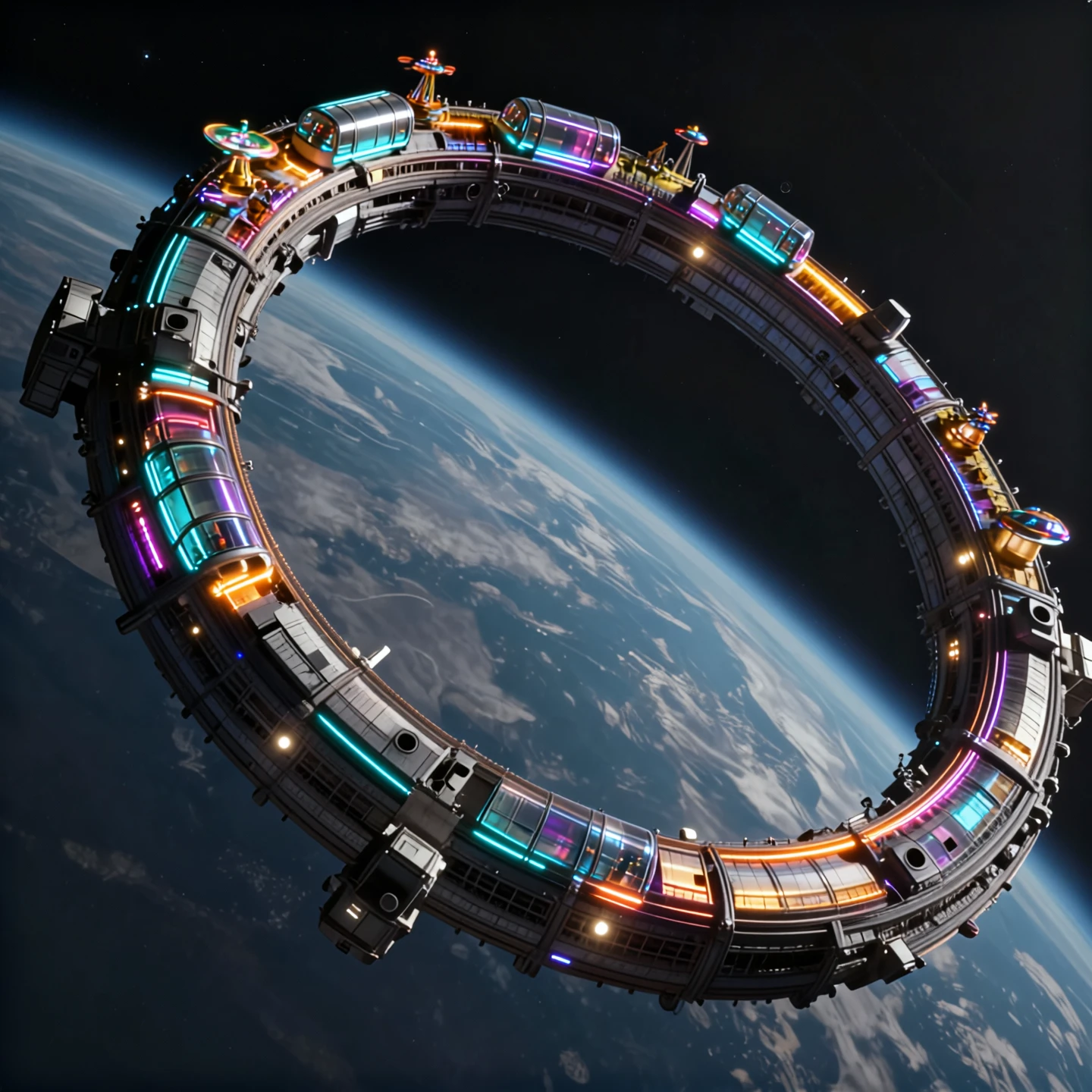
Cinematic sci-fi scene in orbit above Earth. Use image1 as the reference for the overall composition: the curved ring structure, the angle of the Earth below, the lighting and perspective. Transform the ring into a colossal space ferris wheel and amusement park: along the outer edge of the ring add large transparent cabins, glowing roller-coaster tracks, small spinning rides and observation pods, all evenly spaced. The cabins are lit with warm neon colors — cyan, magenta, orange — creating a halo of lights around the dark side of the ring. Keep the realistic detail level and materials from image1, metal panels, vents and structures, but blend them with the new attractions so it feels like a single coherent design. Deep black space in the background with a few stars, Earth below with soft blue atmosphere, high resolution, realistic cinematic sci-fi style, no text.
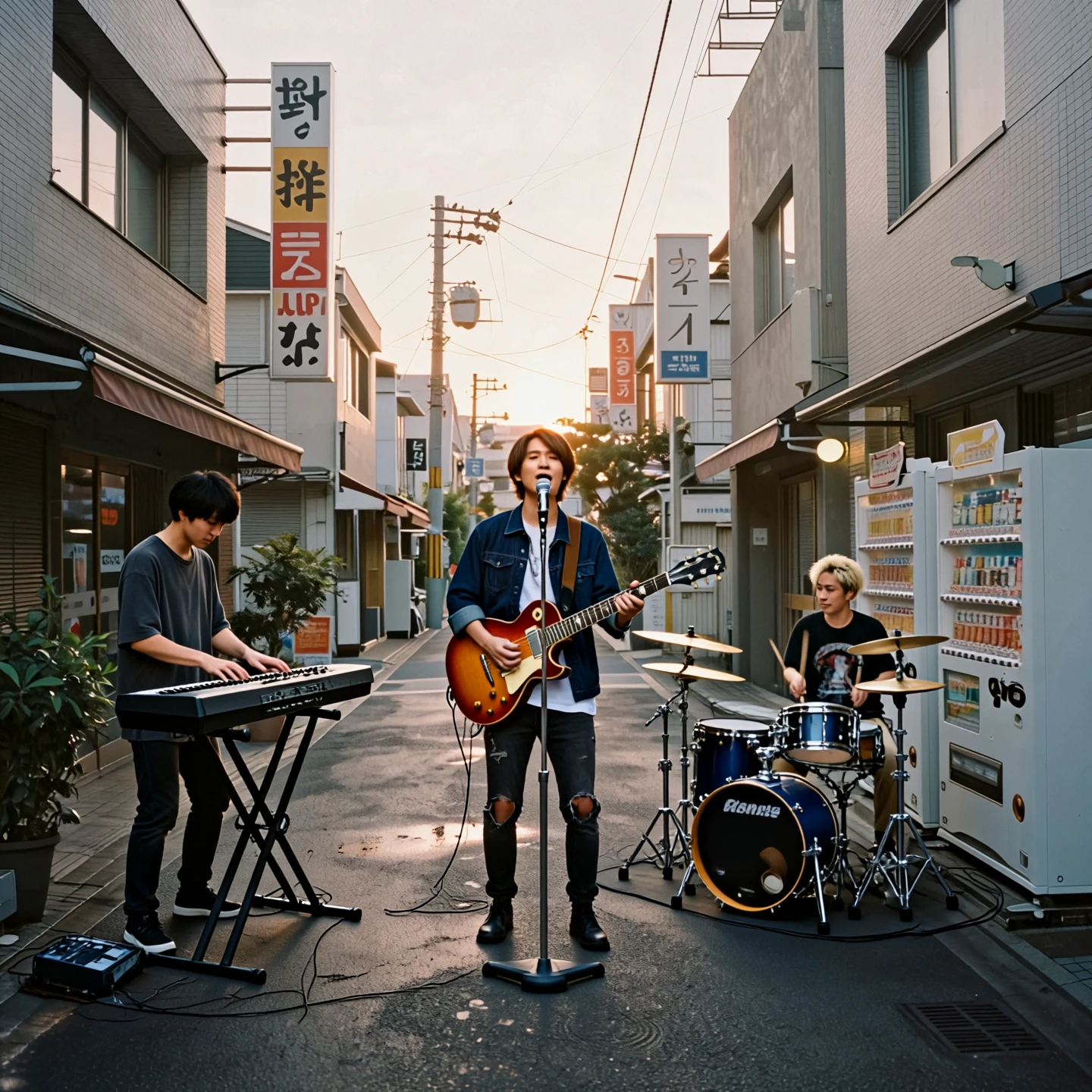
Realistic street photography in Japan at sunset, 35mm film look. Use image1 as the reference for the alley: same buildings, shop signs, vending machines, bicycles, perspective and warm evening light on the wet pavement. Replace the single person in the center with a three-member Japanese band performing in the street. On the left side of the alley, place a keyboard player standing behind a portable electronic keyboard on a stand. In the center, place the guitarist who is also the lead singer, facing the camera slightly, holding an electric guitar and singing into a microphone stand. On the right side, near the vending machines, place the drummer sitting behind a compact drum kit. Keep their outfits casual and modern, like an indie band. Preserve the original color tones and soft lighting of image1, natural lens perspective, shallow contrast, subtle grain, realistic candid street photo style, no added text.
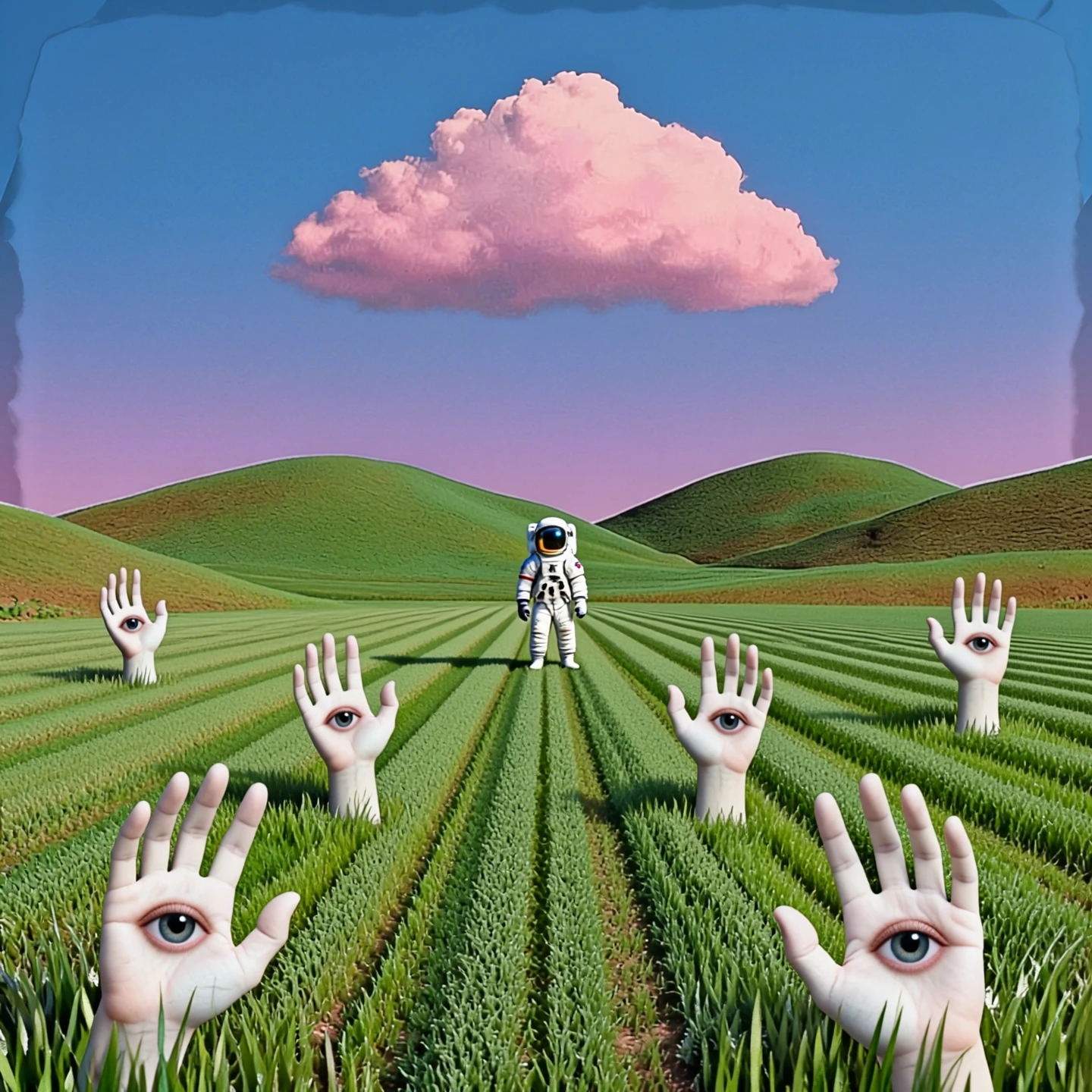
Surreal dreamcore landscape, soft focus, hazy atmosphere. Use image1 as the reference for the overall scene: the rolling green hills, the wide striped field, the clear blue sky with a single large pink cloud, and the blue–pink color palette. Remove the pink house in the center and replace it with a single astronaut standing front-facing in the exact middle of the field, small in scale, perfectly aligned with the central perspective lines. The spacesuit is simple and realistic, softly reflecting blue and pink light. Add several white human hands emerging from the grass in the foreground and midground, like plants growing from the ground. Each hand has a single realistic eye on the palm, calmly staring toward the viewer. Maintain the original minimal composition and calm mood of image1, but introduce a subtle collage feeling: slightly cut-out shapes, layered textures, edges that feel like paper collage blended into the scene. Realistic photo style with dreamcore vibes, blue and pink tones, soft blur, gentle vignetting, light film grain, uncanny yet quiet atmosphere, no text.
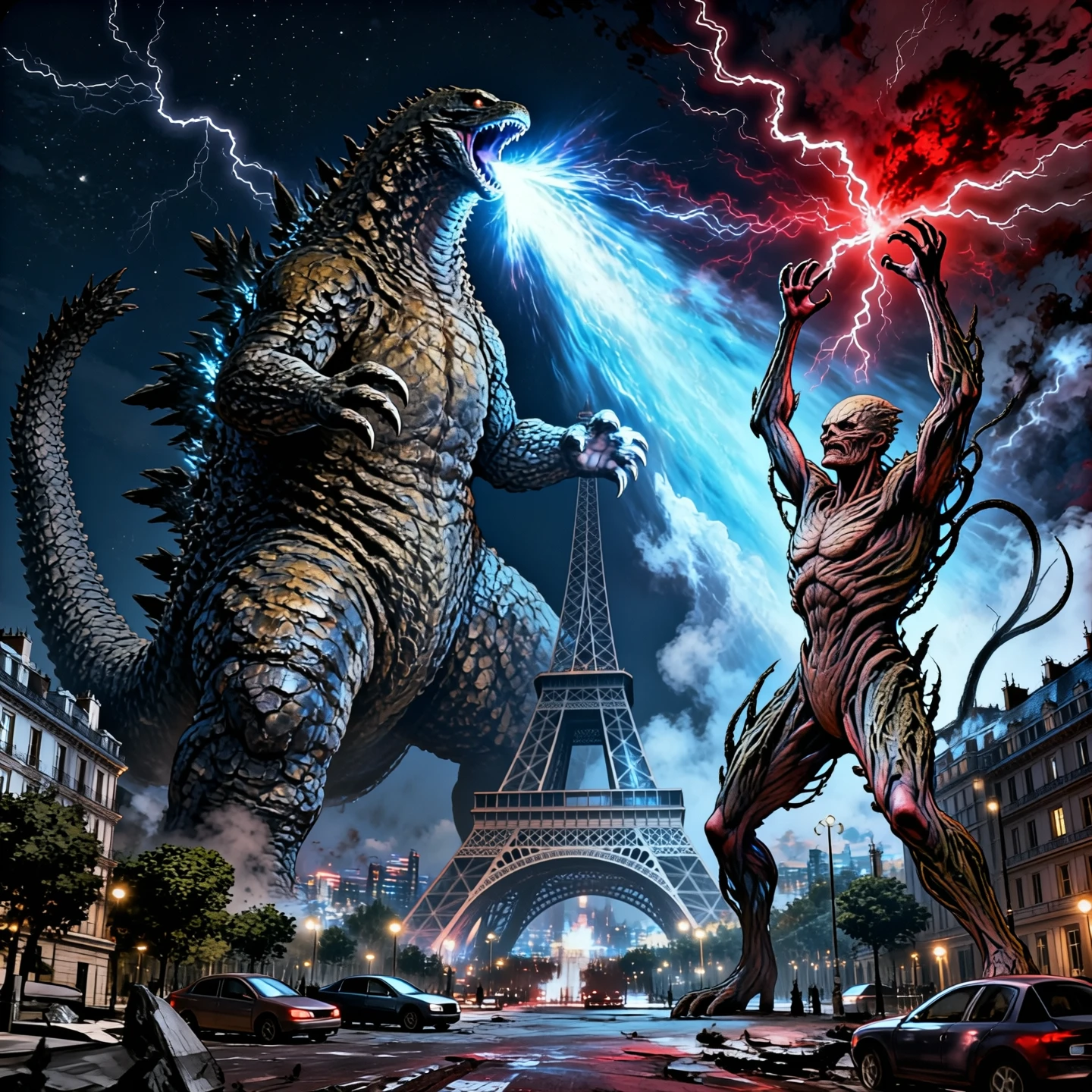
Epic cinematic battle under the Eiffel Tower at night, 1:1 wide frame. Use image1 as the reference for Godzilla: keep the same body shape, scales and overall silhouette, towering over the city. Use image2 as the reference for Vecna from Stranger Things: keep his twisted organic body, vine-like growths and eerie posture, standing on the ground near the Eiffel Tower, facing Godzilla. Use image3 as the reference for the Paris cityscape: clearly show the Eiffel Tower in the midground, with Paris streets and buildings around it, night sky above. Godzilla and Vecna are locked in a dramatic clash: Godzilla roaring and charging a bright energy breath, Vecna raising one arm to summon dark red energy and crackling lightning in the sky. Low-angle viewpoint from the street level, looking up at both giants, with broken cars and debris in the foreground, no visible civilians. Strong contrast between cold blue light from Godzilla and ominous red light from Vecna, reflections on the metal structure of the Eiffel Tower, smoke and dust in the air, subtle film grain, ultra detailed, high resolution, cinematic concept art style.
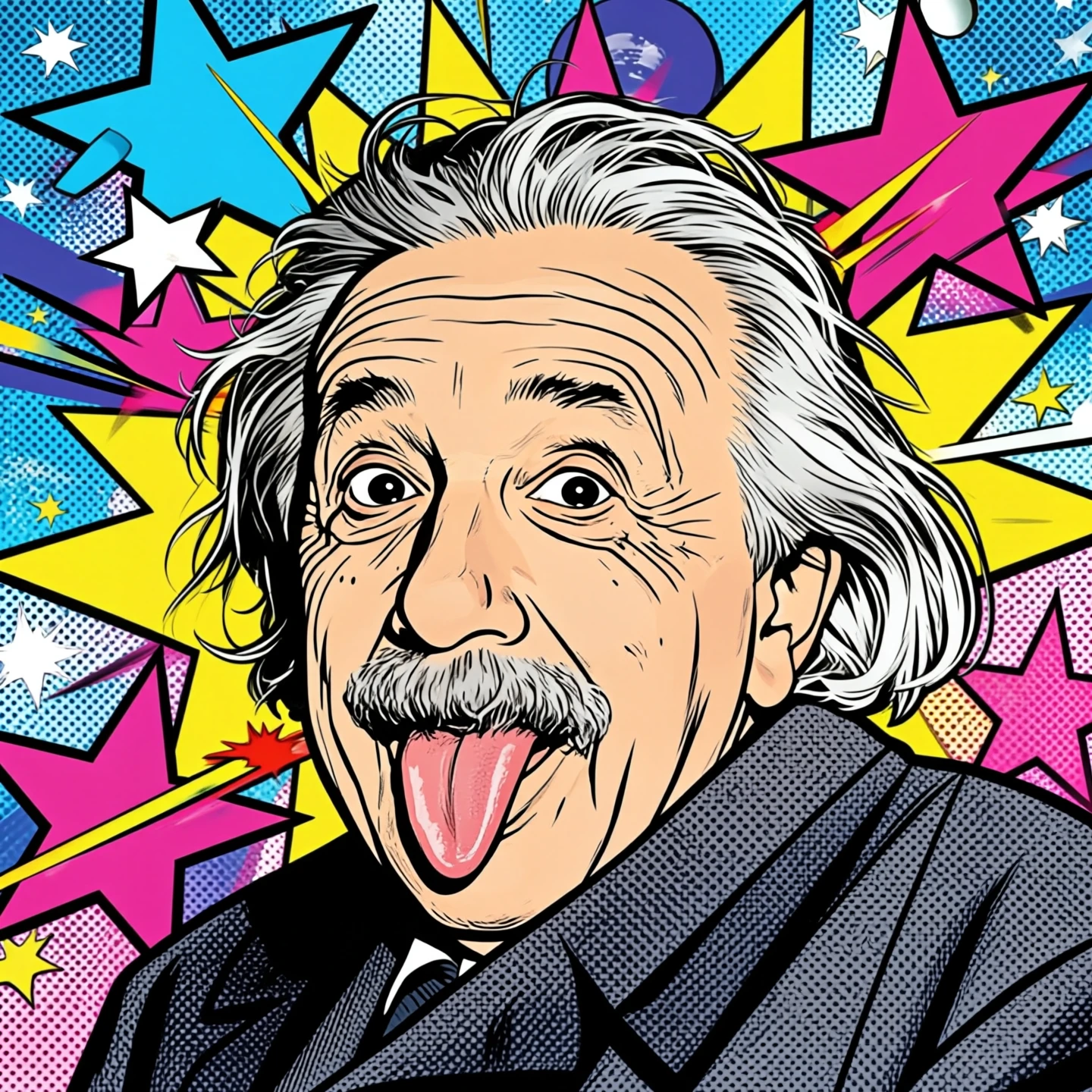
Bold pop art poster, 4K resolution, vertical format. Use image2 as the reference for Albert Einstein’s face and famous tongue-out expression, keeping his facial features clearly recognizable. Place Einstein as the central figure in the composition, stylized in pop art with thick black outlines, simplified shading and graphic shapes. Use image1 as the reference for the background: transform the starry sky into a vibrant pop art pattern with large graphic stars, cosmic shapes and halftone dots. Strong contrasting colors: cyan, magenta, yellow, electric blue and hot pink, screen-print style. Add abstract rays and comic-style bursts radiating from Einstein’s head to suggest genius and explosive ideas, no text. Clean poster design, flat color blocks, sharp edges, slight halftone texture, retro pop art, Andy Warhol meets cosmic sci-fi, highly detailed. 1:1 frame
Похожие модели
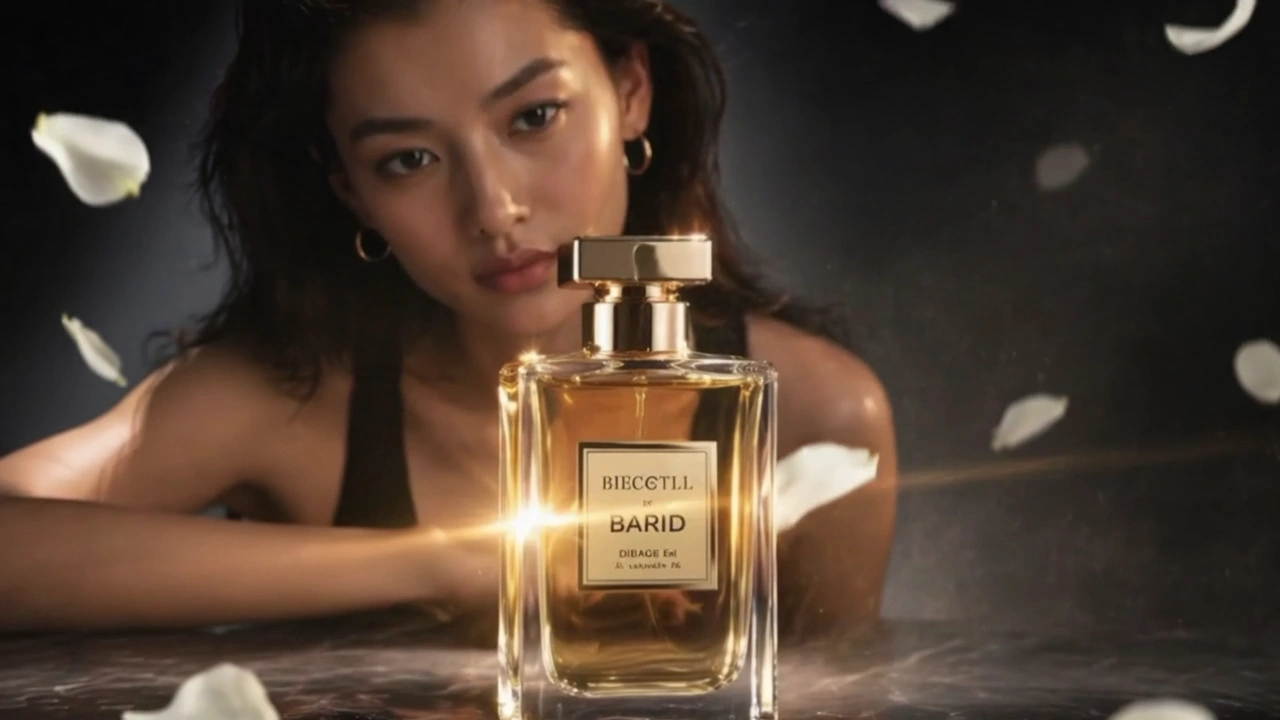
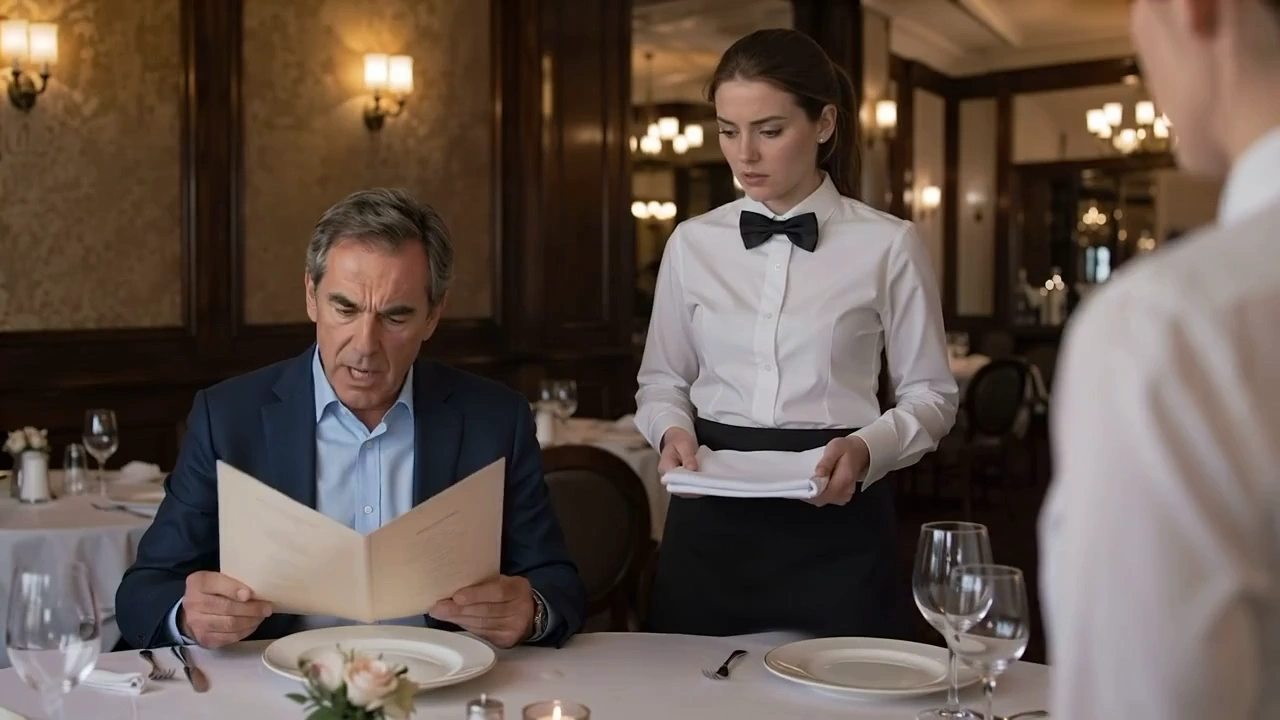
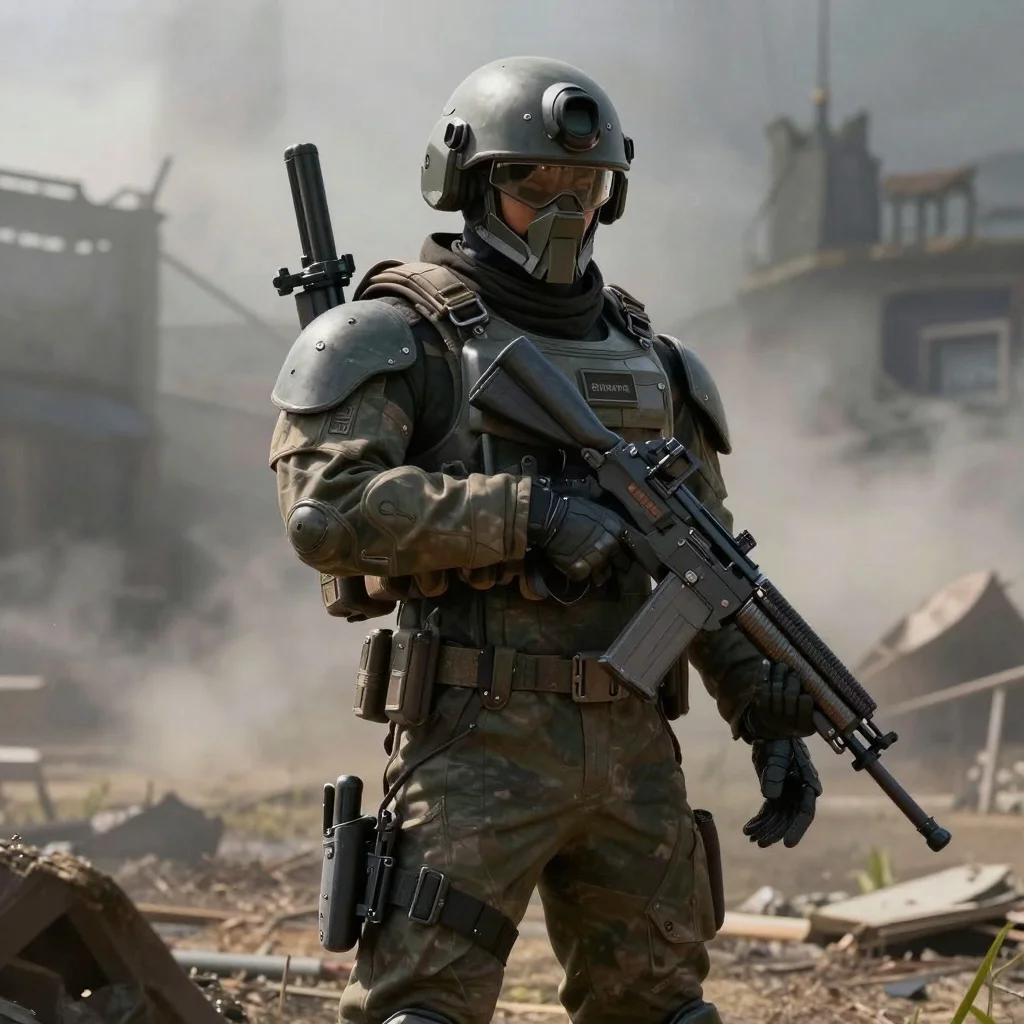

README
vidu/reference-to-image-q2 — High-res reference-guided image generation
vidu/reference-to-image-q2 is the reference-guided sibling of vidu’s text-to-image model. It takes one or more reference images (up to 7) plus a prompt, and generates new, high-resolution images that keep the subject and composition while adjusting style, lighting, or scene details.
What it’s good for
- Keeping product, character, or actor identity consistent across many shots
- Creating new scenes from a small set of reference stills or keyframes
- Generating campaign variations while locking in pose, outfit, or layout
- Up-res, clean re-renders of storyboard / concept frames with cinematic quality
Key features
• Up to 7 reference images
Upload 1–7 images in images to steer identity, pose, outfit, or composition. The model blends information across them while following your text prompt.
• Cinematic aspect ratios
aspect_ratio supports:
- 1:1, 4:3, 3:4, 2:3, 3:2 – square and classic photo ratios
- 16:9, 21:9 – widescreen and banner formats
- 9:16 – vertical / mobile content
auto– let the model choose a ratio that best matches the references + prompt
• High resolutions (1080p → 4K)
resolution lets you pick:
- 1080p – fast preview / web use
- 2K – more detail and better crop flexibility
- 4K – maximum sharpness for key visuals and print-adjacent work
• Prompt-driven control
Combine references with a rich prompt (“dramatic studio lighting, cinematic close-up, 85mm lens, shallow depth of field”) to re-style while keeping the same subject.
• Seed-based reproducibility
seed set to -1 gives random variation; using a fixed integer lets you rerun the same combination of prompt + references for consistent outputs.
How to use (Playground)
- prompt* – Describe what you want to change or keep: style, lighting, mood, background, camera angle, etc.
- images* – Click “Add Item” and upload 1–7 reference images (subject, pose, layout, or mood).
- aspect_ratio – Choose a ratio, or leave as
autoand let the model decide. - resolution – Select 1080p, 2K, or 4K depending on detail vs. speed needs.
- seed – Use
-1for randomness or a fixed integer for reproducible results. - Run the job, inspect the result, then iterate on prompt / references as needed.
Pricing
Pricing depends on resolution and how many reference images you use. Base rate is $0.04 per 1k compute units, applied via the internal formula:
Up to 3 reference images (1–3 refs)
| Resolution | Price per image |
|---|---|
| 1080p | $0.04 |
| 2K | $0.06 |
| 4K | $0.07 |
4–7 reference images
| Resolution | Price per image |
|---|---|
| 1080p | $0.05 |
| 2K | $0.10 |
| 4K | $0.15 |
Tips for best quality
- Use clean, well-lit reference images; avoid heavy motion blur or extreme compression.
- Keep references stylistically consistent when possible (similar lighting / medium).
- In the prompt, clearly state both what must stay the same (“same person and outfit”) and what should change (“different background, golden-hour lighting”).
- For hero shots, generate at 2K or 4K, then downscale slightly for extra sharpness.
Reference To Image Q2 API — Quick start
Grab a WaveSpeedAI API key, then call POST https://api.wavespeed.ai/api/v3/vidu/reference-to-image-q2 with your input as JSON. The endpoint returns a prediction id. Start polling the result endpoint around every 2 seconds, increase the interval for long-running tasks, and stop on any terminal status. On completed, read output values from data.outputs. Examples for Reference To Image Q2 below.
HTTP example
set -euo pipefail

: "${WAVESPEED_API_KEY:?Set WAVESPEED_API_KEY}"

REQUEST_BODY=$(cat <<'JSON'
{
    "prompt": "A cinematic shot of a city at sunset, soft golden light",
    "images": [
        "https://interactive-examples.mdn.mozilla.net/media/cc0-images/painted-hand-298-332.jpg"
    ],
    "aspect_ratio": "auto",
    "resolution": "1080p",
    "seed": -1
}
JSON
)

# 1. Submit the prediction.
SUBMIT_RESPONSE=$(curl --silent --show-error --fail-with-body \
  -X POST "https://api.wavespeed.ai/api/v3/vidu/reference-to-image-q2" \
  -H "Content-Type: application/json" \
  -H "Authorization: Bearer $WAVESPEED_API_KEY" \
  -d "$REQUEST_BODY")

TASK=$(printf '%s' "$SUBMIT_RESPONSE" | jq 'if has("data") then .data else . end')
PREDICTION_ID=$(printf '%s' "$TASK" | jq -r '.id')
if [ -z "$PREDICTION_ID" ] || [ "$PREDICTION_ID" = "null" ]; then
  printf 'Submission response did not contain a prediction id
' >&2
  exit 1
fi
RESULT_URL=$(printf '%s' "$TASK" | jq -r '.urls.get // empty')
if [ -z "$RESULT_URL" ]; then
  RESULT_URL="https://api.wavespeed.ai/api/v3/predictions/$PREDICTION_ID/result"
fi

# 2. Poll until the prediction finishes.
while true; do
  RESPONSE=$(curl --silent --show-error --fail-with-body "$RESULT_URL" \
    -H "Authorization: Bearer $WAVESPEED_API_KEY")
  RESULT=$(printf '%s' "$RESPONSE" | jq 'if has("data") then .data else . end')
  STATUS=$(printf '%s' "$RESULT" | jq -r '.status')
  case "$STATUS" in
    completed) printf '%s\n' "$RESULT" | jq '.outputs'; break ;;
    failed|cancelled|timeout) printf '%s\n' "$RESULT" | jq . >&2; exit 1 ;;
    created|processing) sleep 2 ;;
    *) printf 'Unexpected status: %s
' "$STATUS" >&2; exit 1 ;;
  esac
done
Node.js example
const submitUrl = "https://api.wavespeed.ai/api/v3/vidu/reference-to-image-q2";
const apiKey = process.env.WAVESPEED_API_KEY;
if (!apiKey) throw new Error('Set WAVESPEED_API_KEY');

async function requestJson(url, options = {}) {
  const response = await fetch(url, options);
  if (!response.ok) throw new Error(await response.text());
  return response.json();
}

// 1. Submit the prediction.
const body = await requestJson(submitUrl, {
  method: "POST",
  headers: {
    "Authorization": `Bearer ${apiKey}`,
    "Content-Type": "application/json",
  },
  body: JSON.stringify({
        "prompt": "A cinematic shot of a city at sunset, soft golden light",
        "images": [
                "https://interactive-examples.mdn.mozilla.net/media/cc0-images/painted-hand-298-332.jpg"
        ],
        "aspect_ratio": "auto",
        "resolution": "1080p",
        "seed": -1
}),
});
const task = body.data ?? body;
if (!task.id) throw new Error("Submission response did not contain a prediction id");
const resultUrl = task.urls?.get ||
  `https://api.wavespeed.ai/api/v3/predictions/${task.id}/result`;

// 2. Poll until the prediction finishes.
while (true) {
  const resultBody = await requestJson(resultUrl, {
    headers: { "Authorization": `Bearer ${apiKey}` },
  });
  const result = resultBody.data ?? resultBody;
  if (result.status === "completed") {
    console.log(result.outputs);
    break;
  }
  if (["failed", "cancelled", "timeout"].includes(result.status)) throw new Error(JSON.stringify(result));
  if (!["created", "processing"].includes(result.status)) throw new Error("Unexpected status: " + result.status);
  await new Promise(resolve => setTimeout(resolve, 2000));
}
Python example
import json
import os
import time
from urllib.request import Request, urlopen

api_key = os.environ["WAVESPEED_API_KEY"]
headers = {"Authorization": f"Bearer {api_key}", "Content-Type": "application/json"}
payload = {
    "prompt": "A cinematic shot of a city at sunset, soft golden light",
    "images": [
        "https://interactive-examples.mdn.mozilla.net/media/cc0-images/painted-hand-298-332.jpg"
    ],
    "aspect_ratio": "auto",
    "resolution": "1080p",
    "seed": -1
}

def request_json(url, data=None):
    request = Request(url, data=data, headers=headers, method="POST" if data else "GET")
    with urlopen(request) as response:
        return json.load(response)

# 1. Submit the prediction.
body = request_json("https://api.wavespeed.ai/api/v3/vidu/reference-to-image-q2", json.dumps(payload).encode())
task = body.get("data", body)
if not task.get("id"):
    raise RuntimeError("Submission response did not contain a prediction id")
result_url = task.get("urls", {}).get("get") or f"https://api.wavespeed.ai/api/v3/predictions/{task['id']}/result"

# 2. Poll until the prediction finishes.
while True:
    result_body = request_json(result_url)
    result = result_body.get("data", result_body)
    status = result.get("status")
    if status == "completed":
        print(result.get("outputs", []))
        break
    if status in {"failed", "cancelled", "timeout"}:
        raise RuntimeError(result)
    if status not in {"created", "processing"}:
        raise RuntimeError(f"Unexpected status: {status}")
    time.sleep(2)
Reference To Image Q2 API — Frequently asked questions
What is the Reference To Image Q2 API?
Reference To Image Q2 is a Vidu model for image editing, exposed as a REST API on WaveSpeedAI. Vidu Reference-to-Image Q2 generates high-quality images from 1–7 reference images plus a text prompt, preserving style and composition while allowing controlled changes to subjects, backgrounds, and fine details. Ready-to-use REST inference API, best performance, no cold starts, affordable pricing. You can call it programmatically or try it from the playground above.
How do I call the Reference To Image Q2 API?
POST your input parameters to the model's REST endpoint (shown in the API tab of this playground) with your WaveSpeedAI API key in the Authorization header. Submission returns a prediction ID. Poll the result endpoint starting around every 2 seconds, increase the interval for long-running tasks, and stop on any terminal status. The playground generates production-oriented Python, JavaScript, and cURL examples with timeouts, transient-error handling, and safe GET retries. Full request/response shape is documented at https://wavespeed.ai/docs/docs-api/vidu/vidu-reference-to-image-q2.
How much does Reference To Image Q2 cost per run?
Reference To Image Q2 starts at $0.040 per run. That figure is the base price — the final charge scales with the parameters you set in the form (output size, length, count, references, or whatever knobs this model exposes), so a higher-quality or larger output costs more than a minimal one. The exact cost for your current input is shown live next to the Generate button before you submit, and the actual per-call charge is recorded on the prediction afterwards.
What inputs does Reference To Image Q2 accept?
Key inputs: `prompt`, `images`, `aspect_ratio`, `resolution`, `seed`. The full JSON schema (types, defaults, allowed values) is rendered above the Generate button and mirrored in the API reference at https://wavespeed.ai/docs/docs-api/vidu/vidu-reference-to-image-q2.
How long does Reference To Image Q2 take to generate?
Median end-to-end generation time on WaveSpeedAI is around 60 seconds per request, based on recent successful runs. Queue time varies with global demand; live status is visible in the prediction record.
Can I use Reference To Image Q2 outputs commercially?
Commercial usage rights depend on the model's license, set by its provider (Vidu). The license summary appears on the model card above; see WaveSpeedAI's Terms of Service for platform-level conditions.