Kling Omni Video O1 Image-to-Video transforms static images into dynamic cinematic videos using MVL (Multi-modal Visual Language) technology. Maintains subject consistency while adding natural motion, physics simulation, and seamless scene dynamics. Ready-to-use REST API, best performance, no coldstarts, affordable pricing.
Ожидание
$0.56за запуск·~17 / $10
ПримерыСмотреть всё
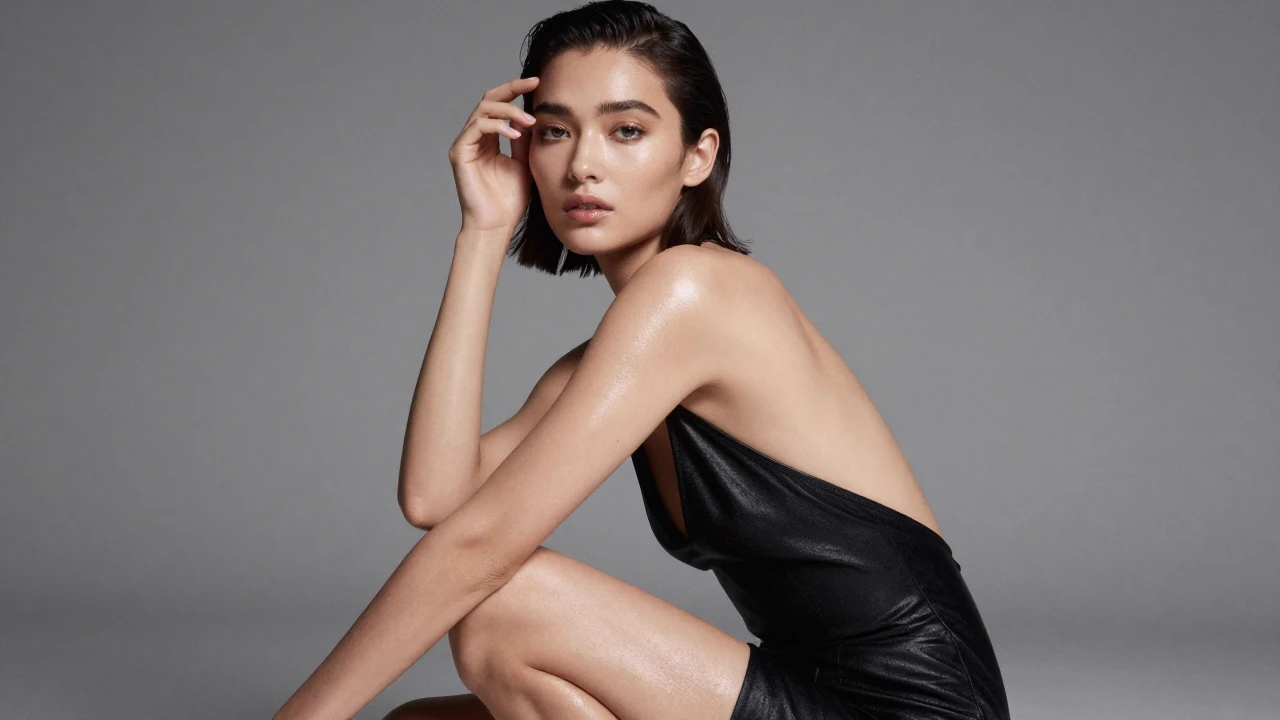
A high-fashion editorial of a model in dramatic lighting, wind blowing through the hair, strong shadows, glossy fabric with rich textures, luxury magazine style. The hair moving with the wind, the fabric shifting slowly, and subtle changes in highlights across the model’s face. Add a slow, elegant camera slide to maintain a premium stylish tone.
Animate the scene by making the steam rise more dynamically, letting sunlight shift subtly across the cup. Add a gentle camera push-in, with the steam swirling in slow motion. Create a warm and relaxing mood as the coffee glows slightly under the changing light.
Shimmering light gliding across the jar surface, water droplets moving slightly, and a slow cinematic orbit of the camera. Add soft glow pulses to emphasize luxury. Maintain a clean, premium commercial aesthetic.
a dynamic first-person perspective of downhill skiing on a steep snowy mountain slope, with gloved hands holding ski poles visible in the frame and skis cutting through fresh powder below. Crisp cold air, snow spray flying upward, bright sunlight reflecting off the snow, dramatic alpine mountain range in the distance, action-filled, immersive, high-detail adventure photography style
The fox is dancing passionately.
Start with an extreme close-up of bubbles rising as light refracts through them. Quick splash transition into a fast macro shot of lemon slices rotating in mid-air. Match-cut to the hero can crashing through a burst of citrus mist. Add a dynamic 180° camera arc around the can, with droplets flying outward in slow motion. End with a smooth pull-back revealing the full product on a reflective surface with glowing highlights.
Похожие модели


README
Kling Omni Video O1 — Image-to-Video
Kling Omni Video O1 is Kuaishou's groundbreaking unified multi-modal video model. The Image-to-Video mode brings your static images to life with intelligent motion, maintaining perfect subject consistency while adding natural dynamics and cinematic quality.
🌟 Key Capabilities
Intelligent Image Animation
Transform any image into a flowing video sequence:
- Adds natural, physics-based motion to static subjects
- Preserves original image details and composition
- Creates smooth, realistic transitions
Subject Consistency
Advanced understanding of input images ensures:
- Stable character identity across all frames
- Consistent props and scene elements
- Maintained color tones and lighting style
Multi-Modal Understanding
Combine your image with text prompts to control:
- Direction and type of motion
- Camera movements and angles
- Scene dynamics and atmosphere
🎬 Core Features
- Motion Intelligence — AI understands what should move and how
- Detail Preservation — Original image quality maintained throughout
- Physics Simulation — Natural, believable movement patterns
- Prompt Control — Guide animation with text descriptions
🚀 How to Use
-
Upload Your Image Provide a high-quality source image as the starting frame.
-
Add Motion Prompt (Optional) Describe the desired motion, camera movement, or scene dynamics.
Example: "Gentle wind blowing through hair, soft camera push-in, leaves falling in background"
-
Set Parameters Choose duration, resolution, and output format.
-
Generate Receive your animated video with natural motion.
💰 Pricing
| Item | Price |
|---|---|
| Per Second | $0.112 |
Billed per second of output video duration.
💡 Pro Tips
- Use high-resolution, clear source images for best results
- Describe specific motions rather than abstract concepts
- Combine with camera movement terms for cinematic effects
- Works best with images containing clear subjects and depth
Kling Video O1 Image To Video API — Quick start
Grab a WaveSpeedAI API key, then call POST https://api.wavespeed.ai/api/v3/kwaivgi/kling-video-o1/image-to-video with your input as JSON. The endpoint returns a prediction id. Start polling the result endpoint around every 2 seconds, increase the interval for long-running tasks, and stop on any terminal status. On completed, read output values from data.outputs. Examples for Kling Video O1 Image To Video below.
HTTP example
set -euo pipefail

: "${WAVESPEED_API_KEY:?Set WAVESPEED_API_KEY}"

REQUEST_BODY=$(cat <<'JSON'
{
    "prompt": "A cinematic shot of a city at sunset, soft golden light",
    "image": "https://interactive-examples.mdn.mozilla.net/media/cc0-images/painted-hand-298-332.jpg",
    "duration": 5
}
JSON
)

# 1. Submit the prediction.
SUBMIT_RESPONSE=$(curl --silent --show-error --fail-with-body \
  -X POST "https://api.wavespeed.ai/api/v3/kwaivgi/kling-video-o1/image-to-video" \
  -H "Content-Type: application/json" \
  -H "Authorization: Bearer $WAVESPEED_API_KEY" \
  -d "$REQUEST_BODY")

TASK=$(printf '%s' "$SUBMIT_RESPONSE" | jq 'if has("data") then .data else . end')
PREDICTION_ID=$(printf '%s' "$TASK" | jq -r '.id')
if [ -z "$PREDICTION_ID" ] || [ "$PREDICTION_ID" = "null" ]; then
  printf 'Submission response did not contain a prediction id
' >&2
  exit 1
fi
RESULT_URL=$(printf '%s' "$TASK" | jq -r '.urls.get // empty')
if [ -z "$RESULT_URL" ]; then
  RESULT_URL="https://api.wavespeed.ai/api/v3/predictions/$PREDICTION_ID/result"
fi

# 2. Poll until the prediction finishes.
while true; do
  RESPONSE=$(curl --silent --show-error --fail-with-body "$RESULT_URL" \
    -H "Authorization: Bearer $WAVESPEED_API_KEY")
  RESULT=$(printf '%s' "$RESPONSE" | jq 'if has("data") then .data else . end')
  STATUS=$(printf '%s' "$RESULT" | jq -r '.status')
  case "$STATUS" in
    completed) printf '%s\n' "$RESULT" | jq '.outputs'; break ;;
    failed|cancelled|timeout) printf '%s\n' "$RESULT" | jq . >&2; exit 1 ;;
    created|processing) sleep 2 ;;
    *) printf 'Unexpected status: %s
' "$STATUS" >&2; exit 1 ;;
  esac
done
Node.js example
const submitUrl = "https://api.wavespeed.ai/api/v3/kwaivgi/kling-video-o1/image-to-video";
const apiKey = process.env.WAVESPEED_API_KEY;
if (!apiKey) throw new Error('Set WAVESPEED_API_KEY');

async function requestJson(url, options = {}) {
  const response = await fetch(url, options);
  if (!response.ok) throw new Error(await response.text());
  return response.json();
}

// 1. Submit the prediction.
const body = await requestJson(submitUrl, {
  method: "POST",
  headers: {
    "Authorization": `Bearer ${apiKey}`,
    "Content-Type": "application/json",
  },
  body: JSON.stringify({
        "prompt": "A cinematic shot of a city at sunset, soft golden light",
        "image": "https://interactive-examples.mdn.mozilla.net/media/cc0-images/painted-hand-298-332.jpg",
        "duration": 5
}),
});
const task = body.data ?? body;
if (!task.id) throw new Error("Submission response did not contain a prediction id");
const resultUrl = task.urls?.get ||
  `https://api.wavespeed.ai/api/v3/predictions/${task.id}/result`;

// 2. Poll until the prediction finishes.
while (true) {
  const resultBody = await requestJson(resultUrl, {
    headers: { "Authorization": `Bearer ${apiKey}` },
  });
  const result = resultBody.data ?? resultBody;
  if (result.status === "completed") {
    console.log(result.outputs);
    break;
  }
  if (["failed", "cancelled", "timeout"].includes(result.status)) throw new Error(JSON.stringify(result));
  if (!["created", "processing"].includes(result.status)) throw new Error("Unexpected status: " + result.status);
  await new Promise(resolve => setTimeout(resolve, 2000));
}
Python example
import json
import os
import time
from urllib.request import Request, urlopen

api_key = os.environ["WAVESPEED_API_KEY"]
headers = {"Authorization": f"Bearer {api_key}", "Content-Type": "application/json"}
payload = {
    "prompt": "A cinematic shot of a city at sunset, soft golden light",
    "image": "https://interactive-examples.mdn.mozilla.net/media/cc0-images/painted-hand-298-332.jpg",
    "duration": 5
}

def request_json(url, data=None):
    request = Request(url, data=data, headers=headers, method="POST" if data else "GET")
    with urlopen(request) as response:
        return json.load(response)

# 1. Submit the prediction.
body = request_json("https://api.wavespeed.ai/api/v3/kwaivgi/kling-video-o1/image-to-video", json.dumps(payload).encode())
task = body.get("data", body)
if not task.get("id"):
    raise RuntimeError("Submission response did not contain a prediction id")
result_url = task.get("urls", {}).get("get") or f"https://api.wavespeed.ai/api/v3/predictions/{task['id']}/result"

# 2. Poll until the prediction finishes.
while True:
    result_body = request_json(result_url)
    result = result_body.get("data", result_body)
    status = result.get("status")
    if status == "completed":
        print(result.get("outputs", []))
        break
    if status in {"failed", "cancelled", "timeout"}:
        raise RuntimeError(result)
    if status not in {"created", "processing"}:
        raise RuntimeError(f"Unexpected status: {status}")
    time.sleep(2)
Kling Video O1 Image To Video API — Frequently asked questions
What is the Kling Video O1 Image To Video API?
Kling Video O1 Image To Video is a Kuaishou model for video generation from images, exposed as a REST API on WaveSpeedAI. Kling Omni Video O1 Image-to-Video transforms static images into dynamic cinematic videos using MVL (Multi-modal Visual Language) technology. Maintains subject consistency while adding natural motion, physics simulation, and seamless scene dynamics. Ready-to-use REST API, best performance, no coldstarts, affordable pricing. You can call it programmatically or try it from the playground above.
How do I call the Kling Video O1 Image To Video API?
POST your input parameters to the model's REST endpoint (shown in the API tab of this playground) with your WaveSpeedAI API key in the Authorization header. Submission returns a prediction ID. Poll the result endpoint starting around every 2 seconds, increase the interval for long-running tasks, and stop on any terminal status. The playground generates production-oriented Python, JavaScript, and cURL examples with timeouts, transient-error handling, and safe GET retries. Full request/response shape is documented at https://wavespeed.ai/docs/docs-api/kwaivgi/kwaivgi-kling-video-o1-image-to-video.
How much does Kling Video O1 Image To Video cost per run?
Kling Video O1 Image To Video starts at $0.56 per run. That figure is the base price — the final charge scales with the parameters you set in the form (output size, length, count, references, or whatever knobs this model exposes), so a higher-quality or larger output costs more than a minimal one. The exact cost for your current input is shown live next to the Generate button before you submit, and the actual per-call charge is recorded on the prediction afterwards.
What inputs does Kling Video O1 Image To Video accept?
Key inputs: `prompt`, `image`, `duration`, `last_image`. The full JSON schema (types, defaults, allowed values) is rendered above the Generate button and mirrored in the API reference at https://wavespeed.ai/docs/docs-api/kwaivgi/kwaivgi-kling-video-o1-image-to-video.
How long does Kling Video O1 Image To Video take to generate?
Median end-to-end generation time on WaveSpeedAI is around 72 seconds per request, based on recent successful runs. Queue time varies with global demand; live status is visible in the prediction record.
Can I use Kling Video O1 Image To Video outputs commercially?
Commercial usage rights depend on the model's license, set by its provider (Kuaishou). The license summary appears on the model card above; see WaveSpeedAI's Terms of Service for platform-level conditions.