Flux ControlNet Union Pro 2.0 enables simultaneous Canny, Depth, Soft Edge, Pose, and Grayscale conditioning for precise image control. Ready-to-use REST inference API, best performance, no coldstarts, affordable pricing.
Bezczynny

$0.03za uruchomienie·~33 / $1
PrzykładyZobacz wszystkie
A robot is giving a speech.
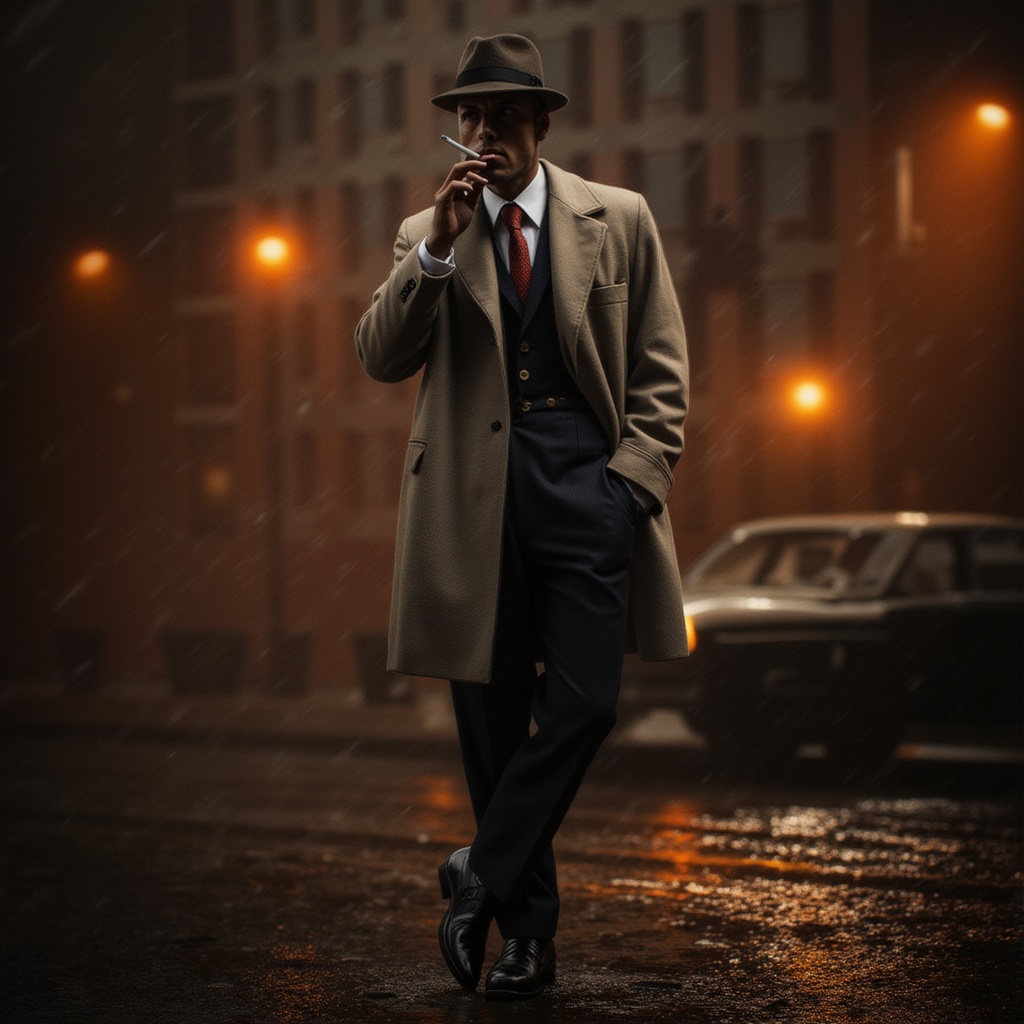
Realistic full-body shot of a detective in a classic 1940s outfit, wearing a fedora and trench coat, cigarette in mouth, standing beside a vintage car in a rain-soaked alley, warm orange streetlights casting dramatic shadows

A write boy blowing bubbles in the park on a sunny afternoon, vivid colors, cinematic composition, sharp focus, realistic skin textures, shallow depth of field

A smiling young woman in a sunlit field, wearing a flowing yellow dress, realistic lighting, bright colors, ultra-detailed face, high-resolution, photo-realistic
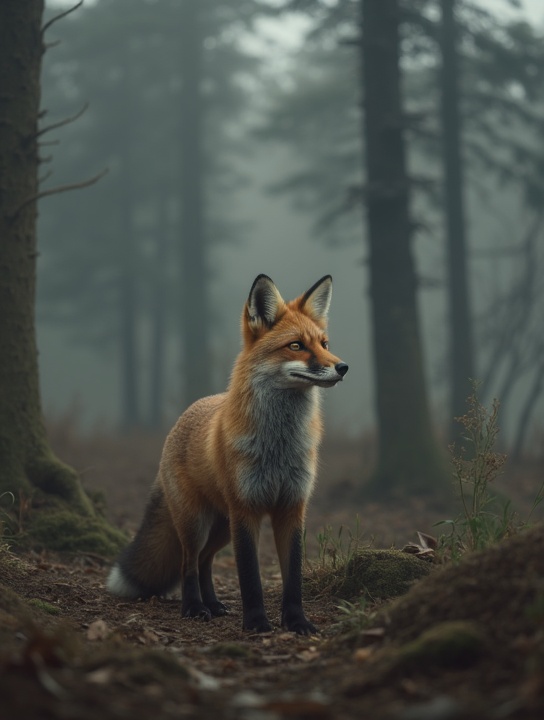
a red fox standing quietly in a foggy forest, early morning light, soft shadows, cinematic atmosphere, depth of field, ultra detailed fur, natural colors, no humans

a single goldfish swimming inside a floating glass orb, suspended in the air, surrounded by gentle water ripples, soft glowing background, photorealistic, highly detailed, no people
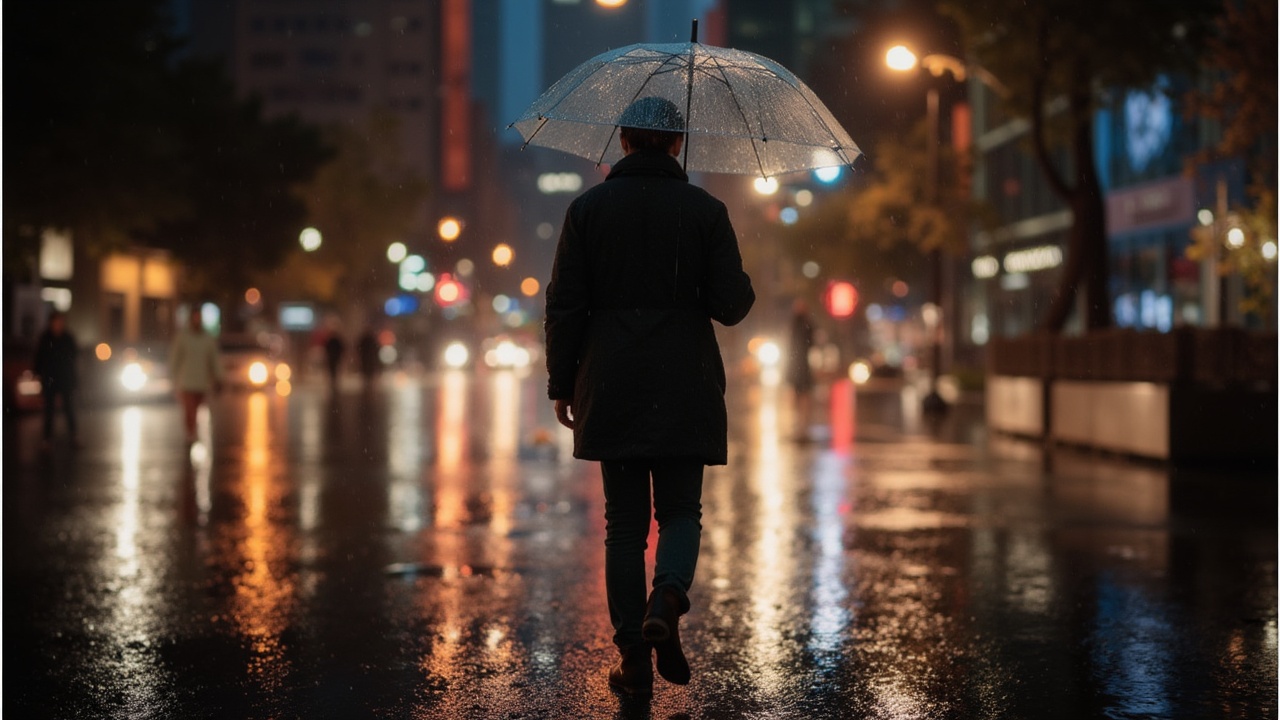
a person holding a transparent umbrella, walking in the rain, viewed from behind, city lights reflected on wet ground, night mood, soft bokeh, no face visible

a girl walking alone on a beach at sunset, seen from behind, footprints in the sand, golden light reflecting on the ocean, emotional tone, no face

a person sitting by a large window in a library, reading a book, viewed from behind, warm ambient lighting, soft dust in the air, calm atmosphere, no facial features

a boy riding a bicycle down a country road, viewed from behind, late afternoon, sun filtering through trees, motion blur on background, gentle atmosphere, no face visible
Powiązane modele



README
FLUX ControlNet Union Pro 2.0 — wavespeed-ai/flux-controlnet-union-pro-2.0
FLUX ControlNet Union Pro 2.0 is a ControlNet-guided image generation model that lets you lock in structure using a control image while still following your text prompt for style and details. Upload a control_image (e.g., pose/shape/edge-like guidance), describe what you want to create, and the model generates images that respect the control geometry—ideal for pose fidelity, layout consistency, and repeatable compositions. It also supports optional LoRAs (up to 3) to further steer style.
Key capabilities
- ControlNet-guided generation using a required control_image
- Strong structure fidelity: keeps pose/layout consistent across generations
- Prompt-driven styling: change appearance, materials, lighting, and mood while keeping geometry
- Fine control over when/how much control is applied via conditioning and guidance range
- LoRA support (up to 3) for consistent styles or specialized looks
Use cases
- Pose-locked character generation from a silhouette/pose control image
- Recreating the same composition in multiple art styles for A/B creative testing
- Storyboarding with consistent framing and character blocking
- Product mockups with fixed layout and controllable styling
- Batch generation with a “house style” using LoRAs while keeping geometry stable
Pricing
| Output | Price |
|---|---|
| Per image | $0.03 |
Inputs
- prompt (required): what to generate (subject, scene, style)
- control_image (required): the structural guide image
Parameters
Core:
- prompt: text instruction for content and style
- control_image: structural guidance image
- width / height: output size
- num_inference_steps: sampling steps (higher can improve detail but increases latency)
- guidance_scale: prompt adherence strength
- seed: fixed value for reproducibility; change for variation
- num_images: number of outputs per run
- output_format: jpeg or png
- enable_base64_output: return BASE64 instead of URL (API only)
- enable_sync_mode: wait for generation and return results directly (API only)
ControlNet:
- controlnet_conditioning_scale: strength of control_image guidance (higher = stricter structure)
- control_guidance_start: when control starts applying (0–1 timeline)
- control_guidance_end: when control stops applying (0–1 timeline)
LoRA (up to 3 items):
-
loras: list of LoRA entries (max 3)
-
path: owner/model-name or a direct.safetensors URL
-
scale: LoRA strength (start moderate and adjust)
Prompting guide
A reliable pattern is “structure + subject + style”:
Template: Using the control image for pose/layout, generate [subject] in [scene]. Style: [style cues]. Lighting: [lighting cues]. Keep composition consistent with the control image.
Example prompts
- Using the control image for pose, generate a robot giving a speech at a podium, cinematic lighting, shallow depth of field, high detail, realistic materials.
- Using the control image for layout, generate a fantasy wizard on a stage, glowing runes, volumetric fog, dramatic rim light, illustrated style.
- Using the control image for silhouette, generate a sleek product hero shot with glossy reflections and a clean studio background.
Reference
Flux Controlnet Union Pro 2.0 API — Quick start
Grab a WaveSpeedAI API key, then call POST https://api.wavespeed.ai/api/v3/wavespeed-ai/flux-controlnet-union-pro-2.0 with your input as JSON. The endpoint returns a prediction id; poll the prediction endpoint until status flips to completed, then read the output URL from data.outputs[0]. Examples for Flux Controlnet Union Pro 2.0 below.
HTTP example
# Submit the prediction
curl -X POST "https://api.wavespeed.ai/api/v3/wavespeed-ai/flux-controlnet-union-pro-2.0" \
  -H "Content-Type: application/json" \
  -H "Authorization: Bearer $WAVESPEED_API_KEY" \
  -d '{
    "prompt": "A cinematic shot of a city at sunset, soft golden light",
    "size": "1024*1024",
    "num_inference_steps": 28,
    "guidance_scale": 3.5,
    "controlnet_conditioning_scale": 0.7,
    "control_guidance_start": 0,
    "control_guidance_end": 0.8,
    "seed": 0,
    "num_images": 1,
    "output_format": "jpeg",
    "enable_base64_output": false,
    "enable_sync_mode": false
}'

# Response includes a prediction id. Poll for the result:
curl -X GET "https://api.wavespeed.ai/api/v3/predictions/{request_id}/result" \
  -H "Authorization: Bearer $WAVESPEED_API_KEY"

# When status is "completed", read the output from data.outputs[0].
Node.js example
// npm install wavespeed
const WaveSpeed = require('wavespeed');

const client = new WaveSpeed(); // reads WAVESPEED_API_KEY from env

const result = await client.run("wavespeed-ai/flux-controlnet-union-pro-2.0", {
        "prompt": "A cinematic shot of a city at sunset, soft golden light",
        "size": "1024*1024",
        "num_inference_steps": 28,
        "guidance_scale": 3.5,
        "controlnet_conditioning_scale": 0.7,
        "control_guidance_start": 0,
        "control_guidance_end": 0.8,
        "seed": 0,
        "num_images": 1,
        "output_format": "jpeg",
        "enable_base64_output": false,
        "enable_sync_mode": false
});

console.log(result.outputs[0]); // → URL of the generated output
Python example
# pip install wavespeed
import wavespeed

output = wavespeed.run(
    "wavespeed-ai/flux-controlnet-union-pro-2.0",
    {
    "prompt": "A cinematic shot of a city at sunset, soft golden light",
    "size": "1024*1024",
    "num_inference_steps": 28,
    "guidance_scale": 3.5,
    "controlnet_conditioning_scale": 0.7,
    "control_guidance_start": 0,
    "control_guidance_end": 0.8,
    "seed": 0,
    "num_images": 1,
    "output_format": "jpeg",
    "enable_base64_output": false,
    "enable_sync_mode": false
}
)

print(output["outputs"][0])  # → URL of the generated output
Flux Controlnet Union Pro 2.0 API — Frequently asked questions
What is the Flux Controlnet Union Pro 2.0 API?
Flux Controlnet Union Pro 2.0 is a WaveSpeedAI model for image editing, exposed as a REST API on WaveSpeedAI. Flux ControlNet Union Pro 2.0 enables simultaneous Canny, Depth, Soft Edge, Pose, and Grayscale conditioning for precise image control. Ready-to-use REST inference API, best performance, no coldstarts, affordable pricing. You can call it programmatically or try it from the playground above.
How do I call the Flux Controlnet Union Pro 2.0 API?
POST your input parameters to the model's REST endpoint (shown in the API tab of this playground) with your WaveSpeedAI API key in the Authorization header. Submission returns a prediction ID; poll the prediction endpoint until status flips to "completed", then read the output URL from the result. The playground generates a ready-to-paste code sample in Python, JavaScript, or cURL for whatever inputs you've set. Full request/response shape is documented at https://wavespeed.ai/docs/docs-api/wavespeed-ai/flux-controlnet-union-pro-2.0.
How much does Flux Controlnet Union Pro 2.0 cost per run?
Flux Controlnet Union Pro 2.0 starts at $0.030 per run. That figure is the base price — the final charge scales with the parameters you set in the form (output size, length, count, references, or whatever knobs this model exposes), so a higher-quality or larger output costs more than a minimal one. The exact cost for your current input is shown live next to the Generate button before you submit, and the actual per-call charge is recorded on the prediction afterwards.
What inputs does Flux Controlnet Union Pro 2.0 accept?
Key inputs: `prompt`, `size`, `seed`, `guidance_scale`, `num_inference_steps`, `control_guidance_end`. The full JSON schema (types, defaults, allowed values) is rendered above the Generate button and mirrored in the API reference at https://wavespeed.ai/docs/docs-api/wavespeed-ai/flux-controlnet-union-pro-2.0.
How long does Flux Controlnet Union Pro 2.0 take to generate?
Average end-to-end generation time on WaveSpeedAI is around 6 seconds per request — measured across recent runs. Queue time scales with global demand; live status is visible in the prediction record.
Can I use Flux Controlnet Union Pro 2.0 outputs commercially?
Commercial usage rights depend on the model's license, set by its provider (WaveSpeedAI). The license summary appears on the model card above; see WaveSpeedAI's Terms of Service for platform-level conditions.