Baidu ERNIE Image Turbo is a distilled, 8-step version of ERNIE Image for fast, low-cost generation. Supports English, Chinese, and Japanese prompts with flexible sizing. Ready-to-use REST inference API, best performance, no coldstarts, affordable pricing.
Bezczynny
$0.03za uruchomienie·~33 / $1
PrzykładyZobacz wszystkie
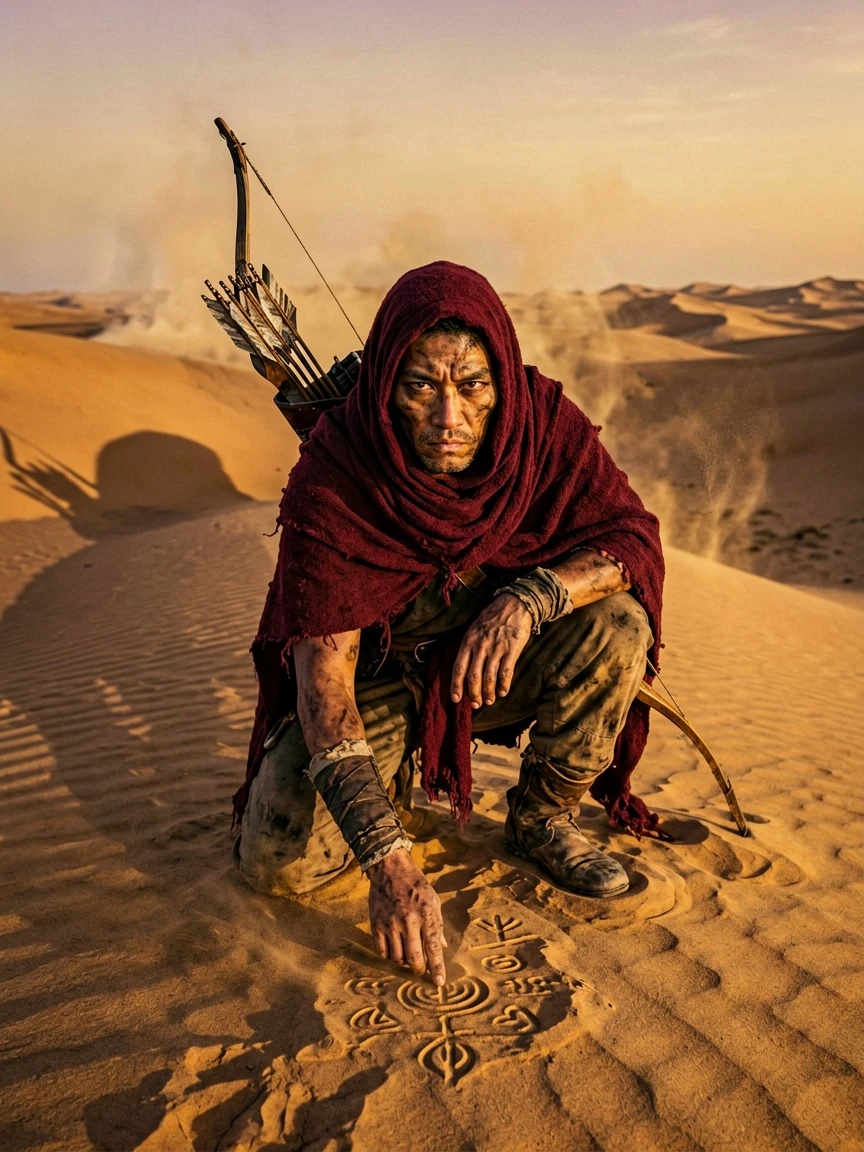
A weathered desert nomad hunter crouching on a sand dune at golden hour, face wrapped in deep crimson cloth revealing only sharp dark eyes, a compound bow slung over one shoulder, fingers tracing ancient markings in the sand, enormous shadow stretching behind him, heat haze distorting the horizon, National Geographic photography style, raw and visceral

A celestial messenger descending from a crescent moon, gender-ambiguous figure draped in flowing white robes that dissolve into moonlight at the edges, long silver hair floating weightlessly, bare feet hovering above a sleeping city, holding a luminous orb containing a tiny storm, calm expression with closed eyes, painterly style blending Alphonse Mucha Art Nouveau with contemporary digital art
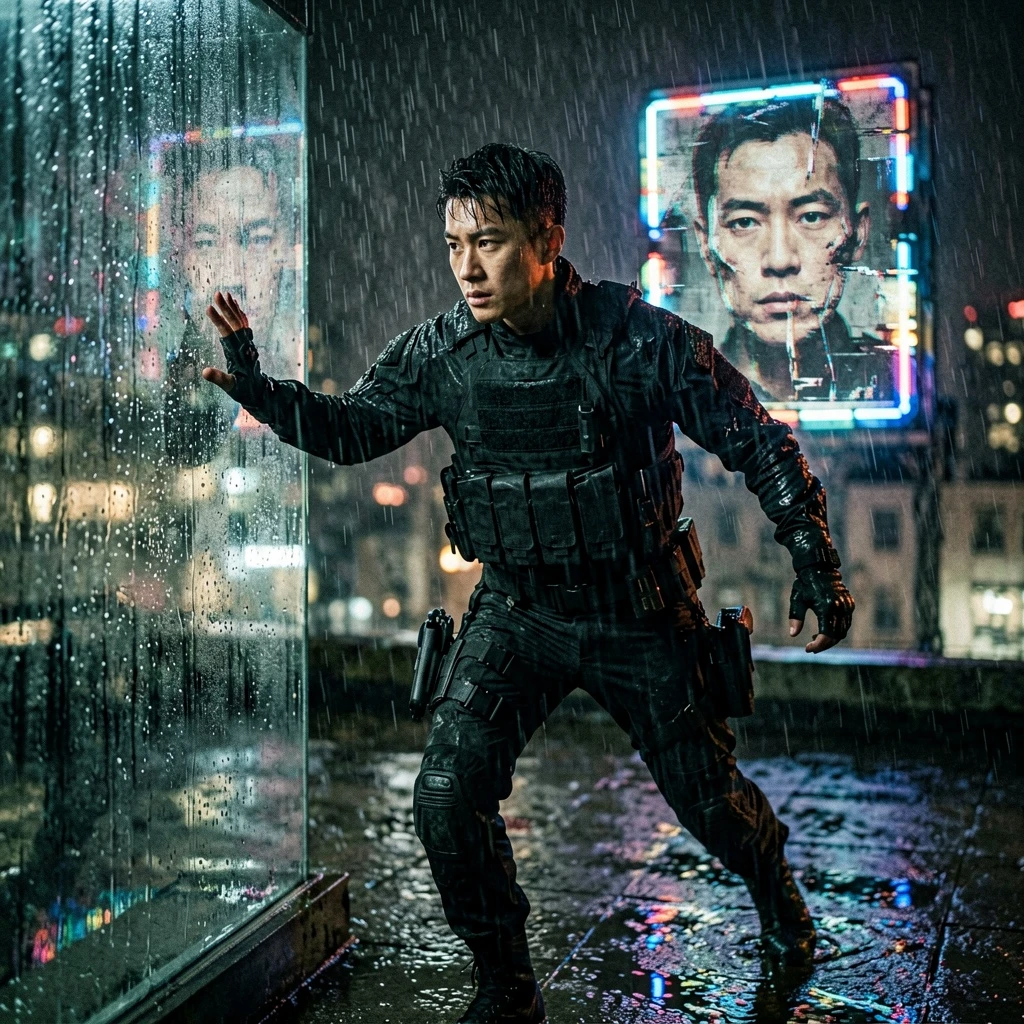
A lone assassin pausing mid-rooftop sprint, rain hammering down, body frozen as a distant neon sign flickers revealing their own wanted poster — they stare at their own face, fractured memory, gloved hand pressed against wet glass, black tactical outfit, expression unreadable, cinematic noir, anamorphic lens, shallow depth of field
Powiązane modele



README
ERNIE Image Text-to-Image
ERNIE Image Text-to-Image is Baidu's text-to-image model, generating high-quality images from natural language prompts. It supports prompts in English, Chinese, and Japanese — making it a strong choice for multilingual creative and production workflows.
Why Choose This?
-
Multilingual prompt support Write prompts in English, Chinese, or Japanese — the model understands all three natively for accurate, culturally relevant image generation.
-
Fast generation Generates images quickly — ideal for rapid iteration, high-volume workflows, and real-time applications.
-
Custom size output Specify any output dimensions to match your target format — social media, banners, portraits, or custom layouts.
Parameters
| Parameter | Required | Description |
|---|---|---|
| prompt | Yes | Text description of the image. Supports English, Chinese, and Japanese. |
| size | No | Output dimensions in width×height pixels. Default: 1024×1024. Range: 256–1536 per side. |
How to Use
- Write your prompt — describe the subject, scene, style, and mood in English, Chinese, or Japanese.
- Set size (optional) — specify output dimensions to match your target format.
- Submit — generate and download your image.
Pricing
Just $0.03 per image.
Best Use Cases
- Multilingual content creation — Generate images from Chinese, Japanese, or English prompts for localized creative workflows.
- Rapid prototyping — Quickly iterate on visual concepts with fast turbo-speed generation.
- Social media & marketing — Produce on-brand visuals at custom sizes for any platform or format.
- E-commerce — Generate product lifestyle and scene imagery at scale.
- Developer integrations — Embed fast, multilingual image generation into apps and pipelines.
Pro Tips
- Be specific in your prompt — include subject, style, lighting, and composition details for the most accurate results.
- Chinese and Japanese prompts can be especially effective for culturally specific aesthetics and artistic styles.
- Use custom size to match your exact delivery format rather than cropping after generation.
Notes
- Only prompt is required; size is optional and defaults to 1024×1024.
- Supported size range: 256–1536 pixels per dimension.
- Please ensure your content complies with Baidu's usage policies.
Related Models
- ERNIE Image Text-to-Image Turbo — Faster version of the ERNIE image generation model.
Ernie Image Text To Image Turbo API — Quick start
Grab a WaveSpeedAI API key, then call POST https://api.wavespeed.ai/api/v3/wavespeed-ai/ernie-image/text-to-image-turbo with your input as JSON. The endpoint returns a prediction id; poll the prediction endpoint until status flips to completed, then read the output URL from data.outputs[0]. Examples for Ernie Image Text To Image Turbo below.
HTTP example
# Submit the prediction
curl -X POST "https://api.wavespeed.ai/api/v3/wavespeed-ai/ernie-image/text-to-image-turbo" \
  -H "Content-Type: application/json" \
  -H "Authorization: Bearer $WAVESPEED_API_KEY" \
  -d '{
    "prompt": "A cinematic shot of a city at sunset, soft golden light",
    "size": "1024*1024"
}'

# Response includes a prediction id. Poll for the result:
curl -X GET "https://api.wavespeed.ai/api/v3/predictions/{request_id}/result" \
  -H "Authorization: Bearer $WAVESPEED_API_KEY"

# When status is "completed", read the output from data.outputs[0].
Node.js example
// npm install wavespeed
const WaveSpeed = require('wavespeed');

const client = new WaveSpeed(); // reads WAVESPEED_API_KEY from env

const result = await client.run("wavespeed-ai/ernie-image/text-to-image-turbo", {
        "prompt": "A cinematic shot of a city at sunset, soft golden light",
        "size": "1024*1024"
});

console.log(result.outputs[0]); // → URL of the generated output
Python example
# pip install wavespeed
import wavespeed

output = wavespeed.run(
    "wavespeed-ai/ernie-image/text-to-image-turbo",
    {
    "prompt": "A cinematic shot of a city at sunset, soft golden light",
    "size": "1024*1024"
}
)

print(output["outputs"][0])  # → URL of the generated output
Ernie Image Text To Image Turbo API — Frequently asked questions
What is the Ernie Image Text To Image Turbo API?
Ernie Image Text To Image Turbo is a WaveSpeedAI model for image generation, exposed as a REST API on WaveSpeedAI. Baidu ERNIE Image Turbo is a distilled, 8-step version of ERNIE Image for fast, low-cost generation. Supports English, Chinese, and Japanese prompts with flexible sizing. Ready-to-use REST inference API, best performance, no coldstarts, affordable pricing. You can call it programmatically or try it from the playground above.
How do I call the Ernie Image Text To Image Turbo API?
POST your input parameters to the model's REST endpoint (shown in the API tab of this playground) with your WaveSpeedAI API key in the Authorization header. Submission returns a prediction ID; poll the prediction endpoint until status flips to "completed", then read the output URL from the result. The playground generates a ready-to-paste code sample in Python, JavaScript, or cURL for whatever inputs you've set. Full request/response shape is documented at https://wavespeed.ai/docs/docs-api/wavespeed-ai/ernie-image-text-to-image-turbo.
How much does Ernie Image Text To Image Turbo cost per run?
Ernie Image Text To Image Turbo starts at $0.030 per run. That figure is the base price — the final charge scales with the parameters you set in the form (output size, length, count, references, or whatever knobs this model exposes), so a higher-quality or larger output costs more than a minimal one. The exact cost for your current input is shown live next to the Generate button before you submit, and the actual per-call charge is recorded on the prediction afterwards.
What inputs does Ernie Image Text To Image Turbo accept?
Key inputs: `prompt`, `size`. The full JSON schema (types, defaults, allowed values) is rendered above the Generate button and mirrored in the API reference at https://wavespeed.ai/docs/docs-api/wavespeed-ai/ernie-image-text-to-image-turbo.
How do I get started with the Ernie Image Text To Image Turbo API?
Sign up for a free WaveSpeedAI account to claim starter credits, copy your API key from /accesskey, then call the endpoint shown in the API tab of the playground. The playground also auto-generates a code sample in Python, JavaScript, or cURL for the parameters you've set.
Can I use Ernie Image Text To Image Turbo outputs commercially?
Commercial usage rights depend on the model's license, set by its provider (WaveSpeedAI). The license summary appears on the model card above; see WaveSpeedAI's Terms of Service for platform-level conditions.