Topaz Image Denoise removes grain and high-ISO noise while preserving detail. Perfect for low-light photography and high-ISO images. Ready-to-use REST inference API, best performance, no coldstarts, affordable pricing.
Bezczynny

$0.15za uruchomienie·~66 / $10
PrzykładyZobacz wszystkie

Powiązane modele




README
Topaz Image Denoise
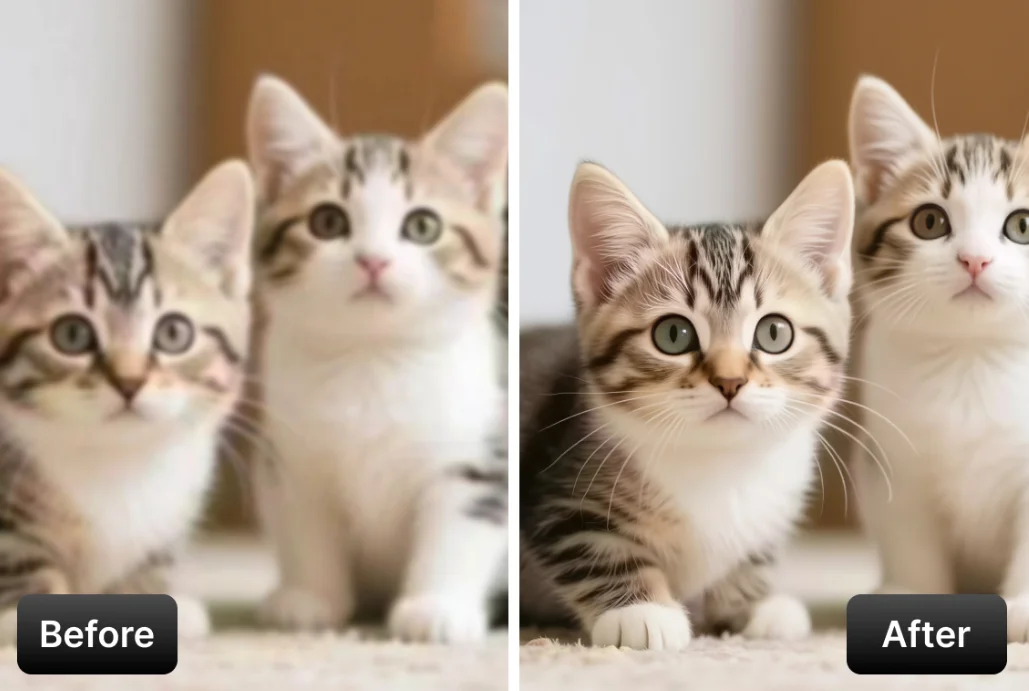
Topaz Image Denoise is a professional-grade noise reduction model powered by Topaz Labs' AI technology. Upload your image and select from multiple denoise strengths — AI intelligently removes noise while preserving detail and texture.
Why Choose This?
-
AI-powered noise reduction Intelligently removes noise while preserving important image details and textures.
-
Multiple strength levels Choose from Normal, Strong, or Extreme based on your noise level and quality needs.
-
Detail preservation Unlike traditional denoise tools, AI preserves edges, textures, and fine details.
-
Professional quality Powered by Topaz Labs' AI, trusted by professional photographers worldwide.
Parameters
| Parameter | Required | Description |
|---|---|---|
| image | Yes | Source image to denoise (upload or URL) |
| model | No | Denoise strength to use (default: Normal) |
| output_format | No | Output format: jpeg, jpg, or png |
Model Options
| Model | Description |
|---|---|
| Normal | Balanced noise reduction for typical images (default) |
| Strong | More aggressive denoise for noisier images |
| Extreme | Maximum noise reduction for very noisy images |
Output Format Options
- jpeg / jpg — Compressed format, smaller file size
- png — Lossless format, supports transparency
How to Use
- Upload your image — drag and drop or paste a URL.
- Select model — choose denoise strength based on noise level.
- Choose output format — select based on your quality and file size needs.
- Run — submit and download the denoised image.
Pricing
| Item | Cost |
|---|---|
| Per image | $0.15 |
Simple flat-rate pricing regardless of image size or model selected.
Best Use Cases
- High ISO Photos — Clean up grainy images shot at high ISO settings.
- Low Light Photography — Remove noise from night and indoor photos.
- Video Stills — Clean up frames extracted from video footage.
- Scanned Photos — Reduce grain and noise from scanned film images.
- Smartphone Photos — Improve quality of noisy mobile phone images.
Pro Tips
- Start with Normal for most images — only use Strong or Extreme if needed.
- Over-denoising can make images look plastic — find the right balance.
- Works best when combined with sharpening after denoise.
- For archival quality, export as PNG to avoid additional compression artifacts.
Notes
- Higher strength settings remove more noise but may reduce fine detail.
- Best results come from images with uniform noise patterns.
- For images with both noise and blur, denoise first, then sharpen.
Related Models
- Topaz Image Sharpen — AI-powered image sharpening.
- Topaz Image Lighting — AI-powered lighting adjustment.
- Topaz Image Restore — AI-powered dust and scratch removal.
Image Denoise API — Quick start
Grab a WaveSpeedAI API key, then call POST https://api.wavespeed.ai/api/v3/topaz/image/denoise with your input as JSON. The endpoint returns a prediction id. Start polling the result endpoint around every 2 seconds, increase the interval for long-running tasks, and stop on any terminal status. On completed, read output values from data.outputs. Examples for Image Denoise below.
HTTP example
set -euo pipefail

: "${WAVESPEED_API_KEY:?Set WAVESPEED_API_KEY}"

REQUEST_BODY=$(cat <<'JSON'
{
    "model": "Normal",
    "output_format": "jpeg"
}
JSON
)

# 1. Submit the prediction.
SUBMIT_RESPONSE=$(curl --silent --show-error --fail-with-body \
  -X POST "https://api.wavespeed.ai/api/v3/topaz/image/denoise" \
  -H "Content-Type: application/json" \
  -H "Authorization: Bearer $WAVESPEED_API_KEY" \
  -d "$REQUEST_BODY")

TASK=$(printf '%s' "$SUBMIT_RESPONSE" | jq 'if has("data") then .data else . end')
PREDICTION_ID=$(printf '%s' "$TASK" | jq -r '.id')
if [ -z "$PREDICTION_ID" ] || [ "$PREDICTION_ID" = "null" ]; then
  printf 'Submission response did not contain a prediction id
' >&2
  exit 1
fi
RESULT_URL=$(printf '%s' "$TASK" | jq -r '.urls.get // empty')
if [ -z "$RESULT_URL" ]; then
  RESULT_URL="https://api.wavespeed.ai/api/v3/predictions/$PREDICTION_ID/result"
fi

# 2. Poll until the prediction finishes.
while true; do
  RESPONSE=$(curl --silent --show-error --fail-with-body "$RESULT_URL" \
    -H "Authorization: Bearer $WAVESPEED_API_KEY")
  RESULT=$(printf '%s' "$RESPONSE" | jq 'if has("data") then .data else . end')
  STATUS=$(printf '%s' "$RESULT" | jq -r '.status')
  case "$STATUS" in
    completed) printf '%s\n' "$RESULT" | jq '.outputs'; break ;;
    failed|cancelled|timeout) printf '%s\n' "$RESULT" | jq . >&2; exit 1 ;;
    created|processing) sleep 2 ;;
    *) printf 'Unexpected status: %s
' "$STATUS" >&2; exit 1 ;;
  esac
done
Node.js example
const submitUrl = "https://api.wavespeed.ai/api/v3/topaz/image/denoise";
const apiKey = process.env.WAVESPEED_API_KEY;
if (!apiKey) throw new Error('Set WAVESPEED_API_KEY');

async function requestJson(url, options = {}) {
  const response = await fetch(url, options);
  if (!response.ok) throw new Error(await response.text());
  return response.json();
}

// 1. Submit the prediction.
const body = await requestJson(submitUrl, {
  method: "POST",
  headers: {
    "Authorization": `Bearer ${apiKey}`,
    "Content-Type": "application/json",
  },
  body: JSON.stringify({
        "model": "Normal",
        "output_format": "jpeg"
}),
});
const task = body.data ?? body;
if (!task.id) throw new Error("Submission response did not contain a prediction id");
const resultUrl = task.urls?.get ||
  `https://api.wavespeed.ai/api/v3/predictions/${task.id}/result`;

// 2. Poll until the prediction finishes.
while (true) {
  const resultBody = await requestJson(resultUrl, {
    headers: { "Authorization": `Bearer ${apiKey}` },
  });
  const result = resultBody.data ?? resultBody;
  if (result.status === "completed") {
    console.log(result.outputs);
    break;
  }
  if (["failed", "cancelled", "timeout"].includes(result.status)) throw new Error(JSON.stringify(result));
  if (!["created", "processing"].includes(result.status)) throw new Error("Unexpected status: " + result.status);
  await new Promise(resolve => setTimeout(resolve, 2000));
}
Python example
import json
import os
import time
from urllib.request import Request, urlopen

api_key = os.environ["WAVESPEED_API_KEY"]
headers = {"Authorization": f"Bearer {api_key}", "Content-Type": "application/json"}
payload = {
    "model": "Normal",
    "output_format": "jpeg"
}

def request_json(url, data=None):
    request = Request(url, data=data, headers=headers, method="POST" if data else "GET")
    with urlopen(request) as response:
        return json.load(response)

# 1. Submit the prediction.
body = request_json("https://api.wavespeed.ai/api/v3/topaz/image/denoise", json.dumps(payload).encode())
task = body.get("data", body)
if not task.get("id"):
    raise RuntimeError("Submission response did not contain a prediction id")
result_url = task.get("urls", {}).get("get") or f"https://api.wavespeed.ai/api/v3/predictions/{task['id']}/result"

# 2. Poll until the prediction finishes.
while True:
    result_body = request_json(result_url)
    result = result_body.get("data", result_body)
    status = result.get("status")
    if status == "completed":
        print(result.get("outputs", []))
        break
    if status in {"failed", "cancelled", "timeout"}:
        raise RuntimeError(result)
    if status not in {"created", "processing"}:
        raise RuntimeError(f"Unexpected status: {status}")
    time.sleep(2)
Image Denoise API — Frequently asked questions
What is the Image Denoise API?
Image Denoise is a Topaz model for image editing, exposed as a REST API on WaveSpeedAI. Topaz Image Denoise removes grain and high-ISO noise while preserving detail. Perfect for low-light photography and high-ISO images. Ready-to-use REST inference API, best performance, no coldstarts, affordable pricing. You can call it programmatically or try it from the playground above.
How do I call the Image Denoise API?
POST your input parameters to the model's REST endpoint (shown in the API tab of this playground) with your WaveSpeedAI API key in the Authorization header. Submission returns a prediction ID. Poll the result endpoint starting around every 2 seconds, increase the interval for long-running tasks, and stop on any terminal status. The playground generates production-oriented Python, JavaScript, and cURL examples with timeouts, transient-error handling, and safe GET retries. Full request/response shape is documented at https://wavespeed.ai/docs/docs-api/topaz/topaz-image-denoise.
How much does Image Denoise cost per run?
Image Denoise starts at $0.15 per run. That figure is the base price — the final charge scales with the parameters you set in the form (output size, length, count, references, or whatever knobs this model exposes), so a higher-quality or larger output costs more than a minimal one. The exact cost for your current input is shown live next to the Generate button before you submit, and the actual per-call charge is recorded on the prediction afterwards.
What inputs does Image Denoise accept?
Key inputs: `image`, `enable_base64_output`, `model`, `output_format`. The full JSON schema (types, defaults, allowed values) is rendered above the Generate button and mirrored in the API reference at https://wavespeed.ai/docs/docs-api/topaz/topaz-image-denoise.
How long does Image Denoise take to generate?
Median end-to-end generation time on WaveSpeedAI is around 11 seconds per request, based on recent successful runs. Queue time varies with global demand; live status is visible in the prediction record.
Can I use Image Denoise outputs commercially?
Commercial usage rights depend on the model's license, set by its provider (Topaz). The license summary appears on the model card above; see WaveSpeedAI's Terms of Service for platform-level conditions.