HiDream-I1 Full is a 17B open-source image-generative foundation model producing state-of-the-art images in seconds. Ready-to-use REST inference API, best performance, no coldstarts, affordable pricing.
待機中

$0.0241回あたり·~41 / $1
サンプルすべて表示
A young woman in a white blouse and denim skirt standing in a sunlit kitchen, soft morning light, photorealistic, Canon lens depth of field, warm tones

A Ghibli-inspired scene featuring a giant, friendly creature walking through a lush forest and holding a sign saying 'HiDream', with vibrant colors, soft lighting, and whimsical details like floating lights and colorful, magical creatures. The scene captures a peaceful, enchanted atmosphere.
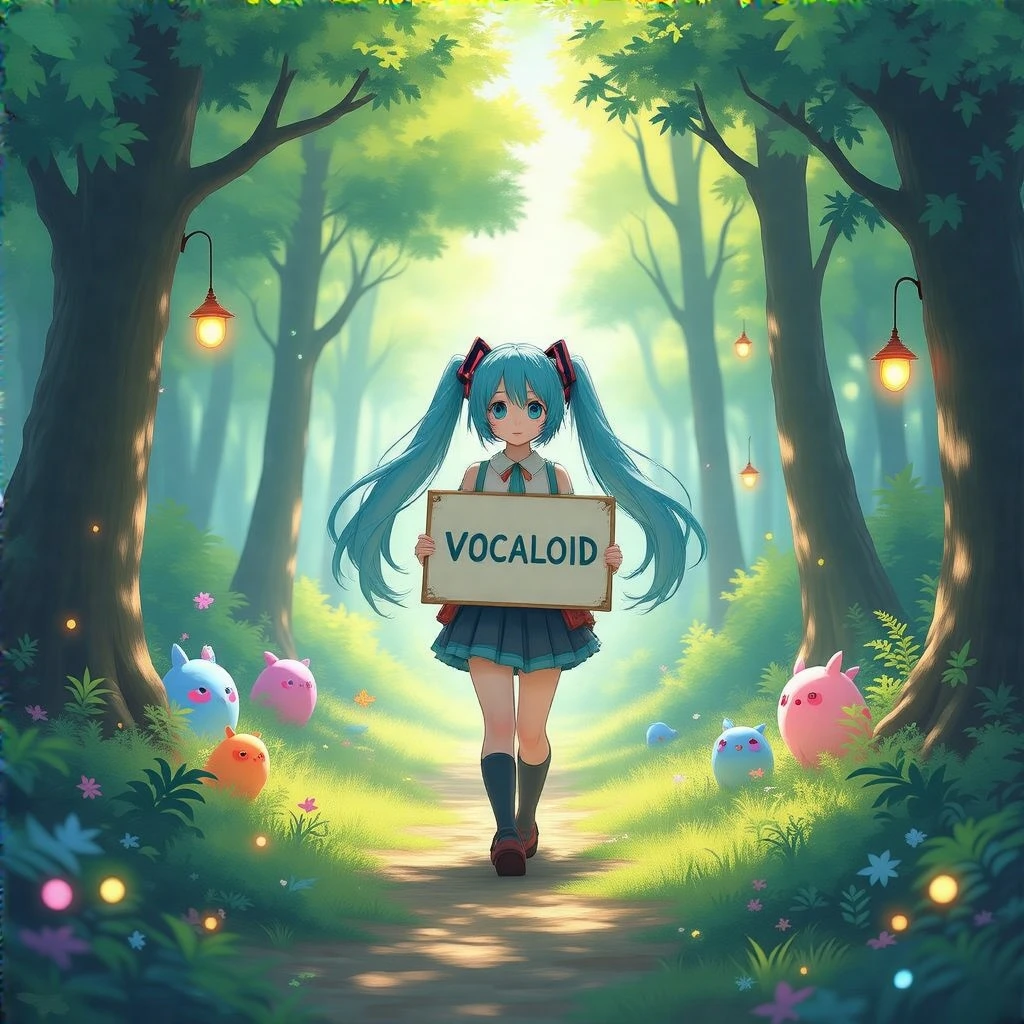
A Ghibli-inspired scene featuring a Hatsune Miku walking through a lush forest and holding a sign saying 'VOCALOID', with vibrant colors, soft lighting, and whimsical details like floating lights and colorful, magical creatures. The scene captures a peaceful, enchanted atmosphere.
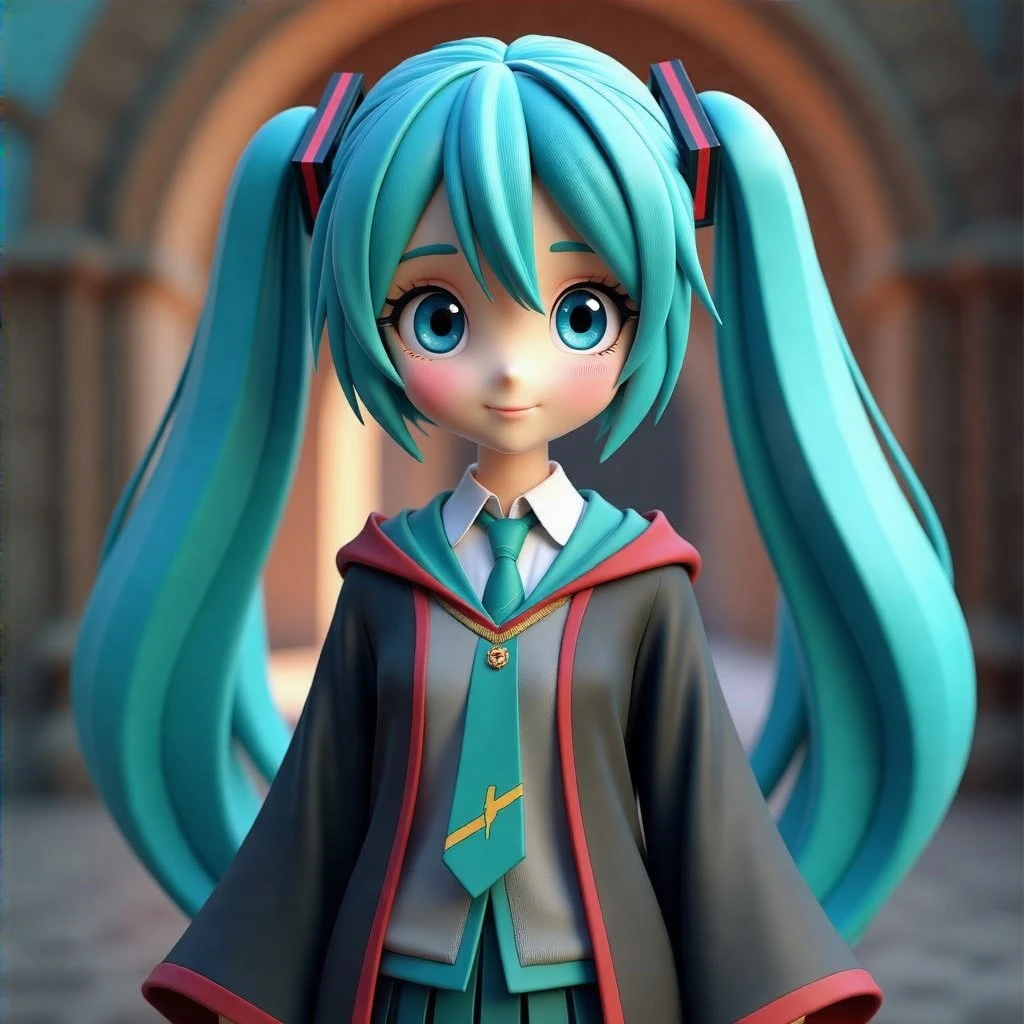
hatsune miku in disney and pixar 3d render in Harry Potter universe

overhead close up view looking down on sweaty kpop star iu lying seductively on floor of dim nightclub with mouth open and tongue sticking out, hair forehead and nose smothered with many streaks of dripping white milk as she looks up at the sky ecstatic

A realistic, brightly lit scene of a cute cat standing like a human on a concert stage, passionately singing into a microphone. The cat wears a sparkly jacket, surrounded by stage lights and a cheering audience. Dramatic spotlight, expressive eyes, dynamic pose, full of emotion, vibrant colors, high detail, cinematic atmosphere.

Old man with a long grey beard reading a book under a streetlamp at night, cinematic lighting, photorealistic, vintage atmosphere, 85mm lens

Elven warrior queen in silver armor walking through an enchanted forest, glowing runes on trees, mystical fog, golden hour lighting, high fantasy

Sorcerer casting a fire spell in ancient ruins, fiery light illuminating face, swirling energy around hands, epic fantasy, dynamic composition

A paper cutout-style girl in a red cloak walks through a handcrafted forest made of layered paper trees, with stop-motion animation and textured shadows. Leaves swirl like torn construction paper, and animals made of folded cardboard peek from behind trees. The visual feels warm, handmade, and whimsical — like a children's storybook brought to life through charming analog motion.

A delicate fairy girl with translucent wings floating above a glowing forest lake at dusk, wearing a flower-made dress, soft magical lights surrounding her, sparkles in the air, dreamy atmosphere, pastel color palette, detailed face and eyes, fantasy illustration style, ultra-detailed background

A fashionable girl posing confidently in front of a graffiti wall, wearing oversized sunglasses, a cropped bomber jacket, mini skirt, chunky sneakers, vibrant colors, street photography style, high contrast lighting, shallow depth of field, urban energy, Gen Z aesthetic

A renaissance noblewoman sitting gracefully in a candle-lit room, wearing an ornate velvet gown with golden embroidery, soft chiaroscuro lighting, oil painting texture, subtle background blur, Rembrandt-style composition, serene expression, warm tones, highly detailed brushwork
関連モデル






README
HiDream I1 Full
HiDream I1 Full is a powerful text-to-image generation model that creates high-quality, photorealistic images from text descriptions. With flexible resolution control and excellent prompt adherence, generate stunning visuals for any creative project.
Why It Stands Out
- High-quality generation: Produces detailed, photorealistic images with excellent clarity.
- Prompt Enhancer: Built-in AI-powered prompt optimization for better results.
- Flexible resolution: Customize width and height independently for any aspect ratio.
- Multiple output formats: Export as JPEG or PNG based on your needs.
- Affordable pricing: High-quality image generation at just $0.024 per image.
- Reproducibility: Use the seed parameter to recreate exact results.
Parameters
| Parameter | Required | Description |
|---|---|---|
| prompt | Yes | Text description of the image you want to generate. |
| width | No | Output width in pixels (default: 1024). |
| height | No | Output height in pixels (default: 1024). |
| seed | No | Set for reproducibility; -1 for random. |
| output_format | No | Output format: jpeg or png (default: jpeg). |
| enable_base64_output | No | Return base64 string instead of URL (API only). |
How to Use
- Write a prompt describing the image you want. Use the Prompt Enhancer for AI-assisted optimization.
- Set dimensions — adjust width and height for your desired output size and aspect ratio.
- Set a seed (optional) for reproducible results.
- Select output format — choose JPEG or PNG.
- Click Run and download your image.
Best Use Cases
- Portrait Photography — Generate photorealistic portraits with natural lighting.
- Product Visualization — Create product concepts and lifestyle imagery.
- Marketing & Social Media — Produce eye-catching visuals for campaigns and posts.
- Concept Art — Visualize ideas quickly before full production.
- Creative Projects — Generate unique images for personal and commercial use.
Pricing
| Output | Price |
|---|---|
| Per image | $0.024 |
Pro Tips for Best Quality
- Be detailed in your prompt — include subject, style, lighting, mood, and technical details.
- Use photographic keywords like "Canon lens," "depth of field," "soft morning light."
- Specify color tones like "warm tones," "cool tones," or specific color palettes.
- Adjust dimensions to match your intended use case and platform.
- Fix the seed when iterating to compare different prompt variations.
Notes
- Processing time varies based on resolution and current queue load.
- Please ensure your prompts comply with content guidelines.
Hidream I1 Full API — Quick start
Grab a WaveSpeedAI API key, then call POST https://api.wavespeed.ai/api/v3/wavespeed-ai/hidream-i1-full with your input as JSON. The endpoint returns a prediction id. Start polling the result endpoint around every 2 seconds, increase the interval for long-running tasks, and stop on any terminal status. On completed, read output values from data.outputs. Examples for Hidream I1 Full below.
HTTP example
set -euo pipefail

: "${WAVESPEED_API_KEY:?Set WAVESPEED_API_KEY}"

REQUEST_BODY=$(cat <<'JSON'
{
    "prompt": "A cinematic shot of a city at sunset, soft golden light",
    "size": "1024*1024",
    "seed": -1,
    "output_format": "jpeg"
}
JSON
)

# 1. Submit the prediction.
SUBMIT_RESPONSE=$(curl --silent --show-error --fail-with-body \
  -X POST "https://api.wavespeed.ai/api/v3/wavespeed-ai/hidream-i1-full" \
  -H "Content-Type: application/json" \
  -H "Authorization: Bearer $WAVESPEED_API_KEY" \
  -d "$REQUEST_BODY")

TASK=$(printf '%s' "$SUBMIT_RESPONSE" | jq 'if has("data") then .data else . end')
PREDICTION_ID=$(printf '%s' "$TASK" | jq -r '.id')
if [ -z "$PREDICTION_ID" ] || [ "$PREDICTION_ID" = "null" ]; then
  printf 'Submission response did not contain a prediction id
' >&2
  exit 1
fi
RESULT_URL=$(printf '%s' "$TASK" | jq -r '.urls.get // empty')
if [ -z "$RESULT_URL" ]; then
  RESULT_URL="https://api.wavespeed.ai/api/v3/predictions/$PREDICTION_ID/result"
fi

# 2. Poll until the prediction finishes.
while true; do
  RESPONSE=$(curl --silent --show-error --fail-with-body "$RESULT_URL" \
    -H "Authorization: Bearer $WAVESPEED_API_KEY")
  RESULT=$(printf '%s' "$RESPONSE" | jq 'if has("data") then .data else . end')
  STATUS=$(printf '%s' "$RESULT" | jq -r '.status')
  case "$STATUS" in
    completed) printf '%s\n' "$RESULT" | jq '.outputs'; break ;;
    failed|cancelled|timeout) printf '%s\n' "$RESULT" | jq . >&2; exit 1 ;;
    created|processing) sleep 2 ;;
    *) printf 'Unexpected status: %s
' "$STATUS" >&2; exit 1 ;;
  esac
done
Node.js example
const submitUrl = "https://api.wavespeed.ai/api/v3/wavespeed-ai/hidream-i1-full";
const apiKey = process.env.WAVESPEED_API_KEY;
if (!apiKey) throw new Error('Set WAVESPEED_API_KEY');

async function requestJson(url, options = {}) {
  const response = await fetch(url, options);
  if (!response.ok) throw new Error(await response.text());
  return response.json();
}

// 1. Submit the prediction.
const body = await requestJson(submitUrl, {
  method: "POST",
  headers: {
    "Authorization": `Bearer ${apiKey}`,
    "Content-Type": "application/json",
  },
  body: JSON.stringify({
        "prompt": "A cinematic shot of a city at sunset, soft golden light",
        "size": "1024*1024",
        "seed": -1,
        "output_format": "jpeg"
}),
});
const task = body.data ?? body;
if (!task.id) throw new Error("Submission response did not contain a prediction id");
const resultUrl = task.urls?.get ||
  `https://api.wavespeed.ai/api/v3/predictions/${task.id}/result`;

// 2. Poll until the prediction finishes.
while (true) {
  const resultBody = await requestJson(resultUrl, {
    headers: { "Authorization": `Bearer ${apiKey}` },
  });
  const result = resultBody.data ?? resultBody;
  if (result.status === "completed") {
    console.log(result.outputs);
    break;
  }
  if (["failed", "cancelled", "timeout"].includes(result.status)) throw new Error(JSON.stringify(result));
  if (!["created", "processing"].includes(result.status)) throw new Error("Unexpected status: " + result.status);
  await new Promise(resolve => setTimeout(resolve, 2000));
}
Python example
import json
import os
import time
from urllib.request import Request, urlopen

api_key = os.environ["WAVESPEED_API_KEY"]
headers = {"Authorization": f"Bearer {api_key}", "Content-Type": "application/json"}
payload = {
    "prompt": "A cinematic shot of a city at sunset, soft golden light",
    "size": "1024*1024",
    "seed": -1,
    "output_format": "jpeg"
}

def request_json(url, data=None):
    request = Request(url, data=data, headers=headers, method="POST" if data else "GET")
    with urlopen(request) as response:
        return json.load(response)

# 1. Submit the prediction.
body = request_json("https://api.wavespeed.ai/api/v3/wavespeed-ai/hidream-i1-full", json.dumps(payload).encode())
task = body.get("data", body)
if not task.get("id"):
    raise RuntimeError("Submission response did not contain a prediction id")
result_url = task.get("urls", {}).get("get") or f"https://api.wavespeed.ai/api/v3/predictions/{task['id']}/result"

# 2. Poll until the prediction finishes.
while True:
    result_body = request_json(result_url)
    result = result_body.get("data", result_body)
    status = result.get("status")
    if status == "completed":
        print(result.get("outputs", []))
        break
    if status in {"failed", "cancelled", "timeout"}:
        raise RuntimeError(result)
    if status not in {"created", "processing"}:
        raise RuntimeError(f"Unexpected status: {status}")
    time.sleep(2)
Hidream I1 Full API — Frequently asked questions
What is the Hidream I1 Full API?
Hidream I1 Full is a WaveSpeedAI model for image generation, exposed as a REST API on WaveSpeedAI. HiDream-I1 Full is a 17B open-source image-generative foundation model producing state-of-the-art images in seconds. Ready-to-use REST inference API, best performance, no coldstarts, affordable pricing. You can call it programmatically or try it from the playground above.
How do I call the Hidream I1 Full API?
POST your input parameters to the model's REST endpoint (shown in the API tab of this playground) with your WaveSpeedAI API key in the Authorization header. Submission returns a prediction ID. Poll the result endpoint starting around every 2 seconds, increase the interval for long-running tasks, and stop on any terminal status. The playground generates production-oriented Python, JavaScript, and cURL examples with timeouts, transient-error handling, and safe GET retries. Full request/response shape is documented at https://wavespeed.ai/docs/docs-api/wavespeed-ai/hidream-i1-full.
How much does Hidream I1 Full cost per run?
Hidream I1 Full starts at $0.024 per run. That figure is the base price — the final charge scales with the parameters you set in the form (output size, length, count, references, or whatever knobs this model exposes), so a higher-quality or larger output costs more than a minimal one. The exact cost for your current input is shown live next to the Generate button before you submit, and the actual per-call charge is recorded on the prediction afterwards.
What inputs does Hidream I1 Full accept?
Key inputs: `prompt`, `size`, `seed`, `enable_base64_output`, `output_format`. The full JSON schema (types, defaults, allowed values) is rendered above the Generate button and mirrored in the API reference at https://wavespeed.ai/docs/docs-api/wavespeed-ai/hidream-i1-full.
How long does Hidream I1 Full take to generate?
Median end-to-end generation time on WaveSpeedAI is around 12 seconds per request, based on recent successful runs. Queue time varies with global demand; live status is visible in the prediction record.
Can I use Hidream I1 Full outputs commercially?
Commercial usage rights depend on the model's license, set by its provider (WaveSpeedAI). The license summary appears on the model card above; see WaveSpeedAI's Terms of Service for platform-level conditions.