Generate 480p videos from text prompts and images with LTX Video 0.9.7 (i2v-480p). Ready-to-use REST inference API, best performance, no coldstarts, affordable pricing.
Siap

$0.2per run·~50 / $10
ContohLihat semua
A city skyline folded from paper, a small train running on paper tracks, with a soft gradient background, origami art style, stop-motion animation texture, creative, minimalist, full of childlike fun.
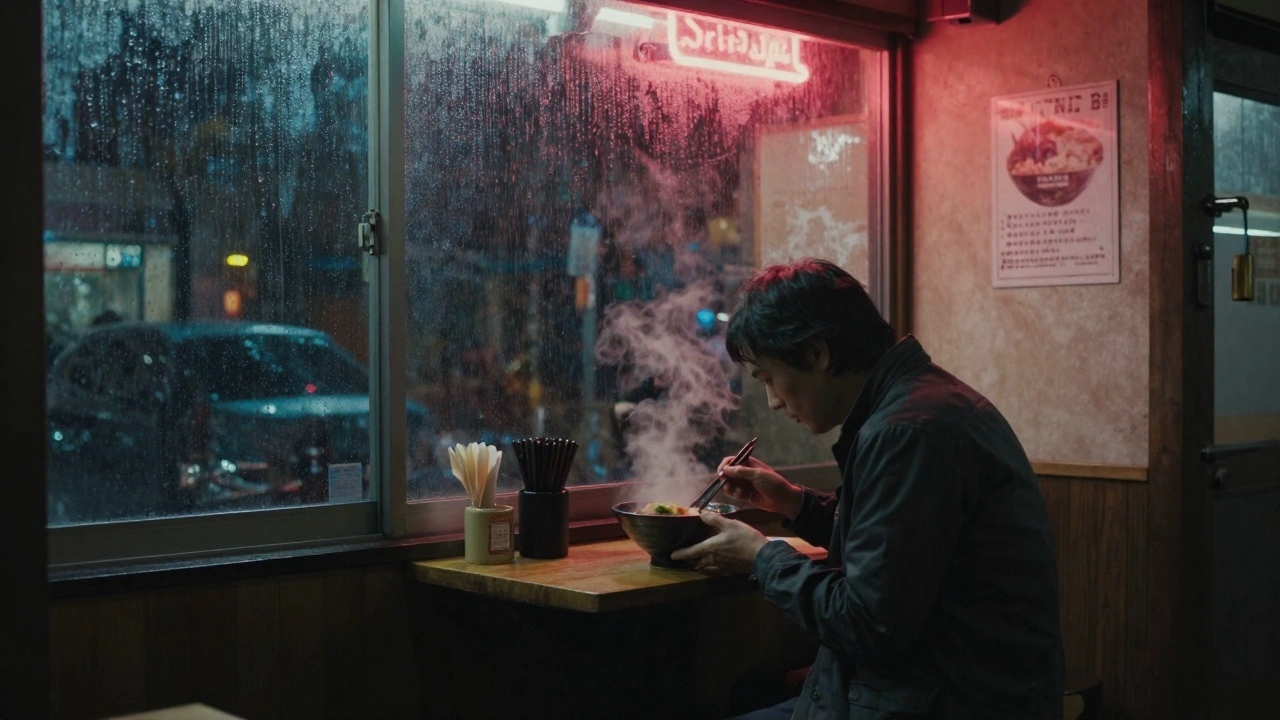
A detective on a rainy night in a cyberpunk city street, neon lights reflecting on his trench coat, with a solemn expression, smoke rising from his mouth, Blade Runner movie style, cool tones, strong cinematic feel, 4K HD quality.
A cat samurai wearing a bamboo hat, standing on the roof of an ancient temple on a night with falling cherry blossoms, with sharp eyes, ready for a duel, Makoto Shinkai style, strong light and shadow contrast, tense atmosphere.
A girl in an astronaut suit, sitting on the moon, quietly looking at the distant earth, lonely and serene, Ghibli anime style, soft colors, healing atmosphere.
A tiny, lone tent glowing from within, pitched in a vast, empty snowfield under a sky filled with the brilliant aurora borealis. The sheer scale makes the tent seem both vulnerable and defiant.
A grand ballroom, empty and dark, except for a single beam of moonlight. Glitter and confetti cover the floor, remnants of a party long over. A single balloon drifts slowly to the ground.
The deep ocean. A powerful current begins to swirl, gathering water into the shape of a giant, translucent hand that reaches up towards the faint sunlight far above.
Extreme macro shot. The journey of a single, perfect snowflake. It tumbles and spins through the air, its intricate fractal geometry glinting in the faint light, before gently landing and becoming one with a vast expanse of snow.
Model Terkait



README
LTX Video V0.97 — Image-to-Video 480p
LTX Video V0.97 Image-to-Video 480p is a fast and efficient image-to-video generation model that transforms static images into dynamic 480p videos. Upload an image, describe the motion you want, and watch your photo come to life — perfect for quick content creation and prototyping.
Why It Stands Out
- Image-driven generation: Animate any image while preserving its original style and composition.
- Prompt-guided motion: Describe camera movements, actions, and atmospheric effects.
- Prompt Enhancer: Built-in AI-powered prompt optimization for better results.
- Negative prompt support: Exclude unwanted elements for cleaner outputs.
- Dual orientation: Generate landscape (832×480) or portrait (480×832) videos.
- Affordable pricing: Quality video generation at just $0.20 per video.
- Reproducibility: Use the seed parameter to recreate exact results.
Parameters
| Parameter | Required | Description |
|---|---|---|
| image | Yes | Source image to animate (upload or public URL). |
| prompt | Yes | Text description of desired motion and style. |
| negative_prompt | No | Elements to avoid in the output. |
| size | No | Output resolution: 832×480 or 480×832 (default: 832×480). |
| seed | No | Set for reproducibility; leave empty for random. |
How to Use
- Upload your source image — drag and drop a file or paste a public URL.
- Write a prompt describing the motion you want. Use the Prompt Enhancer for AI-assisted optimization.
- Add a negative prompt (optional) — specify elements to exclude.
- Select size — choose landscape (832×480) or portrait (480×832).
- Set a seed (optional) for reproducible results.
- Click Run and wait for your video to generate.
- Preview and download the result.
Best Use Cases
- Rapid Prototyping — Quickly test animation concepts before committing to higher resolutions.
- Social Media Content — Create engaging video posts for platforms where 480p is sufficient.
- Content Previews — Generate quick previews for client approval.
- Creative Exploration — Experiment with different motion ideas at low cost.
- Batch Processing — Transform multiple images into videos efficiently.
Pricing
| Output | Price |
|---|---|
| Per video | $0.20 |
Pro Tips for Best Quality
- Use high-resolution, well-lit source images for optimal results.
- Be specific in your prompt — describe camera movement, subject actions, and atmospheric details.
- Use negative prompts to reduce artifacts like blur, distortion, or unwanted motion.
- Choose portrait (480×832) for mobile-first platforms like TikTok.
- Fix the seed when iterating to compare different prompt variations.
Notes
- Ensure uploaded image URLs are publicly accessible.
- For higher resolution output, consider other I2V models at 720p or 1080p.
- Processing time varies based on current queue load.
- Please ensure your prompts comply with content guidelines.
Ltx Video v097 I2v 480p API — Quick start
Grab a WaveSpeedAI API key, then call POST https://api.wavespeed.ai/api/v3/wavespeed-ai/ltx-video-v097/i2v-480p with your input as JSON. The endpoint returns a prediction id; poll the prediction endpoint until status flips to completed, then read the output URL from data.outputs[0]. Examples for Ltx Video v097 I2v 480p below.
HTTP example
# Submit the prediction
curl -X POST "https://api.wavespeed.ai/api/v3/wavespeed-ai/ltx-video-v097/i2v-480p" \
  -H "Content-Type: application/json" \
  -H "Authorization: Bearer $WAVESPEED_API_KEY" \
  -d '{
    "prompt": "A cinematic shot of a city at sunset, soft golden light",
    "image": "https://example.com/your-input.jpg",
    "negative_prompt": "blurry, low quality, distorted",
    "size": "832*480",
    "seed": 0
}'

# Response includes a prediction id. Poll for the result:
curl -X GET "https://api.wavespeed.ai/api/v3/predictions/{request_id}/result" \
  -H "Authorization: Bearer $WAVESPEED_API_KEY"

# When status is "completed", read the output from data.outputs[0].
Node.js example
// npm install wavespeed
const WaveSpeed = require('wavespeed');

const client = new WaveSpeed(); // reads WAVESPEED_API_KEY from env

const result = await client.run("wavespeed-ai/ltx-video-v097/i2v-480p", {
        "prompt": "A cinematic shot of a city at sunset, soft golden light",
        "image": "https://example.com/your-input.jpg",
        "negative_prompt": "blurry, low quality, distorted",
        "size": "832*480",
        "seed": 0
});

console.log(result.outputs[0]); // → URL of the generated output
Python example
# pip install wavespeed
import wavespeed

output = wavespeed.run(
    "wavespeed-ai/ltx-video-v097/i2v-480p",
    {
    "prompt": "A cinematic shot of a city at sunset, soft golden light",
    "image": "https://example.com/your-input.jpg",
    "negative_prompt": "blurry, low quality, distorted",
    "size": "832*480",
    "seed": 0
}
)

print(output["outputs"][0])  # → URL of the generated output
Ltx Video v097 I2v 480p API — Frequently asked questions
What is the Ltx Video v097 I2v 480p API?
Ltx Video v097 I2v 480p is a WaveSpeedAI model for video generation from images, exposed as a REST API on WaveSpeedAI. Generate 480p videos from text prompts and images with LTX Video 0.9.7 (i2v-480p). Ready-to-use REST inference API, best performance, no coldstarts, affordable pricing. You can call it programmatically or try it from the playground above.
How do I call the Ltx Video v097 I2v 480p API?
POST your input parameters to the model's REST endpoint (shown in the API tab of this playground) with your WaveSpeedAI API key in the Authorization header. Submission returns a prediction ID; poll the prediction endpoint until status flips to "completed", then read the output URL from the result. The playground generates a ready-to-paste code sample in Python, JavaScript, or cURL for whatever inputs you've set. Full request/response shape is documented at https://wavespeed.ai/docs/docs-api/wavespeed-ai/ltx-video-v097-i2v-480p.
How much does Ltx Video v097 I2v 480p cost per run?
Ltx Video v097 I2v 480p starts at $0.20 per run. That figure is the base price — the final charge scales with the parameters you set in the form (output size, length, count, references, or whatever knobs this model exposes), so a higher-quality or larger output costs more than a minimal one. The exact cost for your current input is shown live next to the Generate button before you submit, and the actual per-call charge is recorded on the prediction afterwards.
What inputs does Ltx Video v097 I2v 480p accept?
Key inputs: `prompt`, `image`, `size`, `seed`, `negative_prompt`. The full JSON schema (types, defaults, allowed values) is rendered above the Generate button and mirrored in the API reference at https://wavespeed.ai/docs/docs-api/wavespeed-ai/ltx-video-v097-i2v-480p.
How long does Ltx Video v097 I2v 480p take to generate?
Average end-to-end generation time on WaveSpeedAI is around 46 seconds per request — measured across recent runs. Queue time scales with global demand; live status is visible in the prediction record.
Can I use Ltx Video v097 I2v 480p outputs commercially?
Commercial usage rights depend on the model's license, set by its provider (WaveSpeedAI). The license summary appears on the model card above; see WaveSpeedAI's Terms of Service for platform-level conditions.