Luma Ray 3.2 Video Reframing is a fast AI video reframing model that changes an existing video’s aspect ratio and fills the newly exposed canvas from a prompt while preserving the source footage. Ready-to-use REST inference API for aspect ratio conversion, social media resizing, cinematic reframing, video outpainting, creator content, advertising creatives, and professional video editing workflows with simple integration, no coldstarts, and affordable pricing.
निष्क्रिय
$0.06प्रति रन·~16 / $1
उदाहरणसभी देखें
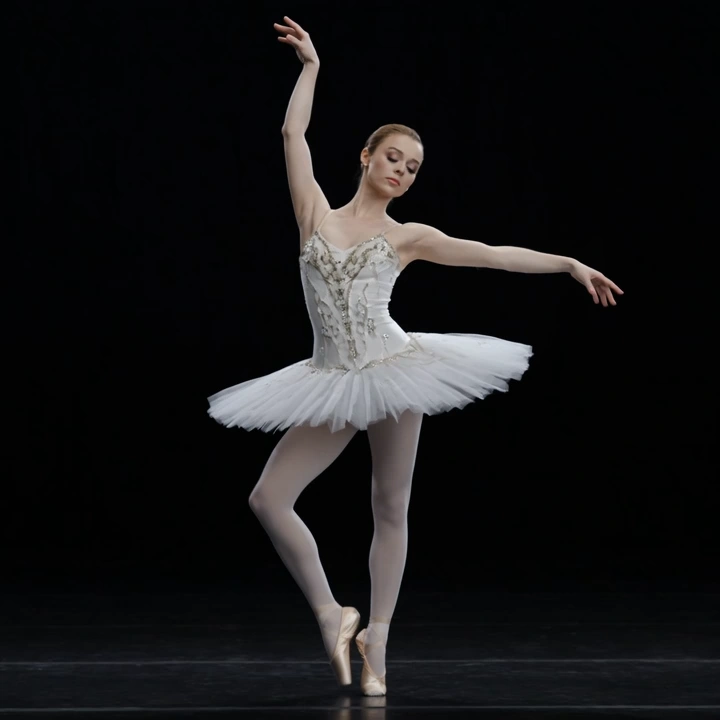
Outpaint the image to a 3:4 portrait aspect ratio suitable for mobile viewing, naturally extending the surrounding scene while matching the original lighting, perspective, and background details.
संबंधित मॉडल





README
Luma Ray 3.2 Video Reframing
Luma Ray 3.2 Video Reframing changes the aspect ratio of an existing video while preserving the original footage. Upload a source clip, choose a target size, and describe what should appear in the newly exposed canvas area.
Why Choose This?
-
Aspect-ratio conversion for existing videos
Reframe source footage into a new layout without rebuilding the video from scratch. -
Prompt-guided canvas expansion
Use a text prompt to describe how the newly exposed area should be filled. -
Multiple output ratios
Supports common landscape, portrait, square, and cinematic aspect ratios. -
Flexible resolution options
Choose540p,720p, or1080pdepending on quality and budget needs. -
Production-ready workflow
Useful for social repurposing, vertical edits, widescreen conversion, and creative reframing tasks.
Parameters
| Parameter | Required | Description |
|---|---|---|
| video | Yes | Source video to reframe. The source video must be 30 seconds or less. |
| prompt | Yes | Text prompt describing the content to generate in the newly exposed canvas area. |
| size | No | Target aspect ratio: 16:9, 9:16, 1:1, 4:3, 3:4, or 21:9. Default: 16:9. |
| resolution | No | Output resolution: 540p, 720p, or 1080p. Default: 540p. |
How to Use
- Upload your source video — provide the clip you want to reframe.
- Write your prompt — describe what should appear in the newly exposed canvas area.
- Choose the target size — select the new aspect ratio for the output video.
- Choose resolution — use
540pfor lower cost,720pfor balanced output, or1080pfor higher quality. - Submit — run the model and download the reframed video.
Example Prompt
Extend the sides with a realistic rainy city street, blurred traffic lights, and soft reflections that match the original nighttime mood.
Pricing
Pricing is based on source video duration and output resolution.
| Resolution | Price per Started Second | 5s Example | 10s Example |
|---|---|---|---|
| 540p | $0.06 | $0.30 | $0.60 |
| 720p | $0.12 | $0.60 | $1.20 |
| 1080p | $0.36 | $1.80 | $3.60 |
Billing Rules
- Source duration is rounded up to the next whole second
- Minimum billed duration is 1 second
- Maximum billed duration is 30 seconds
sizedoes not affect pricing- Source position is handled automatically and is not exposed in the form
Best Use Cases
- Vertical conversion — Turn horizontal footage into
9:16clips for short-form platforms. - Social media repurposing — Reframe one source video for multiple channels and formats.
- Cinematic expansion — Extend footage into wider formats such as
21:9. - Creative canvas filling — Add scene-consistent content around the original video.
- Marketing adaptation — Resize existing ad clips for different placements without reshooting.
Pro Tips
- Use clear, stable source videos for more consistent reframing results.
- Keep prompts focused on the newly exposed canvas area, not the original content.
- Match the prompt to the source scene’s lighting, mood, and environment for more natural results.
- Start with
540por720pwhen testing, then switch to1080pfor higher-end final delivery. - Shorter clips are usually easier to validate before reframing longer source footage.
Notes
videoandpromptare required.- Source videos must be 30 seconds or less.
- Pricing depends on billed source duration and selected resolution.
- Better prompts usually improve the realism of the expanded canvas.
Related Models
- Luma image-to-video workflows — Useful when you want to animate a still image instead of reframing existing footage.
- Luma text-to-video workflows — Useful when you want to generate a new clip from scratch.
- Luma video editing workflows — Useful when you want to transform motion or style rather than only change framing.
Ray 3.2 Video Reframing API — Quick start
Grab a WaveSpeedAI API key, then call POST https://api.wavespeed.ai/api/v3/luma/ray-3.2/video-reframing with your input as JSON. The endpoint returns a prediction id. Start polling the result endpoint around every 2 seconds, increase the interval for long-running tasks, and stop on any terminal status. On completed, read output values from data.outputs. Examples for Ray 3.2 Video Reframing below.
HTTP example
set -euo pipefail

: "${WAVESPEED_API_KEY:?Set WAVESPEED_API_KEY}"

REQUEST_BODY=$(cat <<'JSON'
{
    "video": "https://interactive-examples.mdn.mozilla.net/media/cc0-videos/flower.mp4",
    "prompt": "A cinematic shot of a city at sunset, soft golden light",
    "size": "16:9",
    "resolution": "540p"
}
JSON
)

# 1. Submit the prediction.
SUBMIT_RESPONSE=$(curl --silent --show-error --fail-with-body \
  -X POST "https://api.wavespeed.ai/api/v3/luma/ray-3.2/video-reframing" \
  -H "Content-Type: application/json" \
  -H "Authorization: Bearer $WAVESPEED_API_KEY" \
  -d "$REQUEST_BODY")

TASK=$(printf '%s' "$SUBMIT_RESPONSE" | jq 'if has("data") then .data else . end')
PREDICTION_ID=$(printf '%s' "$TASK" | jq -r '.id')
if [ -z "$PREDICTION_ID" ] || [ "$PREDICTION_ID" = "null" ]; then
  printf 'Submission response did not contain a prediction id
' >&2
  exit 1
fi
RESULT_URL=$(printf '%s' "$TASK" | jq -r '.urls.get // empty')
if [ -z "$RESULT_URL" ]; then
  RESULT_URL="https://api.wavespeed.ai/api/v3/predictions/$PREDICTION_ID/result"
fi

# 2. Poll until the prediction finishes.
while true; do
  RESPONSE=$(curl --silent --show-error --fail-with-body "$RESULT_URL" \
    -H "Authorization: Bearer $WAVESPEED_API_KEY")
  RESULT=$(printf '%s' "$RESPONSE" | jq 'if has("data") then .data else . end')
  STATUS=$(printf '%s' "$RESULT" | jq -r '.status')
  case "$STATUS" in
    completed) printf '%s\n' "$RESULT" | jq '.outputs'; break ;;
    failed|cancelled|timeout) printf '%s\n' "$RESULT" | jq . >&2; exit 1 ;;
    created|processing) sleep 2 ;;
    *) printf 'Unexpected status: %s
' "$STATUS" >&2; exit 1 ;;
  esac
done
Node.js example
const submitUrl = "https://api.wavespeed.ai/api/v3/luma/ray-3.2/video-reframing";
const apiKey = process.env.WAVESPEED_API_KEY;
if (!apiKey) throw new Error('Set WAVESPEED_API_KEY');

async function requestJson(url, options = {}) {
  const response = await fetch(url, options);
  if (!response.ok) throw new Error(await response.text());
  return response.json();
}

// 1. Submit the prediction.
const body = await requestJson(submitUrl, {
  method: "POST",
  headers: {
    "Authorization": `Bearer ${apiKey}`,
    "Content-Type": "application/json",
  },
  body: JSON.stringify({
        "video": "https://interactive-examples.mdn.mozilla.net/media/cc0-videos/flower.mp4",
        "prompt": "A cinematic shot of a city at sunset, soft golden light",
        "size": "16:9",
        "resolution": "540p"
}),
});
const task = body.data ?? body;
if (!task.id) throw new Error("Submission response did not contain a prediction id");
const resultUrl = task.urls?.get ||
  `https://api.wavespeed.ai/api/v3/predictions/${task.id}/result`;

// 2. Poll until the prediction finishes.
while (true) {
  const resultBody = await requestJson(resultUrl, {
    headers: { "Authorization": `Bearer ${apiKey}` },
  });
  const result = resultBody.data ?? resultBody;
  if (result.status === "completed") {
    console.log(result.outputs);
    break;
  }
  if (["failed", "cancelled", "timeout"].includes(result.status)) throw new Error(JSON.stringify(result));
  if (!["created", "processing"].includes(result.status)) throw new Error("Unexpected status: " + result.status);
  await new Promise(resolve => setTimeout(resolve, 2000));
}
Python example
import json
import os
import time
from urllib.request import Request, urlopen

api_key = os.environ["WAVESPEED_API_KEY"]
headers = {"Authorization": f"Bearer {api_key}", "Content-Type": "application/json"}
payload = {
    "video": "https://interactive-examples.mdn.mozilla.net/media/cc0-videos/flower.mp4",
    "prompt": "A cinematic shot of a city at sunset, soft golden light",
    "size": "16:9",
    "resolution": "540p"
}

def request_json(url, data=None):
    request = Request(url, data=data, headers=headers, method="POST" if data else "GET")
    with urlopen(request) as response:
        return json.load(response)

# 1. Submit the prediction.
body = request_json("https://api.wavespeed.ai/api/v3/luma/ray-3.2/video-reframing", json.dumps(payload).encode())
task = body.get("data", body)
if not task.get("id"):
    raise RuntimeError("Submission response did not contain a prediction id")
result_url = task.get("urls", {}).get("get") or f"https://api.wavespeed.ai/api/v3/predictions/{task['id']}/result"

# 2. Poll until the prediction finishes.
while True:
    result_body = request_json(result_url)
    result = result_body.get("data", result_body)
    status = result.get("status")
    if status == "completed":
        print(result.get("outputs", []))
        break
    if status in {"failed", "cancelled", "timeout"}:
        raise RuntimeError(result)
    if status not in {"created", "processing"}:
        raise RuntimeError(f"Unexpected status: {status}")
    time.sleep(2)
Ray 3.2 Video Reframing API — Frequently asked questions
What is the Ray 3.2 Video Reframing API?
Ray 3.2 Video Reframing is a Luma model for video editing, exposed as a REST API on WaveSpeedAI. Luma Ray 3.2 Video Reframing is a fast AI video reframing model that changes an existing video’s aspect ratio and fills the newly exposed canvas from a prompt while preserving the source footage. Ready-to-use REST inference API for aspect ratio conversion, social media resizing, cinematic reframing, video outpainting, creator content, advertising creatives, and professional video editing workflows with simple integration, no coldstarts, and affordable pricing. You can call it programmatically or try it from the playground above.
How do I call the Ray 3.2 Video Reframing API?
POST your input parameters to the model's REST endpoint (shown in the API tab of this playground) with your WaveSpeedAI API key in the Authorization header. Submission returns a prediction ID. Poll the result endpoint starting around every 2 seconds, increase the interval for long-running tasks, and stop on any terminal status. The playground generates production-oriented Python, JavaScript, and cURL examples with timeouts, transient-error handling, and safe GET retries. Full request/response shape is documented at https://wavespeed.ai/docs/docs-api/luma/luma-ray-3.2-video-reframing.
How much does Ray 3.2 Video Reframing cost per run?
Ray 3.2 Video Reframing starts at $0.060 per run. That figure is the base price — the final charge scales with the parameters you set in the form (output size, length, count, references, or whatever knobs this model exposes), so a higher-quality or larger output costs more than a minimal one. The exact cost for your current input is shown live next to the Generate button before you submit, and the actual per-call charge is recorded on the prediction afterwards.
What inputs does Ray 3.2 Video Reframing accept?
Key inputs: `prompt`, `video`, `resolution`, `size`. The full JSON schema (types, defaults, allowed values) is rendered above the Generate button and mirrored in the API reference at https://wavespeed.ai/docs/docs-api/luma/luma-ray-3.2-video-reframing.
How long does Ray 3.2 Video Reframing take to generate?
Median end-to-end generation time on WaveSpeedAI is around 69 seconds per request, based on recent successful runs. Queue time varies with global demand; live status is visible in the prediction record.
Can I use Ray 3.2 Video Reframing outputs commercially?
Commercial usage rights depend on the model's license, set by its provider (Luma). The license summary appears on the model card above; see WaveSpeedAI's Terms of Service for platform-level conditions.