Z-Image-Turbo ControlNet generates images guided by structural control signals (depth, canny edge, pose) for precise composition control. Ready-to-use REST inference API, best performance, no cold starts, affordable pricing.
En attente
$0.012par exécution·~83 / $1
ExemplesTout voir
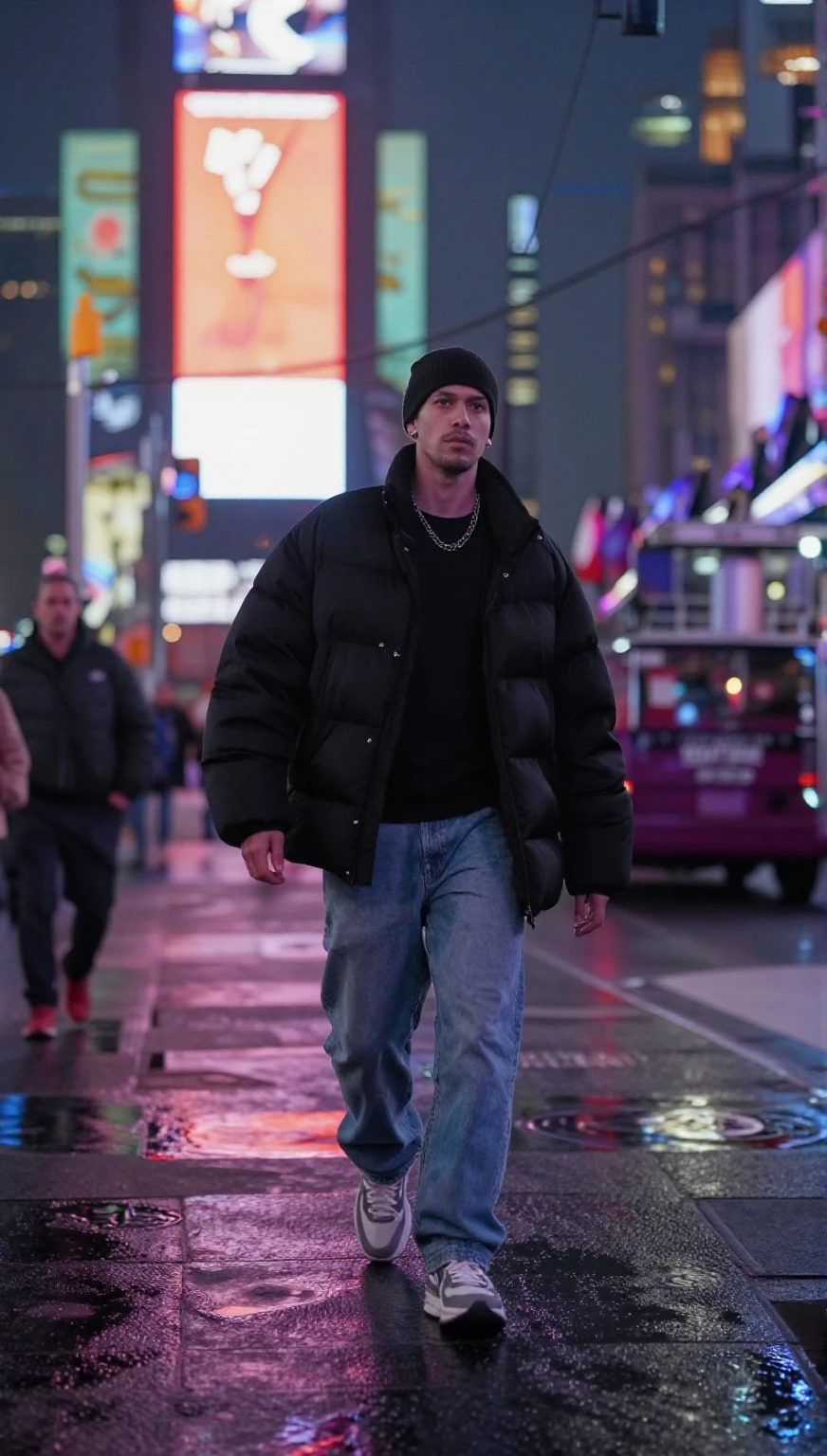
Change the background to Time Square.

Change the background to a western street
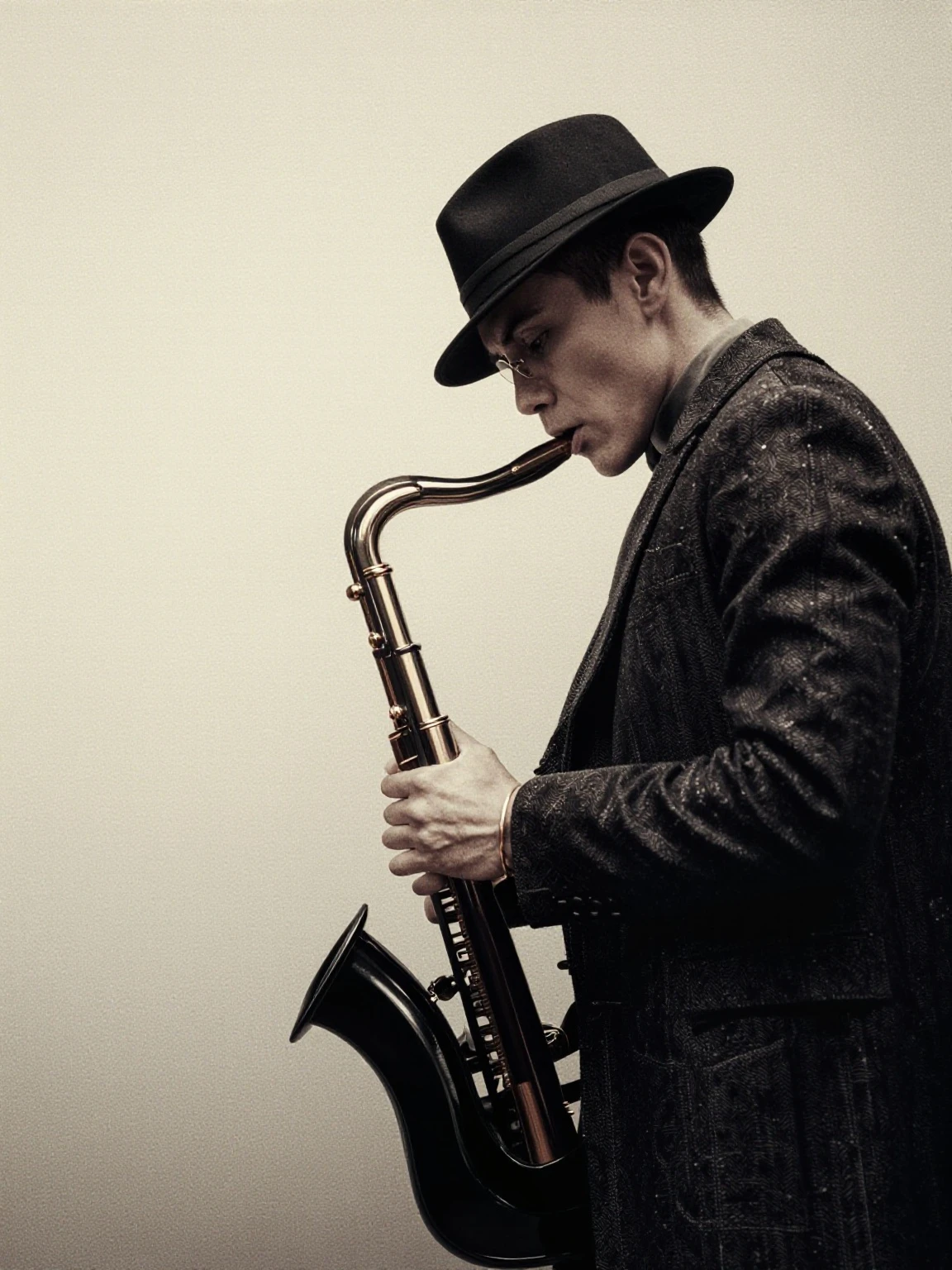
A luxury fashion editorial poster style, high-contrast lighting, elegant color grading, subtle film grain. Follow the exact outlines and composition from the reference. No extra text.
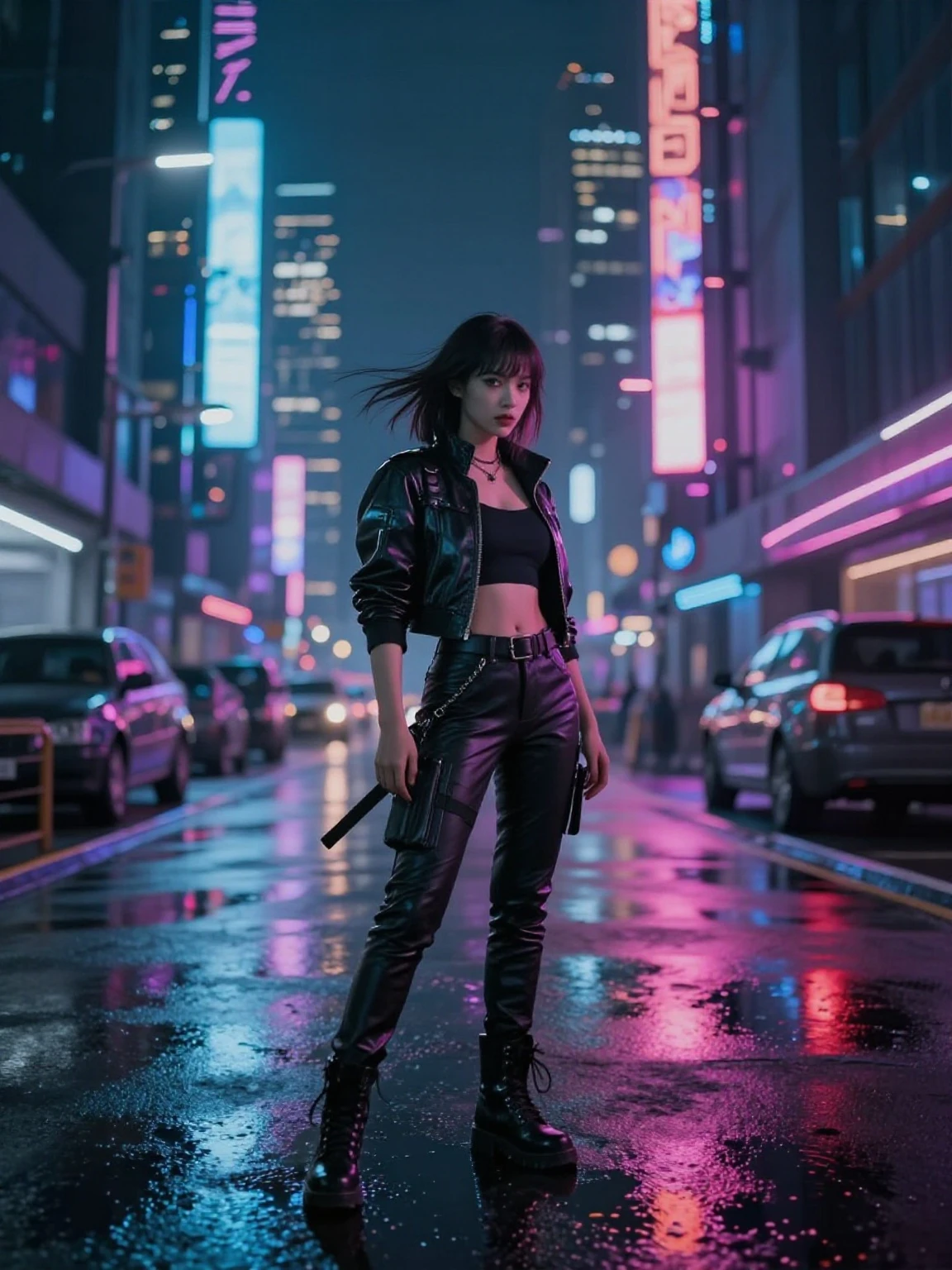
A cinematic cyberpunk heroine in a neon city, dramatic rim light, wet reflective streets. Keep the exact same body pose and framing as the reference. High detail, realistic motion feel.
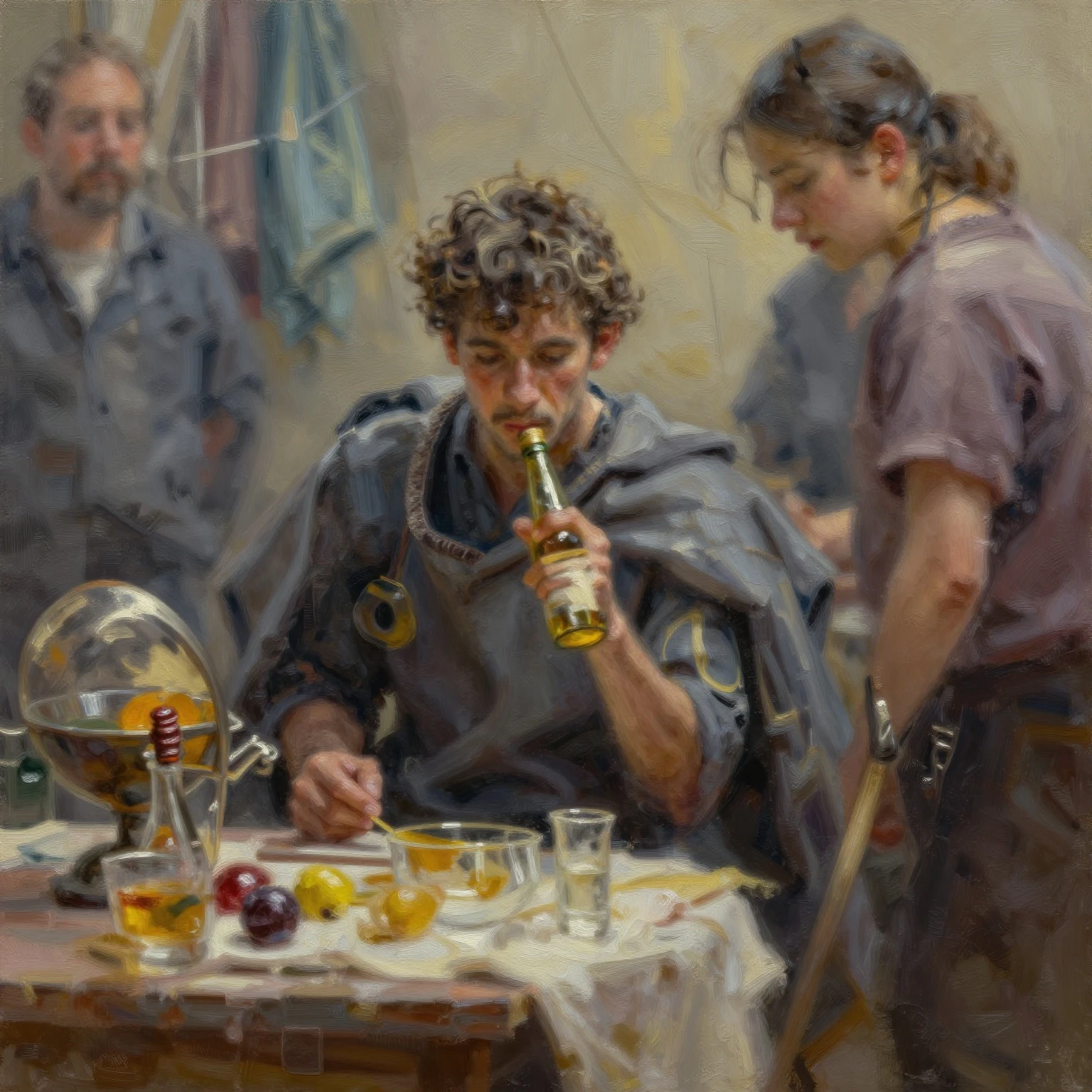
turn into an oil painting style
Modèles associés



README
Z-Image Turbo ControlNet
Z-Image Turbo ControlNet is a powerful image generation model that gives you precise control over composition through structural guidance signals. Unlike standard text-to-image models that interpret prompts freely, ControlNet lets you define the exact structure, edges, depth, or pose of your output by analyzing a reference image.
Think of it as a blueprint system: you provide a reference image, choose how to analyze it (depth map, edge detection, or pose estimation), and the model generates a new image that follows that structural blueprint while matching your text prompt.
Why Choose This?
-
Precise composition control Define exact layouts, poses, and spatial relationships instead of hoping the model interprets your prompt correctly.
-
Multiple control modes Choose depth mapping for 3D structure, canny edge detection for outlines, pose estimation for human figures, or none for standard generation.
-
Reference-guided generation Use existing images as structural templates while completely changing style, content, and appearance.
-
Flexible strength control Adjust how strictly the model follows the control signal — from loose inspiration to exact replication.
-
Fast and affordable Turbo-optimized for quick generation at just $0.05 per image.
Understanding Control Modes
The mode parameter determines how the model analyzes your reference image:
| Mode | What It Extracts | Best For |
|---|---|---|
| depth | 3D depth information (near/far relationships) | Architectural scenes, landscapes, maintaining spatial depth |
| canny | Edge outlines and contours | Line art, sketches, preserving shapes and boundaries |
| pose | Human body keypoints and skeleton | Character poses, figure drawing, action scenes |
| none | No control signal (standard generation) | When you don't need structural guidance |
Parameters
| Parameter | Required | Description |
|---|---|---|
| prompt | Yes | Text description of the image you want to generate |
| image | Yes | Reference image URL for ControlNet to analyze |
| mode | No | Control mode: depth, canny, pose, or none (default: depth) |
| size | No | Output size in pixels as widthheight (default: 10241024) |
| strength | No | Control signal strength 0-1 (default: 0.6) |
| seed | No | Random seed for reproducibility (-1 for random) |
| output_format | No | Output format: jpeg, png, or webp (default: jpeg) |
How to Use
- Upload reference image — The image that defines your composition structure.
- Choose control mode — Select depth, canny, pose, or none based on what you want to preserve.
- Write your prompt — Describe the style, content, and appearance you want.
- Adjust strength — Higher values follow the control signal more strictly.
- Set output size — Define your target dimensions.
- Run — Submit and download your controlled generation.
Pricing
$0.012 Per image. Simple flat-rate pricing regardless of control mode or image size.
Best Use Cases
- Architectural Visualization (depth mode) — Maintain spatial relationships while changing style or materials.
- Character Posing (pose mode) — Generate characters in specific poses from reference photos.
- Style Transfer with Structure (canny mode) — Apply new styles while preserving exact outlines and shapes.
- Product Photography (depth mode) — Generate product images with consistent composition across variations.
- Comic and Illustration (canny/pose modes) — Convert sketches or poses into fully rendered artwork.
Pro Tips
- Depth mode works best with images that have clear foreground/background separation.
- Canny mode is ideal when you have line art, sketches, or want to preserve exact shapes.
- Pose mode requires images with visible human figures — it won't work on landscapes or objects.
- Start with strength 0.6 and adjust: lower for loose interpretation, higher for strict adherence.
- The prompt matters more at lower strength values; at high strength, structure dominates.
- Use the same seed to compare different control modes on the same reference image.
Notes
- Reference image quality affects control accuracy — clear, well-lit images work best.
- Pose mode only detects human poses; it won't extract structure from other subjects.
- At strength 0, the control signal has minimal effect (similar to standard generation).
- At strength 1, output will closely match the reference structure regardless of prompt.
Related Models
- Z-Image Turbo Text-to-Image — Standard text-to-image without structural control.
- Z-Image Turbo Image-to-Image — Transform existing images with variable strength.
- Z-Image Turbo Inpaint — Edit specific regions of images with masks.
Z Image Turbo Controlnet API — Quick start
Grab a WaveSpeedAI API key, then call POST https://api.wavespeed.ai/api/v3/wavespeed-ai/z-image-turbo/controlnet with your input as JSON. The endpoint returns a prediction id. Start polling the result endpoint around every 2 seconds, increase the interval for long-running tasks, and stop on any terminal status. On completed, read output values from data.outputs. Examples for Z Image Turbo Controlnet below.
HTTP example
set -euo pipefail

: "${WAVESPEED_API_KEY:?Set WAVESPEED_API_KEY}"

REQUEST_BODY=$(cat <<'JSON'
{
    "prompt": "A cinematic shot of a city at sunset, soft golden light",
    "image": "https://interactive-examples.mdn.mozilla.net/media/cc0-images/painted-hand-298-332.jpg",
    "mode": "depth",
    "size": "1024*1024",
    "strength": 1,
    "seed": -1,
    "output_format": "jpeg"
}
JSON
)

# 1. Submit the prediction.
SUBMIT_RESPONSE=$(curl --silent --show-error --fail-with-body \
  -X POST "https://api.wavespeed.ai/api/v3/wavespeed-ai/z-image-turbo/controlnet" \
  -H "Content-Type: application/json" \
  -H "Authorization: Bearer $WAVESPEED_API_KEY" \
  -d "$REQUEST_BODY")

TASK=$(printf '%s' "$SUBMIT_RESPONSE" | jq 'if has("data") then .data else . end')
PREDICTION_ID=$(printf '%s' "$TASK" | jq -r '.id')
if [ -z "$PREDICTION_ID" ] || [ "$PREDICTION_ID" = "null" ]; then
  printf 'Submission response did not contain a prediction id
' >&2
  exit 1
fi
RESULT_URL=$(printf '%s' "$TASK" | jq -r '.urls.get // empty')
if [ -z "$RESULT_URL" ]; then
  RESULT_URL="https://api.wavespeed.ai/api/v3/predictions/$PREDICTION_ID/result"
fi

# 2. Poll until the prediction finishes.
while true; do
  RESPONSE=$(curl --silent --show-error --fail-with-body "$RESULT_URL" \
    -H "Authorization: Bearer $WAVESPEED_API_KEY")
  RESULT=$(printf '%s' "$RESPONSE" | jq 'if has("data") then .data else . end')
  STATUS=$(printf '%s' "$RESULT" | jq -r '.status')
  case "$STATUS" in
    completed) printf '%s\n' "$RESULT" | jq '.outputs'; break ;;
    failed|cancelled|timeout) printf '%s\n' "$RESULT" | jq . >&2; exit 1 ;;
    created|processing) sleep 2 ;;
    *) printf 'Unexpected status: %s
' "$STATUS" >&2; exit 1 ;;
  esac
done
Node.js example
const submitUrl = "https://api.wavespeed.ai/api/v3/wavespeed-ai/z-image-turbo/controlnet";
const apiKey = process.env.WAVESPEED_API_KEY;
if (!apiKey) throw new Error('Set WAVESPEED_API_KEY');

async function requestJson(url, options = {}) {
  const response = await fetch(url, options);
  if (!response.ok) throw new Error(await response.text());
  return response.json();
}

// 1. Submit the prediction.
const body = await requestJson(submitUrl, {
  method: "POST",
  headers: {
    "Authorization": `Bearer ${apiKey}`,
    "Content-Type": "application/json",
  },
  body: JSON.stringify({
        "prompt": "A cinematic shot of a city at sunset, soft golden light",
        "image": "https://interactive-examples.mdn.mozilla.net/media/cc0-images/painted-hand-298-332.jpg",
        "mode": "depth",
        "size": "1024*1024",
        "strength": 1,
        "seed": -1,
        "output_format": "jpeg"
}),
});
const task = body.data ?? body;
if (!task.id) throw new Error("Submission response did not contain a prediction id");
const resultUrl = task.urls?.get ||
  `https://api.wavespeed.ai/api/v3/predictions/${task.id}/result`;

// 2. Poll until the prediction finishes.
while (true) {
  const resultBody = await requestJson(resultUrl, {
    headers: { "Authorization": `Bearer ${apiKey}` },
  });
  const result = resultBody.data ?? resultBody;
  if (result.status === "completed") {
    console.log(result.outputs);
    break;
  }
  if (["failed", "cancelled", "timeout"].includes(result.status)) throw new Error(JSON.stringify(result));
  if (!["created", "processing"].includes(result.status)) throw new Error("Unexpected status: " + result.status);
  await new Promise(resolve => setTimeout(resolve, 2000));
}
Python example
import json
import os
import time
from urllib.request import Request, urlopen

api_key = os.environ["WAVESPEED_API_KEY"]
headers = {"Authorization": f"Bearer {api_key}", "Content-Type": "application/json"}
payload = {
    "prompt": "A cinematic shot of a city at sunset, soft golden light",
    "image": "https://interactive-examples.mdn.mozilla.net/media/cc0-images/painted-hand-298-332.jpg",
    "mode": "depth",
    "size": "1024*1024",
    "strength": 1,
    "seed": -1,
    "output_format": "jpeg"
}

def request_json(url, data=None):
    request = Request(url, data=data, headers=headers, method="POST" if data else "GET")
    with urlopen(request) as response:
        return json.load(response)

# 1. Submit the prediction.
body = request_json("https://api.wavespeed.ai/api/v3/wavespeed-ai/z-image-turbo/controlnet", json.dumps(payload).encode())
task = body.get("data", body)
if not task.get("id"):
    raise RuntimeError("Submission response did not contain a prediction id")
result_url = task.get("urls", {}).get("get") or f"https://api.wavespeed.ai/api/v3/predictions/{task['id']}/result"

# 2. Poll until the prediction finishes.
while True:
    result_body = request_json(result_url)
    result = result_body.get("data", result_body)
    status = result.get("status")
    if status == "completed":
        print(result.get("outputs", []))
        break
    if status in {"failed", "cancelled", "timeout"}:
        raise RuntimeError(result)
    if status not in {"created", "processing"}:
        raise RuntimeError(f"Unexpected status: {status}")
    time.sleep(2)
Z Image Turbo Controlnet API — Frequently asked questions
What is the Z Image Turbo Controlnet API?
Z Image Turbo Controlnet is a WaveSpeedAI model for image generation, exposed as a REST API on WaveSpeedAI. Z-Image-Turbo ControlNet generates images guided by structural control signals (depth, canny edge, pose) for precise composition control. Ready-to-use REST inference API, best performance, no cold starts, affordable pricing. You can call it programmatically or try it from the playground above.
How do I call the Z Image Turbo Controlnet API?
POST your input parameters to the model's REST endpoint (shown in the API tab of this playground) with your WaveSpeedAI API key in the Authorization header. Submission returns a prediction ID. Poll the result endpoint starting around every 2 seconds, increase the interval for long-running tasks, and stop on any terminal status. The playground generates production-oriented Python, JavaScript, and cURL examples with timeouts, transient-error handling, and safe GET retries. Full request/response shape is documented at https://wavespeed.ai/docs/docs-api/wavespeed-ai/z-image-turbo-controlnet.
How much does Z Image Turbo Controlnet cost per run?
Z Image Turbo Controlnet starts at $0.012 per run. That figure is the base price — the final charge scales with the parameters you set in the form (output size, length, count, references, or whatever knobs this model exposes), so a higher-quality or larger output costs more than a minimal one. The exact cost for your current input is shown live next to the Generate button before you submit, and the actual per-call charge is recorded on the prediction afterwards.
What inputs does Z Image Turbo Controlnet accept?
Key inputs: `prompt`, `image`, `size`, `seed`, `enable_base64_output`, `enable_sync_mode`. The full JSON schema (types, defaults, allowed values) is rendered above the Generate button and mirrored in the API reference at https://wavespeed.ai/docs/docs-api/wavespeed-ai/z-image-turbo-controlnet.
How long does Z Image Turbo Controlnet take to generate?
Median end-to-end generation time on WaveSpeedAI is around 15 seconds per request, based on recent successful runs. Queue time varies with global demand; live status is visible in the prediction record.
Can I use Z Image Turbo Controlnet outputs commercially?
Commercial usage rights depend on the model's license, set by its provider (WaveSpeedAI). The license summary appears on the model card above; see WaveSpeedAI's Terms of Service for platform-level conditions.