Reve Edit-Fast delivers lightning-fast image edits: upload a photo and transform it with text prompts for precise, natural results. Ready-to-use REST inference API, best performance, no coldstarts, affordable pricing.
En attente

$0.01par exécution·~100 / $1
ExemplesTout voir
Transform the athlete into a basketball player in mid-air, dunking a basketball. Maintain the vibrant, energetic abstract background and bold, graphic art style. Emphasize dynamic motion and powerful musculature. Recolor the entire image with a cool color palette, featuring dominant blues, greens, and purples. Maintain the abstract background patterns and the athletic figure's dynamic pose. Keep the bold, graphic style.

A girl holding glowing flowers in a mystical forest, ethereal light surrounding her, soft pastel colors, fairy-tale atmosphere, enchanted forest with floating petals.

Fill the blackboard with a detailed drawing of a smiling sun and a fluffy cloud, drawn in colorful chalk. Maintain the dog's expression and construction worker theme. Place the construction worker dog on a busy construction site with cranes and scaffolding in the background. Keep the dog and the blackboard exactly the same. Photorealistic style.

Modify the landscape to reflect autumn. The distant mountains should be covered in rich red, orange, and yellow foliage. A few fallen autumn leaves should float on the water near the pier. Maintain the soft, warm light of dawn/dusk.
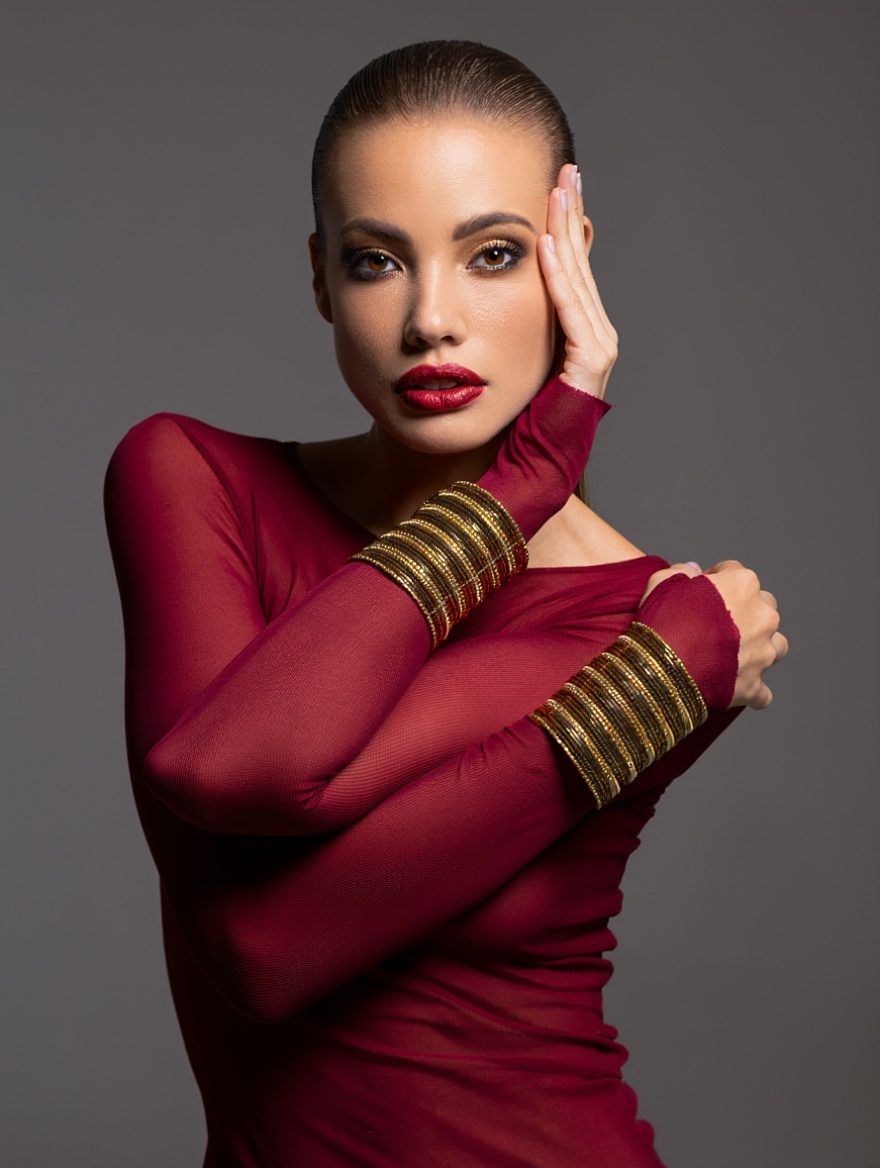
Colorize this image. Give the woman a warm, natural skin tone, deep brown eyes, and dark brown hair. The sheer top should be a deep ruby red, and the bracelets should be shiny gold. Maintain the dramatic, high-contrast lighting.

Keep the two actors, their clothes, and their current pose, but transport them to a futuristic, neon-lit cyberpunk bar. Replace the vintage decor with sleek, glowing surfaces and holographic menus. The cocktails should look futuristic. Maintain a cinematic feel.
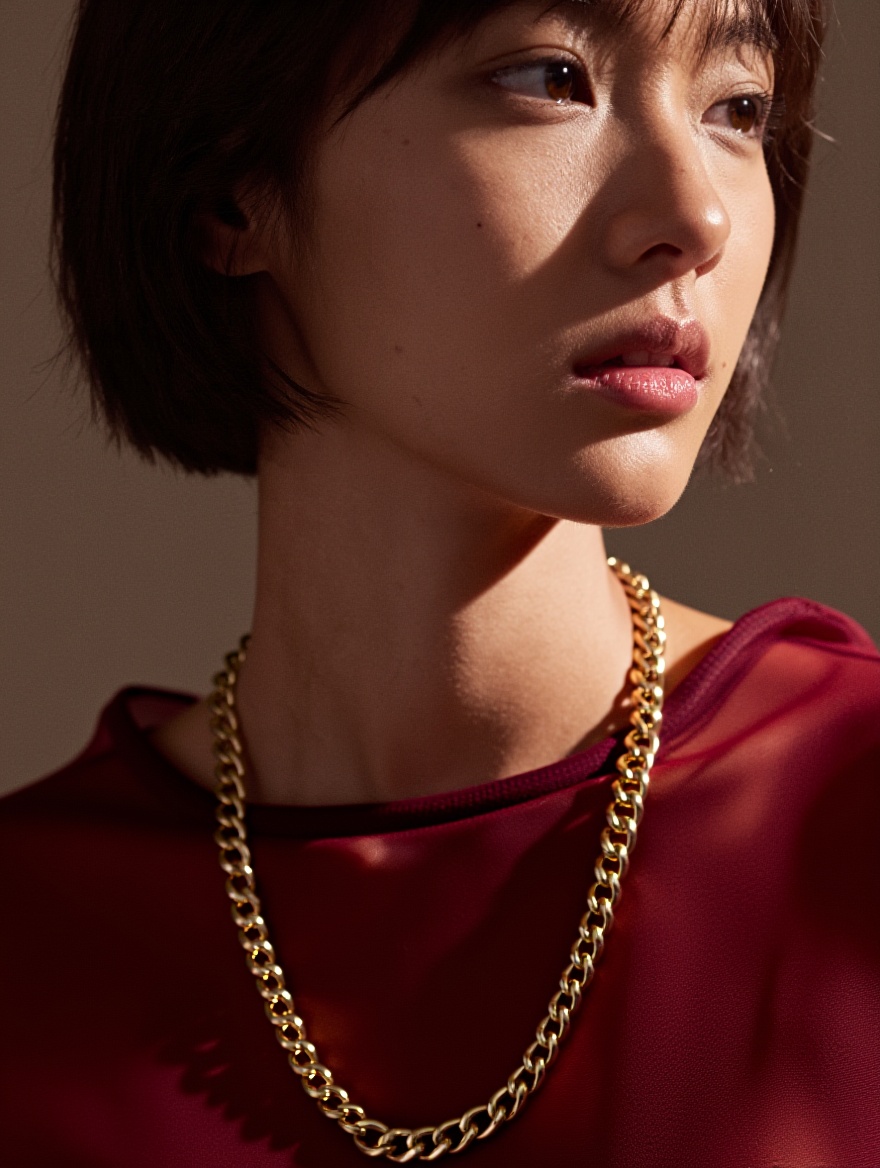
Colorize this black-and-white portrait. Give the woman a warm, natural skin tone with subtle peach undertones. Eyes: deep rich brown with soft catchlight. Hair: dark chocolate brown with natural sheen and fine strands. The sheer top: deep ruby red, semi-transparent chiffon with delicate folds catching light. Jewelry: thick shiny gold chain necklace and matching layered gold bracelets, high reflectivity with sharp highlights. Maintain the original dramatic high-contrast side lighting, strong chiaroscuro shadows across cheek and neck, cinematic film grain, photorealistic skin texture, 8K detail.

Keep the two actors, their clothes, and their current pose, but transport them to a futuristic, neon-lit cyberpunk bar. Replace the vintage decor with sleek, glowing surfaces and holographic menus. The cocktails should look futuristic. Maintain a cinematic feel.

Transform this realistic oil-painting into cyberpunk anime style. Keep the artist, pose, easel, canvas, palette, and exact composition unchanged. Convert the warm sunlit studio into a neon-drenched rooftop atelier at night: holographic windows showing rain-soaked megacity, glowing cyan-magenta light strips on walls, floating digital brushes. Change the landscape on canvas to a futuristic cityscape with flying cars. Artist wears same clothes but with reflective tech-fabric texture.

Transform this realistic photo into Studio Ghibli anime style. Keep the boy, his exact pose, basketball, uniform, hoop, court, and background crowd unchanged. Convert to hand-drawn 2D animation: soft watercolor textures, gentle cel-shading, warm golden-hour lighting with subtle lens flare, floating dust motes, slight wind in hair. Background trees in lush Miyazaki greens, sky with fluffy clouds. Photorealistic motion blur on ball and legs preserved as dynamic speed lines. 8K, whimsical yet grounded, Spirited Away x Slam Dunk aesthetic.
Modèles associés



README
Reve — Edit Fast
Reve Edit Fast applies prompt-guided edits to a reference image with speed prioritized. Compared to the previous Reve editor, this version renders significantly faster while keeping clean colors, sharp edges, and stable composition—great for batch creative work, thumbnails, product shots, and stylized photography.
Key Features
- Prompted image-to-image editing that respects the original composition
- Fast inference for rapid iteration and A/B testing
- Natural color handling and edge preservation to avoid over-smearing
- Flexible output formats for downstream pipelines
Parameters
-
prompt Describe the target look or change. Example: dreamy fairy-tale glow, soft pastel palette, floating petals, gentle rim light.
-
image Source image URL or upload. Higher-quality sources yield cleaner edits.
-
output_format jpeg for compact delivery, png for lossless editing, webp for web pipelines.
How to Use
- Upload or paste your source image.
- Write a concise prompt describing the desired changes (mood, palette, texture, lighting).
- Choose output_format.
- Click Run and review. Iterate by refining the prompt; small wording changes can produce noticeably different looks.
Prompting Tips
- State what to keep: keep framing and subject identity; add soft golden hour lighting.
- Name concrete elements: glowing flowers, pastel color grade, light fog, film-grain texture.
- Use short sentences or comma-separated phrases; avoid overly long narratives.
- For product or portrait work, keep edits subtle to preserve brand colors and skin tone.
Pricing
- $0.01 per image
Notes
- Input resolution and sharpness set the quality ceiling; avoid heavy compression.
- For heavy relighting or structural changes, try multiple passes with focused prompts rather than one long instruction.
- Ensure you have rights to the images you upload and that your edits comply with platform policies.
Edit Fast API — Quick start
Grab a WaveSpeedAI API key, then call POST https://api.wavespeed.ai/api/v3/reve/edit-fast with your input as JSON. The endpoint returns a prediction id; poll the prediction endpoint until status flips to completed, then read the output URL from data.outputs[0]. Examples for Edit Fast below.
HTTP example
# Submit the prediction
curl -X POST "https://api.wavespeed.ai/api/v3/reve/edit-fast" \
  -H "Content-Type: application/json" \
  -H "Authorization: Bearer $WAVESPEED_API_KEY" \
  -d '{
    "prompt": "A cinematic shot of a city at sunset, soft golden light",
    "image": "https://example.com/your-input.jpg",
    "output_format": "jpeg",
    "enable_sync_mode": false,
    "enable_base64_output": false
}'

# Response includes a prediction id. Poll for the result:
curl -X GET "https://api.wavespeed.ai/api/v3/predictions/{request_id}/result" \
  -H "Authorization: Bearer $WAVESPEED_API_KEY"

# When status is "completed", read the output from data.outputs[0].
Node.js example
// npm install wavespeed
const WaveSpeed = require('wavespeed');

const client = new WaveSpeed(); // reads WAVESPEED_API_KEY from env

const result = await client.run("reve/edit-fast", {
        "prompt": "A cinematic shot of a city at sunset, soft golden light",
        "image": "https://example.com/your-input.jpg",
        "output_format": "jpeg",
        "enable_sync_mode": false,
        "enable_base64_output": false
});

console.log(result.outputs[0]); // → URL of the generated output
Python example
# pip install wavespeed
import wavespeed

output = wavespeed.run(
    "reve/edit-fast",
    {
    "prompt": "A cinematic shot of a city at sunset, soft golden light",
    "image": "https://example.com/your-input.jpg",
    "output_format": "jpeg",
    "enable_sync_mode": false,
    "enable_base64_output": false
}
)

print(output["outputs"][0])  # → URL of the generated output
Edit Fast API — Frequently asked questions
What is the Edit Fast API?
Edit Fast is a Reve model for image editing, exposed as a REST API on WaveSpeedAI. Reve Edit-Fast delivers lightning-fast image edits: upload a photo and transform it with text prompts for precise, natural results. Ready-to-use REST inference API, best performance, no coldstarts, affordable pricing. You can call it programmatically or try it from the playground above.
How do I call the Edit Fast API?
POST your input parameters to the model's REST endpoint (shown in the API tab of this playground) with your WaveSpeedAI API key in the Authorization header. Submission returns a prediction ID; poll the prediction endpoint until status flips to "completed", then read the output URL from the result. The playground generates a ready-to-paste code sample in Python, JavaScript, or cURL for whatever inputs you've set. Full request/response shape is documented at https://wavespeed.ai/docs/docs-api/reve/reve-edit-fast.
How much does Edit Fast cost per run?
Edit Fast starts at $0.010 per run. That figure is the base price — the final charge scales with the parameters you set in the form (output size, length, count, references, or whatever knobs this model exposes), so a higher-quality or larger output costs more than a minimal one. The exact cost for your current input is shown live next to the Generate button before you submit, and the actual per-call charge is recorded on the prediction afterwards.
What inputs does Edit Fast accept?
Key inputs: `prompt`, `image`, `enable_base64_output`, `enable_sync_mode`, `output_format`. The full JSON schema (types, defaults, allowed values) is rendered above the Generate button and mirrored in the API reference at https://wavespeed.ai/docs/docs-api/reve/reve-edit-fast.
How do I get started with the Edit Fast API?
Sign up for a free WaveSpeedAI account to claim starter credits, copy your API key from /accesskey, then call the endpoint shown in the API tab of the playground. The playground also auto-generates a code sample in Python, JavaScript, or cURL for the parameters you've set.
Can I use Edit Fast outputs commercially?
Commercial usage rights depend on the model's license, set by its provider (Reve). The license summary appears on the model card above; see WaveSpeedAI's Terms of Service for platform-level conditions.