MiniMax Image-01 text-to-image model generates high-quality images from text descriptions. Create diverse visuals across multiple styles and scenarios with natural language prompts. Supports multiple aspect ratios and custom dimensions. Ready-to-use REST inference API, best performance, no coldstarts, affordable pricing.
En attente
$0.0035par exécution·~285 / $1
Modèles associés





README
MiniMax Image-01 Text-to-Image
MiniMax Image-01 Text-to-Image is a powerful AI image generation model that creates high-quality images from text descriptions. Part of the MiniMax image-01 family, this model excels at understanding natural language prompts and generating diverse, creative visuals across multiple styles and scenarios. Perfect for content creators, designers, marketers, and developers building AI-powered applications.
Key Features
-
Natural Language Understanding Simply describe what you want to see in plain text (up to 1500 characters), and the model generates corresponding images with impressive accuracy and creativity.
-
Flexible Image Dimensions Specify exact pixel dimensions from 512×512 to 2048×2048 pixels (must be divisible by 8) for precise control over output size. Common sizes include 1024×1024, 1280×720, 1152×864, and more.
-
Prompt Optimization Built-in prompt optimizer automatically enhances your text descriptions for better generation results, making it easier to achieve professional-quality outputs even with simple prompts.
-
Batch Generation Generate up to 9 images in a single request, perfect for exploring creative variations and selecting the best result for your needs.
-
Reproducible Results Use seed values to generate consistent results across multiple runs, essential for iterative refinement and maintaining consistency in production workflows.
-
Multiple Output Formats Receive generated images as direct URLs (24-hour expiration) or Base64-encoded data for immediate embedding in your applications.
Use Cases
- Content Creation: Generate unique visuals for blogs, articles, social media posts, and marketing materials
- Concept Art: Quickly visualize ideas, characters, scenes, and environments for creative projects
- Product Mockups: Create product visualizations, packaging designs, and promotional imagery
- Marketing & Advertising: Generate eye-catching visuals for campaigns, ads, and promotional content
- Game Development: Create concept art, textures, backgrounds, and character designs
- E-commerce: Generate product lifestyle images, backgrounds, and contextual scenes
- Education: Create custom illustrations for educational materials, presentations, and courses
- Prototyping: Rapidly generate visual concepts for UI/UX design and app development
Supported Formats & Dimensions
Output Dimensions:
- Width/Height range: 512 to 2048 pixels
- Must be divisible by 8
- Common sizes: 1024×1024 (square), 1280×720 (widescreen), 1152×864 (standard), 1248×832 (photo), 832×1248 (portrait photo), 864×1152 (portrait), 720×1280 (mobile/vertical), 1344×576 (ultra-wide)
Output Formats:
- URL (default): Direct links to generated images, valid for 24 hours
- Base64: Encoded image data for direct embedding
How to Use
Basic Text-to-Image Generation
- Write Your Prompt
- Describe the image you want in the
promptfield (max 1500 characters) - Be specific about subjects, style, composition, lighting, and mood
- Example: "A serene mountain landscape at sunset with purple and orange skies, snow-capped peaks, and a crystal-clear lake reflecting the colors"
- Select Image Size
- Specify dimensions using the
sizeparameter like "1024 * 1024" or "1280 * 720" - Choose dimensions that match your use case (square for social media, widescreen for presentations, etc.)
- Configure Options
num_images: Set 1-9 to generate multiple variations (default: 1)prompt_optimizer: Enable for automatic prompt enhancement (recommended for beginners)seed: Use a specific number for reproducible results
- Generate
- Submit your request and receive generated images as URLs or Base64 strings
- Images are typically ready within seconds
Advanced Tips
Prompt Writing Best Practices:
- Start with the main subject, then add details about style, lighting, composition
- Use descriptive adjectives: "vibrant", "moody", "minimalist", "photorealistic"
- Specify artistic styles: "oil painting", "digital art", "watercolor", "3D render"
- Include lighting details: "golden hour", "studio lighting", "dramatic shadows"
- Mention camera angles: "aerial view", "close-up", "wide angle"
Using Seeds for Consistency:
- Generate an image you like and note its seed value
- Use the same seed with modified prompts to create variations
- Perfect for maintaining consistent style across multiple images
Batch Generation Strategy:
- Generate 4-9 variations in one request to explore different interpretations
- Compare results and select the best output
- More cost-effective than multiple single-image requests
API Parameters
- prompt (required): Text description of desired image (max 1500 chars)
- size: Image dimensions (e.g., "10241024", "1280720")
- num_images: Number of images to generate (1-9, default: 1)
- seed: Random seed for reproducible results (integer)
- prompt_optimizer: Enable automatic prompt enhancement (boolean)
- enable_base64_output: Return Base64 instead of URLs (boolean)
- enable_sync_mode: Wait for generation to complete before returning (boolean)
Pricing
- $0.0035 per image
- Generate multiple images in one request for efficient batch processing
- Total cost = $0.0035 × number of images generated
- Example: Generating 9 variations costs only $0.0315
Output Format
Generations return as:
- URLs (default): Direct links to generated images hosted on WaveSpeedAI (valid for 24 hours)
- Base64 (optional): Encoded image data for direct embedding in applications
Response includes:
- Unique request ID for tracking
- Generation status (created, processing, completed, failed)
- Output array with generated image URLs or Base64 data
- NSFW content detection flags for each image
- Creation timestamp
- Success/failure counts
Best Practices
- Be Descriptive: More detailed prompts generally produce better results
- Use Prompt Optimizer: Enable it if you're new to AI image generation
- Generate Multiple Variations: Use num_images > 1 to explore different interpretations
- Iterate with Seeds: Find a good result, then use its seed to create variations
- Choose Appropriate Dimensions: Select dimensions that match your use case
- Test Different Styles: Experiment with artistic styles in your prompts
- Save Successful Prompts: Keep a library of prompts that work well for future use
Example Prompts
Photorealistic: "A professional product photo of a luxury watch on a marble surface, studio lighting, shallow depth of field, commercial photography style"
Artistic: "An impressionist oil painting of a Parisian café in autumn, warm colors, loose brushstrokes, golden afternoon light"
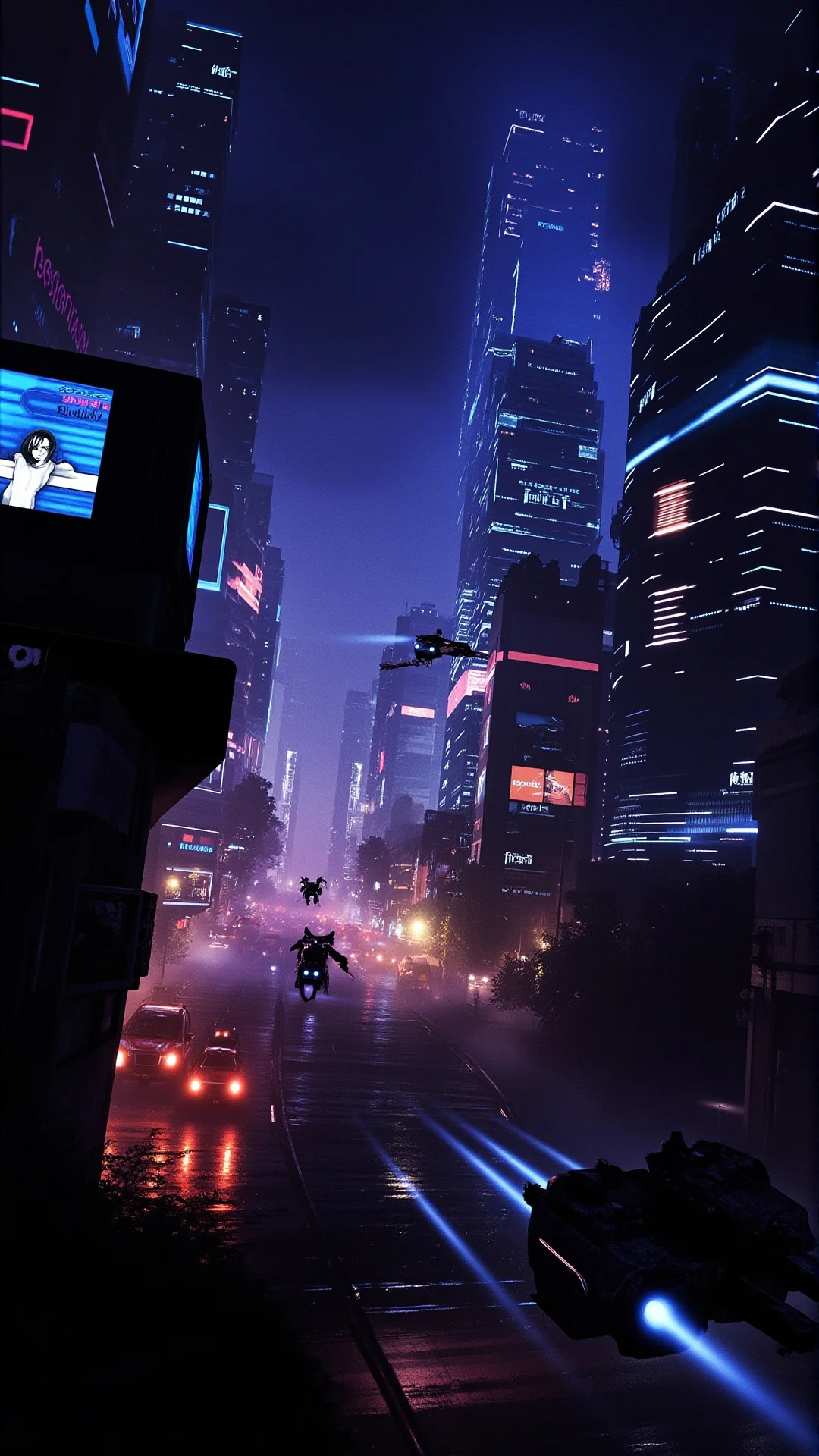
Conceptual: "A futuristic cityscape at night with neon lights, flying vehicles, cyberpunk aesthetic, rain-slicked streets, dramatic perspective"
Character: "A friendly robot character with a round body, expressive LED eyes, metallic blue finish, standing in a modern laboratory, 3D render style"
Related Models
Also available on WaveSpeedAI:
- minimax/image-01/image-to-image - Transform existing images with text prompts
Image 01 Text To Image API — Quick start
Grab a WaveSpeedAI API key, then call POST https://api.wavespeed.ai/api/v3/minimax/image-01/text-to-image with your input as JSON. The endpoint returns a prediction id. Start polling the result endpoint around every 2 seconds, increase the interval for long-running tasks, and stop on any terminal status. On completed, read output values from data.outputs. Examples for Image 01 Text To Image below.
HTTP example
set -euo pipefail

: "${WAVESPEED_API_KEY:?Set WAVESPEED_API_KEY}"

REQUEST_BODY=$(cat <<'JSON'
{
    "prompt": "A cinematic shot of a city at sunset, soft golden light",
    "size": "1024*1024",
    "num_images": 1,
    "prompt_optimizer": false
}
JSON
)

# 1. Submit the prediction.
SUBMIT_RESPONSE=$(curl --silent --show-error --fail-with-body \
  -X POST "https://api.wavespeed.ai/api/v3/minimax/image-01/text-to-image" \
  -H "Content-Type: application/json" \
  -H "Authorization: Bearer $WAVESPEED_API_KEY" \
  -d "$REQUEST_BODY")

TASK=$(printf '%s' "$SUBMIT_RESPONSE" | jq 'if has("data") then .data else . end')
PREDICTION_ID=$(printf '%s' "$TASK" | jq -r '.id')
if [ -z "$PREDICTION_ID" ] || [ "$PREDICTION_ID" = "null" ]; then
  printf 'Submission response did not contain a prediction id
' >&2
  exit 1
fi
RESULT_URL=$(printf '%s' "$TASK" | jq -r '.urls.get // empty')
if [ -z "$RESULT_URL" ]; then
  RESULT_URL="https://api.wavespeed.ai/api/v3/predictions/$PREDICTION_ID/result"
fi

# 2. Poll until the prediction finishes.
while true; do
  RESPONSE=$(curl --silent --show-error --fail-with-body "$RESULT_URL" \
    -H "Authorization: Bearer $WAVESPEED_API_KEY")
  RESULT=$(printf '%s' "$RESPONSE" | jq 'if has("data") then .data else . end')
  STATUS=$(printf '%s' "$RESULT" | jq -r '.status')
  case "$STATUS" in
    completed) printf '%s\n' "$RESULT" | jq '.outputs'; break ;;
    failed|cancelled|timeout) printf '%s\n' "$RESULT" | jq . >&2; exit 1 ;;
    created|processing) sleep 2 ;;
    *) printf 'Unexpected status: %s
' "$STATUS" >&2; exit 1 ;;
  esac
done
Node.js example
const submitUrl = "https://api.wavespeed.ai/api/v3/minimax/image-01/text-to-image";
const apiKey = process.env.WAVESPEED_API_KEY;
if (!apiKey) throw new Error('Set WAVESPEED_API_KEY');

async function requestJson(url, options = {}) {
  const response = await fetch(url, options);
  if (!response.ok) throw new Error(await response.text());
  return response.json();
}

// 1. Submit the prediction.
const body = await requestJson(submitUrl, {
  method: "POST",
  headers: {
    "Authorization": `Bearer ${apiKey}`,
    "Content-Type": "application/json",
  },
  body: JSON.stringify({
        "prompt": "A cinematic shot of a city at sunset, soft golden light",
        "size": "1024*1024",
        "num_images": 1,
        "prompt_optimizer": false
}),
});
const task = body.data ?? body;
if (!task.id) throw new Error("Submission response did not contain a prediction id");
const resultUrl = task.urls?.get ||
  `https://api.wavespeed.ai/api/v3/predictions/${task.id}/result`;

// 2. Poll until the prediction finishes.
while (true) {
  const resultBody = await requestJson(resultUrl, {
    headers: { "Authorization": `Bearer ${apiKey}` },
  });
  const result = resultBody.data ?? resultBody;
  if (result.status === "completed") {
    console.log(result.outputs);
    break;
  }
  if (["failed", "cancelled", "timeout"].includes(result.status)) throw new Error(JSON.stringify(result));
  if (!["created", "processing"].includes(result.status)) throw new Error("Unexpected status: " + result.status);
  await new Promise(resolve => setTimeout(resolve, 2000));
}
Python example
import json
import os
import time
from urllib.request import Request, urlopen

api_key = os.environ["WAVESPEED_API_KEY"]
headers = {"Authorization": f"Bearer {api_key}", "Content-Type": "application/json"}
payload = {
    "prompt": "A cinematic shot of a city at sunset, soft golden light",
    "size": "1024*1024",
    "num_images": 1,
    "prompt_optimizer": False
}

def request_json(url, data=None):
    request = Request(url, data=data, headers=headers, method="POST" if data else "GET")
    with urlopen(request) as response:
        return json.load(response)

# 1. Submit the prediction.
body = request_json("https://api.wavespeed.ai/api/v3/minimax/image-01/text-to-image", json.dumps(payload).encode())
task = body.get("data", body)
if not task.get("id"):
    raise RuntimeError("Submission response did not contain a prediction id")
result_url = task.get("urls", {}).get("get") or f"https://api.wavespeed.ai/api/v3/predictions/{task['id']}/result"

# 2. Poll until the prediction finishes.
while True:
    result_body = request_json(result_url)
    result = result_body.get("data", result_body)
    status = result.get("status")
    if status == "completed":
        print(result.get("outputs", []))
        break
    if status in {"failed", "cancelled", "timeout"}:
        raise RuntimeError(result)
    if status not in {"created", "processing"}:
        raise RuntimeError(f"Unexpected status: {status}")
    time.sleep(2)
Image 01 Text To Image API — Frequently asked questions
What is the Image 01 Text To Image API?
Image 01 Text To Image is a MiniMax model for image generation, exposed as a REST API on WaveSpeedAI. MiniMax Image-01 text-to-image model generates high-quality images from text descriptions. Create diverse visuals across multiple styles and scenarios with natural language prompts. Supports multiple aspect ratios and custom dimensions. Ready-to-use REST inference API, best performance, no coldstarts, affordable pricing. You can call it programmatically or try it from the playground above.
How do I call the Image 01 Text To Image API?
POST your input parameters to the model's REST endpoint (shown in the API tab of this playground) with your WaveSpeedAI API key in the Authorization header. Submission returns a prediction ID. Poll the result endpoint starting around every 2 seconds, increase the interval for long-running tasks, and stop on any terminal status. The playground generates production-oriented Python, JavaScript, and cURL examples with timeouts, transient-error handling, and safe GET retries. Full request/response shape is documented at https://wavespeed.ai/docs/docs-api/minimax/minimax-image-01-text-to-image.
How much does Image 01 Text To Image cost per run?
Image 01 Text To Image starts at $0.004 per run. That figure is the base price — the final charge scales with the parameters you set in the form (output size, length, count, references, or whatever knobs this model exposes), so a higher-quality or larger output costs more than a minimal one. The exact cost for your current input is shown live next to the Generate button before you submit, and the actual per-call charge is recorded on the prediction afterwards.
What inputs does Image 01 Text To Image accept?
Key inputs: `prompt`, `size`, `enable_base64_output`, `enable_sync_mode`, `num_images`, `prompt_optimizer`. The full JSON schema (types, defaults, allowed values) is rendered above the Generate button and mirrored in the API reference at https://wavespeed.ai/docs/docs-api/minimax/minimax-image-01-text-to-image.
How long does Image 01 Text To Image take to generate?
Median end-to-end generation time on WaveSpeedAI is around 25 seconds per request, based on recent successful runs. Queue time varies with global demand; live status is visible in the prediction record.
Can I use Image 01 Text To Image outputs commercially?
Commercial usage rights depend on the model's license, set by its provider (MiniMax). The license summary appears on the model card above; see WaveSpeedAI's Terms of Service for platform-level conditions.