FLUX.1 Kontext Dev Ultra-Fast is an open-source image-to-image model that edits images from text prompts with open weights and code. Ready-to-use REST inference API, best performance, no coldstarts, affordable pricing.
Bereit
$0.02pro Durchlauf·~50 / $1
BeispieleAlle anzeigen
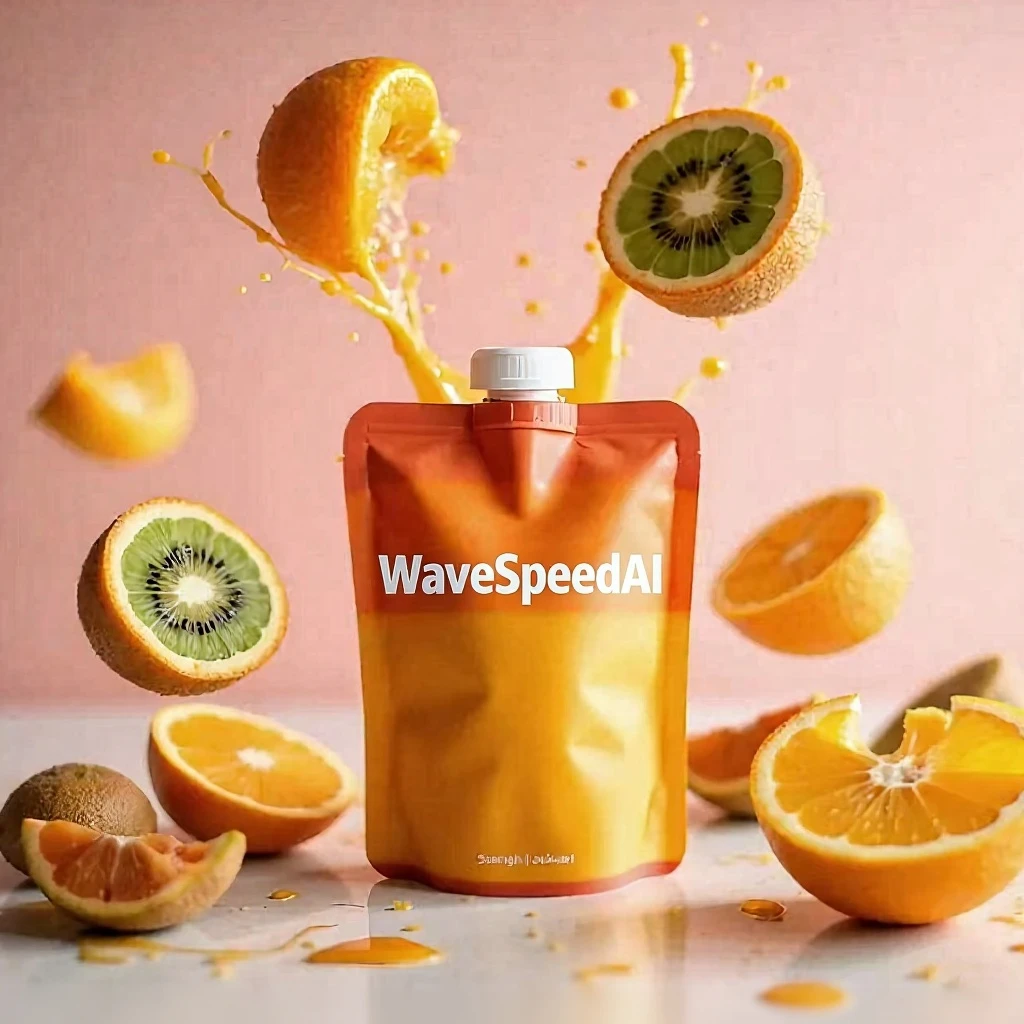
Replace 'KONTEXT' with 'WaveSpeedAI' on the juice pouch, keeping the same bubbly font style,gradient colors, soft shadow, and exact position.

Replace 'Choose joy' with 'WaveSpeedAI' on the juice pouch, keeping the same bubbly font style,gradient colors, soft shadow, and exact position.

Transform the scene to light snowfall in the same location. The scarf has tiny snowflakes on it, and the person’s breath is visible in the cold air.

Change the setting to early autumn. Add fallen leaves around the blanket, the trees turning slightly golden, and both wearing light jackets.

Remove the juice from the picture

same man, Swap the white shirt for a suit

same woman, Add a nice brooch to the clothing

Add seagulls to the original image, keeping the rest unchanged

Replace the green scarf of the child in the original image with a Red Bow tie

Remove the spots on the woman's face,Other things remain unchanged

Remove the seagulls from the image, keep the rest unchanged

Change the background to a vast grassland, keep the rest unchanged
Ähnliche Modelle






README
FLUX Kontext Dev Ultra Fast — wavespeed-ai/flux-kontext-dev-ultra-fast
FLUX.1 Kontext Dev Ultra Fast is a low-latency image-to-image editing model optimized for rapid iteration. Provide a source image and a natural-language edit instruction, and it performs targeted or global edits while aiming to preserve the original context when requested—ideal for interactive workflows, batch revisions, and quick creative exploration.
Key capabilities
- Ultra-fast instruction-based image editing from a single input image
- Strong preservation when you explicitly specify what must remain unchanged
- Works well for iterative edits: refine the same image across multiple passes
- Great for practical edits: color changes, background swaps, text edits, cleanup, and light style transforms
Typical use cases
- Fast retouching and cleanup (lighting/exposure, minor imperfections)
- Color/material edits (e.g., product variants)
- Background replacement for marketing creatives
- Text replacement on posters, packaging, UI mockups
- Rapid style experimentation with minimal turnaround time
Pricing
$0.02 per image.
Cost per run = num_images × $0.02 Example: num_images = 4 → $0.08
Inputs and outputs
Input:
- One source image (upload or public URL)
- One edit instruction (prompt)
Output:
- One or more edited images (controlled by num_images)
Parameters
- prompt: Edit instruction describing what to change and what to keep
- image: Source image
- width / height: Output resolution
- num_inference_steps: More steps can improve fidelity but increases latency
- guidance_scale: Higher values follow the prompt more strongly; too high may over-edit
- num_images: Number of variations generated per run
- seed: Fixed value for reproducibility; -1 for random
- output_format: jpeg or png
- enable_base64_output: Return BASE64 instead of a URL (API only)
- enable_sync_mode: Wait for generation and return results directly (API only)
Prompting guide
Use a clear “preserve + edit + constraints” structure:
Template: Keep [what must stay]. Change [what to edit]. Ensure [constraints]. Match [lighting/shadows/style consistency].
Example prompts
- Keep the subject’s face and pose unchanged. Replace the background with a clean studio backdrop. Match the lighting and shadow direction.
- Change the shirt color to navy blue. Keep fabric texture and wrinkles consistent.
- Replace the label text with “WaveSpeedAI”, keeping the same font style, size, and perspective. Do not modify anything else.
- Remove the objects on the table. Keep the table surface intact and realistic.
- Apply a soft cinematic grade with slightly warmer tones, without changing composition or identity.
Best practices
- Do one change per run for maximum control, then iterate.
- If the edit drifts, lower guidance_scale and strengthen the preserve clause.
- Fix seed for reproducible comparisons and stable iteration.
- Match output width/height to the input aspect ratio to avoid distortion.
Flux Kontext Dev Ultra Fast API — Quick start
Grab a WaveSpeedAI API key, then call POST https://api.wavespeed.ai/api/v3/wavespeed-ai/flux-kontext-dev-ultra-fast with your input as JSON. The endpoint returns a prediction id. Start polling the result endpoint around every 2 seconds, increase the interval for long-running tasks, and stop on any terminal status. On completed, read output values from data.outputs. Examples for Flux Kontext Dev Ultra Fast below.
HTTP example
set -euo pipefail

: "${WAVESPEED_API_KEY:?Set WAVESPEED_API_KEY}"

REQUEST_BODY=$(cat <<'JSON'
{
    "prompt": "A cinematic shot of a city at sunset, soft golden light",
    "num_inference_steps": 28,
    "guidance_scale": 2.5,
    "num_images": 1,
    "seed": -1,
    "output_format": "jpeg"
}
JSON
)

# 1. Submit the prediction.
SUBMIT_RESPONSE=$(curl --silent --show-error --fail-with-body \
  -X POST "https://api.wavespeed.ai/api/v3/wavespeed-ai/flux-kontext-dev-ultra-fast" \
  -H "Content-Type: application/json" \
  -H "Authorization: Bearer $WAVESPEED_API_KEY" \
  -d "$REQUEST_BODY")

TASK=$(printf '%s' "$SUBMIT_RESPONSE" | jq 'if has("data") then .data else . end')
PREDICTION_ID=$(printf '%s' "$TASK" | jq -r '.id')
if [ -z "$PREDICTION_ID" ] || [ "$PREDICTION_ID" = "null" ]; then
  printf 'Submission response did not contain a prediction id
' >&2
  exit 1
fi
RESULT_URL=$(printf '%s' "$TASK" | jq -r '.urls.get // empty')
if [ -z "$RESULT_URL" ]; then
  RESULT_URL="https://api.wavespeed.ai/api/v3/predictions/$PREDICTION_ID/result"
fi

# 2. Poll until the prediction finishes.
while true; do
  RESPONSE=$(curl --silent --show-error --fail-with-body "$RESULT_URL" \
    -H "Authorization: Bearer $WAVESPEED_API_KEY")
  RESULT=$(printf '%s' "$RESPONSE" | jq 'if has("data") then .data else . end')
  STATUS=$(printf '%s' "$RESULT" | jq -r '.status')
  case "$STATUS" in
    completed) printf '%s\n' "$RESULT" | jq '.outputs'; break ;;
    failed|cancelled|timeout) printf '%s\n' "$RESULT" | jq . >&2; exit 1 ;;
    created|processing) sleep 2 ;;
    *) printf 'Unexpected status: %s
' "$STATUS" >&2; exit 1 ;;
  esac
done
Node.js example
const submitUrl = "https://api.wavespeed.ai/api/v3/wavespeed-ai/flux-kontext-dev-ultra-fast";
const apiKey = process.env.WAVESPEED_API_KEY;
if (!apiKey) throw new Error('Set WAVESPEED_API_KEY');

async function requestJson(url, options = {}) {
  const response = await fetch(url, options);
  if (!response.ok) throw new Error(await response.text());
  return response.json();
}

// 1. Submit the prediction.
const body = await requestJson(submitUrl, {
  method: "POST",
  headers: {
    "Authorization": `Bearer ${apiKey}`,
    "Content-Type": "application/json",
  },
  body: JSON.stringify({
        "prompt": "A cinematic shot of a city at sunset, soft golden light",
        "num_inference_steps": 28,
        "guidance_scale": 2.5,
        "num_images": 1,
        "seed": -1,
        "output_format": "jpeg"
}),
});
const task = body.data ?? body;
if (!task.id) throw new Error("Submission response did not contain a prediction id");
const resultUrl = task.urls?.get ||
  `https://api.wavespeed.ai/api/v3/predictions/${task.id}/result`;

// 2. Poll until the prediction finishes.
while (true) {
  const resultBody = await requestJson(resultUrl, {
    headers: { "Authorization": `Bearer ${apiKey}` },
  });
  const result = resultBody.data ?? resultBody;
  if (result.status === "completed") {
    console.log(result.outputs);
    break;
  }
  if (["failed", "cancelled", "timeout"].includes(result.status)) throw new Error(JSON.stringify(result));
  if (!["created", "processing"].includes(result.status)) throw new Error("Unexpected status: " + result.status);
  await new Promise(resolve => setTimeout(resolve, 2000));
}
Python example
import json
import os
import time
from urllib.request import Request, urlopen

api_key = os.environ["WAVESPEED_API_KEY"]
headers = {"Authorization": f"Bearer {api_key}", "Content-Type": "application/json"}
payload = {
    "prompt": "A cinematic shot of a city at sunset, soft golden light",
    "num_inference_steps": 28,
    "guidance_scale": 2.5,
    "num_images": 1,
    "seed": -1,
    "output_format": "jpeg"
}

def request_json(url, data=None):
    request = Request(url, data=data, headers=headers, method="POST" if data else "GET")
    with urlopen(request) as response:
        return json.load(response)

# 1. Submit the prediction.
body = request_json("https://api.wavespeed.ai/api/v3/wavespeed-ai/flux-kontext-dev-ultra-fast", json.dumps(payload).encode())
task = body.get("data", body)
if not task.get("id"):
    raise RuntimeError("Submission response did not contain a prediction id")
result_url = task.get("urls", {}).get("get") or f"https://api.wavespeed.ai/api/v3/predictions/{task['id']}/result"

# 2. Poll until the prediction finishes.
while True:
    result_body = request_json(result_url)
    result = result_body.get("data", result_body)
    status = result.get("status")
    if status == "completed":
        print(result.get("outputs", []))
        break
    if status in {"failed", "cancelled", "timeout"}:
        raise RuntimeError(result)
    if status not in {"created", "processing"}:
        raise RuntimeError(f"Unexpected status: {status}")
    time.sleep(2)
Flux Kontext Dev Ultra Fast API — Frequently asked questions
What is the Flux Kontext Dev Ultra Fast API?
Flux Kontext Dev Ultra Fast is a WaveSpeedAI model for image editing, exposed as a REST API on WaveSpeedAI. FLUX.1 Kontext Dev Ultra-Fast is an open-source image-to-image model that edits images from text prompts with open weights and code. Ready-to-use REST inference API, best performance, no coldstarts, affordable pricing. You can call it programmatically or try it from the playground above.
How do I call the Flux Kontext Dev Ultra Fast API?
POST your input parameters to the model's REST endpoint (shown in the API tab of this playground) with your WaveSpeedAI API key in the Authorization header. Submission returns a prediction ID. Poll the result endpoint starting around every 2 seconds, increase the interval for long-running tasks, and stop on any terminal status. The playground generates production-oriented Python, JavaScript, and cURL examples with timeouts, transient-error handling, and safe GET retries. Full request/response shape is documented at https://wavespeed.ai/docs/docs-api/wavespeed-ai/flux-kontext-dev-ultra-fast.
How much does Flux Kontext Dev Ultra Fast cost per run?
Flux Kontext Dev Ultra Fast starts at $0.020 per run. That figure is the base price — the final charge scales with the parameters you set in the form (output size, length, count, references, or whatever knobs this model exposes), so a higher-quality or larger output costs more than a minimal one. The exact cost for your current input is shown live next to the Generate button before you submit, and the actual per-call charge is recorded on the prediction afterwards.
What inputs does Flux Kontext Dev Ultra Fast accept?
Key inputs: `prompt`, `image`, `size`, `seed`, `guidance_scale`, `num_inference_steps`. The full JSON schema (types, defaults, allowed values) is rendered above the Generate button and mirrored in the API reference at https://wavespeed.ai/docs/docs-api/wavespeed-ai/flux-kontext-dev-ultra-fast.
How long does Flux Kontext Dev Ultra Fast take to generate?
Median end-to-end generation time on WaveSpeedAI is around 5 seconds per request, based on recent successful runs. Queue time varies with global demand; live status is visible in the prediction record.
Can I use Flux Kontext Dev Ultra Fast outputs commercially?
Commercial usage rights depend on the model's license, set by its provider (WaveSpeedAI). The license summary appears on the model card above; see WaveSpeedAI's Terms of Service for platform-level conditions.