FLUX.2 [klein] 4B with LoRA support is a compact 4-billion-parameter text-to-image model that delivers fast generation with quality results and LoRA customization. Ready-to-use REST inference API, best performance, no cold starts, affordable pricing.
Bereit

$0.013pro Durchlauf·~76 / $1
BeispieleAlle anzeigen
elegant woman sitting on the front of a yacht, flowing ivory chiffon gown with long sleeves and high neck, soft pleats, cinched waist, fabric blowing in the wind, cinematic fashion photography, moody overcast sky, dramatic mountains and cliffs in the background, lake or sea setting, calm luxury atmosphere, natural makeup, gold statement earrings, dark hair in a low loose updo, editorial Vogue style, shallow depth of field, soft natural light, muted colors, ultra realistic, high detail, 85mm lens

Luxury brand editorial photograph, identical composition and color mood, deep olive-green fabric drapery background with soft vertical folds, same tone and texture, theatrical studio setting, a white-gloved hand from below holding a round brushed metal serving tray, perfectly centered, on the tray a minimalist arrangement of classic Cinnabon cinnamon rolls, warm golden-brown dough, thick cream cheese icing, subtle steam, above the tray an elegant female hand with dark red manicure and delicate ring gently reaching down to take one cinnamon roll, frozen refined gesture, identical lighting direction, soft cinematic shadows, muted luxury color palette of olive green, cream, brown and silver, high-end fashion brand aesthetic, museum-like stillness, realistic photography, no illustration, no CGI, no cartoon, vertical composition
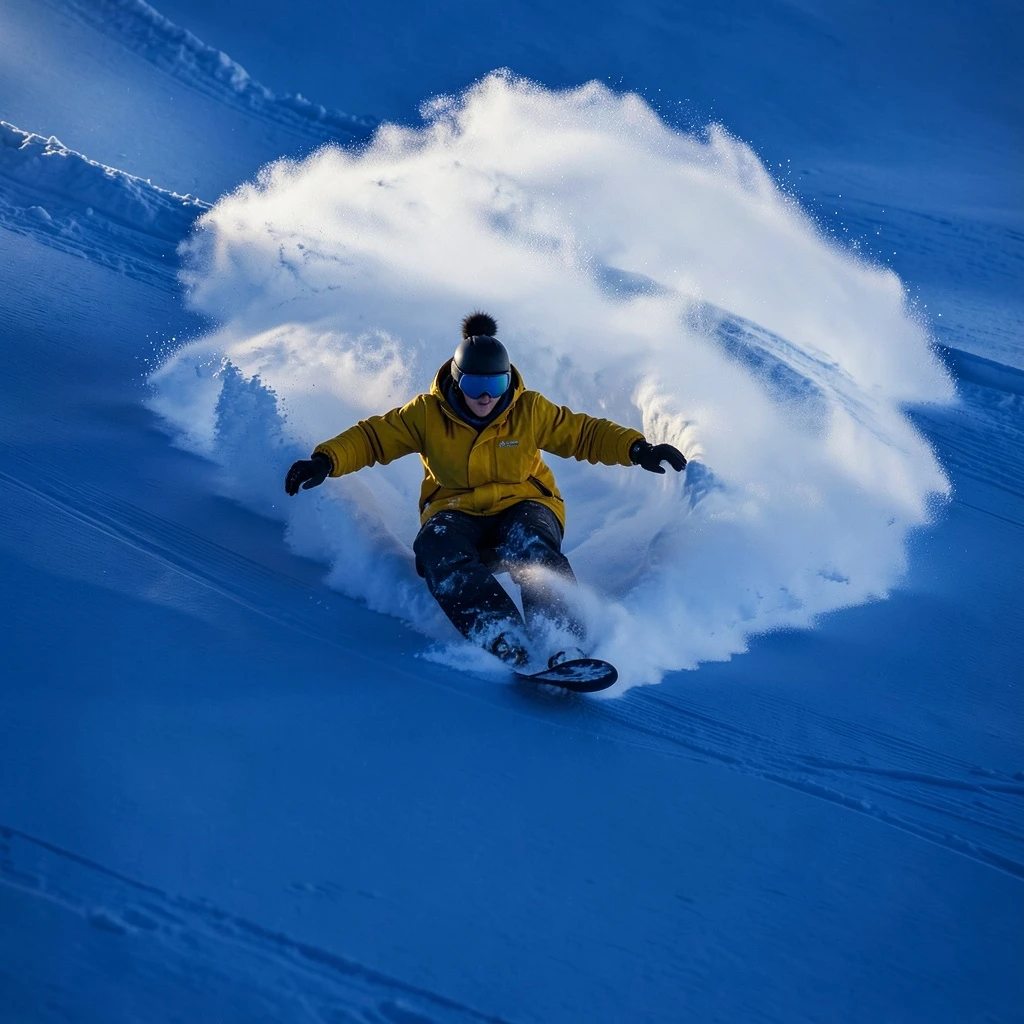
a snowboarder carving through powder, leaving behind an arc of white on the pristine surface of deep blue snow. award-winning photography, in the style of realistic photography.

a photograph in the style of Annie Leibowitz powerful 30 year old businessman in a thick black gabardine baggy deconstructed Yohji Yamoto suit with red pinstripes, white shirt with round collare and a thick short crimson satin tie in a top floor Art Deco style Office on the Empire State Building, decorated in a palette revolving around #7852A9 by David Hicks. All wood is black ebony and all lamps have modernist round glass shades in complementary tetradic yellow or green. The silk carpeting is in a complementary emerald shade with a psychedelic orchid leaf print --no distortion, fabric lampshades

Core Theme: A divine close-up of Galadriel, the Elven Queen from "The Lord of the Rings," set in an elven sanctuary in a dark forest at night, combining elegance, purity, and solemn divinity. Character Details: Faithfully recreating Galadriel’s image long golden curls, a white, flowing elven robe (with soft, draping folds), elven-style headband accessory; hands raised in a solemn gesture, emanating a gentle white glow, with a serene and ethereal expression, fully conveying the divine aura of elven royalty. Scene Elements: A dimly lit forest at night, with a deep blue night sky as the background, surrounded by trees and ferns, creating a tranquil and secluded woodland atmosphere. Lighting and Mood: Cold blue nighttime tones as the base, with the character emitting warm white light to create a soft contrast between light and shadow; the light is hazy and envelops the divine presence, producing a solemn, ethereal, and sacred mood. Art Style: Movie-level realistic texture inspired by "The Lord of the Rings," in a fantastical epic cinematic style, with ultra-detailed rendering (robe textures, hair gloss, light diffusion), delicate realistic brushwork, medium-close-up perspective (highlighting the Elven Queen’s divinity and elegance).
Ähnliche Modelle




README
FLUX.2 Klein 4B Text-to-Image LoRA
FLUX.2 Klein 4B Text-to-Image LoRA is a lightweight yet powerful text-to-image generation model with full LoRA support. Describe your vision in text, optionally apply custom LoRA adapters for personalized styles — all with fast generation and affordable pricing.
Why Choose This?
-
High-quality generation Generate detailed, high-fidelity images from text descriptions with strong prompt adherence.
-
LoRA support Apply custom LoRA adapters for personalized styles, characters, or visual aesthetics.
-
Flexible sizing Custom width and height controls for any aspect ratio.
-
Prompt Enhancer Built-in tool to automatically improve your prompts for better results.
-
Lightweight and fast 4B parameter model optimized for quick turnaround at affordable pricing.
Parameters
| Parameter | Required | Description |
|---|---|---|
| prompt | Yes | Text description of the image you want to generate |
| width | No | Output width in pixels (default: 1024) |
| height | No | Output height in pixels (default: 1024) |
| loras | No | List of LoRA adapters to apply |
| seed | No | Random seed for reproducibility (-1 for random) |
LoRA Format
Each LoRA in the loras array has:
- path (required) — URL to the LoRA weights file
- scale (optional) — Weight multiplier, default 1
How to Use
- Write your prompt — describe the image including subject, style, lighting, and mood.
- Set size — adjust width and height for your desired dimensions.
- Add LoRAs (optional) — click "+ Add Item" to include custom LoRA adapters.
- Set seed — use -1 for random, or specify a number for reproducibility.
- Run — submit and download the generated image.
Pricing
| Item | Cost |
|---|---|
| Per image | $0.013 |
Simple flat-rate pricing regardless of image size or LoRA count.
Best Use Cases
- Custom Character Generation — Apply character LoRAs for consistent identity.
- Style Personalization — Use style LoRAs for unique visual aesthetics.
- Brand Content — Create on-brand visuals with trained LoRA styles.
- Rapid Prototyping — Fast, affordable generation for creative iteration.
- Batch Generation — Low cost enables large-scale image production.
Pro Tips
- Be specific in your prompts — include subject, style, lighting, colors, and atmosphere.
- Start with LoRA scale 1.0 and adjust based on results.
- Combine multiple LoRAs for hybrid styles (e.g., character + art style).
- Use the same seed to compare different prompts or LoRA combinations.
- If your LoRA uses trigger words, include them in your prompt.
Notes
- LoRAs can be stacked for combined effects.
- For best results, use LoRAs trained on FLUX-compatible models.
- Processing speed is optimized for quick turnaround.
Related Models
- FLUX.2 Klein 4B Text-to-Image — Standard version without LoRA support.
- FLUX.2 Klein 4B Edit LoRA — Image editing with LoRA support.
- FLUX.2 Pro — Flagship-quality text-to-image generation.
Flux 2 Klein 4b Text To Image Lora API — Quick start
Grab a WaveSpeedAI API key, then call POST https://api.wavespeed.ai/api/v3/wavespeed-ai/flux-2-klein-4b/text-to-image-lora with your input as JSON. The endpoint returns a prediction id. Start polling the result endpoint around every 2 seconds, increase the interval for long-running tasks, and stop on any terminal status. On completed, read output values from data.outputs. Examples for Flux 2 Klein 4b Text To Image Lora below.
HTTP example
set -euo pipefail

: "${WAVESPEED_API_KEY:?Set WAVESPEED_API_KEY}"

REQUEST_BODY=$(cat <<'JSON'
{
    "prompt": "A cinematic shot of a city at sunset, soft golden light",
    "size": "1024*1024",
    "seed": -1
}
JSON
)

# 1. Submit the prediction.
SUBMIT_RESPONSE=$(curl --silent --show-error --fail-with-body \
  -X POST "https://api.wavespeed.ai/api/v3/wavespeed-ai/flux-2-klein-4b/text-to-image-lora" \
  -H "Content-Type: application/json" \
  -H "Authorization: Bearer $WAVESPEED_API_KEY" \
  -d "$REQUEST_BODY")

TASK=$(printf '%s' "$SUBMIT_RESPONSE" | jq 'if has("data") then .data else . end')
PREDICTION_ID=$(printf '%s' "$TASK" | jq -r '.id')
if [ -z "$PREDICTION_ID" ] || [ "$PREDICTION_ID" = "null" ]; then
  printf 'Submission response did not contain a prediction id
' >&2
  exit 1
fi
RESULT_URL=$(printf '%s' "$TASK" | jq -r '.urls.get // empty')
if [ -z "$RESULT_URL" ]; then
  RESULT_URL="https://api.wavespeed.ai/api/v3/predictions/$PREDICTION_ID/result"
fi

# 2. Poll until the prediction finishes.
while true; do
  RESPONSE=$(curl --silent --show-error --fail-with-body "$RESULT_URL" \
    -H "Authorization: Bearer $WAVESPEED_API_KEY")
  RESULT=$(printf '%s' "$RESPONSE" | jq 'if has("data") then .data else . end')
  STATUS=$(printf '%s' "$RESULT" | jq -r '.status')
  case "$STATUS" in
    completed) printf '%s\n' "$RESULT" | jq '.outputs'; break ;;
    failed|cancelled|timeout) printf '%s\n' "$RESULT" | jq . >&2; exit 1 ;;
    created|processing) sleep 2 ;;
    *) printf 'Unexpected status: %s
' "$STATUS" >&2; exit 1 ;;
  esac
done
Node.js example
const submitUrl = "https://api.wavespeed.ai/api/v3/wavespeed-ai/flux-2-klein-4b/text-to-image-lora";
const apiKey = process.env.WAVESPEED_API_KEY;
if (!apiKey) throw new Error('Set WAVESPEED_API_KEY');

async function requestJson(url, options = {}) {
  const response = await fetch(url, options);
  if (!response.ok) throw new Error(await response.text());
  return response.json();
}

// 1. Submit the prediction.
const body = await requestJson(submitUrl, {
  method: "POST",
  headers: {
    "Authorization": `Bearer ${apiKey}`,
    "Content-Type": "application/json",
  },
  body: JSON.stringify({
        "prompt": "A cinematic shot of a city at sunset, soft golden light",
        "size": "1024*1024",
        "seed": -1
}),
});
const task = body.data ?? body;
if (!task.id) throw new Error("Submission response did not contain a prediction id");
const resultUrl = task.urls?.get ||
  `https://api.wavespeed.ai/api/v3/predictions/${task.id}/result`;

// 2. Poll until the prediction finishes.
while (true) {
  const resultBody = await requestJson(resultUrl, {
    headers: { "Authorization": `Bearer ${apiKey}` },
  });
  const result = resultBody.data ?? resultBody;
  if (result.status === "completed") {
    console.log(result.outputs);
    break;
  }
  if (["failed", "cancelled", "timeout"].includes(result.status)) throw new Error(JSON.stringify(result));
  if (!["created", "processing"].includes(result.status)) throw new Error("Unexpected status: " + result.status);
  await new Promise(resolve => setTimeout(resolve, 2000));
}
Python example
import json
import os
import time
from urllib.request import Request, urlopen

api_key = os.environ["WAVESPEED_API_KEY"]
headers = {"Authorization": f"Bearer {api_key}", "Content-Type": "application/json"}
payload = {
    "prompt": "A cinematic shot of a city at sunset, soft golden light",
    "size": "1024*1024",
    "seed": -1
}

def request_json(url, data=None):
    request = Request(url, data=data, headers=headers, method="POST" if data else "GET")
    with urlopen(request) as response:
        return json.load(response)

# 1. Submit the prediction.
body = request_json("https://api.wavespeed.ai/api/v3/wavespeed-ai/flux-2-klein-4b/text-to-image-lora", json.dumps(payload).encode())
task = body.get("data", body)
if not task.get("id"):
    raise RuntimeError("Submission response did not contain a prediction id")
result_url = task.get("urls", {}).get("get") or f"https://api.wavespeed.ai/api/v3/predictions/{task['id']}/result"

# 2. Poll until the prediction finishes.
while True:
    result_body = request_json(result_url)
    result = result_body.get("data", result_body)
    status = result.get("status")
    if status == "completed":
        print(result.get("outputs", []))
        break
    if status in {"failed", "cancelled", "timeout"}:
        raise RuntimeError(result)
    if status not in {"created", "processing"}:
        raise RuntimeError(f"Unexpected status: {status}")
    time.sleep(2)
Flux 2 Klein 4b Text To Image Lora API — Frequently asked questions
What is the Flux 2 Klein 4b Text To Image Lora API?
Flux 2 Klein 4b Text To Image Lora is a WaveSpeedAI model for AI inference, exposed as a REST API on WaveSpeedAI. FLUX.2 [klein] 4B with LoRA support is a compact 4-billion-parameter text-to-image model that delivers fast generation with quality results and LoRA customization. Ready-to-use REST inference API, best performance, no cold starts, affordable pricing. You can call it programmatically or try it from the playground above.
How do I call the Flux 2 Klein 4b Text To Image Lora API?
POST your input parameters to the model's REST endpoint (shown in the API tab of this playground) with your WaveSpeedAI API key in the Authorization header. Submission returns a prediction ID. Poll the result endpoint starting around every 2 seconds, increase the interval for long-running tasks, and stop on any terminal status. The playground generates production-oriented Python, JavaScript, and cURL examples with timeouts, transient-error handling, and safe GET retries. Full request/response shape is documented at https://wavespeed.ai/docs/docs-api/wavespeed-ai/flux-2-klein-4b-text-to-image-lora.
How much does Flux 2 Klein 4b Text To Image Lora cost per run?
Flux 2 Klein 4b Text To Image Lora starts at $0.013 per run. That figure is the base price — the final charge scales with the parameters you set in the form (output size, length, count, references, or whatever knobs this model exposes), so a higher-quality or larger output costs more than a minimal one. The exact cost for your current input is shown live next to the Generate button before you submit, and the actual per-call charge is recorded on the prediction afterwards.
What inputs does Flux 2 Klein 4b Text To Image Lora accept?
Key inputs: `prompt`, `size`, `seed`, `enable_base64_output`, `enable_sync_mode`, `loras`. The full JSON schema (types, defaults, allowed values) is rendered above the Generate button and mirrored in the API reference at https://wavespeed.ai/docs/docs-api/wavespeed-ai/flux-2-klein-4b-text-to-image-lora.
How long does Flux 2 Klein 4b Text To Image Lora take to generate?
Median end-to-end generation time on WaveSpeedAI is around 11 seconds per request, based on recent successful runs. Queue time varies with global demand; live status is visible in the prediction record.
Can I use Flux 2 Klein 4b Text To Image Lora outputs commercially?
Commercial usage rights depend on the model's license, set by its provider (WaveSpeedAI). The license summary appears on the model card above; see WaveSpeedAI's Terms of Service for platform-level conditions.