PixVerse V4.5 I2V creates high-quality videos from text or image prompts, offering multiple resolutions, aspect ratios, and motion modes for versatile cinematic output. Ready-to-use REST inference API, best performance, no coldstarts, affordable pricing.
Bereit
$0.25pro Durchlauf·~40 / $10
BeispieleAlle anzeigen
The woman in the image slowly turns toward the camera and smiles, hair gently moving in the breeze, sunlight flickering"
The woman in the image strikes a pose, then starts walking confidently on a fashion runway, flashbulbs going off
The subject walks slowly through a crowded market street at night, lens flare from passing headlights, immersive ambiance
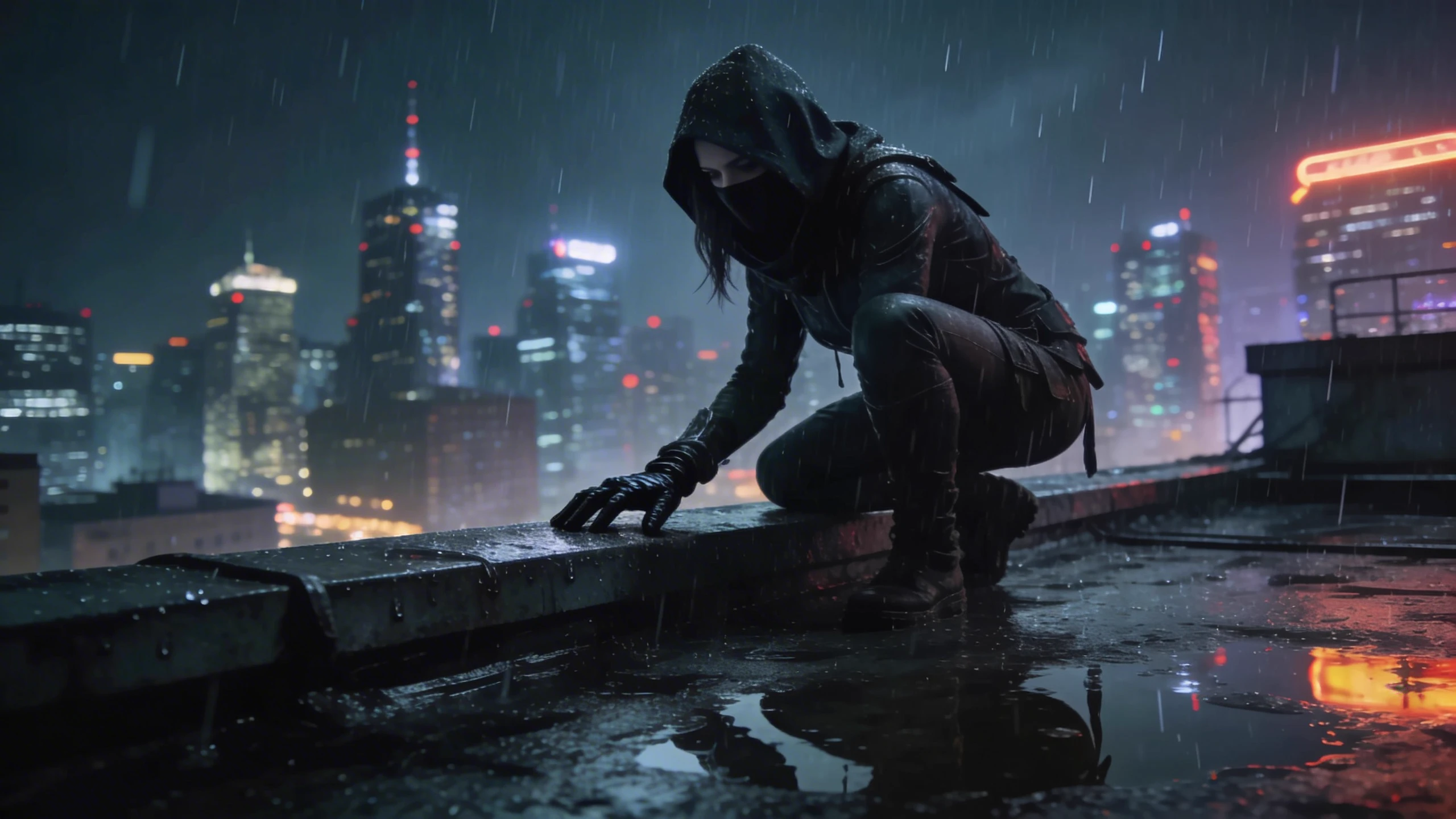
The person in the image starts running across a neon-lit city street in the rain, reflections shimmering, camera following close
The woman in the image floats upward in slow motion surrounded by glowing butterflies and moonlight haze
The scene begins to pulse with dreamlike light, as the subject walks through shifting portals in a cosmic forest
Time rewinds and the person walks backward through a collapsing glass world, hyper-detailed and cinematic
The woman in the image waits at a train station as the wind picks up, her coat flapping, soft snowfall begins
The subject walks slowly through a crowded market street at night, lens flare from passing headlights, immersive ambiance
a young man standing on a rooftop at sunset, wearing a white shirt and black trousers, city skyline in the background
A pixel-art animation of a red-suited chibi character jumping between floating platforms in a bright blue sky. The motion is bouncy and playful, with pixel particle effects on each jump. The camera follows smoothly with slight shake to enhance the retro arcade game feel.
An anime-style video of a pink-haired high school girl walking slowly under cherry blossom trees. The petals fall gently around her as the camera follows her from the side with a soft dolly shot. Her expression is peaceful, her skirt and hair moving naturally in the spring breeze. The background is softly blurred, with warm pastel lighting.
A fantasy-themed video of a cloaked traveler seen from behind, standing motionless on a cliff edge. The camera slowly pulls back and rises to reveal the floating island in the sky, surrounded by drifting clouds and ethereal light. The mood is mysterious and epic, with orchestral music vibes.
Ähnliche Modelle




README
PixVerse V4.5 Image-to-Video
Bring your images to life with PixVerse V4.5 — a versatile image-to-video model that excels at natural human motion, fashion content, and dynamic scenes. Create professional-quality videos with realistic movement and cinematic flair at an accessible price point.
Looking for faster processing? Try PixVerse V4.5 Fast for optimized generation speed.
Why It Looks Great
- Natural human motion: Excels at realistic walking, posing, and body movement.
- Multiple resolutions: Choose from 360p, 540p, 720p, or 1080p based on your needs.
- Flexible duration: Generate 5-second or 8-second videos.
- Negative prompt support: Exclude unwanted elements for precise control.
- Competitive pricing: High-quality generation at budget-friendly rates.
- Reproducible results: Use the seed parameter to recreate exact outputs.
Parameters
| Parameter | Required | Description |
|---|---|---|
| prompt | Yes | Text description of the motion, action, and scene you want. |
| image | Yes | Source image to animate (upload or public URL). |
| resolution | No | Output quality: 360p, 540p, 720p, or 1080p. Default: 540p. |
| duration | No | Video length: 5 or 8 seconds. Default: 5. |
| negative_prompt | No | Elements to avoid in the generated video. |
| seed | No | Random seed for reproducibility. Leave empty for random. |
How to Use
- Write your prompt — describe the motion, actions, and atmosphere you want.
- Upload your image — drag and drop or paste a public URL.
- Choose resolution — select quality level based on your use case and budget.
- Set duration — choose 5 or 8 seconds.
- Add negative prompt (optional) — specify elements to exclude.
- Set seed (optional) — for reproducible results.
- Run — click the button to generate.
- Download — preview and save your video.
Pricing
Pricing varies by resolution and duration.
5-Second Videos
| Resolution | Cost |
|---|---|
| 360p | $0.25 |
| 540p | $0.25 |
| 720p | $0.35 |
| 1080p | $0.70 |
8-Second Videos
| Resolution | Cost |
|---|---|
| 360p | $0.50 |
| 540p | $0.50 |
| 720p | $0.70 |
| 1080p | $1.40 |
Quick Reference
| Duration | 360p | 540p | 720p | 1080p |
|---|---|---|---|---|
| 5s | $0.25 | $0.25 | $0.35 | $0.70 |
| 8s | $0.50 | $0.50 | $0.70 | $1.40 |
Best Use Cases
- Fashion & Runway — Animate models walking, posing, and showcasing clothing.
- Social Media Content — Create dynamic video content from portrait and lifestyle photos.
- Marketing & Advertising — Bring product and campaign images to life with motion.
- Portrait Animation — Add natural movement to headshots and character images.
- Event & Performance — Animate photos with crowd reactions, stage lighting, and atmosphere.
Example Prompts
- "The woman in the image strikes a pose, then starts walking confidently on a fashion runway, flashbulbs going off"
- "Subject turns toward camera with a warm smile, hair gently moving in the breeze"
- "Model showcases the outfit with a slow spin, studio lighting creating dynamic shadows"
- "The person laughs naturally, subtle head movement, candid authentic moment"
- "Confident walk toward camera, urban street background with bokeh lights"
Resolution Guide
| Resolution | Best For |
|---|---|
| 360p | Quick previews, testing concepts, maximum budget efficiency |
| 540p | Social media, general use, balanced quality and cost |
| 720p | Higher quality content, presentations, detailed motion |
| 1080p | Professional deliverables, large displays, premium content |
Pro Tips for Best Results
- For fashion content, describe the walk style: "confident", "graceful", "powerful strut".
- Include environmental details: "flashbulbs", "studio lighting", "crowd reactions".
- Use negative prompts to avoid "blur", "distortion", "unnatural movement".
- Start with 540p to test concepts — it offers great quality at the base price.
- Describe the emotional tone: "confident", "playful", "elegant", "dramatic".
- Keep the same seed when upgrading resolution to maintain consistency.
Notes
- If using a URL for the image, ensure it is publicly accessible. A preview thumbnail confirms successful loading.
- Processing time varies based on resolution and duration.
- Best results come from images with clear subjects and appropriate poses for the intended motion.
- For complex artistic transformations, consider PixVerse V4.5 Fast which is optimized for dramatic effects.
Pixverse v4.5 I2v API — Quick start
Grab a WaveSpeedAI API key, then call POST https://api.wavespeed.ai/api/v3/pixverse/pixverse-v4.5-i2v with your input as JSON. The endpoint returns a prediction id. Start polling the result endpoint around every 2 seconds, increase the interval for long-running tasks, and stop on any terminal status. On completed, read output values from data.outputs. Examples for Pixverse v4.5 I2v below.
HTTP example
set -euo pipefail

: "${WAVESPEED_API_KEY:?Set WAVESPEED_API_KEY}"

REQUEST_BODY=$(cat <<'JSON'
{
    "prompt": "A cinematic shot of a city at sunset, soft golden light",
    "image": "https://interactive-examples.mdn.mozilla.net/media/cc0-images/painted-hand-298-332.jpg",
    "resolution": "540p",
    "duration": 5
}
JSON
)

# 1. Submit the prediction.
SUBMIT_RESPONSE=$(curl --silent --show-error --fail-with-body \
  -X POST "https://api.wavespeed.ai/api/v3/pixverse/pixverse-v4.5-i2v" \
  -H "Content-Type: application/json" \
  -H "Authorization: Bearer $WAVESPEED_API_KEY" \
  -d "$REQUEST_BODY")

TASK=$(printf '%s' "$SUBMIT_RESPONSE" | jq 'if has("data") then .data else . end')
PREDICTION_ID=$(printf '%s' "$TASK" | jq -r '.id')
if [ -z "$PREDICTION_ID" ] || [ "$PREDICTION_ID" = "null" ]; then
  printf 'Submission response did not contain a prediction id
' >&2
  exit 1
fi
RESULT_URL=$(printf '%s' "$TASK" | jq -r '.urls.get // empty')
if [ -z "$RESULT_URL" ]; then
  RESULT_URL="https://api.wavespeed.ai/api/v3/predictions/$PREDICTION_ID/result"
fi

# 2. Poll until the prediction finishes.
while true; do
  RESPONSE=$(curl --silent --show-error --fail-with-body "$RESULT_URL" \
    -H "Authorization: Bearer $WAVESPEED_API_KEY")
  RESULT=$(printf '%s' "$RESPONSE" | jq 'if has("data") then .data else . end')
  STATUS=$(printf '%s' "$RESULT" | jq -r '.status')
  case "$STATUS" in
    completed) printf '%s\n' "$RESULT" | jq '.outputs'; break ;;
    failed|cancelled|timeout) printf '%s\n' "$RESULT" | jq . >&2; exit 1 ;;
    created|processing) sleep 2 ;;
    *) printf 'Unexpected status: %s
' "$STATUS" >&2; exit 1 ;;
  esac
done
Node.js example
const submitUrl = "https://api.wavespeed.ai/api/v3/pixverse/pixverse-v4.5-i2v";
const apiKey = process.env.WAVESPEED_API_KEY;
if (!apiKey) throw new Error('Set WAVESPEED_API_KEY');

async function requestJson(url, options = {}) {
  const response = await fetch(url, options);
  if (!response.ok) throw new Error(await response.text());
  return response.json();
}

// 1. Submit the prediction.
const body = await requestJson(submitUrl, {
  method: "POST",
  headers: {
    "Authorization": `Bearer ${apiKey}`,
    "Content-Type": "application/json",
  },
  body: JSON.stringify({
        "prompt": "A cinematic shot of a city at sunset, soft golden light",
        "image": "https://interactive-examples.mdn.mozilla.net/media/cc0-images/painted-hand-298-332.jpg",
        "resolution": "540p",
        "duration": 5
}),
});
const task = body.data ?? body;
if (!task.id) throw new Error("Submission response did not contain a prediction id");
const resultUrl = task.urls?.get ||
  `https://api.wavespeed.ai/api/v3/predictions/${task.id}/result`;

// 2. Poll until the prediction finishes.
while (true) {
  const resultBody = await requestJson(resultUrl, {
    headers: { "Authorization": `Bearer ${apiKey}` },
  });
  const result = resultBody.data ?? resultBody;
  if (result.status === "completed") {
    console.log(result.outputs);
    break;
  }
  if (["failed", "cancelled", "timeout"].includes(result.status)) throw new Error(JSON.stringify(result));
  if (!["created", "processing"].includes(result.status)) throw new Error("Unexpected status: " + result.status);
  await new Promise(resolve => setTimeout(resolve, 2000));
}
Python example
import json
import os
import time
from urllib.request import Request, urlopen

api_key = os.environ["WAVESPEED_API_KEY"]
headers = {"Authorization": f"Bearer {api_key}", "Content-Type": "application/json"}
payload = {
    "prompt": "A cinematic shot of a city at sunset, soft golden light",
    "image": "https://interactive-examples.mdn.mozilla.net/media/cc0-images/painted-hand-298-332.jpg",
    "resolution": "540p",
    "duration": 5
}

def request_json(url, data=None):
    request = Request(url, data=data, headers=headers, method="POST" if data else "GET")
    with urlopen(request) as response:
        return json.load(response)

# 1. Submit the prediction.
body = request_json("https://api.wavespeed.ai/api/v3/pixverse/pixverse-v4.5-i2v", json.dumps(payload).encode())
task = body.get("data", body)
if not task.get("id"):
    raise RuntimeError("Submission response did not contain a prediction id")
result_url = task.get("urls", {}).get("get") or f"https://api.wavespeed.ai/api/v3/predictions/{task['id']}/result"

# 2. Poll until the prediction finishes.
while True:
    result_body = request_json(result_url)
    result = result_body.get("data", result_body)
    status = result.get("status")
    if status == "completed":
        print(result.get("outputs", []))
        break
    if status in {"failed", "cancelled", "timeout"}:
        raise RuntimeError(result)
    if status not in {"created", "processing"}:
        raise RuntimeError(f"Unexpected status: {status}")
    time.sleep(2)
Pixverse v4.5 I2v API — Frequently asked questions
What is the Pixverse v4.5 I2v API?
Pixverse v4.5 I2v is a Pixverse model for video generation from images, exposed as a REST API on WaveSpeedAI. PixVerse V4.5 I2V creates high-quality videos from text or image prompts, offering multiple resolutions, aspect ratios, and motion modes for versatile cinematic output. Ready-to-use REST inference API, best performance, no coldstarts, affordable pricing. You can call it programmatically or try it from the playground above.
How do I call the Pixverse v4.5 I2v API?
POST your input parameters to the model's REST endpoint (shown in the API tab of this playground) with your WaveSpeedAI API key in the Authorization header. Submission returns a prediction ID. Poll the result endpoint starting around every 2 seconds, increase the interval for long-running tasks, and stop on any terminal status. The playground generates production-oriented Python, JavaScript, and cURL examples with timeouts, transient-error handling, and safe GET retries. Full request/response shape is documented at https://wavespeed.ai/docs/docs-api/pixverse/pixverse-pixverse-v4.5-i2v.
How much does Pixverse v4.5 I2v cost per run?
Pixverse v4.5 I2v starts at $0.25 per run. That figure is the base price — the final charge scales with the parameters you set in the form (output size, length, count, references, or whatever knobs this model exposes), so a higher-quality or larger output costs more than a minimal one. The exact cost for your current input is shown live next to the Generate button before you submit, and the actual per-call charge is recorded on the prediction afterwards.
What inputs does Pixverse v4.5 I2v accept?
Key inputs: `prompt`, `image`, `resolution`, `duration`, `seed`, `negative_prompt`. The full JSON schema (types, defaults, allowed values) is rendered above the Generate button and mirrored in the API reference at https://wavespeed.ai/docs/docs-api/pixverse/pixverse-pixverse-v4.5-i2v.
How long does Pixverse v4.5 I2v take to generate?
Median end-to-end generation time on WaveSpeedAI is around 22 seconds per request, based on recent successful runs. Queue time varies with global demand; live status is visible in the prediction record.
Can I use Pixverse v4.5 I2v outputs commercially?
Commercial usage rights depend on the model's license, set by its provider (Pixverse). The license summary appears on the model card above; see WaveSpeedAI's Terms of Service for platform-level conditions.