What Is Qwen3.5-Omni: Capabilities, Variants, and API Access
Qwen3.5-Omni just launched with Plus, Flash, and Light variants. Here's what builders need to know about capabilities, API access, and production use.
Hello everyone! This is Dora coming back again! I was mid-edit on a video project when the notification landed: Qwen3.5-Omni just dropped. I’ve been running the Qwen3-Omni family in a few production workflows for months now, so I knew immediately this wasn’t a minor patch. A 256K context window, voice cloning, semantic interruption, and 113 languages for speech recognition — all in one model. I had to stop what I was doing.
If you build voice agents, captioning pipelines, or anything that has to handle real human audio and video together, this release is directly relevant to you. Let me walk through what it actually does, what the three variants mean in practice, and how to get access — including what’s still unclear as of today.
What Qwen3.5-Omni Actually Does
Text, Image, Audio, and Video as a Single Inference Call
Here’s the thing that keeps getting undersold in AI announcements: native multimodal processing and stitched-pipeline multimodal processing are not the same thing.
When a non-omnimodal model like ChatGPT 5.4 gets fed a video, it has to extract frames through a vision model, run audio through something like Whisper for transcription, and apply OCR to read embedded subtitles — three separate processes stitched together to approximate what a true omni model does in a single pass. Under ideal conditions, with a well-lit clip and clean audio, that took nine minutes in one real test.
Qwen3.5-Omni handles the same input in one call. You send the video. You get a response. No intermediate pipeline. No format-conversion overhead. No audio model that doesn’t know what’s happening on screen and a vision model that can’t hear anything.
The model supports text, image, audio, and audio-video comprehension, with the Thinker and Talker components both using a Hybrid-Attention MoE architecture. That last part matters more than it might sound, which I’ll get to in the architecture section below.
What “Omnimodal” Means in Practice vs. Stitched Pipelines
The difference shows up in scenarios that are genuinely hard for stitched systems. Think: a screen recording where someone is coding and narrating at the same time. Or a customer service call where the context is half verbal and half on-screen. Or an accessibility captioning workflow where the ambient audio and the visual action both carry meaning independently.
The Qwen team demonstrated what they call “Audio-Visual Vibe Coding” — the model can watch a screen recording of a coding task and write functional code based purely on what it sees and hears, with no text prompt required.
That’s a weird demo name, but it’s a real capability gap compared to text-first models with bolted-on audio. When the reasoning and the perception happen inside the same model at the same time, things that require cross-modal context actually work.
Three Variants: Plus, Flash, and Light
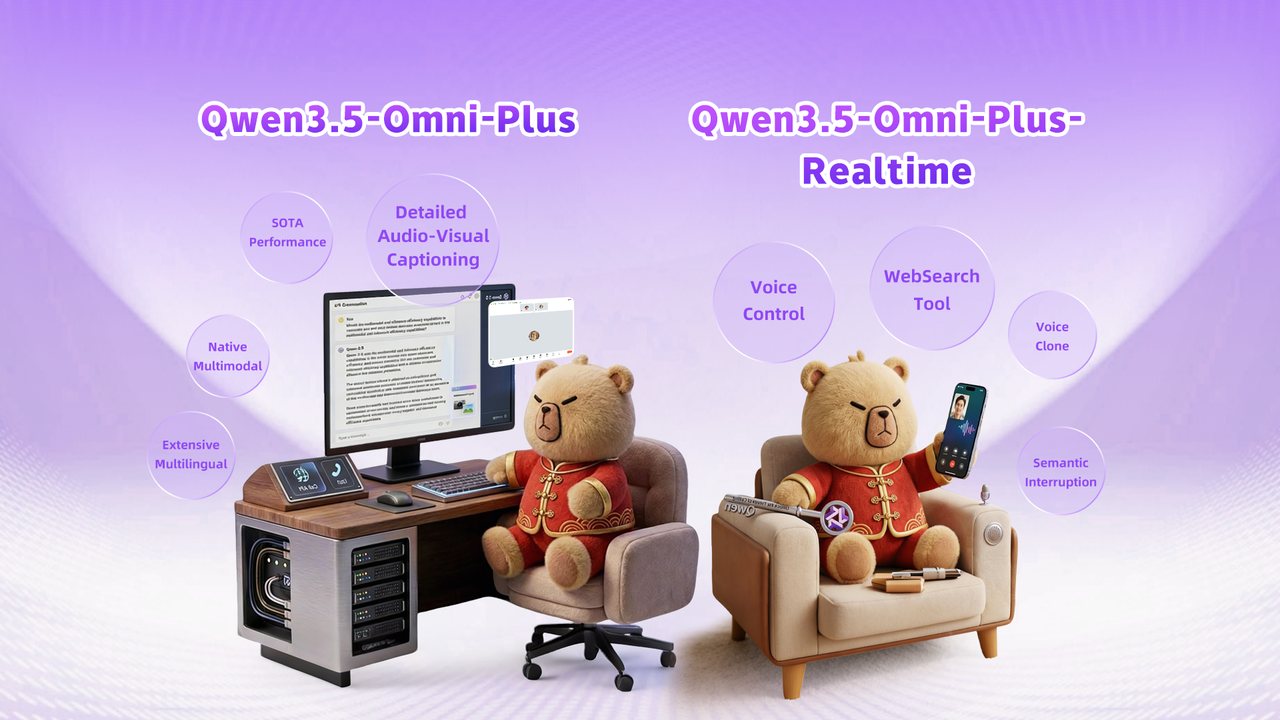
Plus — Benchmark Leader, When It’s Worth the Cost
Qwen3.5-Omni-Plus achieved 215 SOTA results across audio and audio-video understanding, reasoning, and interaction tasks. That’s a big number, and Alibaba benchmarks tend to count aggressively — but the independent comparisons are backing it up in the categories that matter.
On standard benchmarks, Qwen3.5-Omni Plus outperformed Gemini 3.1 Pro on general audio understanding, reasoning, and translation tasks, and matched it on audio-visual comprehension. On multilingual voice stability across 20 languages, it beat ElevenLabs, GPT-Audio, and Minimax.
Voice cloning is available on both Plus and Flash via API — you send a 10–30 second voice sample, and the model clones it for output.
When do you pay for Plus? When output quality is the thing your users actually notice. Voice agent products where voice naturalness is a core value prop. High-stakes transcription where accuracy over rare languages matters. Anything where you’re comparing against Gemini or GPT-Audio directly and you need to win on quality.
Flash — Throughput and Latency Trade-offs
Flash is the default recommendation for production use according to the API documentation. The model IDs are qwen3.5-omni-flash for the standard variant, and Flash is described as the default when balancing latency, quality, and response for most production scenarios.
For creators building AI-assisted workflows — auto-captioning pipelines, real-time interview transcription, video summarization at scale — Flash is almost certainly your starting point. You batch test against Plus to see if the quality delta is worth the cost difference for your specific use case.
The predecessor Qwen3-Omni Flash already had streaming voice responses with latency as low as 234 milliseconds. Expect Qwen3.5-Omni Flash to be in a similar range, though exact published latency benchmarks for 3.5 specifically aren’t confirmed in the initial release notes.
Light — Edge and Budget Use Cases
Light is the smallest variant in the family. Parameter counts for the 3.5-Omni series haven’t been fully confirmed at the time of writing, but the predecessor’s 30B-A3B model ran reasonably well on consumer hardware with the right quantization, and the Light variant here could follow a similar pattern.
If you’re prototyping, building something for a client with tight inference costs, or genuinely running at the edge, Light is where you start. Don’t write it off as “the bad one” — for many creator tools workflows (think: automated thumbnail captioning, simple Q&A over uploaded audio), it’s likely more than enough.
What’s New vs. Qwen3-Omni
Context Window: 256K Tokens, 10+ Hours of Audio
This is the change I care about most from a practical production standpoint.
The 256K token context window translates to over 10 hours of audio, or roughly 400 seconds of 720p video with audio. That is a meaningful jump. The predecessor Qwen3-Omni’s thinking mode maxed out at 65,536 tokens with 32,768 token reasoning chains — useful, but limited to longer-form media.
For podcast analysis, long-form interview processing, extended customer call summarization — this context window changes what’s actually feasible in a single API call.
Language Coverage: 113 Recognition, 36 Generation
Speech recognition now covers 113 languages and dialects, up from 19 in the predecessor. Speech generation expanded from 10 languages to 36.
Honest note here: Alibaba does count regional dialects in a way that inflates these numbers compared to how, say, OpenAI would count the same coverage. Even discounting for that, the jump is real. If you’re building for Southeast Asian markets, Arabic content, or any multilingual voice workflow, this is a significant practical improvement.
Thinker-Talker with Hybrid-Attention MoE
The Thinker-Talker architecture was first introduced in Qwen2.5-Omni. The important upgrade in 3.5-Omni is that both components now use a Hybrid-Attention MoE (Mixture-of-Experts) design, matching the broader Qwen3.5 family’s shift toward sparse architectures.
Why this matters for developers: the Thinker-Talker split lets external systems — RAG pipelines, safety filters, function calls — intervene between the two stages before speech synthesis begins. That’s not just architectural detail. It means you can plug your own logic between what the model reasons and what it says out loud. For production voice agents, that’s genuinely useful.
Semantic Interruption and Voice Cloning
Anyone who has deployed a voice bot knows the pain: user coughs, dog barks, someone says “mm-hmm,” and the bot stops mid-response thinking it’s being interrupted.
Qwen3.5-Omni adds semantic interruption, which attempts to distinguish between a user genuinely wanting to interject and ambient background noise or passing comments. This is one of those features that sounds minor in a changelog but is actually the difference between a voice assistant people find frustrating and one they keep using.
Voice cloning and real-time voice control for speed, volume, and emotion are also new. The team mentions a feature called ARIA that improves voice output stability and naturalness — the technical specifics of what ARIA does internally haven’t been detailed in the initial release.
How to Access Qwen3.5-Omni
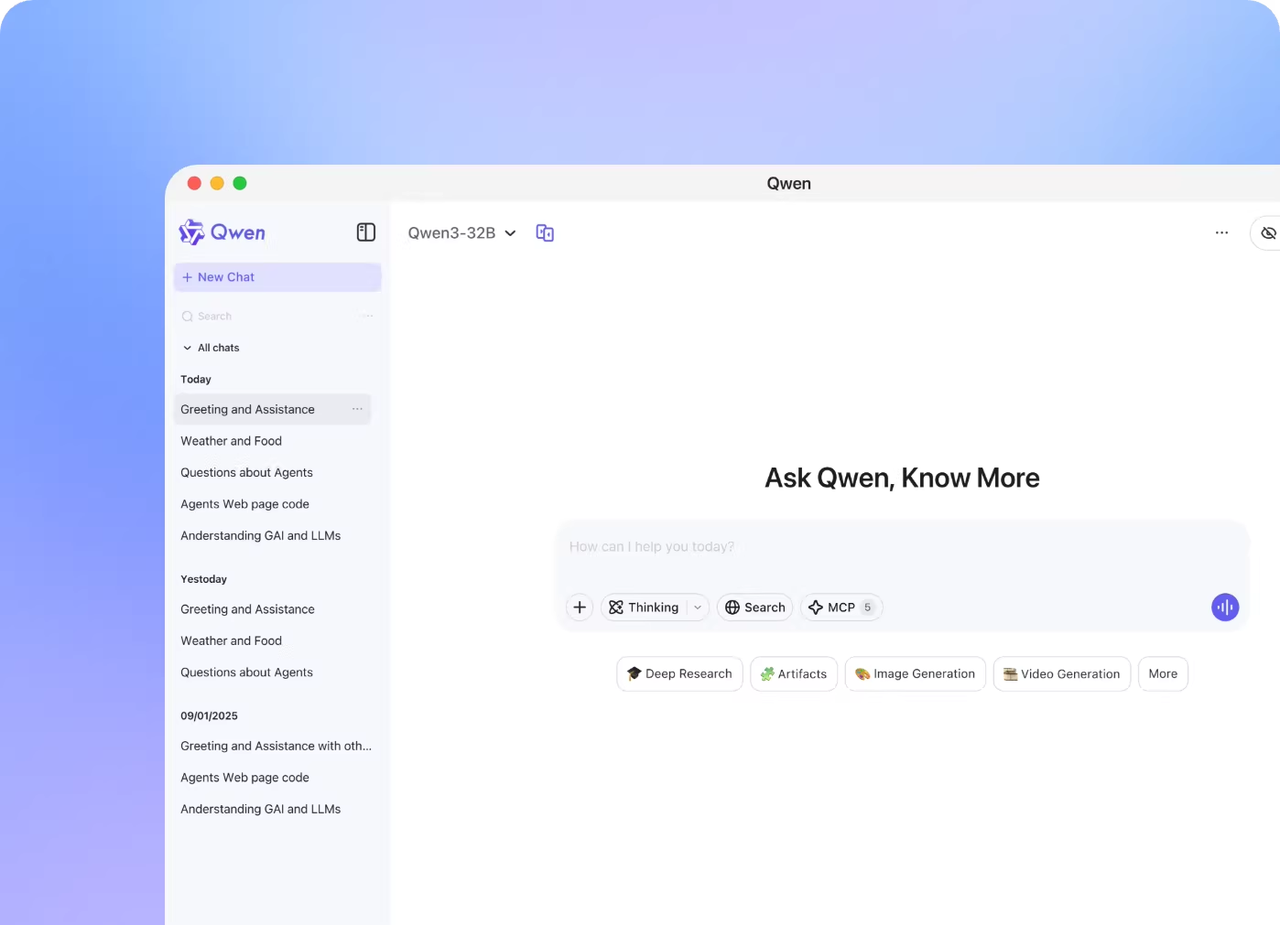
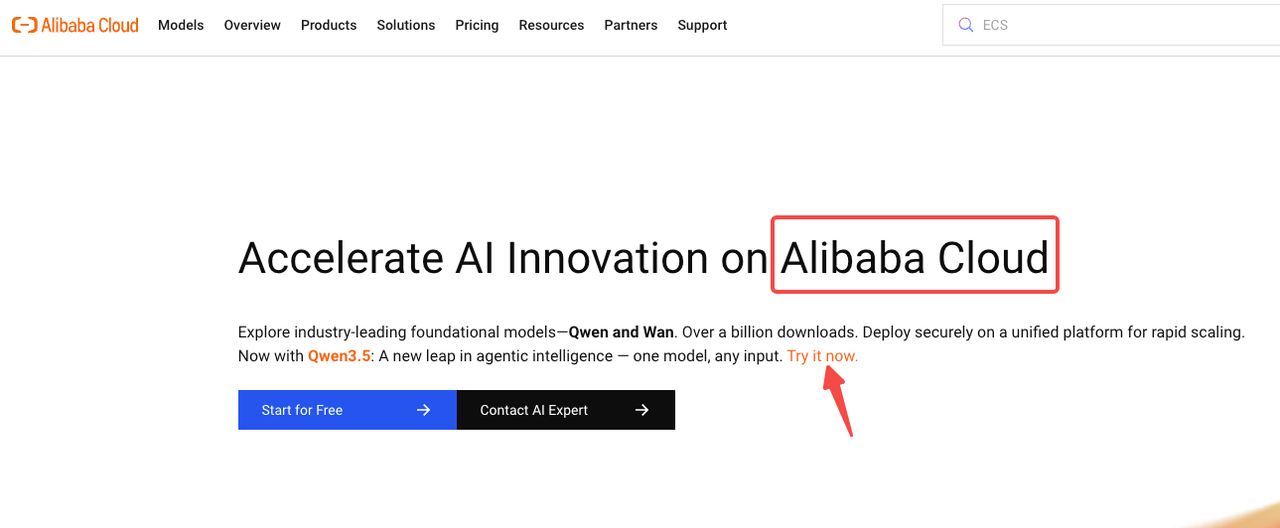
DashScope API (Alibaba Cloud)
The primary production access path is through Alibaba Cloud’s DashScope API. It uses an OpenAI-compatible interface, which means if you’re already hitting GPT-4o or Claude via the OpenAI SDK, the migration is straightforward.
DashScope supports multiple regions: Singapore (international), US Virginia, China Beijing, and Hong Kong, with different endpoint URLs for each. For most non-China-based teams, the Singapore international endpoint is your default: dashscope-intl.aliyuncs.com.
Model IDs for the three variants follow the pattern qwen3.5-omni-plus, qwen3.5-omni-flash, and qwen3.5-omni-light. The API structure follows the standard /v1/chat/completions format with a modalities parameter to specify whether you want text, audio, or both in the response.
vLLM Self-Hosting Option
The Qwen team strongly recommends vLLM for inference and deployment of the Qwen-Omni series models, providing a Docker image that includes a complete runtime environment for both HuggingFace Transformers and vLLM.
The caveat is that inference speed with HuggingFace Transformers on MoE models can be very slow, so for large-scale or low-latency requirements, vLLM or the DashScope API is the recommended path.
If you’re self-hosting, plan around vLLM 0.13.0 specifically — that’s the version referenced in the official setup documentation. The MoE architecture means memory requirements are lower than a comparable dense model at the same quality level, but you’ll still want to validate GPU allocation before spinning up a production deployment.
Open-Weight Status: What’s Confirmed vs. Pending
This is where I want to be careful and not speculate beyond what’s confirmed.
Qwen3-Omni (the predecessor) was released under Apache 2.0 on GitHub and HuggingFace. Whether Qwen3.5-Omni’s weights will follow the same Apache 2.0 licensing path hasn’t been confirmed in the initial announcement. The predecessor’s weights are publicly available — the 3.5 weights may follow, but as of the March 30 release date, that confirmation is pending.
Don’t build your open-weight deployment plans around this until the official GitHub repo or HuggingFace model card confirms licensing. Check QwenLM GitHub for updates.
Who Should Pay Attention to This Release
Voice Agent and Real-Time Conversation Builders
If you’re building voice-first applications — customer service bots, AI companions, interactive voice tools — Qwen3.5-Omni is worth serious evaluation. The semantic interruption alone addresses a known pain point that every voice agent developer has hit. Add native function calling and web search, and this starts to look like real infrastructure rather than a research release.
The Qwen blog post highlights native web search and function calling support baked directly into the omni model, which positions it less as a research artifact and more as infrastructure for voice-first applications.
Audio-Visual Production and Captioning Workflows
For creator tools, video production automation, and captioning at scale — this is the most compelling release in the open-weight multimodal space right now. The 10+ hour audio context means you can process full-length content in one call. Expanded language coverage means multilingual content is no longer a special case.
The combination of audio understanding and video frame analysis in a single inference call also makes this genuinely useful for things like: automated highlight extraction, B-roll captioning, voice-over transcription with on-screen text correlation.
Teams Already Running Qwen3-Omni in Production
If Qwen3-Omni is already in your stack, upgrading to Qwen3.5-Omni is straightforward. The API structure is consistent. The context window upgrade alone makes this worth testing on your existing workloads — especially anything that was hitting the 65K token ceiling.
What It Doesn’t Cover
Not an Image Generation Model
Worth saying clearly because “omnimodal” creates some confusion: Qwen3.5-Omni generates text and speech. It does not generate images or video. It understands images and video as input — that’s a completely different capability. If image generation is what you need, look at Qwen’s separate VL and image-generation model lines, or the qwen-image-plus model in the DashScope catalog.
Inference Speed on MoE: vLLM vs. HuggingFace Transformers
This tripped up a lot of people with Qwen3-Omni and it’ll trip up people with 3.5-Omni too. Since Qwen3-Omni employs an MoE architecture, inference speed with HuggingFace Transformers on MoE models can be very slow. For large-scale invocation or low-latency requirements, vLLM or the DashScope API is strongly recommended.
Don’t benchmark on HuggingFace Transformers and conclude the model is slow. Test on vLLM or the managed API before forming a view on production viability.
FAQ
Is Qwen3.5-Omni open source or open weight?
As of the March 30, 2026 release, the open-weight status of Qwen3.5-Omni hasn’t been officially confirmed. The predecessor Qwen3-Omni was Apache 2.0 open-weight and available on HuggingFace. Expect a similar release cadence for 3.5-Omni, but verify on the official QwenLM GitHub before depending on it.
Can I self-host Qwen3.5-Omni-Plus?
The DashScope API is the confirmed production path today. Self-hosting via vLLM is supported for Qwen3-Omni and will likely be supported for 3.5-Omni once weights are released. The Plus variant’s MoE architecture means active parameter requirements are lower than a comparable dense model, but you’ll need a multi-GPU setup for the full Plus variant.
Does it support function calling and web search natively?
Yes. The Qwen blog post explicitly highlights native web search and function calling support built into the omni model. Function calling follows the standard OpenAI tools format via the DashScope API. This is a meaningful differentiator — you can build voice agents that query live data without routing through a separate orchestration layer.
Previous Posts:
Related Articles
Claude Code Leaked Source: BUDDY, KAIROS & Every Hidden Feature Inside
What Is Claude Mythos? Leak, Capybara Tier & What Anthropic Confirmed