
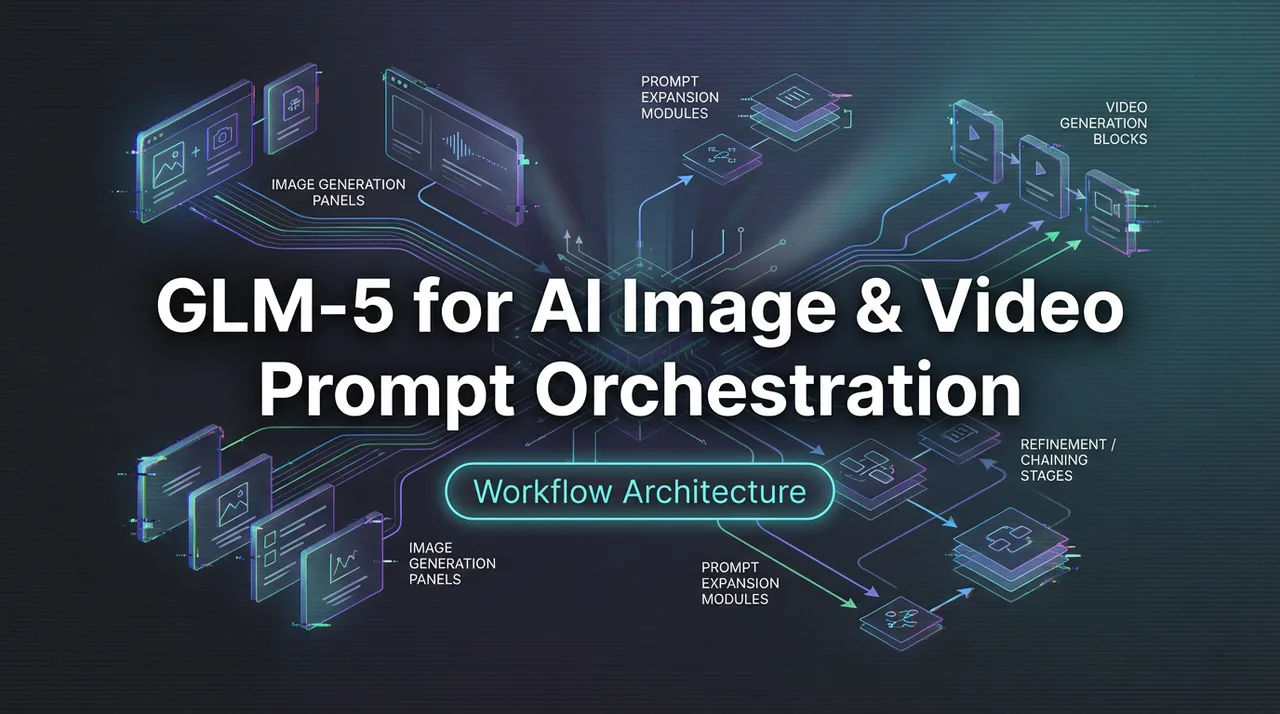
GLM-5 for AI Image & Video Prompt Orchestration
Use GLM-5 as the reasoning layer to generate, refine, and chain prompts for image and video models on WaveSpeed.
Hey, I’m Dora. I was trying to turn a rough idea, “muted ceramic mug on a linen table, morning light”, into a short product clip. The visuals were fine in my head. The prompts weren’t. I kept bouncing between image, video, and upscaling tools, rewriting tiny phrases that somehow changed everything. It felt like I was working in fragments.
Orchestrate GLM 5.1 with image/video models on WaveSpeedAI — one platform, one billing surface. GLM 5.1 API → · Browse all LLMs →
I tried folding GLM-5 into the middle of that mess, not as the star, just the person at the whiteboard. My goal was simple: treat GLM-5 as the prompt orchestrator for image and video models. The phrase I kept in my notes was “GLM-5 image video prompt,” because that’s the job: take a normal description, and reliably turn it into prompts that downstream models respect.
Why a strong LLM matters for image/video pipelines
I don’t need one model to do everything. I need one model to say things clearly, the same way, every time. That’s what makes or breaks a visual pipeline.
With images and video, tiny words change outputs in big ways, camera distance, focal length, material adjectives, even the order they appear. If you’ve ever added “diffused backlight” at the end and watched the whole mood shift, you know the feeling.
I used to handcraft each prompt for every tool: one for FLUX, another for WAN, a third for the upscaler. It worked, but it didn’t scale, and it drained attention. A strong LLM in the middle does three things for me:
- Normalizes language: turns a casual brief into a schema each model understands.
- Adds guardrails: constrains style and technical specs so variations don’t drift.
- Keeps memory: carries choices (camera, palette, product notes) across tools without me retyping.
This isn’t about saving minutes on typing. It’s about saving the small judgment calls that eat a session. When GLM-5 keeps the structure steady, I can see changes cleanly, what shifted, and why.
GLM-5 as prompt orchestrator
I didn’t go hunting for features. I just asked: can GLM-5 take my plain description, shape it for the right model, and keep track of everything across steps? Here’s what that looked like in practice.
Generate FLUX prompts from natural descriptions
The first pass: feed GLM-5 a short plain-English brief and ask for a FLUX-ready prompt with explicit fields, subject, camera, lighting, materials, background, color constraints, negatives. I borrowed the structure from the FLUX model notes and a few public prompt guides, then made it boring-on-purpose. Boring is repeatable.
A small surprise: GLM-5 was good at quietly inferring missing details (e.g., adding a 50mm equivalent when I forgot to choose focal length). I asked it to label assumptions so I could accept or reject them. That cut a few back-and-forths.
What didn’t go as smoothly: GLM-5 sometimes defaulted to ornate adjectives I didn’t want (“ethereal,” “stunning”). I added a rule, “concrete, photography-first language only”, and the fluff dropped.
Chain: GLM-5 prompt → WAN 2.5 video → upscale
Once the image prompt stabilized, I had GLM-5 translate it into a video prompt for WAN 2.5. The mapping wasn’t 1:1. Video needs motion, timing, and constraints that image prompts ignore. I pulled a simple template from the WAN documentation and asked GLM-5 to fill: motion beats, camera movement (or none), duration, subject actions, and continuity notes so the first frame could match the image render.
Two field notes:
- If I let GLM-5 add camera motion by default, WAN 2.5 sometimes over-animated the scene. Locking movement to one axis or keeping it static led to cleaner loops.
- Matching color temperature between image and video mattered more than I expected. I had GLM-5 carry a numeric white balance target (e.g., 5200K) between steps.
For upscaling, I kept it dull and deterministic: prompt only for texture intent (matte vs glossy), noise tolerance, and sharpening bias. Simple guidance led to fewer artifacts.
Batch prompt expansion for A/B testing
This is where GLM-5 felt most like a coworker. I’d ask it to generate five micro-variations that each changed exactly one lever: focal length, table texture, time of day, or saturation range. No poetic rephrasing. Just one clean delta per variant. It labeled each with a reason and predicted risk (e.g., “may introduce specular highlights”).
It didn’t save time at first, I still had to sort the good from the bad. But by the third batch, I noticed the mental effort was lower. The structure made comparison honest. I could actually see what choice won, not just what prompt sounded nicer.
Agentic workflow: GLM-5 plans multi-step generation
I didn’t flip on “agent mode” and walk away. I asked GLM-5 to plan the steps, check assumptions, then wait for me. A simple loop: plan → propose prompts → get my edits → execute → summarize.
It helped to give GLM-5 a small checklist up front:
- Clarify the goal in one sentence.
- Ask for unknowns (camera, palette, motion).
- Produce first-pass prompts for image, then translate to video.
- Keep a shared constraints block: product SKU notes, brand colors, aspect ratio, max motion.
- After each render, log what changed and what to keep.
Example: product shoot → 5 angles → video
I tried this with a minimal product shoot: a ceramic mug, linen table, soft morning light. The job: five stills from different angles, then a 6–8 second loop.
What I observed (Feb 2026, three sessions):
- Step 1, Angle set: GLM-5 proposed five camera angles with explicit distances and heights (e.g., 1.2m high, 0.6m back, 35° down). That specificity mattered. It kept compositions consistent across variants.
- Step 2, Texture control: For linen, GLM-5 suggested avoiding strong side light to prevent moiré when upscaling. It wasn’t always right, but the caution saved one noisy take.
- Step 3, Video handoff: When moving to WAN 2.5, it treated the hero still as “frame zero.” It carried lens, white balance, and exposure compensation. Fewer surprises.
- Step 4, Sanity passes: Every two renders, GLM-5 summarized drift: “warmth +6%, shadows deeper, reflections introduced.” These little notes made it easier to choose when to stop.
Limits: I didn’t let GLM-5 pick music or pacing beats beyond motion notes. When it tried to be “creative,” it added gestures that didn’t fit the product. Restraint worked better here.
Prompt quality comparison: GLM-5 vs GLM-4.7 outputs
I ran the same natural description through GLM-4.7 and GLM-5, then used the outputs unchanged. Not a lab test, just the kind of trial I’d do before a deadline.
Brief I used: “Muted ceramic mug on a linen table, soft morning light, neutral palette, no branding. Clean, quiet, true-to-life.”
What I saw:
- Structure discipline: GLM-5 respected the schema more often. GLM-4.7 drifted into style phrases (“dreamy,” “elegant”) that nudged FLUX toward a lifestyle look. GLM-5 stuck to camera, light, material.
- Numeric anchors: GLM-5 offered modest numeric defaults (35mm, f/4, 5200K) and labeled them as assumptions. GLM-4.7 tended to skip numbers unless asked.
- Negative prompts: GLM-5 included practical negatives (“bokeh balls, glossy highlights, telephoto compression”) that reduced artifacts in my test images. GLM-4.7’s negatives were generic.
- Translation to video: GLM-5 added a simple motion script and timing: GLM-4.7 mostly restated the image prompt with “short video.” WAN 2.5 respected GLM-5’s timing more.
Small counterpoint: GLM-4.7 sometimes produced a nicer-sounding prompt that, to my eye, worked for mood boards. If you’re in concepting mode, that tone can be useful. But for production handoff, I preferred GLM-5’s restraint.
These gave me language patterns that GLM-5 could repeat reliably.
Code example — full pipeline with WaveSpeed SDK
Below is a trimmed example to show the shape of the workflow I used. Replace keys and endpoints with your own. I ran a variation of this on Feb 9, 2026. It’s not elegant. It is dependable.
# pip install wavespeed sdk hypothetical

from wavespeed import GLM5, Flux, WAN25, Upscaler


glm = GLM5(api_key=GLM5_KEY)

flux = Flux(api_key=FLUX_KEY)

wan = WAN25(api_key=WAN_KEY)

up = Upscaler(api_key=UPSCALE_KEY)


brief = {

"subject": "muted ceramic mug on a linen table",

"mood": "soft morning light, neutral palette",

"constraints": {"aspect_ratio": "4:5", "brand_colors": ["#E8E4DA", "#8D8A83"]}

}

# 1) Ask GLM-5 to normalize the brief for FLUX

flux_prompt = glm.generate(

system="Return a FLUX-friendly prompt with fields: subject, camera, lighting, materials, background, color, negatives. "

"Photography-first, numeric where helpful, minimal adjectives. Label assumptions.",

user=brief,

format={

"type": "object",

"properties": {

"subject": {"type": "string"},

"camera": {"type": "object"},

"lighting": {"type": "object"},

"materials": {"type": "object"},

"background": {"type": "string"},

"color": {"type": "object"},

"negatives": {"type": "array", "items": {"type": "string"}},

"assumptions": {"type": "array"}

},

"required": ["subject", "camera", "lighting", "negatives"]

}

)

# 2) Image render

img = flux.generate_image(prompt=flux_prompt, seed=4217, steps=30, guidance=3.5)

# 3) Translate to WAN 2.5 video prompt

wan_prompt = glm.generate(

system="Translate the FLUX prompt into a WAN 2.5 prompt. Include: duration 6-8s, motion beats, camera movement (static or gentle pan), "

"continuity with the image (lens, white balance), and a list of negatives.",

user={"flux_prompt": flux_prompt, "reference_frame": img.preview_url}

)


vid = wan.generate_video(prompt=wan_prompt, seed=4217, fps=24, duration=7)

# 4) Upscale with controlled sharpening + noise

final = up.enhance(

input=vid.keyframe(0),

noise_reduction="low",

sharpening="moderate",

texture_bias="matte"

)

# 5) Log drift summary

drift = glm.generate(

system="Summarize differences between target brief and outputs. 3 bullets: warmth, contrast, motion.",

user={"brief": brief, "image": img.metrics, "video": vid.metrics}

)

print(drift)
I keep the LLM prompts close to the code so future me can see why choices were made. If you prefer YAML templates, that works too. The important part is that GLM-5 returns structured fields you can pass straight to render functions without editing.
A few small guardrails that helped:
- Seed everything until you like the base look. Then release seeds only where you want variation.
- Carry white balance as a number, not a vibe.
- Ask GLM-5 to list assumptions and let you accept/reject them before rendering.
If your stack doesn’t use WaveSpeed, the idea still holds. The LLM sits between your notes and the model endpoints, translating and keeping score.
/filters:quality(82)/media/images/43fa0e7f-a0db-48d7-9bab-921d1225db30.webp)
/filters:quality(82)/media/images/5799ff56-3a73-40ca-a666-e4965d878496.webp)
/filters:quality(82)/media/images/7a8850fc-caf6-482f-ac4d-5ddbe64ec47c.webp)
/filters:quality(82)/media/images/64b08aeb-92bb-48b8-924c-2e2535731f28.webp)
/filters:quality(82)/media/images/6cd1ca63-9e7e-493b-8a68-97bad82fb7b4.webp)
/filters:quality(82)/media/images/567077af-c3bd-4701-ba96-1b981a515d79.webp)