Best Video Face Swap Tools Online
Hi, I’m Dora. I’ve been testing AI video tools for over a year, mostly to understand what’s genuinely usable versus what just screenshots well. A few months ago I started applying a consistent evaluation framework to video face swap tools — same source clips, same test conditions, same output review process. Not a lab setting, but structured enough to compare across tools with some confidence.
This guide is about selection. If you’re also exploring other AI video tools beyond face swapping, it’s worth seeing how Seedance, Kling, and Sora compare in real AI video generation workflows. If you’re trying to decide which video face swap online tool fits your workflow, I want to give you a cleaner basis for that decision than most reviews do.

What Makes One Online Face Swap Tool Better Than Another
Most comparisons collapse everything into a vague “quality score.” That’s not useful for picking a tool. Here are the four dimensions I tracked separately. For creators evaluating newer video models as well, this overview explains what SkyReels V4 is and why some creators use it for AI video generation.
Output quality
Quality in face swap video has two components that need to be evaluated independently. First: spatial quality — how clean is the edge blending around the hairline, jaw, and neck in any single frame. Second, and harder: temporal consistency — how stable does the identity stay across frames when the subject moves.
Research on video quality metrics confirms that temporal artifacts — distortions that appear across frame sequences rather than within a single frame — require dedicated measurement methods that most spatial quality scores don’t capture. This distinction matters practically: a tool that produces a clean still but shows identity drift or smearing across a 10-second clip is not a high-quality tool for video, regardless of how the preview looks.
In my testing, I used two clips per tool: one 10-second forward-facing talking-head shot, and one 12-second clip with moderate head movement and a 45-degree turn. The second clip is where most tools diverge significantly.
Speed
For iterative work — testing source photos, comparing outputs — render time compounds quickly. I measured wall-clock time from upload to downloadable output, not just stated processing time. Free tier queue waits are included in that number, which matters.
Results across tools ranged from under 60 seconds to over 9 minutes on the same clip. That’s not a minor difference when you’re running five variants.
Multi-face support
This is a separate capability, not a feature extension. Face swap in video requires solving both detection and temporal optimization problems — tracking each face independently across frames while maintaining consistent identity replacement throughout the sequence. Multi-face clips multiply that complexity. Most free tiers support single-face detection only, and even paid tiers vary significantly in how well they handle group shots where faces partially overlap or move at different rates.
I tested multi-face support with a 3-person clip. Where tools claimed multi-face capability, I evaluated each individual swap independently.
Ease of use
Counterintuitively, ease of use matters more at the higher-quality end of the spectrum. Basic tools are simple because they offer few controls. Tools with higher ceilings — face region selection, realism adjustment, expression anchoring — expose more configuration, which increases interface complexity. The right level of complexity depends entirely on what you need to control.
Best Video Face Swap Tools Online
Best overall: Magic Hour
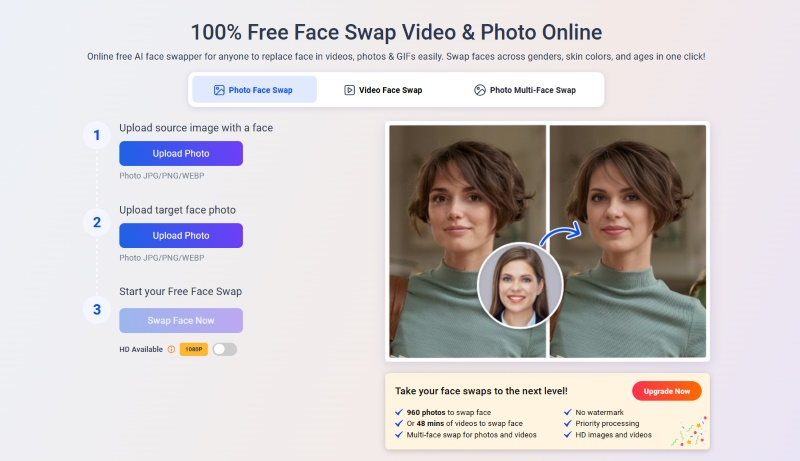
Magic Hour’s video face swap tool is the tool I’d send most people to first. No account required for the first three video swaps — that’s a genuine try-before-commit offer, not a countdown timer. Output resolution runs from 512px on the free plan up to 4K for business users, with built-in quality controls for lighting and facial features.
In my talking-head test, edge blending was the cleanest I saw across all tools — hairline transitions in particular. On the motion clip, facial alignment stayed stable during head movement, which is a common failure point for cheaper tools, making it especially suitable for talking-head videos and short marketing clips where realism matters.
The free tier watermark and 10-second clip cap are real limits. For paid plans, pricing starts at $12/month and renders on short clips typically complete in under 2 minutes. Late-2025 updates added multi-face detection in video and improved lip-sync accuracy — both of which tested noticeably better than earlier versions.
Best free option: Vidwud
Vidwud occupies an unusual position: genuinely no watermark on free exports, and no account required to start. On my forward-facing talking-head test, output quality was competitive with Magic Hour’s free tier — sharp edge blending, reasonable skin tone consistency.
The gaps showed up on the motion clip. The 45-degree turn produced a visible identity snap on one of three test runs — the swapped face briefly reverted to source face geometry during the turn before recovering. Not consistent, but present. Queue times during peak hours ran 7–9 minutes in my testing, which is worth factoring in if you’re iterating.
For anyone working primarily with forward-facing footage and willing to plan around the queue, Vidwud delivers the most output quality per dollar spent — specifically zero dollars.
Best for multi-face clips: Remaker
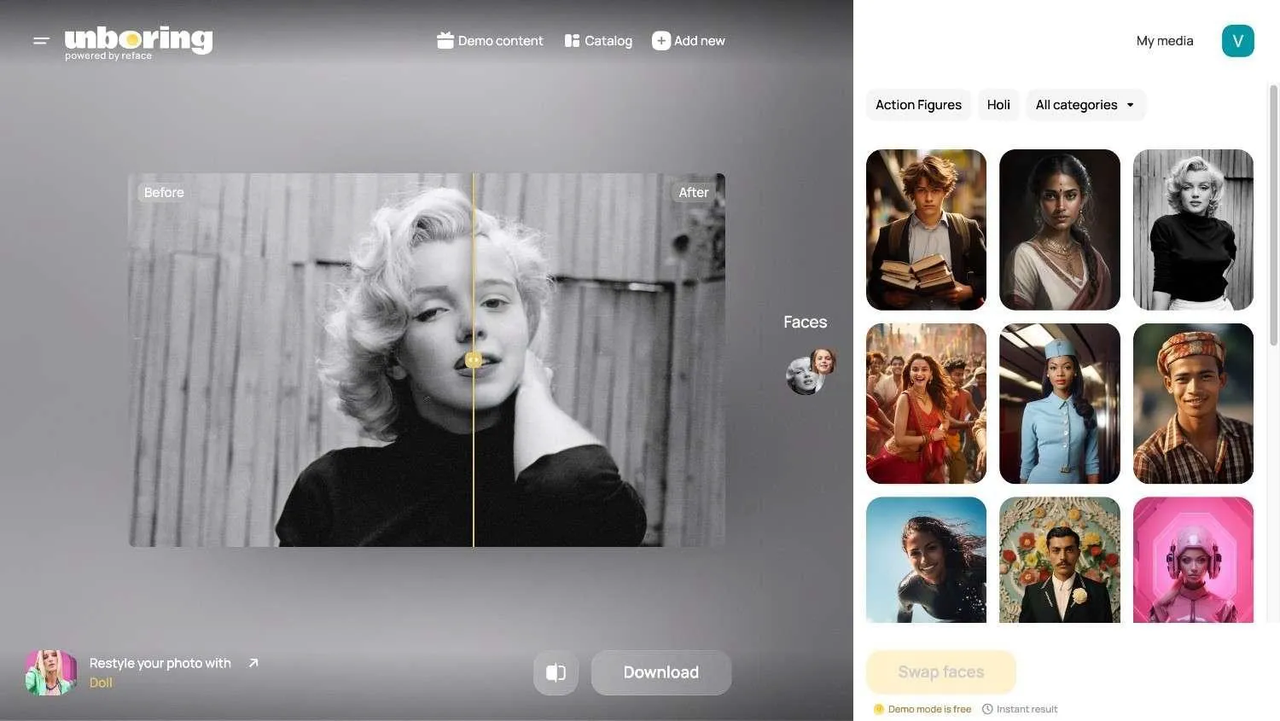
Remaker is the tool I’d reach for specifically when the clip has more than one subject. Solving temporal consistency for multi-face video requires each face to be tracked and replaced independently across frames — and Remaker’s interface is designed around that workflow. You can select, configure, and evaluate each face swap independently before rendering.
On my 3-person test clip, individual swap quality was solid — not Magic Hour level on close-up facial detail, but consistent across the sequence with no identity drift on any of the three subjects. The free tier runs on a daily credit system that limits volume, but covers a few test clips before hitting a cap.
Best for fast rendering: Reface
Reface isn’t optimizing for realism. It’s optimizing for speed and shareability, and it succeeds at both. Upload to result in under 30 seconds, consistently. Output leans entertainment-grade — the edge blending is softer and skin tone matching is approximate rather than precise.
I wouldn’t use it for anything where identity accuracy matters. But for checking whether a concept works before committing render time to a slower tool, it’s the fastest feedback loop available. Template quality varies substantially between older and newer additions to the library.
Quick Comparison Table
Two notes on this table: spatial quality and temporal consistency are scored separately because they diverge significantly between tools on motion clips. And “render time (free)” includes queue wait — that’s the number that actually affects your workflow.
Which Tool Fits Which Type of User
Casual creators
Start with Magic Hour. Three free swaps, no account, fast render. You’ll know within your first test whether the output quality clears your bar. If it does, done. If not, move to Vidwud for unlimited free attempts — slower, but no watermark.
Meme and short-form editors
Reface for speed when you’re testing ideas. Vidwud for quality when you’re ready to post. The tradeoff is clear: 30 seconds versus 7 minutes, entertainment-grade versus clean output. Pick based on where you are in the workflow, not as a permanent choice.
Users who care more about realism
Here’s the part most reviews skip: consistent realism across a full video clip — stable identity, natural lighting transitions, no temporal artifacts — requires model quality that correlates directly with compute. Free tiers are demonstrations, not production environments. Magic Hour’s paid plans, with output up to 4K and frame-by-frame precision tracking, represent the clearest path from “testing” to “consistent output quality” among the tools I evaluated. If that ceiling still isn’t sufficient for your use case, desktop tools like DeepFaceLab offer more granular control at the cost of significant setup complexity.
What Most Reviews Don’t Mention
Why “free” often means queue or watermark limits
The free tier problem isn’t primarily about feature caps — it’s about compute prioritization. Free users get lower-priority rendering. “Unlimited free use” sometimes means 45-minute wait times on a busy afternoon. In my tests, Vidwud’s peak-hour queue was 7–9 minutes; off-peak it dropped to 2–3 minutes. That variance matters when you’re iterating. Test on your actual schedule, not at 2am on a Tuesday.
Why export quality matters more than preview quality
Tools compress in-browser previews. The file you download is what you publish, and the two are often different. Temporal distortion artifacts in compressed video — the kind produced by lower-quality export pipelines — interact with spatial quality in ways that make the final output look worse than any individual frame suggests. Always download a test export and review it at full resolution before building a workflow around any tool. The preview is marketing. The download is the product.
A Note on Legal Context
The legal landscape around synthetic face content has shifted meaningfully and recently. The TAKE IT DOWN Act, signed into law on May 19, 2025, criminalizes the non-consensual publication of intimate imagery including AI-generated deepfakes, with covered platforms required to remove flagged content within 48 hours — and criminal prohibitions taking effect immediately. The full legislative record is available at Congress.gov’s official TAKE IT DOWN Act summary.
In the EU, the picture is different but equally specific. Article 50 of the EU AI Act requires providers of AI systems generating synthetic video content to ensure outputs are marked in a machine-readable format and detectable as artificially generated. These obligations take effect in August 2026, per the EU AI Act’s official Article 50 transparency requirements. If you’re publishing face-swapped content publicly in Europe, that requirement applies to the tools generating the content — and by extension to how you label and distribute it.
All tools in this guide are for consensual creative use with content you have rights to. That framing isn’t legal boilerplate — it’s the actual scope within which these tools are usable without legal exposure.

Final Recommendation
If you only need quick experiments
Magic Hour first — three real free swaps, fast render, no friction. Then Vidwud if you need more free attempts and can work around queue times. Between the two, you’ll have a clear read on whether the output quality meets your use case before spending anything.
If you need repeatable quality
Repeatable quality means consistent output across multiple clips under varying conditions — stable renders, predictable timing, reliable temporal consistency. That requires a paid tier somewhere. Late-2025 updates to Magic Hour improved multi-face detection in video and reduced lip-sync lag, with cloud processing speed on short clips now faster and more stable than earlier versions. For anyone building a content workflow rather than running one-off tests, that trajectory matters as much as current output quality.
Pick your minimum quality bar. Download a real test export, not a preview. Compare at full resolution. That’s the only evaluation that actually maps to what you’ll publish. If you want to move beyond editing clips and start generating AI videos from scratch, this tutorial walks through how to create videos with Seedance 2.0 on Wavespeed. Goodbye,my dears~
Related Articles

Canva AI Is Built for Designers — Here's What Developers Should Use Instead

We Tested Freepik AI for a Week — Here's Why We Still Use WaveSpeedAI

Leonardo AI Looks Great on Paper — But Here's What It Can't Do That WaveSpeedAI Can
Real-ESRGAN vs Topaz: Which Upscaler Wins?
SeedVR2 Online: How to Use It