X-AI Grok Imagine Image enables precise image editing with xAI's Grok Imagine model. Transform and modify images using text prompts with AI-powered precision. Ready-to-use REST inference API, best performance, no coldstarts, affordable pricing.
待機中

$0.0221回あたり·~45 / $1
サンプルすべて表示
3D character design, blind box toy style. A cute chibi girl wearing a fluffy dinosaur hoodie and oversized sneakers. She is sitting on a giant macaron. Soft clay texture, matte finish. Clean pastel color palette: mint green, baby pink, and cream. Studio lighting, soft shadows, 3D render, C4D, Octane render, high fidelity, 4k.
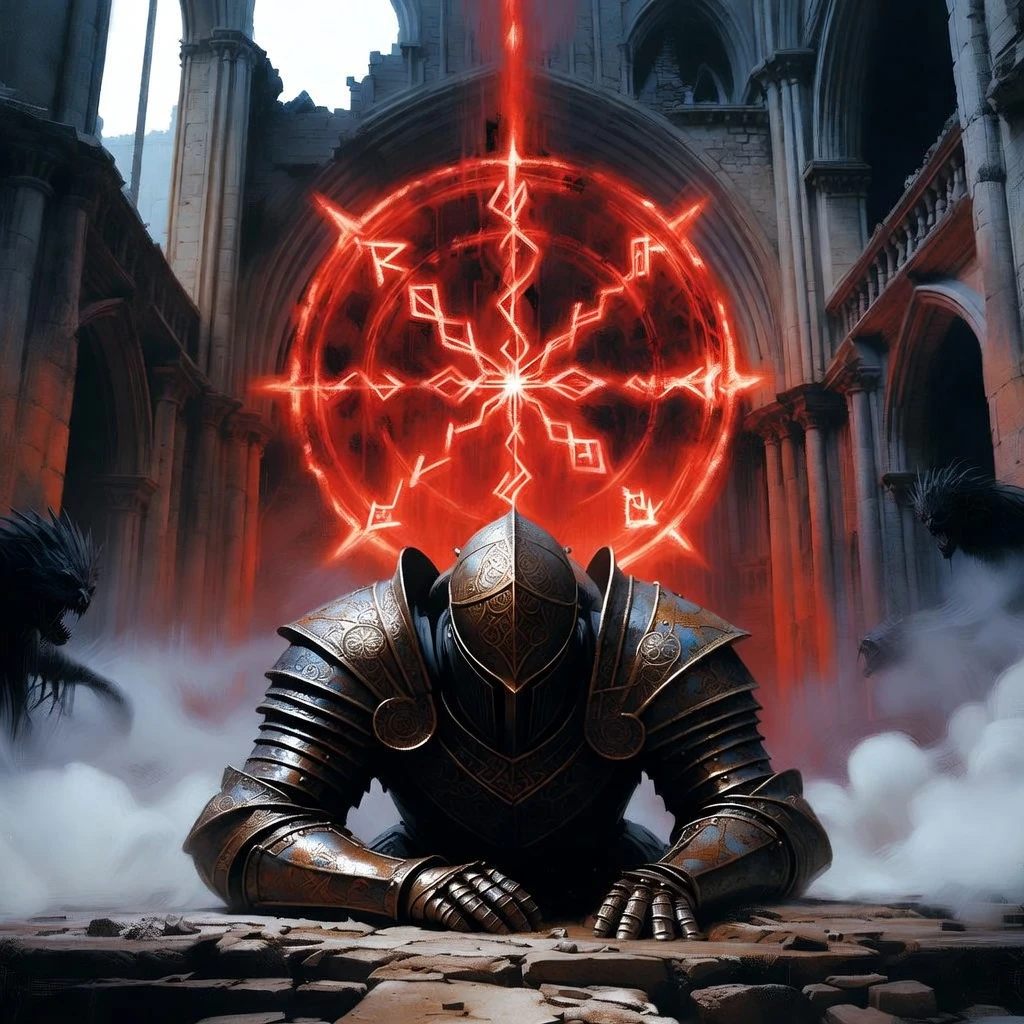
Dark fantasy concept art. A fallen knight in rusted, ornate armor kneeling in a ruined gothic cathedral. A massive, glowing red rune floats in the air above him. Fog rolls across the floor. Dramatic, high-contrast lighting. Shadows hide terrifying creatures in the corners. Oil painting texture, intricate details, cinematic composition, gloomy atmosphere.

Cinematic portrait of a stunning Indian woman in a traditional red Saree with gold embroidery. She is wearing intricate bridal jewelry (nose ring, heavy necklace). Her hands are decorated with detailed Henna (Mehndi) patterns. Warm, golden lighting illuminates her face. Rich, vibrant colors, shallow depth of field blurring the festive background. 85mm lens, culturally rich, masterpiece.
関連モデル





README
Grok Imagine Image Text-to-Image
Grok Imagine Image is X-AI's text-to-image generation model that transforms text prompts into high-quality visuals. With extensive aspect ratio options and batch generation support, it delivers creative, detailed images for a wide range of applications.
Why Choose This?
-
Extensive aspect ratios 11 preset options including 2:1, 20:9, 16:9, 4:3, 3:2, 1:1, 2:3, 3:4, 9:16, and 9:20.
-
Batch generation Generate up to 4 images in a single request for quick iteration.
-
Creative flexibility Excels at stylized content from 3D characters to photorealistic scenes.
-
Prompt Enhancer Built-in tool to automatically improve your prompts for better results.
-
Cost-effective Affordable per-image pricing for high-volume generation.
Parameters
| Parameter | Required | Description |
|---|---|---|
| prompt | Yes | Text description of the image you want to generate |
| aspect_ratio | No | Output ratio: 2:1, 20:9, 16:9, 4:3, 3:2, 1:1, 2:3, 3:4, 9:16, 9:20 |
| num_images | No | Number of images to generate (1-4, default: 1) |
How to Use
- Write your prompt — describe the image in detail, including style, mood, and composition.
- Select aspect ratio — choose from presets or leave empty for default.
- Set num_images — generate 1-4 images per request.
- Run — submit and download your images.
Pricing
| Output | Cost |
|---|---|
| Per image | $0.022 |
Billing Rules
- Total cost = $0.022 × num_images
- Maximum 4 images per request
Examples
- 1 image → $0.022
- 2 images → $0.044
- 4 images → $0.088
Best Use Cases
- Character Design — Create 3D characters, chibi figures, and toy-style illustrations.
- Social Media Content — Generate visuals for posts, stories, and ads.
- Concept Art — Quickly visualize ideas and creative concepts.
- Marketing Materials — Produce eye-catching imagery for campaigns.
- Rapid Prototyping — Generate multiple variations to explore design directions.
Pro Tips
- Use the Prompt Enhancer to refine your descriptions automatically.
- Be specific about style, texture, lighting, and color palette for better results.
- Generate multiple images (num_images=4) to explore variations quickly.
- Match aspect ratio to your target platform: 16:9 for YouTube, 9:16 for TikTok/Reels, 1:1 for Instagram.
- Use ultra-wide ratios (20:9, 2:1) for cinematic banners and headers.
Notes
- Maximum 4 images can be generated per request.
- Aspect ratio can be left empty to use default sizing.
- For best results, write detailed prompts with specific visual attributes.
Related Models
- Grok Imagine Image Edit — Edit existing images with text instructions.
Grok Imagine Image Text To Image API — Quick start
Grab a WaveSpeedAI API key, then call POST https://api.wavespeed.ai/api/v3/x-ai/grok-imagine-image/text-to-image with your input as JSON. The endpoint returns a prediction id. Start polling the result endpoint around every 2 seconds, increase the interval for long-running tasks, and stop on any terminal status. On completed, read output values from data.outputs. Examples for Grok Imagine Image Text To Image below.
HTTP example
set -euo pipefail

: "${WAVESPEED_API_KEY:?Set WAVESPEED_API_KEY}"

REQUEST_BODY=$(cat <<'JSON'
{
    "prompt": "A cinematic shot of a city at sunset, soft golden light",
    "aspect_ratio": "2:1",
    "output_format": "jpeg"
}
JSON
)

# 1. Submit the prediction.
SUBMIT_RESPONSE=$(curl --silent --show-error --fail-with-body \
  -X POST "https://api.wavespeed.ai/api/v3/x-ai/grok-imagine-image/text-to-image" \
  -H "Content-Type: application/json" \
  -H "Authorization: Bearer $WAVESPEED_API_KEY" \
  -d "$REQUEST_BODY")

TASK=$(printf '%s' "$SUBMIT_RESPONSE" | jq 'if has("data") then .data else . end')
PREDICTION_ID=$(printf '%s' "$TASK" | jq -r '.id')
if [ -z "$PREDICTION_ID" ] || [ "$PREDICTION_ID" = "null" ]; then
  printf 'Submission response did not contain a prediction id
' >&2
  exit 1
fi
RESULT_URL=$(printf '%s' "$TASK" | jq -r '.urls.get // empty')
if [ -z "$RESULT_URL" ]; then
  RESULT_URL="https://api.wavespeed.ai/api/v3/predictions/$PREDICTION_ID/result"
fi

# 2. Poll until the prediction finishes.
while true; do
  RESPONSE=$(curl --silent --show-error --fail-with-body "$RESULT_URL" \
    -H "Authorization: Bearer $WAVESPEED_API_KEY")
  RESULT=$(printf '%s' "$RESPONSE" | jq 'if has("data") then .data else . end')
  STATUS=$(printf '%s' "$RESULT" | jq -r '.status')
  case "$STATUS" in
    completed) printf '%s\n' "$RESULT" | jq '.outputs'; break ;;
    failed|cancelled|timeout) printf '%s\n' "$RESULT" | jq . >&2; exit 1 ;;
    created|processing) sleep 2 ;;
    *) printf 'Unexpected status: %s
' "$STATUS" >&2; exit 1 ;;
  esac
done
Node.js example
const submitUrl = "https://api.wavespeed.ai/api/v3/x-ai/grok-imagine-image/text-to-image";
const apiKey = process.env.WAVESPEED_API_KEY;
if (!apiKey) throw new Error('Set WAVESPEED_API_KEY');

async function requestJson(url, options = {}) {
  const response = await fetch(url, options);
  if (!response.ok) throw new Error(await response.text());
  return response.json();
}

// 1. Submit the prediction.
const body = await requestJson(submitUrl, {
  method: "POST",
  headers: {
    "Authorization": `Bearer ${apiKey}`,
    "Content-Type": "application/json",
  },
  body: JSON.stringify({
        "prompt": "A cinematic shot of a city at sunset, soft golden light",
        "aspect_ratio": "2:1",
        "output_format": "jpeg"
}),
});
const task = body.data ?? body;
if (!task.id) throw new Error("Submission response did not contain a prediction id");
const resultUrl = task.urls?.get ||
  `https://api.wavespeed.ai/api/v3/predictions/${task.id}/result`;

// 2. Poll until the prediction finishes.
while (true) {
  const resultBody = await requestJson(resultUrl, {
    headers: { "Authorization": `Bearer ${apiKey}` },
  });
  const result = resultBody.data ?? resultBody;
  if (result.status === "completed") {
    console.log(result.outputs);
    break;
  }
  if (["failed", "cancelled", "timeout"].includes(result.status)) throw new Error(JSON.stringify(result));
  if (!["created", "processing"].includes(result.status)) throw new Error("Unexpected status: " + result.status);
  await new Promise(resolve => setTimeout(resolve, 2000));
}
Python example
import json
import os
import time
from urllib.request import Request, urlopen

api_key = os.environ["WAVESPEED_API_KEY"]
headers = {"Authorization": f"Bearer {api_key}", "Content-Type": "application/json"}
payload = {
    "prompt": "A cinematic shot of a city at sunset, soft golden light",
    "aspect_ratio": "2:1",
    "output_format": "jpeg"
}

def request_json(url, data=None):
    request = Request(url, data=data, headers=headers, method="POST" if data else "GET")
    with urlopen(request) as response:
        return json.load(response)

# 1. Submit the prediction.
body = request_json("https://api.wavespeed.ai/api/v3/x-ai/grok-imagine-image/text-to-image", json.dumps(payload).encode())
task = body.get("data", body)
if not task.get("id"):
    raise RuntimeError("Submission response did not contain a prediction id")
result_url = task.get("urls", {}).get("get") or f"https://api.wavespeed.ai/api/v3/predictions/{task['id']}/result"

# 2. Poll until the prediction finishes.
while True:
    result_body = request_json(result_url)
    result = result_body.get("data", result_body)
    status = result.get("status")
    if status == "completed":
        print(result.get("outputs", []))
        break
    if status in {"failed", "cancelled", "timeout"}:
        raise RuntimeError(result)
    if status not in {"created", "processing"}:
        raise RuntimeError(f"Unexpected status: {status}")
    time.sleep(2)
Grok Imagine Image Text To Image API — Frequently asked questions
What is the Grok Imagine Image Text To Image API?
Grok Imagine Image Text To Image is a xAI model for image generation, exposed as a REST API on WaveSpeedAI. X-AI Grok Imagine Image enables precise image editing with xAI's Grok Imagine model. Transform and modify images using text prompts with AI-powered precision. Ready-to-use REST inference API, best performance, no coldstarts, affordable pricing. You can call it programmatically or try it from the playground above.
How do I call the Grok Imagine Image Text To Image API?
POST your input parameters to the model's REST endpoint (shown in the API tab of this playground) with your WaveSpeedAI API key in the Authorization header. Submission returns a prediction ID. Poll the result endpoint starting around every 2 seconds, increase the interval for long-running tasks, and stop on any terminal status. The playground generates production-oriented Python, JavaScript, and cURL examples with timeouts, transient-error handling, and safe GET retries. Full request/response shape is documented at https://wavespeed.ai/docs/docs-api/x-ai/x-ai-grok-imagine-image-text-to-image.
How much does Grok Imagine Image Text To Image cost per run?
Grok Imagine Image Text To Image starts at $0.022 per run. That figure is the base price — the final charge scales with the parameters you set in the form (output size, length, count, references, or whatever knobs this model exposes), so a higher-quality or larger output costs more than a minimal one. The exact cost for your current input is shown live next to the Generate button before you submit, and the actual per-call charge is recorded on the prediction afterwards.
What inputs does Grok Imagine Image Text To Image accept?
Key inputs: `prompt`, `aspect_ratio`, `output_format`. The full JSON schema (types, defaults, allowed values) is rendered above the Generate button and mirrored in the API reference at https://wavespeed.ai/docs/docs-api/x-ai/x-ai-grok-imagine-image-text-to-image.
How long does Grok Imagine Image Text To Image take to generate?
Median end-to-end generation time on WaveSpeedAI is around 13 seconds per request, based on recent successful runs. Queue time varies with global demand; live status is visible in the prediction record.
Can I use Grok Imagine Image Text To Image outputs commercially?
Commercial usage rights depend on the model's license, set by its provider (xAI). The license summary appears on the model card above; see WaveSpeedAI's Terms of Service for platform-level conditions.