Grok 2 Image is xAI’s latest image generation model that turns simple text prompts into sharp, photorealistic visuals in seconds. From product shots to social posts and concept art, it follows your instructions closely so you can go from idea to production-ready image with just one prompt. Ready-to-use REST inference API, best performance, no coldstarts, affordable pricing.
En attente

$0.07par exécution·~14 / $1
ExemplesTout voir
Cinematic aerial shot of a colossal biomechanical city-ship drifting through a nebula at golden hour, intricate organic-metallic architecture covered in bioluminescent veins, massive translucent wings made of light, thousands of tiny ships swarming like fireflies, warm rim lighting against cold cosmic background, shot on 65mm IMAX film, anamorphic lens flares, insane detail, photorealistic, 8K
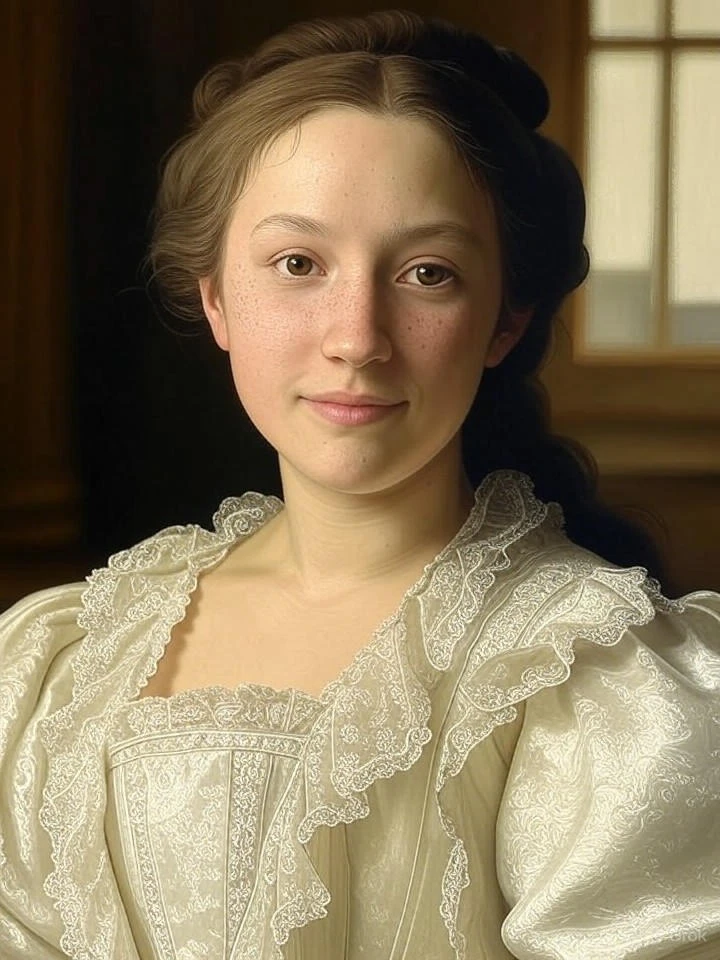
Hyper-realistic classical oil painting portrait of a 24-year-old East Asian woman with porcelain skin and subtle freckles, wearing 18th century European aristocratic attire with intricate lace and pearls, soft Rembrandt lighting, dramatic chiaroscuro, individual strands of hair, micro skin texture, in the style of John Singer Sargent and Bouguereau, museum quality, 8K
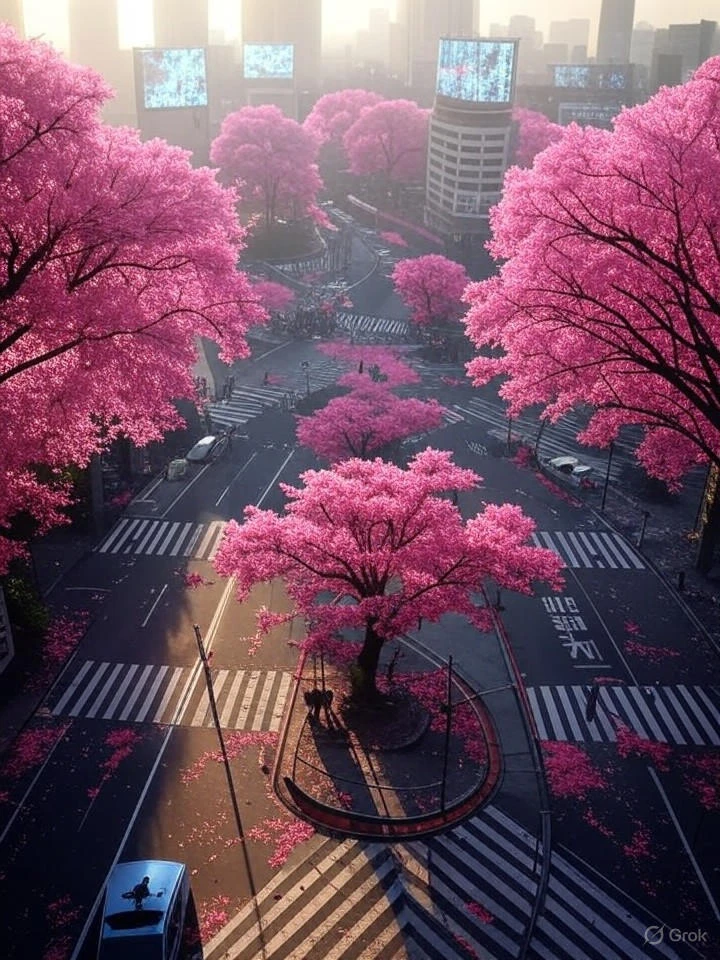
Cinematic aerial view of a post-apocalyptic Tokyo at sunrise, overgrown with massive glowing cherry blossom trees that emit pink particles, abandoned Shibuya crossing completely covered in petals, giant broken holographic billboards still flickering, golden rays piercing through thick fog, thousands of crows flying overhead, ultra-realistic, shot on 70mm IMAX, anamorphic lens flares, emotional masterpiece, 8K
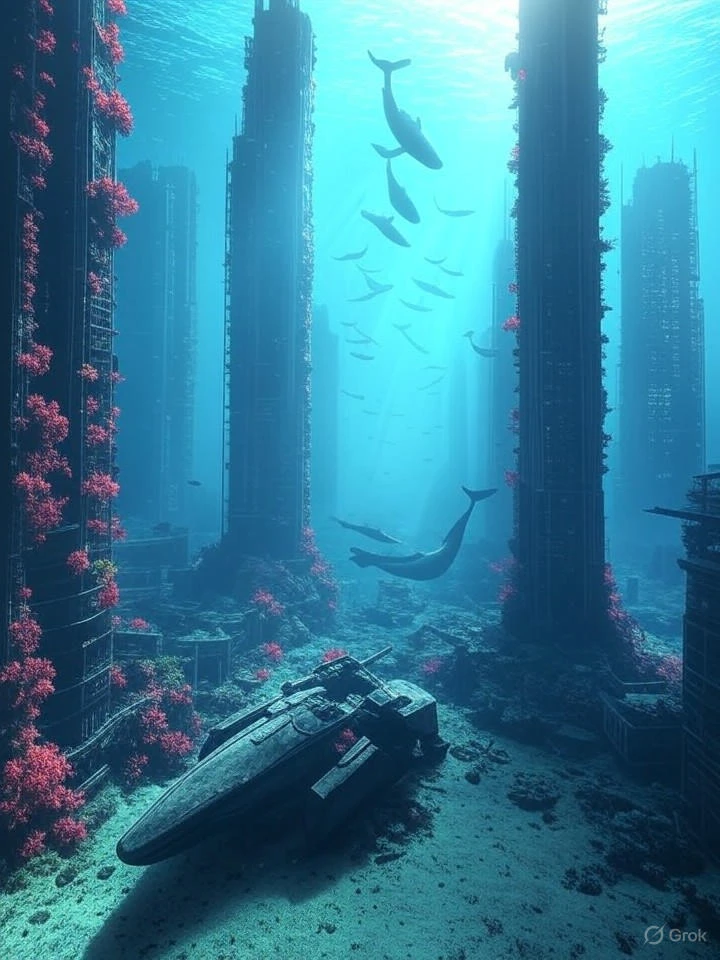
Breathtaking underwater scene of an ancient sunken cyberpunk city, massive skyscrapers covered in coral and bioluminescent algae, schools of whales swimming between buildings, rays of sunlight piercing through the surface creating god rays, abandoned mecha lying on the seabed, ethereal beauty, hyper-realistic, national geographic style meets blade runner 2049, 8K
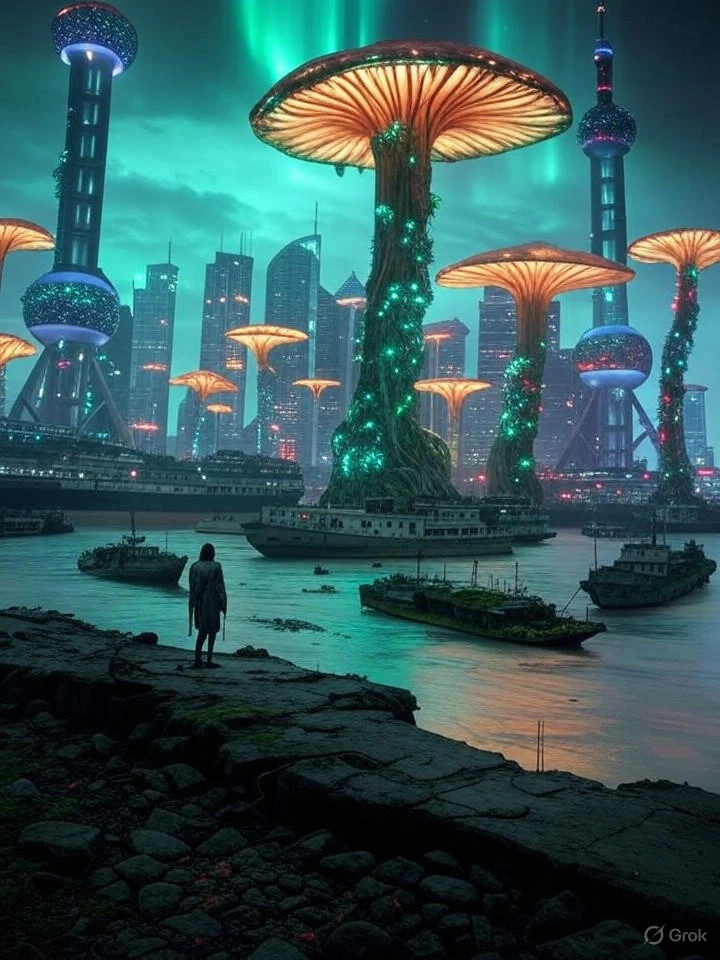
Dramatic panoramic view of Shanghai Bund 200 years after apocalypse, iconic skyline completely overtaken by massive glowing mushrooms and vines, Oriental Pearl Tower wrapped in bioluminescent flora, aurora borealis in the sky, abandoned ships floating in the Huangpu River covered in moss, lone figure standing on the bund, emotional and hauntingly beautiful, hyper-realistic, 8K
Modèles associés





README
Grok 2 Image
What is Grok 2 Image?
Grok 2 Image turns a natural-language text prompt into vivid, realistic images. It’s xAI’s flagship image generation model, tuned for marketing creatives, social posts, product visuals, concept art, and more.
In the API, you use the grok-2-image. A single request can generate multiple images, making it easy to explore variations on a single idea.
Why it looks great
-
Photorealistic, high-fidelity imagery Trained to produce detailed textures, convincing lighting, and sharp compositions that work well for ads, hero images, and product renders.
-
Strong prompt following Optimized for following descriptive prompts closely, capturing objects, layouts, and styles specified in your text while minimizing “prompt drift.”
-
Flexible visual styles Handles realistic photography, digital illustration, stylized artwork, and concept sketches, making it useful for storyboards, thumbnails, and creative exploration.
-
Multi-image generation in one shot A single request can generate up to 10 JPG images, so you can explore multiple creative directions from one prompt.
-
Competitive per-image pricing Images are billed per output image, keeping costs predictable for batch runs and A/B creative testing.
-
Prompt refinement under the hood Before reaching the image model, your text prompt can be lightly revised by a chat model to improve clarity, often leading to more accurate results without extra work on your side.
Pricing
-
Billing is based on the number of images generated.
-
Each image will cost $0.07.
How to Use
- Write your prompt
- Describe the subject, scene, style, and mood, for example:
- “ultra-wide shot of a neon city at night, rainy streets, cinematic”
- “product photo of wireless earbuds on a marble surface, soft studio lighting”
- Send the generation job
- Call the image API with model: "grok-2-image" (or grok-2-image-1212) and your prompt.
- Optionally specify how many variations to generate (up to 10 images per request).
- Download or display the results
- The API returns JPG images via URLs or encoded data, which you can save, display in an app, or feed into downstream editing/compositing tools.
Note
-
Output format: Images are returned in JPG format.
-
Per-job limits:
-
Up to 4 images per request
-
Additional throughput limits depend on your account/plan.
-
Prompt tips:
-
Be concrete about objects, layout, and style (e.g., “centered product on plain background”).
-
Avoid contradictory instructions in a single prompt.
-
Iterate: start simple, then gradually add details once you like the base composition.
More Image Generation Model Choices
-
Nano Banana Pro High-quality text-to-image generation from Google, suitable for product shots, concept art, and creative visuals.
-
Seedream v4.5 A versatile image generation model from, tuned for detailed scenes, characters, and stylized compositions.
-
Kling Image O1 A flagship image model from Kwaivgi/Kuaishou’s Kling series, focused on sharp, high-fidelity visuals and strong prompt adherence.
-
Qwen Image An Qwen-based generator hosted by WaveSpeedAI, delivering robust semantic understanding and reliable text-to-image rendering across diverse styles.
Grok 2 Image API — Quick start
Grab a WaveSpeedAI API key, then call POST https://api.wavespeed.ai/api/v3/x-ai/grok-2-image with your input as JSON. The endpoint returns a prediction id. Start polling the result endpoint around every 2 seconds, increase the interval for long-running tasks, and stop on any terminal status. On completed, read output values from data.outputs. Examples for Grok 2 Image below.
HTTP example
set -euo pipefail

: "${WAVESPEED_API_KEY:?Set WAVESPEED_API_KEY}"

REQUEST_BODY=$(cat <<'JSON'
{
    "prompt": "A cinematic shot of a city at sunset, soft golden light",
    "num_images": 1
}
JSON
)

# 1. Submit the prediction.
SUBMIT_RESPONSE=$(curl --silent --show-error --fail-with-body \
  -X POST "https://api.wavespeed.ai/api/v3/x-ai/grok-2-image" \
  -H "Content-Type: application/json" \
  -H "Authorization: Bearer $WAVESPEED_API_KEY" \
  -d "$REQUEST_BODY")

TASK=$(printf '%s' "$SUBMIT_RESPONSE" | jq 'if has("data") then .data else . end')
PREDICTION_ID=$(printf '%s' "$TASK" | jq -r '.id')
if [ -z "$PREDICTION_ID" ] || [ "$PREDICTION_ID" = "null" ]; then
  printf 'Submission response did not contain a prediction id
' >&2
  exit 1
fi
RESULT_URL=$(printf '%s' "$TASK" | jq -r '.urls.get // empty')
if [ -z "$RESULT_URL" ]; then
  RESULT_URL="https://api.wavespeed.ai/api/v3/predictions/$PREDICTION_ID/result"
fi

# 2. Poll until the prediction finishes.
while true; do
  RESPONSE=$(curl --silent --show-error --fail-with-body "$RESULT_URL" \
    -H "Authorization: Bearer $WAVESPEED_API_KEY")
  RESULT=$(printf '%s' "$RESPONSE" | jq 'if has("data") then .data else . end')
  STATUS=$(printf '%s' "$RESULT" | jq -r '.status')
  case "$STATUS" in
    completed) printf '%s\n' "$RESULT" | jq '.outputs'; break ;;
    failed|cancelled|timeout) printf '%s\n' "$RESULT" | jq . >&2; exit 1 ;;
    created|processing) sleep 2 ;;
    *) printf 'Unexpected status: %s
' "$STATUS" >&2; exit 1 ;;
  esac
done
Node.js example
const submitUrl = "https://api.wavespeed.ai/api/v3/x-ai/grok-2-image";
const apiKey = process.env.WAVESPEED_API_KEY;
if (!apiKey) throw new Error('Set WAVESPEED_API_KEY');

async function requestJson(url, options = {}) {
  const response = await fetch(url, options);
  if (!response.ok) throw new Error(await response.text());
  return response.json();
}

// 1. Submit the prediction.
const body = await requestJson(submitUrl, {
  method: "POST",
  headers: {
    "Authorization": `Bearer ${apiKey}`,
    "Content-Type": "application/json",
  },
  body: JSON.stringify({
        "prompt": "A cinematic shot of a city at sunset, soft golden light",
        "num_images": 1
}),
});
const task = body.data ?? body;
if (!task.id) throw new Error("Submission response did not contain a prediction id");
const resultUrl = task.urls?.get ||
  `https://api.wavespeed.ai/api/v3/predictions/${task.id}/result`;

// 2. Poll until the prediction finishes.
while (true) {
  const resultBody = await requestJson(resultUrl, {
    headers: { "Authorization": `Bearer ${apiKey}` },
  });
  const result = resultBody.data ?? resultBody;
  if (result.status === "completed") {
    console.log(result.outputs);
    break;
  }
  if (["failed", "cancelled", "timeout"].includes(result.status)) throw new Error(JSON.stringify(result));
  if (!["created", "processing"].includes(result.status)) throw new Error("Unexpected status: " + result.status);
  await new Promise(resolve => setTimeout(resolve, 2000));
}
Python example
import json
import os
import time
from urllib.request import Request, urlopen

api_key = os.environ["WAVESPEED_API_KEY"]
headers = {"Authorization": f"Bearer {api_key}", "Content-Type": "application/json"}
payload = {
    "prompt": "A cinematic shot of a city at sunset, soft golden light",
    "num_images": 1
}

def request_json(url, data=None):
    request = Request(url, data=data, headers=headers, method="POST" if data else "GET")
    with urlopen(request) as response:
        return json.load(response)

# 1. Submit the prediction.
body = request_json("https://api.wavespeed.ai/api/v3/x-ai/grok-2-image", json.dumps(payload).encode())
task = body.get("data", body)
if not task.get("id"):
    raise RuntimeError("Submission response did not contain a prediction id")
result_url = task.get("urls", {}).get("get") or f"https://api.wavespeed.ai/api/v3/predictions/{task['id']}/result"

# 2. Poll until the prediction finishes.
while True:
    result_body = request_json(result_url)
    result = result_body.get("data", result_body)
    status = result.get("status")
    if status == "completed":
        print(result.get("outputs", []))
        break
    if status in {"failed", "cancelled", "timeout"}:
        raise RuntimeError(result)
    if status not in {"created", "processing"}:
        raise RuntimeError(f"Unexpected status: {status}")
    time.sleep(2)
Grok 2 Image API — Frequently asked questions
What is the Grok 2 Image API?
Grok 2 Image is a xAI model for image generation, exposed as a REST API on WaveSpeedAI. Grok 2 Image is xAI’s latest image generation model that turns simple text prompts into sharp, photorealistic visuals in seconds. From product shots to social posts and concept art, it follows your instructions closely so you can go from idea to production-ready image with just one prompt. Ready-to-use REST inference API, best performance, no coldstarts, affordable pricing. You can call it programmatically or try it from the playground above.
How do I call the Grok 2 Image API?
POST your input parameters to the model's REST endpoint (shown in the API tab of this playground) with your WaveSpeedAI API key in the Authorization header. Submission returns a prediction ID. Poll the result endpoint starting around every 2 seconds, increase the interval for long-running tasks, and stop on any terminal status. The playground generates production-oriented Python, JavaScript, and cURL examples with timeouts, transient-error handling, and safe GET retries. Full request/response shape is documented at https://wavespeed.ai/docs/docs-api/x-ai/x-ai-grok-2-image.
How much does Grok 2 Image cost per run?
Grok 2 Image starts at $0.070 per run. That figure is the base price — the final charge scales with the parameters you set in the form (output size, length, count, references, or whatever knobs this model exposes), so a higher-quality or larger output costs more than a minimal one. The exact cost for your current input is shown live next to the Generate button before you submit, and the actual per-call charge is recorded on the prediction afterwards.
What inputs does Grok 2 Image accept?
Key inputs: `prompt`, `enable_base64_output`, `enable_sync_mode`, `num_images`. The full JSON schema (types, defaults, allowed values) is rendered above the Generate button and mirrored in the API reference at https://wavespeed.ai/docs/docs-api/x-ai/x-ai-grok-2-image.
How do I get started with the Grok 2 Image API?
Sign up for a free WaveSpeedAI account to claim starter credits, copy your API key from /accesskey, then call the endpoint shown in the API tab of the playground. The playground also auto-generates a code sample in Python, JavaScript, or cURL for the parameters you've set.
Can I use Grok 2 Image outputs commercially?
Commercial usage rights depend on the model's license, set by its provider (xAI). The license summary appears on the model card above; see WaveSpeedAI's Terms of Service for platform-level conditions.