
Stop Manually Masking Images: Create Clean RGBA Layers with Qwen-Image Layered
Preparing images for design, marketing, or compositing often means hours of manual work—carefully masking subjects, fixing edge artifacts, separating multiple objects, and repeating the same steps every time a layout changes. Flat images slow workflows down, especially when flexibility and iteration matter.
Qwen-Image Layered is designed to solve this problem directly. It is a prompt-guided image decomposition model that splits a single image into multiple clean RGBA layers, each with proper transparency, soft edges, and correct occlusion order—ready for immediate use in real production workflows.
What Qwen-Image Layered Actually Solves
Qwen-Image Layered is not just another background remover.
It is a prompt-guided image decomposition model that splits a single image into multiple clean RGBA layers, each with proper transparency, soft edges, and correct occlusion order.
Instead of asking “Can I remove the background?”, this model answers a more powerful question: “How should this image be broken into usable layers?”
Why Layer-Based Outputs Matter
Layer-based outputs unlock workflows that flat images can’t support:
- Fast layout iteration
- Flexible compositing
- Clean asset reuse
- Non-destructive editing
With Qwen-Image Layered, each output layer is:
- A real RGBA asset
- Immediately editable
- Ready for design tools or pipelines
No manual cleanup is required.
What Makes Qwen-Image Layered Different
🎯 You Control the Number of Layers
Most tools give you one cutout.
Qwen-Image Layered lets you specify num_layers:
- 2 layers → subject + background
- 4 layers → foreground, subject, midground, background
- 8 layers → fine-grained scene breakdown
You decide how much control you need.
🧠 Prompt-Guided Semantic Separation
Complex images often fail with simple masking.
By adding a short prompt like:
“a person standing in front of a building”
The model understands how elements relate to each other, resulting in cleaner and more meaningful layers.
🎨 Clean RGBA with Soft, Natural Edges
Each layer includes:
- Proper alpha transparency
- Soft transitions
- No harsh cut lines
- Correct stacking order
These are production-ready assets, not demo outputs.
How to Use Qwen-Image Layered (Simple Workflow)
Step 1 — Upload an Image
Provide a local image or a URL.

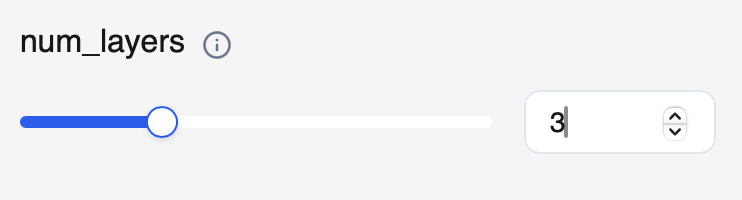
Step 2 — Set the Number of Layers
Choose num_layers based on your use case.
Example:
num_layers = 3for posters or banners
Step 3 — (Optional) Add a Prompt
Use a short description to guide separation:
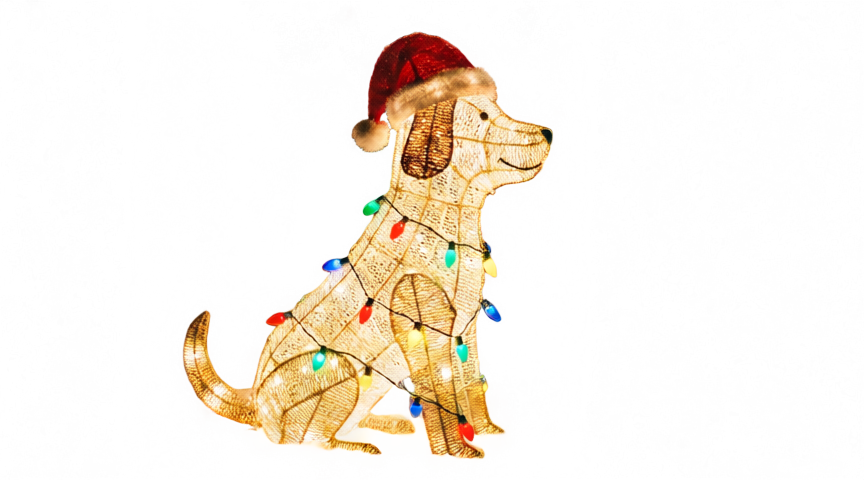
A dog wearing a Christmas hat is standing in the snow.
Run the model and download each RGBA layer.
That’s it.

Who This Is Built For
Qwen-Image Layered is ideal for:
- Designers working on posters, banners, layouts
- Marketers preparing reusable assets
- Creators building layered visuals
- Developers automating image pipelines
Anywhere clean layers matter, this model fits naturally.
Why Use It on WaveSpeedAI
On WaveSpeedAI, Qwen-Image Layered is:
- Ready-to-use via API
- Fast, with no cold starts
- Affordable for production workflows
- Easy to integrate into existing pipelines
You can go from a single image to a fully layered composition in minutes, not hours.
Final Thoughts
Manual masking doesn’t scale.
With Qwen-Image Layered, you can decompose images into clean, controllable RGBA layers using simple parameters and optional prompts—unlocking faster iteration, better compositing, and cleaner assets.
👉 Try Qwen-Image Layered on WaveSpeedAI and turn flat images into flexible layers.
Related Articles
daVinci-MagiHuman: The Open-Source Model That Just Crushed Every Digital Human Generator

Introducing Google Lyria 3 Clip on WaveSpeedAI

Introducing Google Lyria 3 Pro on WaveSpeedAI

Best Free AI Image Generator Online in 2026: 10+ Models, One Click, Zero Hassle

Best Free AI Video Generator Online in 2026: Sora, Kling, Veo, Seedance — All in One Place
