WAN 2.6 Complete Guide: Alibaba's Advanced AI Image Model

Introduction to WAN 2.6
WAN 2.6 represents Alibaba’s latest breakthrough in AI image generation technology. As part of Alibaba Cloud’s expanding portfolio of generative AI models, WAN 2.6 delivers state-of-the-art image synthesis capabilities with enhanced multi-modal understanding and generation features. Available exclusively through WaveSpeedAI’s unified API platform, this model brings enterprise-grade image generation to developers worldwide.
The WAN (Wanxiang) series has evolved significantly since its initial release, with version 2.6 marking a substantial leap forward in image quality, prompt comprehension, and versatility. Whether you’re building creative tools, enhancing e-commerce platforms, or developing content generation pipelines, WAN 2.6 provides the sophisticated image generation capabilities modern applications demand.
What’s New in Version 2.6
WAN 2.6 introduces several groundbreaking improvements over its predecessors:
Enhanced Image Quality
The model now generates images with exceptional detail and photorealistic quality. Improvements in the underlying diffusion architecture enable sharper textures, more accurate lighting simulation, and better preservation of fine details across various subject matters.
Superior Prompt Understanding
WAN 2.6 features significantly improved natural language processing capabilities. The model better interprets complex, multi-clause prompts and maintains consistency across multiple descriptive elements. This advancement reduces the need for prompt engineering and delivers more predictable results.
Expanded Style Range
Version 2.6 supports a broader spectrum of artistic styles, from hyperrealistic photography to abstract art, anime, watercolor, oil painting, and contemporary digital art styles. The model seamlessly adapts to style keywords while maintaining subject coherence.
Multi-Modal Integration
A key innovation in WAN 2.6 is its enhanced multi-modal capabilities, allowing users to combine text prompts with reference images for image-to-image generation, style transfer, and guided variations. This opens new creative possibilities for iterative design workflows.
Improved Aspect Ratio Support
WAN 2.6 handles non-square aspect ratios more gracefully than previous versions, making it ideal for social media content, banner creation, and vertical/horizontal format requirements without composition degradation.
Faster Generation Times
Optimizations in the inference pipeline have reduced generation times by up to 30% compared to WAN 2.5, enabling more responsive applications and higher throughput for batch processing scenarios.
Key Features and Capabilities
High-Resolution Output
WAN 2.6 supports generation of images up to 2048x2048 pixels, with options for various aspect ratios. The model maintains quality consistency across different resolution settings, ensuring professional results regardless of output size.
Advanced Composition Control
The model excels at understanding spatial relationships and compositional directives. Instructions about foreground/background separation, object placement, and scene layout are interpreted with high accuracy.
Cultural and Contextual Awareness
WAN 2.6 demonstrates sophisticated understanding of cultural contexts, particularly excelling in Asian cultural elements, traditional art forms, and region-specific aesthetics. This makes it particularly valuable for localized content creation.
Negative Prompting
Support for negative prompts allows users to explicitly exclude unwanted elements, styles, or characteristics from generated images. This feature provides fine-grained control over the creative process.
Batch Generation
Process multiple prompts or variations simultaneously, ideal for exploring creative directions or generating diverse content sets efficiently.
Deterministic Generation
Seed-based generation ensures reproducibility, allowing you to recreate specific outputs or generate consistent variations by controlling the random seed parameter.
Image Quality and Style
Photorealism
WAN 2.6 achieves remarkable photorealistic results, particularly in:
- Portrait photography with accurate skin tones, lighting, and facial features
- Product photography with proper material rendering (metal, glass, fabric, wood)
- Landscape and architectural photography with correct perspective and atmospheric effects
- Food photography with appetizing presentation and realistic textures
Artistic Styles
The model demonstrates versatility across artistic genres:
Traditional Art: Oil painting, watercolor, ink wash, charcoal sketching, and classical painting techniques with authentic texture simulation.
Digital Art: Concept art, matte painting, digital illustration, and contemporary digital painting styles popular in game development and entertainment industries.
Anime and Manga: Multiple anime art styles from classic to modern, with accurate character design conventions and stylistic features.
Graphic Design: Clean vector-style illustrations, flat design aesthetics, and modern graphic design approaches suitable for branding and marketing materials.
Color Accuracy and Consistency
WAN 2.6’s color handling represents a significant advancement. The model maintains consistent color palettes across elements while respecting color theory principles. Specific color requests in prompts are honored with high fidelity, making it reliable for brand-consistent content creation.
Multi-Modal Support
Text-to-Image Generation
The primary use case involves generating images from textual descriptions. WAN 2.6 processes natural language prompts with sophisticated semantic understanding, translating abstract concepts into coherent visual representations.
Example capabilities:
- Complex scene descriptions with multiple subjects and actions
- Abstract concept visualization
- Specific style and mood directives
- Technical specifications (camera angles, lighting conditions, time of day)
Image-to-Image Transformation
Provide a reference image along with a text prompt to guide transformations:
- Style Transfer: Apply artistic styles to existing images while preserving content structure
- Guided Variations: Generate variations of an input image with controlled modifications
- Image Enhancement: Upscale or refine details while maintaining original characteristics
- Concept Exploration: Use a base image as compositional reference while changing subjects or themes
Hybrid Workflows
Combine text and image inputs for sophisticated creative control:
- Start with a rough sketch and refine with text prompts
- Use reference images for style while describing different subjects
- Guide composition with image references and detail specifications via text
API Usage via WaveSpeedAI
WaveSpeedAI provides the exclusive gateway to WAN 2.6 through a unified, developer-friendly API. The platform abstracts the complexity of direct model integration while offering comprehensive features.
Getting Started
1. Account Setup Create a WaveSpeedAI account and obtain your API key from the dashboard. WaveSpeedAI offers flexible pricing tiers, including free tier access for testing and development.
2. Authentication All API requests require authentication via API key in the request headers:
Authorization: Bearer ${WAVESPEED_API_KEY}3. Endpoint WAN 2.6 is accessed through WaveSpeedAI’s unified image generation endpoint:
POST https://api.wavespeed.ai/api/v3/wavespeed-ai/wan-2-6
GET https://api.wavespeed.ai/api/v3/predictions/{requestId}/result
Request Parameters
| Parameter | Type | Required | Description |
|---|---|---|---|
model | string | Yes | Model identifier: alibaba/wan-2.6 |
prompt | string | Yes | Text description of desired image |
negative_prompt | string | No | Elements to exclude from generation |
width | integer | No | Image width (default: 1024, max: 2048) |
height | integer | No | Image height (default: 1024, max: 2048) |
num_images | integer | No | Number of images to generate (1-4, default: 1) |
seed | integer | No | Random seed for reproducibility |
guidance_scale | float | No | Prompt adherence strength (1.0-20.0, default: 7.5) |
steps | integer | No | Generation steps (20-100, default: 50) |
style | string | No | Predefined style preset |
image_url | string | No | Reference image URL for image-to-image |
strength | float | No | Transformation strength for image-to-image (0.0-1.0) |
Response Format
Successful requests return a JSON response:
{
  "id": "gen_abc123xyz",
  "model": "alibaba/wan-2.6",
  "created": 1703721234,
  "data": [
    {
      "url": "https://cdn.wavespeed.ai/generated/image1.png",
      "width": 1024,
      "height": 1024,
      "seed": 42
    }
  ],
  "usage": {
    "cost": 0.025
  }
}
Error Handling
WaveSpeedAI returns standard HTTP status codes with descriptive error messages:
400: Invalid request parameters401: Authentication failure402: Insufficient credits429: Rate limit exceeded500: Server error
Error response format:
{
  "error": {
    "code": "invalid_parameters",
    "message": "Image dimensions must not exceed 2048x2048",
    "type": "validation_error"
  }
}
Code Examples
Basic Text-to-Image Generation (Python)
import wavespeed

output = wavespeed.run(
    "wavespeed-ai/wan-2-6",
    {"prompt": "A serene Japanese garden at sunset, with cherry blossoms, stone lanterns, and a peaceful koi pond reflecting golden light"},
)

print(output["outputs"][0])  # Output image URL
Advanced Generation with Parameters (Python)
import wavespeed

output = wavespeed.run(
    "wavespeed-ai/wan-2-6",
    {"prompt": "Professional product photography of a luxury watch on marble surface, studio lighting, high-end advertisement quality"},
)

print(output["outputs"][0])  # Output image URL
Image-to-Image Style Transfer (Python)
import wavespeed

output = wavespeed.run(
    "wavespeed-ai/wan-2-6",
    {"prompt": "Transform into oil painting style, impressionist technique, vibrant colors, visible brush strokes", "image": "https://example.com/reference-photo.jpg"},
)

print(output["outputs"][0])  # Output image URL
Batch Generation (Python)
import wavespeed

output = wavespeed.run(
    "wavespeed-ai/wan-2-6",
    {"prompt": "Cute cartoon mascot character for a tech startup, friendly, modern, colorful"},
)

print(output["outputs"][0])  # Output image URL
Async Generation (Python)
import wavespeed

output = wavespeed.run(
    "wavespeed-ai/wan-2-6",
    {"prompt": "Futuristic cityscape at night, neon lights, cyberpunk aesthetic, highly detailed"},
)

print(output["outputs"][0])  # Output image URL
Comparison with Other Models
WAN 2.6 vs. DALL-E 3
Strengths of WAN 2.6:
- Superior performance on Asian cultural content and aesthetics
- More affordable pricing through WaveSpeedAI
- Better handling of complex multi-clause prompts
- Stronger photorealistic rendering in product photography scenarios
Strengths of DALL-E 3:
- Better integration with OpenAI ecosystem
- Stronger content moderation and safety features
- More refined text rendering within images
- Superior abstract concept interpretation
WAN 2.6 vs. Stable Diffusion XL
Strengths of WAN 2.6:
- Better out-of-the-box results without fine-tuning
- More consistent quality across diverse prompts
- Superior commercial-ready photorealism
- Simpler API integration via WaveSpeedAI
Strengths of Stable Diffusion XL:
- Open-source model with customization possibilities
- Extensive community-created fine-tunes and LoRAs
- No API costs when self-hosted
- Greater control over inference parameters
WAN 2.6 vs. Midjourney
Strengths of WAN 2.6:
- Programmatic API access for automation
- Deterministic generation via seed control
- Better suited for production workflows
- More predictable prompt behavior
Strengths of Midjourney:
- Exceptional artistic interpretation and creativity
- Superior aesthetic refinement in stylized outputs
- Strong community and prompt sharing culture
- Advanced variation and remix capabilities
Performance Benchmarks
Based on community evaluations and standardized benchmarks:
| Metric | WAN 2.6 | DALL-E 3 | SDXL | Midjourney |
|---|---|---|---|---|
| Photorealism | 9.2/10 | 8.8/10 | 8.5/10 | 8.0/10 |
| Artistic Style | 8.5/10 | 8.3/10 | 9.0/10 | 9.5/10 |
| Prompt Accuracy | 9.0/10 | 9.2/10 | 8.0/10 | 8.5/10 |
| Speed | 8.5/10 | 8.0/10 | 9.0/10 | 7.0/10 |
| API Integration | 9.0/10 | 9.5/10 | 8.5/10 | 6.0/10 |
| Cost Efficiency | 9.0/10 | 7.5/10 | 10/10 | 8.0/10 |
Best Practices
Prompt Engineering
Be Specific and Descriptive Instead of “a cat,” try “a fluffy Persian cat with blue eyes sitting on a velvet cushion, soft window light, professional pet photography.”
Use Structured Prompts Organize prompts with subject, setting, style, and technical details:
[Subject]: Victorian-era gentleman in formal attire
[Setting]: Ornate library with leather-bound books
[Style]: Oil painting, Rembrandt lighting
[Technical]: Rich colors, dramatic shadows, high detail
Leverage Style Keywords WAN 2.6 responds well to specific style references:
- Photography: “DSLR,” “35mm,” “bokeh,” “golden hour,” “studio lighting”
- Art: “impressionist,” “art nouveau,” “ukiyo-e,” “watercolor wash”
- Quality: “highly detailed,” “8k resolution,” “professional,” “masterpiece”
Utilize Negative Prompts Effectively Common negative prompt terms that improve quality:
blurry, low quality, distorted, deformed, ugly, amateur, watermark,
text, signature, oversaturated, unrealistic, cartoon (when seeking photorealism)
Parameter Optimization
Guidance Scale
- 5.0-7.0: More creative freedom, less literal interpretation
- 7.0-9.0: Balanced adherence (recommended starting point)
- 9.0-15.0: Strict prompt following, may reduce artistic quality
- 15.0+: Very literal, risk of artifacts
Steps
- 30-40: Fast generation, good for iterations and testing
- 50-60: Standard quality, recommended for most use cases
- 60-80: High quality, diminishing returns beyond this
- 80+: Minimal improvement, longer generation time
Strength (Image-to-Image)
- 0.3-0.5: Subtle modifications, preserve most original content
- 0.5-0.7: Balanced transformation
- 0.7-0.9: Strong changes, use original as loose reference
- 0.9-1.0: Near complete regeneration
Workflow Recommendations
Iterative Refinement
- Start with a simple prompt to establish basic composition
- Use the seed from satisfactory results
- Refine the prompt with additional details
- Adjust parameters incrementally
A/B Testing Generate multiple variations with different seeds to explore creative possibilities before committing to detailed refinement.
Aspect Ratio Selection Choose dimensions appropriate to your use case:
- 1:1 (1024x1024): Social media posts, profile images, icons
- 16:9 (1792x1024): Website banners, video thumbnails, presentations
- 9:16 (1024x1792): Mobile content, stories, vertical video thumbnails
- 4:3 (1024x768): Traditional displays, print materials
- 3:2 (1536x1024): Photography standard, natural composition
Cost Optimization
Credit Management
- Use lower resolutions (512x512 or 768x768) for concept testing
- Generate single images during experimentation, batch only when needed
- Implement caching strategies to avoid regenerating identical prompts
Resolution Strategy Generate at moderate resolution first, then use dedicated upscaling services if higher resolution is needed. This is often more cost-effective than generating at maximum resolution initially.
Prompt Reusability Maintain a library of effective prompts and parameters for your use cases. Reusing proven prompt patterns reduces trial-and-error costs.
FAQ
How does WAN 2.6 pricing work on WaveSpeedAI?
WaveSpeedAI uses a credit-based pricing model. Each image generation consumes credits based on resolution and parameters. Typical costs:
- 512x512: 1 credit
- 1024x1024: 2-3 credits
- 2048x2048: 8-10 credits
Check the WaveSpeedAI dashboard for current pricing and available subscription tiers.
Can I use WAN 2.6 generated images commercially?
Yes, images generated through WaveSpeedAI’s WAN 2.6 API are licensed for commercial use. Review the specific terms in WaveSpeedAI’s Terms of Service for complete usage rights and any attribution requirements.
What content restrictions apply?
WAN 2.6 includes content filtering to prevent generation of:
- Violent or graphic content
- Sexual or adult content
- Copyrighted characters or trademarked content
- Hate symbols or discriminatory imagery
- Deceptive content (fake IDs, currency, etc.)
Prompts violating these policies will be rejected with an appropriate error message.
How do I achieve consistent character generation?
While WAN 2.6 doesn’t have built-in character consistency features like some specialized models, you can:
- Use very detailed character descriptions and reuse them with the same seed
- Generate reference images and use image-to-image mode
- Provide character reference images with new prompts
- Maintain detailed prompt templates for recurring characters
Can I fine-tune WAN 2.6 on my own data?
Currently, WAN 2.6 is available only as a pre-trained model through WaveSpeedAI’s API. Custom fine-tuning is not supported. For specialized needs, consider using image-to-image generation with your reference materials.
What’s the difference between WAN 2.6 and WAN Turbo?
- WAN 2.6: Latest version with highest quality output, multi-modal capabilities, and advanced features
- WAN Turbo: Optimized for speed with reduced generation time but slightly lower quality, ideal for real-time applications or high-volume generation
Choose based on your priority: quality (2.6) or speed (Turbo).
How can I reproduce a specific generation?
Use the seed parameter in your request. The API response includes the seed used for each image. To recreate an image, use the same prompt, parameters, and seed value.
What happens if my generation request fails?
WaveSpeedAI provides detailed error messages. Common issues:
- Content policy violations: Modify your prompt to comply with guidelines
- Insufficient credits: Add credits to your account
- Invalid parameters: Review parameter ranges and requirements
- Rate limits: Implement backoff logic and respect rate limits
Failed requests do not consume credits (except for content policy violations after processing has begun).
Can I cancel an in-progress generation?
Yes, for async generations, you can cancel a job before it completes using the job cancellation endpoint. Partial credit refunds may apply based on processing stage.
Does WAN 2.6 support inpainting or outpainting?
Currently, WAN 2.6 through WaveSpeedAI focuses on text-to-image and image-to-image generation. Inpainting and outpainting features may be added in future updates. Check WaveSpeedAI’s documentation for the latest feature availability.
Conclusion
WAN 2.6 represents a significant advancement in accessible, high-quality AI image generation. Through WaveSpeedAI’s unified API platform, developers and creative professionals gain access to Alibaba’s cutting-edge image synthesis technology without the complexity of direct model deployment.
The model’s strengths in photorealistic rendering, multi-modal generation, and sophisticated prompt interpretation make it an excellent choice for diverse applications—from e-commerce product visualization to creative content generation, marketing materials, and rapid prototyping of visual concepts.
Key Takeaways
- Production-Ready Quality: WAN 2.6 delivers commercial-grade image output suitable for professional applications
- Developer-Friendly Access: WaveSpeedAI’s API provides straightforward integration with comprehensive documentation
- Versatile Capabilities: From photorealism to artistic styles, text-to-image to image-to-image transformations
- Cost-Effective Solution: Competitive pricing with flexible tiers for various usage scales
- Continuous Evolution: Regular updates and improvements as Alibaba advances the model
Getting Started
Ready to explore WAN 2.6? Visit WaveSpeedAI to create your account, access your API key, and start generating stunning images. The free tier provides ample credits for testing and small projects, while paid plans scale to enterprise needs.
Join the growing community of developers leveraging WAN 2.6 for innovative visual applications. Whether you’re building the next creative tool, enhancing user experiences with dynamic imagery, or streamlining content production workflows, WAN 2.6 through WaveSpeedAI delivers the power and flexibility you need.
Additional Resources
- WaveSpeedAI Documentation: Complete API reference and guides
- Model Playground: Test WAN 2.6 interactively before integrating
- Community Discord: Connect with other developers, share prompts, and get support
- Blog & Tutorials: Regular updates, use cases, and best practice guides
- SDK Libraries: Official Python, JavaScript, and Go client libraries
Start your journey with WAN 2.6 today and unlock new possibilities in AI-powered image generation.
Related Articles

Best Free AI Video Generator Online in 2026: Sora, Kling, Veo, Seedance — All in One Place

Goodbye Sora: Top 5 Best Sora Alternatives for Making AI Videos in 2026

Google Veo 4: What We Might See From Google's Next AI Video Model

Best Fotor Alternative in 2026: WaveSpeedAI for AI Image Generation & Editing
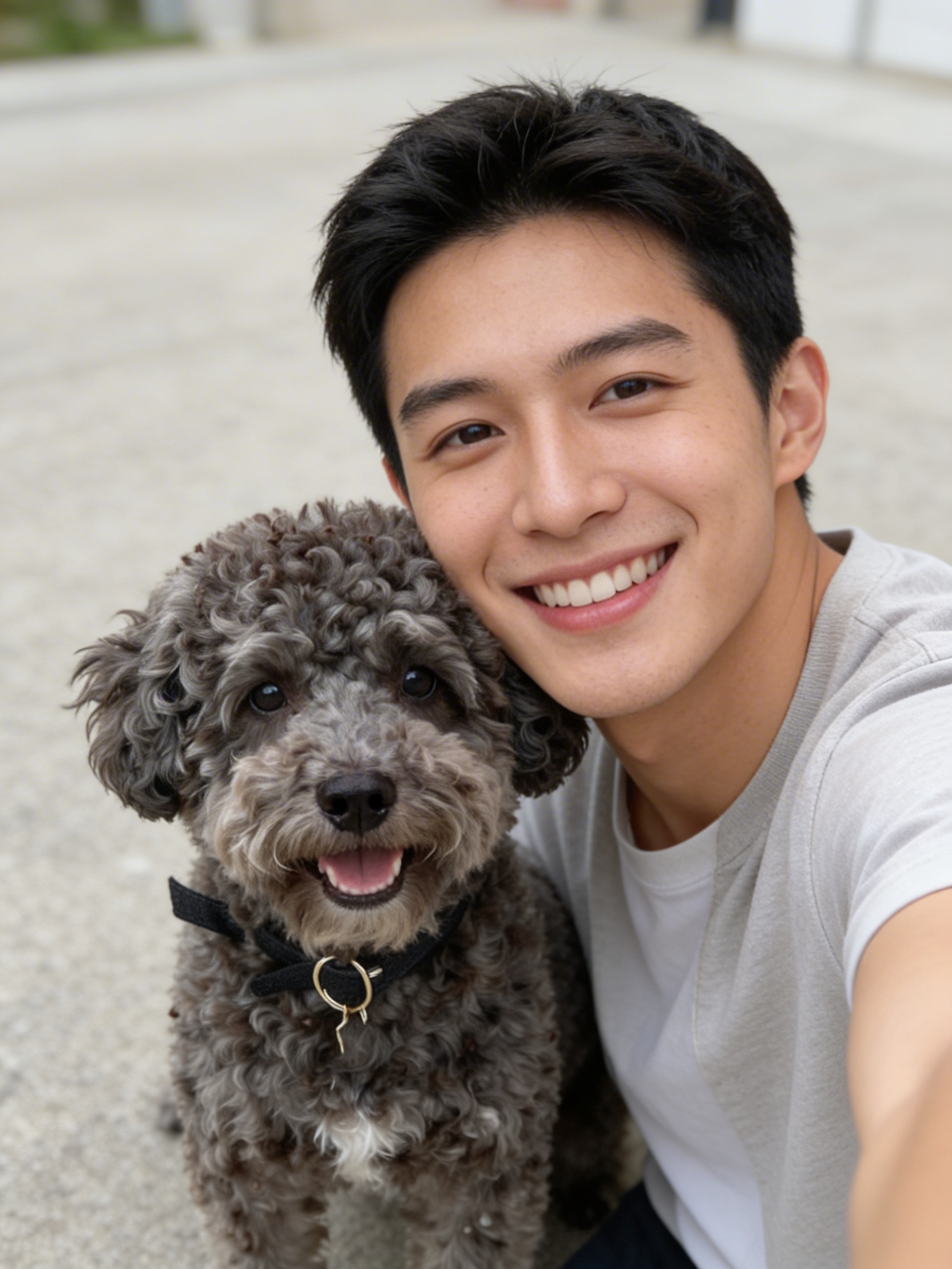
Introducing AI Dog Selfie on WaveSpeedAI