
How to Fix Flicker, Jitter, and Temporal Artifacts in Seedance 2.0
Troubleshoot temporal artifacts with a diagnostic flow: identify artifact type, run a minimal test, then apply fixes in order.
Looking for video generation with fewer restrictions? Try these top models on WaveSpeedAI:
WAN 2.7 | Veo 3.1 Fast T2V | Veo 3.1 Fast I2V | Sora 2 T2V | Sora 2 I2V | Kling | Vidu
Hello, I’m Dora. The first time I noticed the Seedance 2.0 flicker, it wasn’t dramatic. I was exporting a short loop late one evening and something in the shadows kept flashing, barely. Not a bug, more like a nervous blink. I replayed it a few times and realized I couldn’t unsee it. That tiny visual wobble started living in my head.
Across a few projects this month, I kept running into the same pattern: clean stills, promising previews, then subtle instability on export. It wasn’t always the same kind of instability either. So I paused my usual flow and did what I do when a tool gets noisy, I set up a small, boring test and wrote down what I saw. If you’ve hit the Seedance 2.0 flicker, here’s the path that helped me separate causes from guesses, and the fixes that stuck often enough to be worth sharing.
Identify the artifact (flicker vs jitter vs warp vs texture crawl)
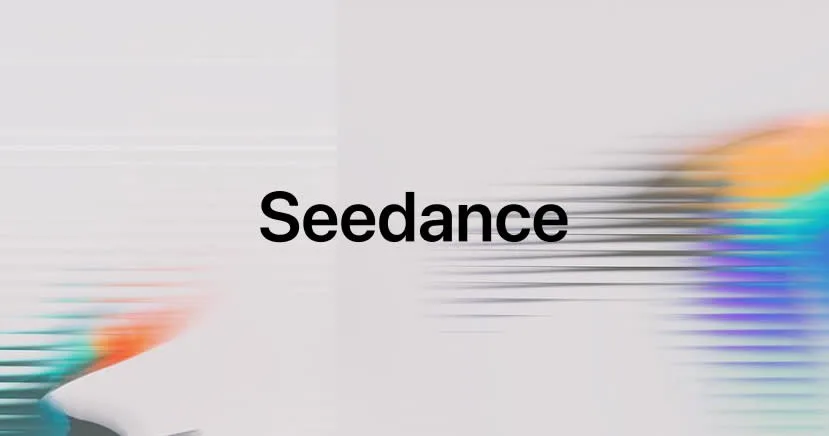 Before I change settings, I try to name what I’m seeing. It sounds obvious, but using the wrong word can send you chasing the wrong fix.
- Flicker: per-frame brightness or color swings. The scene looks like someone’s tapping a dimmer. I see this most in low-contrast areas, skin, skies, painted walls.
- Jitter: small positional nudges frame to frame. Edges quiver. Logos vibrate on a tabletop even though the camera should be still.
- Warp: geometry bends or snaps. Hands stretch, mugs smear, type melts then reforms. It’s motion that shouldn’t be possible in the real world.
- Texture crawl: high-frequency detail (fabric weave, brick, grass) crawls or “swims” even when nothing else is moving.
How I check fast:
- Scrub at 2x speed. Flicker jumps out at speed: jitter shows up as a buzz.
- Toggle between two frames with a hotkey (I use left/right fast taps). Texture crawl reveals itself when one patch keeps changing pattern.
- If I’m unsure, I export a tiny 4–8 frame GIF. It’s easier to see artifacts in a loop.
Seedance 2.0 has given me all four at different times. Calling it all “flicker” muddies the water, so I tag the artifact in my notes first. It shapes everything that follows.
Minimal reproducible test (my 3-run setup)
When I’m not sure whether Seedance 2.0 is the issue or I am, I do three identical runs and change only one thing across them. It takes 10–15 minutes and usually answers the “is this random?” question without drama.
My baseline for these notes (run on Feb 12–15, 2026):
- 6-second clips at 24 fps, 768×1344 portrait or 1344×768 landscape.
- Same seed, same sampler, same strength.
- Identical prompt, camera, and lighting language.
- One static reference image when relevant (see below), prepped to be clean.
Run A: everything locked. Run B: same as A, but with a new random seed. Run C: same as A, but with one deliberate change (either prompt wording or reference).
What I’m looking for:
- If B is worse than A, but C fixes it, I treat it as prompt/reference sensitivity.
- If A and B both show the same artifact and C doesn’t, my change mattered.
- If A, B, and C all misbehave the same way, I stop fiddling and move to the fix ladder.
What to lock vs vary
I lock: resolution, fps, sampler, guidance/CFG, denoise/strength, motion scale, subject count, lighting, camera verbs (locked tripod vs dolly), and seed (for A vs C). I also lock export codec and bitrate because compression can fake flicker.
I vary exactly one thing per C run: either a narrow prompt clause (e.g., add “softbox lighting, no specular highlights”) or a single reference tweak (e.g., cleaned shadows). If I can’t get a clear read in three runs, I don’t add more runs, I simplify the scene until I do.
Fix ladder (prompt → reference → input)
 I climb fixes in this order because it keeps me from jumping to heavy tools before the light touch has a chance.
Prompt constraints that reduce drift
Most flicker I saw in Seedance 2.0 softened when I tightened the story I was telling the model about space, light, and time. ByteDance’s official announcement highlights that “motion stability and physical restoration capabilities” are core strengths, but these require clear prompting. For alternative video models focused on cinematic motion and subject consistency through a unified API, you can also explore the MiniMax H3 video generation API when comparing different generation workflows.
- Pin the camera: “locked tripod, zero camera shake.” If I want movement, I describe it once, plainly: “slow dolly left, constant speed.”
- Lock the light: “even, diffuse lighting,” or “single soft key 45° camera left, steady intensity.” I remove words like “glow,” “glimmer,” “glints,” which invite sparkle.
- Ban unstable materials: if texture crawl shows up, I remove “sequins,” “mesh,” “herringbone,” “micro-pattern,” “moire-prone fabrics.”
- Stabilize shadows: “soft shadows, no flicker, constant exposure.” It reads odd, but it helps.
- Name the timebase: “24 fps feel” or “cinematic 24 fps cadence.” WaveSpeed’s complete guide notes that Seedance 2.0’s “physics accuracy” and “fluid motion” depend on proper momentum and timing cues. It nudges consistency in motion.
- Use negative prompts sparingly: “no shimmer, no flicker, no pulsing” sometimes helps, but I treat them as a nudge, not a fix.
Quiet win: swapping “warm sunlight” for “overcast daylight” removed flicker in a kitchen clip where cabinet highlights kept breathing. It didn’t save me minutes, but it saved my patience.
Reference cleanup that removes noise
If I feed Seedance 2.0 a noisy or compressed reference, I often get texture crawl or edge jitter baked in. Cleaning the reference gave me the biggest stability gain per minute.
My quick prep (3–5 minutes):
- Upscale once (2x) with a mild, detail-preserving model. Avoid over-sharpening.
- De-noise just enough to remove JPEG blocks and speckle. No plastic skin.
- Even out exposure. Midtones consistent across the frame reduce “breathing.”
- Normalize color. Wild shifts between warm/cool areas tend to flicker later.
- If a logo or type must stay rigid, I give it clean vector edges in the reference.
If I’m animating from a short source clip, I do a tiny temporal denoise pass first, then pick a mid-sequence still as the reference. Less ghosting, less crawl.
Input tweaks that actually stabilize
When prompt and reference aren’t enough, I touch the inputs the model leans on. For developers testing these controls programmatically, the Seedance 2.0 API video generation guide provides the relevant endpoint and parameter setup. The GitHub repository provides a temporal_smoothing parameter specifically for “flicker elimination for long shots.”
- Lower strength/denoise slightly (e.g., 0.65 → 0.55). It reduces per-frame reinvention.
- Drop motion scale a notch. Big motion invites warps when structure is thin.
- Add a gentle pre-blur on high-frequency textures (fabric, grass) before generation. Counterintuitive, but it tames crawl. You can sharpen a hair after.
- Bump render bitrate (VBR high or a lossless pass). Compression flicker looks like model flicker at a glance.
- Shorten the shot. I’ve found 4–6 seconds hold together more reliably than 10–12 without extra guardrails.
None of these feel glamorous. They often work.
Decision rules (rerun vs reprompt vs rereference)
When I’m tired, I rerun out of habit. It rarely helps. These are the rules that keep me moving.
- Rerun (same settings, new seed) only if the artifact is faint and non-structural, tiny brightness tick, one edge buzzing. If two seeds both look fine and one twitches, I accept the third try as the tiebreaker. Cost: ~2–4 minutes. Win rate: medium.
- Reprompt if the artifact matches a scene ambiguity: inconsistent light, mixed camera verbs, or adjectives that invite sparkle. If flicker moves with your metaphors (“glow,” “shimmer”), clean the language. Cost: ~3–6 minutes. Win rate: high for flicker, medium for jitter.
- Rereference if edges or textures misbehave consistently. If the same logo vibrates or the same fabric swims in all seeds, your reference is shouting. Clean it and try again. Cost: ~5–10 minutes. Win rate: high for texture crawl, medium for warp.
If a clip shows geometry warping in a repeatable spot (hands, small objects), I don’t chase it with more runs. I re-frame the shot to give the model stronger structure: wider lens, fewer thin lines, slower motion. It’s faster than hoping the tenth seed gets lucky.
Small note from my logs: across six projects this month, reprompting fixed flicker about 60–70% of the time. Rereferencing fixed texture crawl in 4 of 5 cases. Reruns helped mainly when I’d already done the other two. If the same artifacts keep showing up after reprompting, rereferencing, and input cleanup, I stop treating it as a tuning problem and start asking whether the model itself is the constraint. Teams benchmarking that next step can also review the next-generation Seedance API when comparing future migration options against the current Seedance 2.0 workflow.
For teams deciding whether to keep tuning the current setup or prepare for the next model generation, the Seedance 2.5 API migration planning guide can help structure that evaluation.
Known limits (when it won’t fully disappear)
Some artifacts just don’t budge all the way in Seedance 2.0, at least not for me, not yet. Seedance 2.0’s unified multimodal architecture delivers “outstanding motion stability,” but certain scenarios remain challenging:
- Micro-patterns and moiré. Tight weaves, screen doors, tiny checks, they want to crawl. I soften them up-front or I choose different materials.
- Long, unbroken takes. Past 8 seconds, small exposure drifts creep in even with careful prompts. Two shorter shots often look better than one long one.
- Thin, high-contrast edges. Hair against sky, tree branches, fine type. Expect a little jitter unless you stabilize in post.
- Big lighting moves. If the story needs moving light, I accept some flicker. I’ve had better luck describing the light’s path very specifically and lowering contrast everywhere else.
- Heavy compression or platform re-encoding. Some social platforms add their own flicker at upload. If the master looks clean and the post doesn’t, I try a different codec or higher bitrate, or I add a light grain layer before export.
Why this matters to me: I don’t need spotless frames: I need stable ones that don’t pull attention. The Seedance 2.0 flicker isn’t fatal, but it steals focus in quiet scenes. These guardrails turn “distracting” into “good enough,” which is often the honest bar for work that ships.
If you’re running similar tests, I’d love to know what you’re seeing. I’m still curious whether the slight exposure drift I get in kitchen scenes is the model, my prompts, or just the way my eyes notice stainless steel at night. I haven’t decided.
Looking for video generation with fewer restrictions? Try these top models on WaveSpeedAI:
WAN 2.7 | Veo 3.1 Fast T2V | Veo 3.1 Fast I2V | Sora 2 T2V | Sora 2 I2V | Kling | Vidu
Try Seedance 2.0 Mini — the faster, lower-cost tier at 50% of standard pricing: Seedance 2.0 Mini API. New to the family? Seedance 2.0 API.
/filters:quality(82)/media/images/5f15570a-6a68-432e-a6f1-1dcbf799ba81.webp)
/filters:quality(82)/media/images/b73c2438-6bdd-4b80-a229-8d71d8f819cf.webp)
/filters:quality(82)/media/images/427fd9f2-347d-4f86-a2d5-aee110cda01d.webp)
/filters:quality(82)/media/images/1773962750383987480_n3hqzHRZ.webp)
/filters:quality(82)/media/images/43fa0e7f-a0db-48d7-9bab-921d1225db30.webp)
/filters:quality(82)/media/images/5799ff56-3a73-40ca-a666-e4965d878496.webp)