
LTX-2.3 vs WAN 2.2: Open-Source Video Model Comparison (2026)
Hi, I’m Dora. I didn’t set out to compare ltx-2.3 vs wan 2.2. I just wanted a render before lunch. A short product clip, clean camera move, no wobble, without babysitting nodes. I kept seeing people toss around “~18x faster,” which sounded like a dare. So over a few days in March 2026, I ran the same prompts through both models in ComfyUI, nudged settings, and paid attention to how my brain, and my GPU fans, felt. This is what stuck with me.
At a Glance: What Each Model Optimizes For
If I oversimplify (on purpose):
- LTX‑2.3 is built for speed and output stability. It gets you a decent first draft fast, which matters when you’re iterating on storyboards or testing prompt phrasing.
- WAN 2.2 leans into cinematic control. Camera paths, weighty motion, and less “AI float.” It asks for more patience but rewards it when you’re chasing a specific look.
In daily use, that trade-off shows up as: fewer restarts with WAN once you’ve dialed it in: more total tries with LTX because trying is cheap.
Core Differences Table
Notes from my March 2026 tests: single‑GPU (RTX 4090), ComfyUI nightly, identical prompt + seed where supported. Your mileage will vary with nodes, schedulers, and VRAM fragmentation.
I couldn’t find reliable public parameter counts for either model. Architectural names don’t help much in practice anyway. What mattered to me:
- Resolution ceiling: WAN 2.2 needed more babysitting above 768p. LTX‑2.3 felt stable at 720p and okay-ish at 1080p with shorter durations.
- FPS targets: Both export at 24 fps fine. The model “generation fps” is more about internal pacing and affects motion feel. WAN’s motion felt heavier at the same seed: LTX’s was snappier but sometimes floaty.
- Native audio: LTX‑2.3’s one‑pass audio saved me minutes on simple clips. Not studio sound, but serviceable for drafts. WAN 2.2 had me route through an audio node or add sound after.
- Speed baseline: I used WAN 2.2 as 1x. LTX‑2.3 ranged 10–14x faster across my prompts. The “18x” happened once on a very simple scene with default motion.
- Licensing: I’m cautious. WAN builds often arrive under restrictive research terms. LTX releases vary. If a piece was destined for client work, I double‑checked the exact model card. I learned to keep the model card in the project folder, and I referred to Hugging Face’s official documentation on repository licenses for clearer guidance on commercial use.
- VRAM: I rarely dipped under 16 GB without compromises. WAN liked 20+ GB to stay smooth at longer durations.
Speed: LTX-2.3’s Largest Advantage
What the ~18x Speed Claim Actually Means for Iteration Workflows
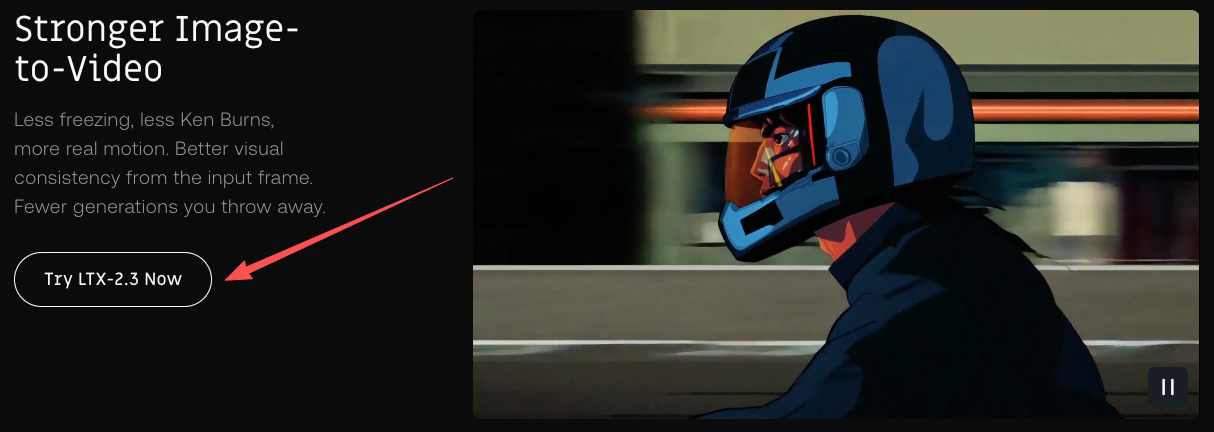
That headline number didn’t magically make my renders finish in seconds. What it changed was the rhythm. With ltx-2.3 vs wan 2.2, I could run three variants while my coffee cooled, instead of one before lunch. That reduced the mental tax of being “stuck” with a mediocre take. I tested a product spin, a walking shot, and a push‑in through a doorway. On average, LTX gave me a usable draft in 1–2 minutes: WAN took 12–18 on the same machine and promptly.
The subtle win: I caught mistakes earlier. Bad lighting prompt? Wrong focal length vibe? Easy, rerun.
When Speed Stops Being the Deciding Factor
I hit a ceiling on scenes with complex camera language: parallax, dolly + tilt, lingering rack focus. WAN’s slower pass still landed closer to the shot in my head, which saved me time in revisions. If I knew I needed a specific camera move, speed stopped mattering after the second LTX pass. I’d switch to WAN and wait.
Visual Quality and Prompt Adherence: Where Each Model Leads
Fine Detail and Texture Retention
Close‑ups exposed differences. Fabric weave, skin pores, wood grain, WAN 2.2 held micro‑texture better with gentle denoise. LTX‑2.3 sometimes softened textures when motion got busy. I could push LTX with higher CFG and slightly longer steps, but then I was giving back some speed.
Camera Control and Cinematic Motion (WAN’s Edge)
This is where WAN quietly wins. Camera arcs felt intentional, not just “the camera moved.” LTX‑2.3 kept framing steady, which is nice for product clips, but WAN 2.2 understood weight and drift the way DPs talk about blocking. If your prompt includes exact camera language, WAN tends to listen more closely.
Native Audio: LTX-2.3 vs WAN 2.2
LTX-2.3’s Audio-in-One-Pass vs WAN’s Approach
I don’t score drafts. I just need non‑distracting sound while reviewing. LTX‑2.3’s native audio pass did that in one go: soft ambience, light foley, nothing fancy. It shaved a couple of steps off my review loop, no hopping to another tool.
WAN 2.2 required an extra step. Not a dealbreaker, but the context switch added friction. For polished pieces I replaced audio anyway, but for quick stakeholder checks, LTX’s “sound baked in” was… convenient.
ComfyUI Ecosystem Maturity: WAN’s Head Start
Available Workflows, LoRAs, and Community Resources
I found more WAN‑first workflows in ComfyUI, camera rigs, motion presets, and LoRAs that actually helped. LTX‑2.3 nodes existed and were simple to wire, but the WAN threads were thicker: more examples, clearer troubleshooting, and a few battle‑tested templates that didn’t crumble at 16+ seconds.
If you like starting from a community graph and tweaking, WAN’s ecosystem felt friendlier. If you prefer a clean, minimal graph and fast runs, LTX plays to that style.
Licensing and Commercial Use: Side-by-Side
This part changes often. What I’ve seen:
- WAN 2.2 bundles are frequently released under research or limited terms. Safe for experiments, not always for client deliverables.
- LTX‑2.3 licensing varies by checkpoint or pack. Some are permissive, some not.
I learned to keep the model card in the project folder and note the exact hash/version I used. Boring, but it saves future emails.
Decision Framework: When to Use Each
How I decide, quickly:
- I need lots of variants fast, to find a direction: LTX‑2.3.
- I have a clear camera brief and care about motion weight: WAN 2.2.
- It’s a product beauty with steady framing: LTX‑2.3 first: switch if texture really matters.
- I’m working beyond 12–16 seconds: WAN 2.2 templates behaved better for me.
- I need sound baked into previews: LTX‑2.3.
If the stakes are high, I’ll prototype in LTX, then finalize in WAN. That mix gave me the fewest surprises.
FAQ
Is LTX-2.3 really 18x faster than WAN 2.2?
Sometimes. On my RTX 4090, same prompt and seed (when compatible), I saw 10–14x most of the time. I hit ~18x on a simple scene. The spirit of the claim holds: LTX feels much faster in practice.
Which model has better ComfyUI support right now?
WAN 2.2. More example graphs, more motion‑focused tools, and a larger pile of community fixes. LTX‑2.3 is fine for straightforward pipelines.
Can I use both models in the same pipeline?
Yes, with some nudging. I prototype with LTX‑2.3 for speed, lock prompts and timing, then swap nodes to WAN 2.2 to chase motion and texture. Watch for scheduler differences and VRAM headroom.
In the end, LTX-2.3 and WAN 2.2 aren’t rivals — they’re tools for different moments in the same workflow. I reach for LTX when I need speed and quick iteration, and switch to WAN when motion quality and cinematic weight matter most. After testing both, the smartest move I’ve found is simple: prototype fast with LTX-2.3, then refine with WAN 2.2. That combination has given me the best results with the least frustration.
What about you? Which model are you leaning toward for your next project?
Previous Posts:
- A deep dive into LTX‑2.3 endpoints, complementing your discussion of speed and iteration.
- Covers version differences, speed optimizations, and VRAM usage, useful when comparing to WAN 2.2.
- Explains WAN workflows in ComfyUI, reinforcing your points about cinematic control and ecosystem maturity.
- Highlights WAN’s strength in complex camera motion and timing, linking to your discussion on motion weight.
- Provides context on WAN’s iterative improvements, helping readers understand performance differences versus LTX‑2.3.
Related Articles
LTX-2.3 LoRA Training Guide: Style, Motion & IC-LoRA Control (2026)
LTX-2.3 ComfyUI Setup: Two-Stage Pipeline, VRAM Fixes & Gemma Encoder
LTX-2 to LTX-2.3 Upgrade: Compatibility, LoRA Breaks & Migration (2026)

Best Free AI Image Generator Online in 2026: 10+ Models, One Click, Zero Hassle

Best Free AI Video Generator Online in 2026: Sora, Kling, Veo, Seedance — All in One Place
