
LTX-2.3 ComfyUI Setup: Two-Stage Pipeline, VRAM Fixes & Gemma Encoder
Hey, guys. I’m Dora. You know I didn’t plan to switch. My LTX-2 setup in ComfyUI was running fine, and I’m not a fan of “fresh just because.” But last week (March 2026), I kept seeing small notes about LTX-2.3: better coherence, new text encoder (Gemma 3 12B), and a two-stage path that promised sharper images without wrecking VRAM.
I opened a quiet morning and moved my workflow over. Here’s what actually changed for me, where I hit snags, and the bits that made work feel lighter. If you’re skimming for install steps: they’re in here, but the useful parts are the trade-offs I noticed while building an LTX-2.3 ComfyUI workflow day by day.
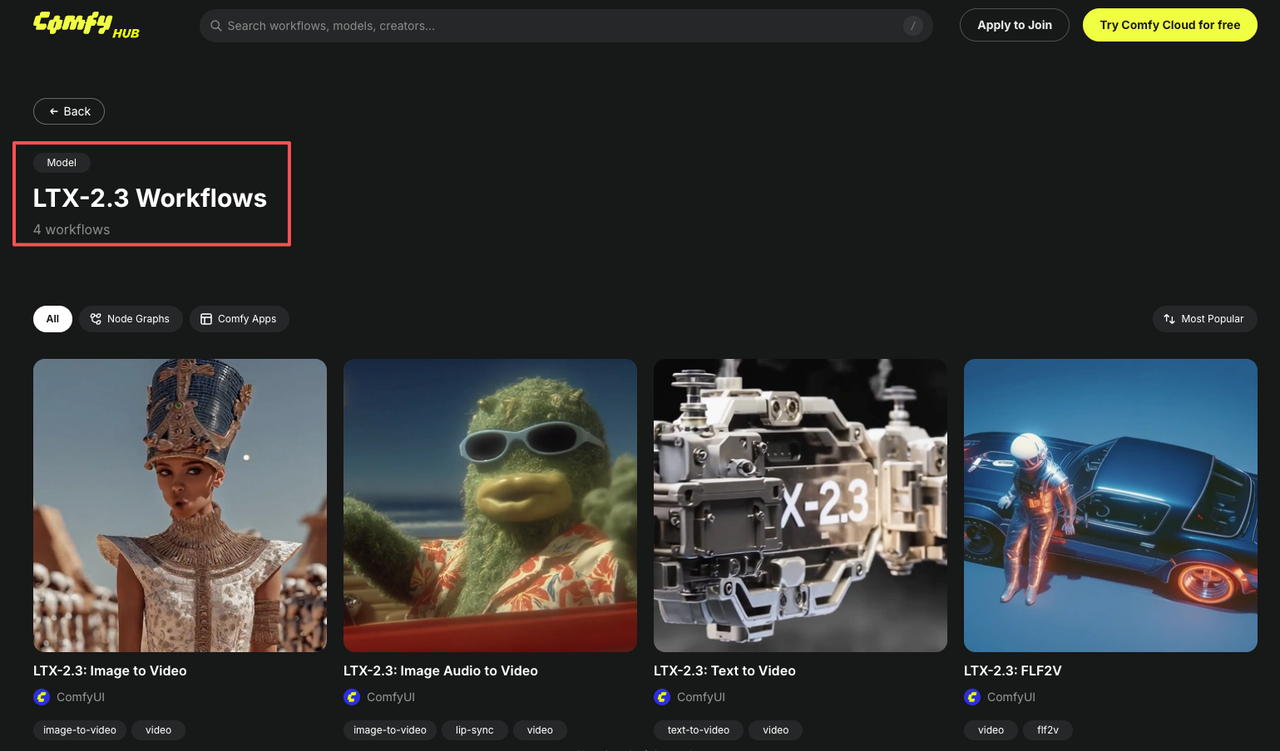
What’s Different About LTX-2.3 in ComfyUI (vs LTX-2 setup)
LTX-2.3 ComfyUI feels like a nudge toward reliability rather than a leap. The model expects Gemma 3 12B as its text encoder, and the recommended path is a two-stage pipeline: generate at half resolution for base coherence, then upscale latents with an LTX-specific upsampler. In practice, this changed two things for me:
- Prompts held together better at modest steps. I noticed fewer “mushy” details when I stayed within 25–35 steps on Stage 1.
- VRAM was less spiky than I feared, as long as I respected stage boundaries and didn’t try to brute-force full-res in one go.
I also saw that older LTX-2 nodes mostly worked, but LTX-2.3 prefers its own sampler/latent upsampler nodes. Swapping just the checkpoint wasn’t enough. That’s where I first tripped.
Required Files and Folder Structure
Here’s the setup I landed on after a few false starts. It isn’t fancy: it’s the minimum that stopped the red error boxes.
Checkpoint Options (dev / fp8 / distilled + distilled LoRA)
- dev: Good for tinkering. Slightly heavier, but I found it more forgiving when prompts wandered.
- fp8: Lighter on VRAM. On my 12GB card, fp8 let me keep batch size 1 without OOM during decode. Slight quality dip, nothing dramatic for social or marketing assets.
- distilled + distilled LoRA: Cleanest outputs for product-like shots in my tests, but you need to remember to actually load the LoRA and set a weight (0.6–0.8 worked for me). Without the LoRA active, results looked closer to dev.
All checkpoints lived in ComfyUI/models/checkpoints. I kept LoRAs in ComfyUI/models/loras and named them with the same stem as the base checkpoint so I could find the pair fast.
Gemma 3 12B Text Encoder: Download and Placement
LTX-2.3 expects the Gemma 3 12B text encoder. Depending on your node stack, you’ll either use a PyTorch weight or a GGUF file (for llama.cpp-backed nodes). I tried both.
- PyTorch route: placed in ComfyUI/models/clip (some nodes autodetect here). If your node asks for a different folder, follow its doc, don’t fight it.
- GGUF route: placed in ComfyUI/models/llm (or a node-specific text_encoders folder). Q4_K_M was the sweet spot for me: Q3 saved more memory but lost some nuance in long prompts.
If in doubt, open the node’s ”?” help or README. The folder name matters.
Upscaler Models: When to Include Them
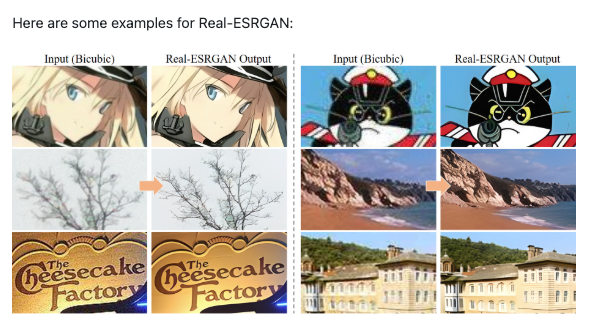
You don’t need an external image upscaler if you’re using the LTX latent upsampler. That said, I kept a 4x ESRGAN and an SDXL x2 latent upscaler in ComfyUI/models/upscale_models for non-LTX images. For LTX-2.3, the built-in LTXVLatentUpsampler did better than ESRGAN for edges and text-like shapes.
The Two-Stage Pipeline Explained
I kept trying to skip Stage 1. That was a mistake. The two-stage path ended up simpler to reason about and kinder to VRAM.
Stage 1, Base Coherence at Half Resolution
I generate at half my target size (e.g., 640×384 for a 1280×768 final). This stage sets composition and subject details. 25–35 steps, CFG modest (4–6), batch size 1. If something’s off, hands, layout, color cast, it’s cheaper to fix here.
What I noticed: fewer “drifts” when I simplified prompts and used one or two style anchors max. LTX-2.3 seems to reward focused language.
Stage 2, Latent Upscaling for Sharpness (LTXVLatentUpsampler)
Then I pass Stage 1 latents into the LTXVLatentUpsampler. This sharpens edges and restores fine detail without re-rolling composition. I usually run 15–20 steps for upsampling. It’s not a magic eraser: if the base is wrong, the upsampler just makes a sharper wrong.
Dev + Distilled LoRA vs Full Distilled: Which to Use
- Dev + Distilled LoRA: My default when I’m exploring a look. Slightly more flexible. I set LoRA strength around 0.7 and nudge if textures feel overfit.
- Full Distilled: When I need fast, consistent outputs for a batch. It’s pickier about prompts but saves mental energy, fewer surprises run to run.
If you feel stuck, try dev for Stage 1 (looser) and distilled for Stage 2 (tighter). That combo rescued a moody portrait set for me.
Gemma 3 12B Encoder Configuration: VRAM Management
Gemma 3 12B is the main reason I expected pain. It wasn’t bad, just needs guardrails.
Offloading the Encoder to CPU/RAM When VRAM Is Tight
On a 12GB card, I offloaded the Gemma encoder to CPU for the text pass. It added a few seconds per run but stopped OOM during Stage 1. If your node supports **mixed-device loading**, set the attention layers to GPU and the rest CPU. The feel: not faster, but calmer, no hard crashes mid-idea.
—novram Flag and Other Startup Fixes
If you’re launching ComfyUI with command flags, —novram helped smooth memory spikes during model swaps. I also:
- Disabled “keep loaded” on big models between test runs.
- Set torch.set_grad_enabled(False) in a small custom init (if your setup allows) to avoid useless grads.
- Used smaller safety nets: 16-bit or fp8 checkpoints when I knew I’d stack LoRAs.
Low-VRAM Strategies for Consumer GPUs (12GB / 16GB / 24GB)
What worked across three machines I tried (RTX 3060 12GB, 4070 12GB, and 4090 24GB):
GGUF Quantized Models: Q3 vs Q4 Trade-offs
- Q3: Lowest memory, fastest to load, but I lost prompt nuance and saw more repetition in descriptors.
- Q4: Slightly heavier, noticeably better coherence. My pick for 12–16GB cards. For 24GB, I skip quant or use Q5 if available.
VAE Offloading to Reduce Memory Spikes
Decoding is where I hit OOM most. Offloading VAE to CPU or using a lighter VAE reduced spikes at the end of Stage 2. On 12GB, I also set the final decode to single image (no batching) even if earlier nodes batched, less drama.
Other small wins:
- Keep resolution modest in Stage 1: upscale later.
- Avoid stacking multiple guidance tricks. One CFG, one LoRA at a time.
Common First-Run Errors and Fixes
I met the usual red boxes. These were the fixes that stuck.
Missing Node Errors After Load
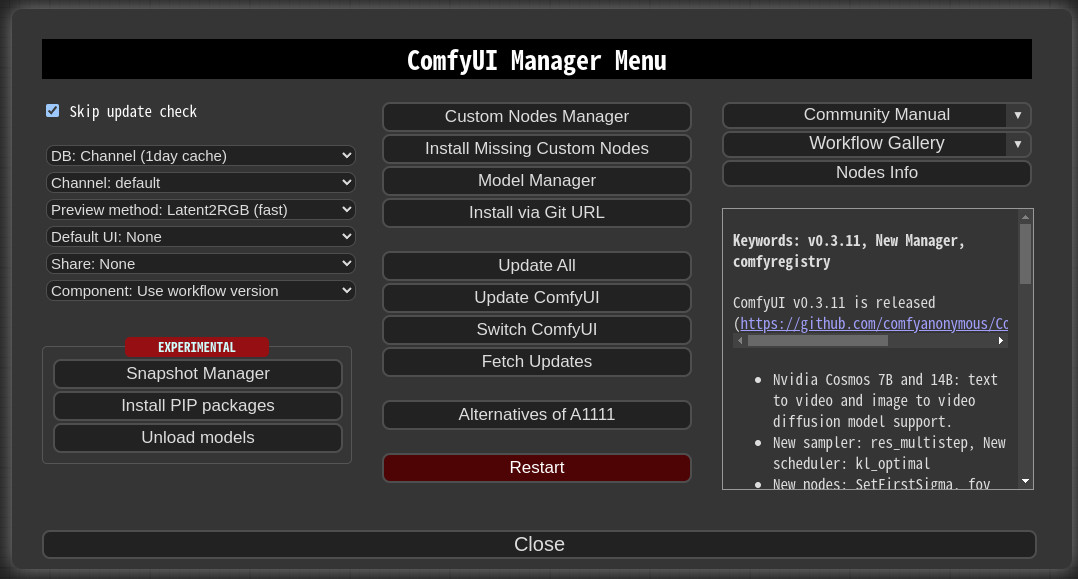
If ComfyUI can’t find LTX-2.3 nodes, update your custom-nodes repo and restart. Some LTX nodes also require a newer ComfyUI core. I fixed one stubborn error by deleting the node’s cache folder and letting it rebuild on launch.
OOM During Decode
Two levers helped instantly: switch checkpoint to fp8 or offload VAE to CPU. Also lower the last-stage batch to 1. If you’re still crashing, halve the target resolution and let an external image upscaler finish the job.
Gemma Encoder Crash
This usually meant folder mismatch or a quant file the node didn’t like. I re-downloaded Gemma 3 12B from the source listed in the node README, verified checksum, and placed it where the node expects (clip vs llm). Q4 worked: Q3 sometimes failed to load on my 4070 until I updated to the latest llama.cpp-backed build.

FAQ
Do LTX-2.3 ComfyUI nodes need to be installed separately?
Usually yes. Updating the model alone isn’t enough. Pull the latest LTX node repo and restart ComfyUI so it registers new samplers and the latent upsampler.
Can I use existing LTX-2 workflows with LTX-2.3 checkpoints?
Partially. I could reuse the layout, but I had to swap in the LTX-2.3 sampler and LTXVLatentUpsampler, and point prompts to **Gemma 3 12B**. After that, most controls behaved.
What’s the minimum VRAM to run LTX-2.3 in ComfyUI?
I got workable single-image runs on 12GB with fp8 or GGUF Q4 for the encoder, Stage 1 at half-res, and VAE offloaded. It’s smoother at 16GB. At 24GB, you can stay in PyTorch and move faster.
Is the two-stage pipeline faster or slower than single-stage?
Wall-clock can be similar, but it feels lighter. I spend less time rerolling full-res misses. Stage 1 settles the idea: Stage 2 cleans it. On a 12GB card, it’s also the difference between creating and crashing.
I didn’t end up “excited” about LTX-2.3 ComfyUI. More like relieved. The pictures looked how I asked sooner, and the workflow stopped picking fights with VRAM. I’ll keep the two-stage path around. It’s quiet, and it works.
Previous Posts:
Related Articles
LTX-2.3 LoRA Training Guide: Style, Motion & IC-LoRA Control (2026)
LTX-2.3 vs WAN 2.2: Open-Source Video Model Comparison (2026)
LTX-2 to LTX-2.3 Upgrade: Compatibility, LoRA Breaks & Migration (2026)

Best Free AI Image Generator Online in 2026: 10+ Models, One Click, Zero Hassle

Best Free AI Video Generator Online in 2026: Sora, Kling, Veo, Seedance — All in One Place
