
Introducing WaveSpeedAI Image Face Blur on WaveSpeedAI
Automatically detect and blur all faces in any image with a single API call. Privacy-first face anonymization with no manual selection, no cold starts, and affordable pricing.
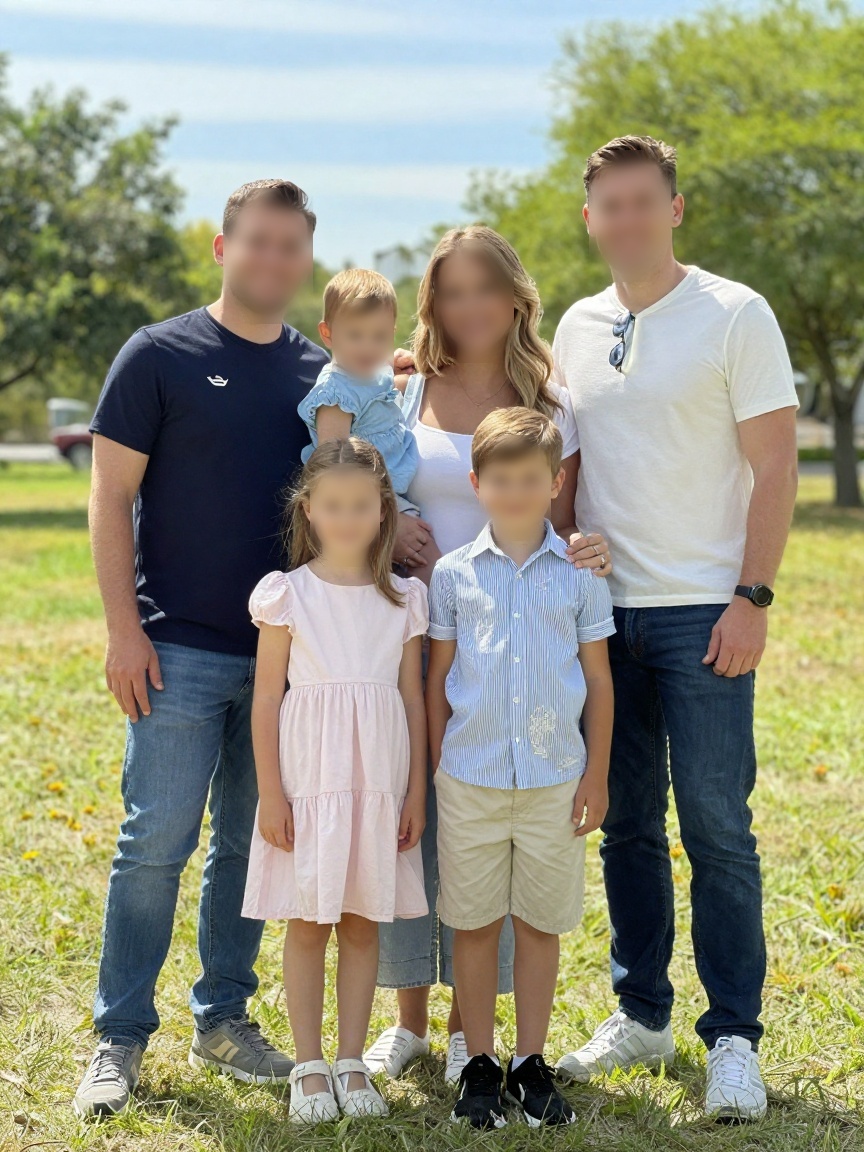
Introducing Image Face Blur: One-Click Face Anonymization on WaveSpeedAI
Privacy regulations are tightening worldwide. Whether it’s GDPR in Europe, CCPA in California, or emerging data protection laws across Asia, the requirement to anonymize faces in visual content is no longer optional for many businesses. Today, we’re launching Image Face Blur on WaveSpeedAI — a fast, reliable API that automatically detects and blurs every face in an image with zero manual intervention.
No bounding boxes to draw. No faces to select. Just send an image, get back a privacy-compliant version.
What is Image Face Blur?
Image Face Blur is an AI-powered face detection and anonymization model. It scans an input image, identifies all visible faces regardless of angle, size, or partial occlusion, and applies a natural-looking blur to each one. The rest of the image remains untouched and at full quality.
The model handles edge cases that trip up simpler solutions: faces in crowds, partially turned heads, children, people wearing glasses or hats, and faces at varying distances from the camera.
Key Features
-
Fully Automatic Detection: No need to specify face locations or count. The model finds and blurs every face in the frame automatically.
-
Handles Crowds: Works reliably on images with dozens of faces — street photography, event photos, surveillance stills, and group shots.
-
Preserves Image Quality: Only the face regions are blurred. The surrounding image retains its original resolution, color accuracy, and detail.
-
No Cold Starts: WaveSpeedAI’s always-warm infrastructure means your API calls return results immediately, every time.
-
Simple API: One input (
image), one output (blurred image). Integration takes minutes, not hours.
Real-World Use Cases
Street View & Mapping
Companies capturing street-level imagery need to blur pedestrian faces before publishing. Image Face Blur processes these images at scale without manual review.
Real Estate & Property Listings
Property photos often capture bystanders, neighbors, or tenants. Blur faces automatically before listing photos go live to respect privacy.
Journalism & Documentary
Media organizations can protect the identity of sources, bystanders, or minors in published photographs while preserving the editorial integrity of the image.
Security & Surveillance
Security teams reviewing footage exports can anonymize individuals before sharing recordings with third parties, maintaining compliance with data handling policies.
User-Generated Content Platforms
Social platforms and marketplaces that host user-uploaded photos can offer automatic face anonymization as a feature, reducing liability and building user trust.
Getting Started
The API is straightforward:
import wavespeed

output = wavespeed.run(
    "wavespeed-ai/image-face-blur",
    {"image": "https://example.com/photo.jpg"},
)

print(output["outputs"][0])
Send an image URL or upload, receive the blurred result. That’s it.
Pricing
At just $0.001 per image, Image Face Blur is one of the most affordable face anonymization solutions available. Process 1,000 images for $1 — making it practical for batch processing millions of photos in production pipelines.
Production-Ready Infrastructure
- No cold starts: Instant response on every request
- High throughput: Built to handle batch workloads at scale
- Consistent quality: Reliable detection across lighting conditions, angles, and image types
Best Practices
-
Use reasonable resolution: The model works best with images where faces are at least 20×20 pixels. Extremely distant or tiny faces may not be detected.
-
Check edge cases: If your pipeline includes unusual angles (overhead cameras, extreme wide-angle), test a sample batch to verify detection coverage.
-
Combine with other tools: Pair Image Face Blur with WaveSpeedAI’s other privacy tools like text removal or watermark removal for comprehensive content sanitization.
Conclusion
Image Face Blur removes the manual work from face anonymization. One API call, all faces blurred, full image quality preserved. At $0.001 per image with no cold starts, it’s built for production pipelines that need privacy compliance at scale.
Ready to automate face anonymization? Try Image Face Blur on WaveSpeedAI today and ship privacy-compliant images without the manual overhead.