
Introducing WaveSpeedAI FLUX 2 Max Edit on WaveSpeedAI
Try Wavespeed Ai Flux.2 Max Edit for FREE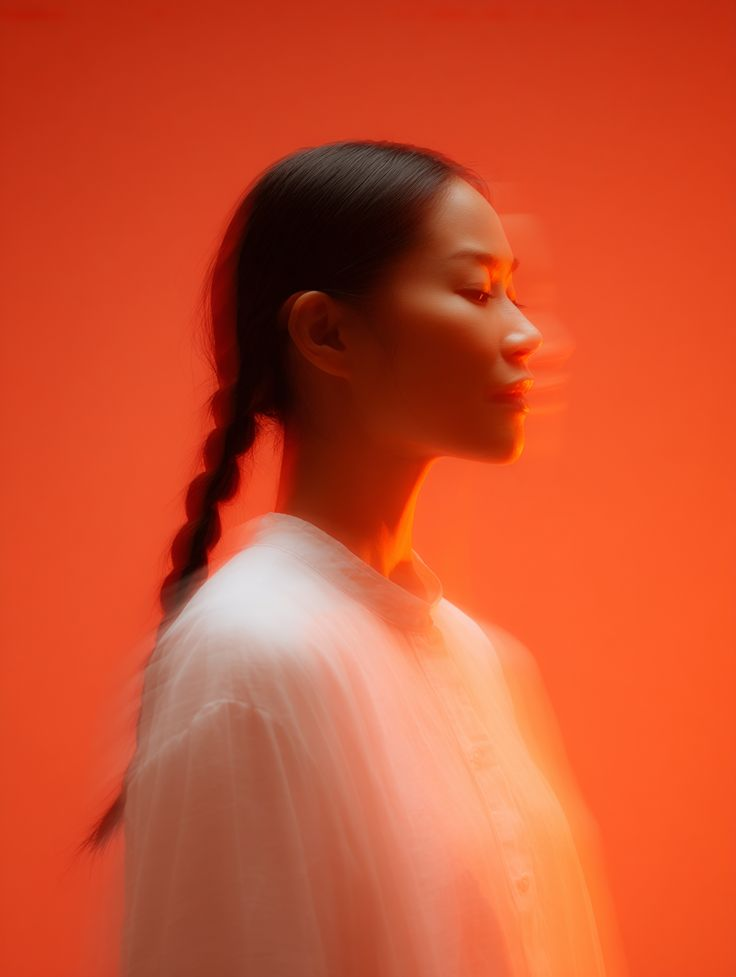
Introducing FLUX 2 Max Edit: Production-Grade Image Editing Has Arrived on WaveSpeedAI
The future of professional image editing is here. WaveSpeedAI is excited to announce the availability of FLUX 2 Max Edit, the flagship image-to-image editing model from Black Forest Labs. This powerhouse model brings studio-quality transformations to your fingertips—all through simple, natural language instructions.
Whether you’re refreshing product photography, generating marketing variants, or maintaining pixel-perfect brand consistency across thousands of assets, FLUX 2 Max Edit delivers the precision and reliability that production teams demand.
What is FLUX 2 Max Edit?
FLUX 2 Max Edit represents the pinnacle of Black Forest Labs’ FLUX.2 family—a suite of models that has redefined what’s possible in AI-powered visual intelligence. Built on a sophisticated latent flow matching architecture that couples the Mistral-3 24B parameter vision-language model with a rectified flow transformer, this model understands context like no other.
Unlike traditional image editors that require masks, layers, and complex configurations, FLUX 2 Max Edit works the way you think. Simply describe what you want changed—“make the background a clean studio grey and match the logo color to our brand red”—and the model delivers polished, production-ready results.
The [max] tier is specifically engineered for high-stakes workflows where quality cannot be compromised. It preserves colors, lighting, faces, text, and objects with exceptional fidelity, making every edit look like a carefully re-shot photograph rather than a digitally patched composite.
Key Features
Natural Language Control Forget about complex parameter tuning. Describe your edits in plain English, and FLUX 2 Max Edit interprets your intent with remarkable accuracy. The model understands both short directives and detailed multi-step instructions.
Hex Color Precision For brand work requiring exact color matching, specify your colors using hex codes (e.g., #FF6B35) and get pixel-perfect results every time. This precision extends beyond product colors to entire scenes—specify your brand palette and maintain visual consistency across entire campaigns.
Multi-Reference Editing Use multiple input images in a single request when you need to match outfits, backgrounds, or stylistic cues. FLUX 2 Max Edit understands how reference images relate and applies changes accordingly, supporting up to 10 images in a single generation.
Structure-Preserving Transformations The model refines lighting, texture, and local detail while keeping composition, perspective, and identity intact. Character faces maintain their proportions and expressions even across complex edits and changing environments.
4-Megapixel Resolution Generate and edit images at up to 4MP while preserving detail and coherence—essential for professional creative workflows where visual clarity matters.
Consistent, Predictable Results A fixed optimization profile plus seed control means large edit batches behave predictably—crucial for A/B testing, QA workflows, and automated production pipelines.
Real-World Use Cases
E-Commerce and Product Photography
- Automatically standardize user-submitted product photos with professional studio backgrounds
- Batch-update seasonal colors across thousands of SKUs using brand hex codes
- Generate lifestyle variants from a single studio shot (“show this sneaker on a rainy street” or “in a gym setting”)
- Refresh packaging visuals across regions while preserving logo proportions and lighting
Marketing and Brand Campaigns
- Create dozens of ad variants maintaining the same character identity
- Generate product mockups in different contexts for testing
- Build dynamic fashion editorials with consistent subjects across every shot
- Produce campaign assets that maintain strict brand guideline compliance
Creative Production
- Transform concept art into polished visuals
- Refresh hero images and key visuals without reshooting
- Generate interior design variations from reference photographs
- Create food imagery and product variations at scale
Automated Workflows
- Integrate into batch processing pipelines via REST API
- Power no-code tools and web backends with reliable editing capabilities
- Scale high-value editing jobs where manual intervention is expensive
Getting Started on WaveSpeedAI
Getting up and running with FLUX 2 Max Edit on WaveSpeedAI takes just minutes:
-
Visit the Model Page: Head to FLUX 2 Max Edit on WaveSpeedAI
-
Upload Your Image: Provide the source image you want to edit
-
Write Your Prompt: Describe the changes you want in natural language. For precise color matching, include hex codes in your instructions
-
Generate: Click generate and receive your production-ready edit
WaveSpeedAI’s infrastructure ensures you get the best possible experience with FLUX 2 Max Edit:
- No Cold Starts: Your requests begin processing immediately—no waiting for model initialization
- Fast Inference: Optimized infrastructure delivers results quickly, even for high-resolution edits
- Affordable Pricing: At $0.07 per edited image, production-grade editing is accessible for projects of any scale
- Ready-to-Use REST API: Integrate directly into your applications and workflows
The Complete FLUX.2 Stack
FLUX 2 Max Edit works seamlessly alongside the rest of the FLUX.2 family available on WaveSpeedAI. Use [dev] variants for rapid iteration and LoRA training, [flex] for fine-grained control, and [max] when only the highest fidelity will do. This gives you a complete generate-and-edit stack for any creative challenge.
Transform Your Visual Workflow Today
FLUX 2 Max Edit represents a fundamental shift in how production teams approach image editing. By combining natural language understanding with production-grade reliability, it eliminates the friction between creative intent and final output.
Whether you’re a solo creator looking to streamline your workflow or an enterprise team processing thousands of images daily, FLUX 2 Max Edit on WaveSpeedAI gives you the tools to work faster without sacrificing quality.
Ready to experience production-grade image editing? Try FLUX 2 Max Edit on WaveSpeedAI and see what’s possible when cutting-edge AI meets world-class infrastructure.
Related Articles

Best Free AI Image Generator Online in 2026: 10+ Models, One Click, Zero Hassle

Best Free AI Video Generator Online in 2026: Sora, Kling, Veo, Seedance — All in One Place

Goodbye Sora: Top 5 Best Sora Alternatives for Making AI Videos in 2026

Google Veo 4: What We Might See From Google's Next AI Video Model

Recraft V4: How a Small AI Startup Dethroned Midjourney and DALL-E on Image Generation
