
Introducing ByteDance Dreamina V3.0 Edit on WaveSpeedAI
Try Bytedance Dreamina V3.0 Edit for FREE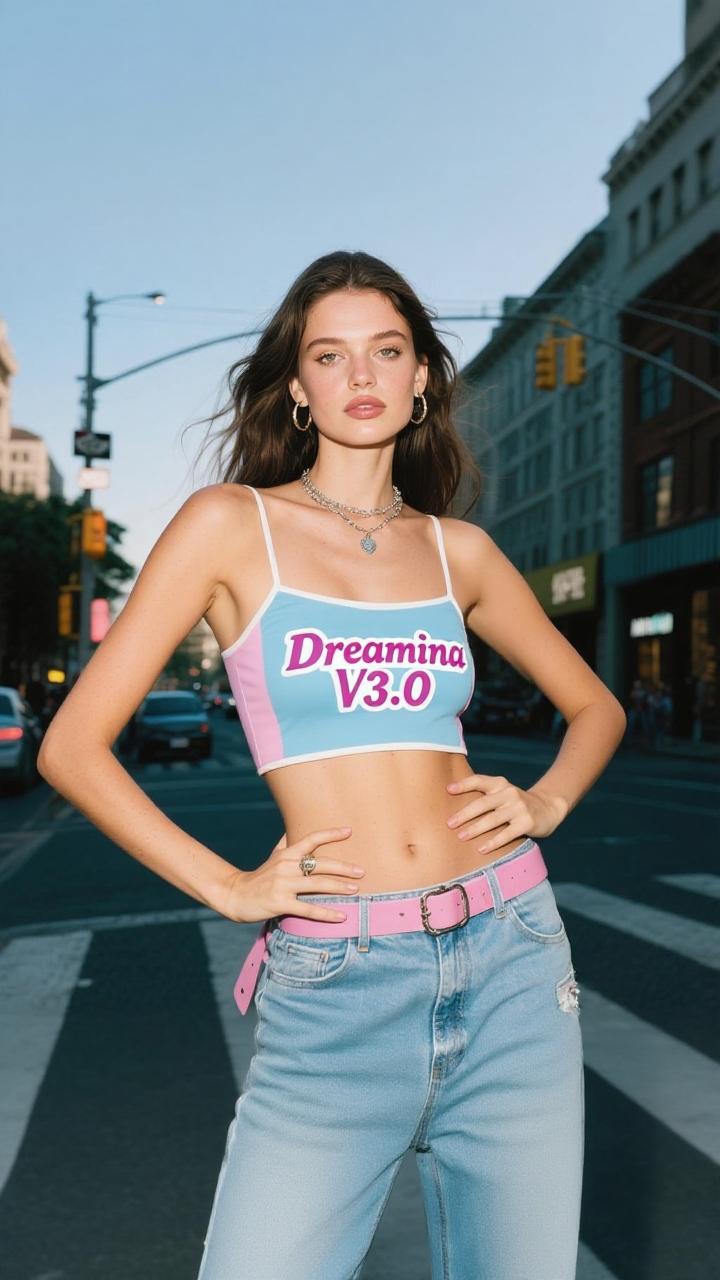
Transform Your Images with ByteDance Dreamina 3.0 Edit
The world of AI-powered image enhancement just got more exciting. WaveSpeedAI is proud to announce the availability of ByteDance Dreamina 3.0 Edit, an advanced image-to-image model that brings professional-grade visual upgrades to your creative workflow. Whether you’re a digital artist, content creator, or designer, this model offers the power to transform ordinary images into stunning visual masterpieces with enhanced aesthetics, refined styles, and richer details.
What is ByteDance Dreamina 3.0 Edit?
ByteDance Dreamina 3.0 Edit is a sophisticated image-to-image model built on the same cutting-edge technology that powers ByteDance’s renowned Dreamina platform. This model specializes in upgrading the visual effects of your images, taking existing visuals and elevating them to new heights of quality and appeal.
Unlike basic filters or simple enhancement tools, Dreamina 3.0 Edit employs advanced AI algorithms that understand the context and composition of your images. It intelligently improves picture aesthetics, ensures style accuracy, and adds richness of details—all while responding to your text prompts to guide the transformation process.
The model supports both Chinese and English prompts, making it accessible to a global audience of creators. With flexible resolution support ranging from 512 to 2048 pixels, you have the freedom to work with images across a wide range of use cases.
Key Features
-
Enhanced Aesthetics: The model has been specifically optimized to improve the overall visual appeal of images, producing results that look professionally polished and visually striking.
-
Style Accuracy: Whether you’re aiming for photorealistic quality, artistic interpretations, or specific visual styles, Dreamina 3.0 Edit maintains faithful adherence to your creative intent.
-
Rich Detail Enhancement: Every enhancement pass adds depth and richness to your images, revealing subtle details and textures that elevate the overall quality.
-
Text-Guided Transformation: Use natural language prompts (up to 120 characters) to direct how you want your image enhanced, giving you creative control over the final output.
-
Flexible Resolution: Support for image sizes ranging from 512 to 2048 pixels accommodates everything from social media content to high-resolution print materials.
-
Photorealistic Output: The model excels at producing photorealistic results that maintain natural appearance while improving quality.
-
Bilingual Support: Work seamlessly in either Chinese or English, making the tool accessible regardless of your preferred language.
Real-World Use Cases
Digital Art Creation
Artists can use Dreamina 3.0 Edit to refine their digital artwork, adding professional polish and enhancing visual details. Transform rough concepts into finished pieces with enhanced lighting, texture, and overall composition.
Content Generation for Social Media
Content creators can elevate their social media presence by enhancing images before posting. Whether it’s improving product photography, refining lifestyle shots, or polishing promotional materials, the model delivers scroll-stopping visuals.
E-Commerce Product Enhancement
Online retailers can upgrade their product imagery to drive higher engagement and conversions. Enhanced aesthetics and improved detail visibility help products stand out in crowded marketplaces.
Visual Design and Marketing
Marketing teams and designers can quickly iterate on visual concepts, using the model to explore different aesthetic directions and refine campaign imagery for maximum impact.
Creative Inspiration and Exploration
Use Dreamina 3.0 Edit as a creative tool to explore how different styles and enhancements might transform your source images, sparking new ideas and directions for your projects.
Photography Post-Processing
Photographers can leverage the model to add an extra layer of polish to their work, enhancing details and aesthetics that might be difficult or time-consuming to achieve through traditional editing.
Getting Started on WaveSpeedAI
Accessing ByteDance Dreamina 3.0 Edit through WaveSpeedAI is straightforward and designed for seamless integration into your existing workflows:
-
Visit the Model Page: Navigate to ByteDance Dreamina 3.0 Edit on WaveSpeedAI.
-
Prepare Your Image: Upload the image you want to enhance. The model accepts images between 512 and 2048 pixels in resolution.
-
Craft Your Prompt: Write a text prompt describing the enhancement you want. Be specific about style, mood, or particular aspects you want to improve.
-
Generate: Submit your request and receive your enhanced image through our ready-to-use REST API.
Why Choose WaveSpeedAI?
When you run Dreamina 3.0 Edit through WaveSpeedAI, you benefit from:
- Fast Synchronous Inference: Get your results quickly without waiting in long queues.
- No Cold Starts: The model is always warm and ready to process your requests immediately.
- Stable and Reliable Performance: Count on consistent quality and uptime for production workloads.
- Affordable Pricing: Access enterprise-grade AI capabilities at competitive rates that scale with your usage.
- Simple REST API: Integrate easily into any application or workflow with our developer-friendly API.
Elevate Your Visual Content Today
ByteDance Dreamina 3.0 Edit represents a significant step forward in AI-powered image enhancement. With its focus on aesthetics, style accuracy, and detail richness, this model empowers creators to produce higher-quality visuals with less effort.
Whether you’re enhancing a single image or processing thousands as part of a production pipeline, WaveSpeedAI provides the infrastructure you need to leverage this powerful model effectively. Our combination of speed, reliability, and affordability makes it easier than ever to integrate cutting-edge AI capabilities into your creative process.
Ready to transform your images? Try ByteDance Dreamina 3.0 Edit on WaveSpeedAI and experience the difference that advanced AI enhancement can make for your visual content.
Related Articles

daVinci-MagiHuman: The Open-Source Model That Just Crushed Every Digital Human Generator

Introducing Google Lyria 3 Clip on WaveSpeedAI

Introducing Google Lyria 3 Pro on WaveSpeedAI

Best Free AI Image Generator Online in 2026: 10+ Models, One Click, Zero Hassle

Best Free AI Video Generator Online in 2026: Sora, Kling, Veo, Seedance — All in One Place
