
Train a Z-Image Turbo LoRA on WaveSpeed: Dataset, Steps, and Common Mistakes

Hey, buddy. I’m Dora.
Last week, I wanted a small, consistent style for a set of header images. Stock felt wrong, and hand-tuning prompts kept drifting. So I tried something I’ve been avoiding: a fast LoRA on Z-Image Turbo inside WaveSpeed. I expected fiddly settings and a lot of trial-and-error. What I got was simpler than I thought, not effortless, just tidy.
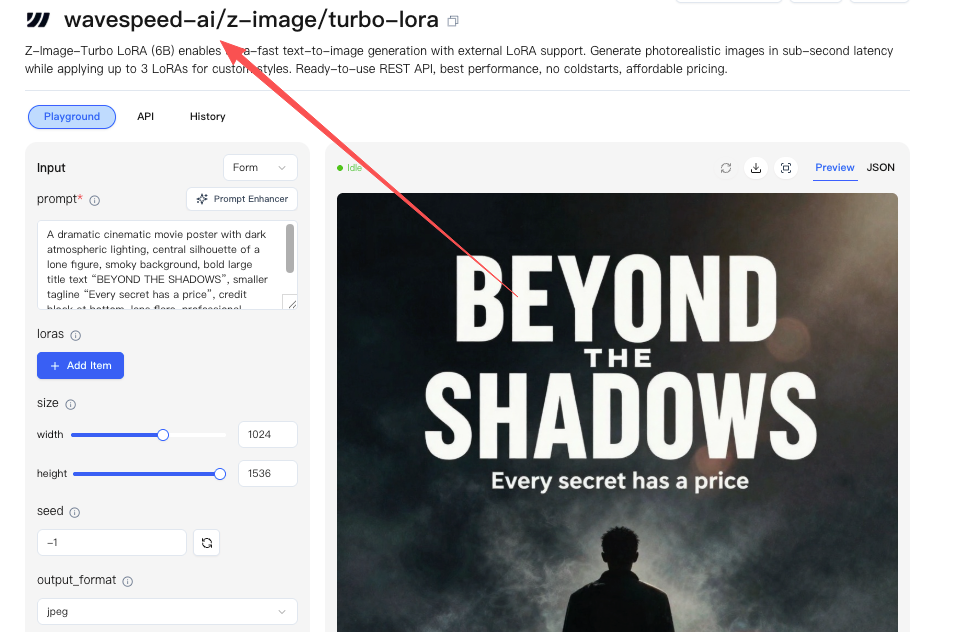 Here’s how I trained a Z-Image Turbo LoRA on WaveSpeed over two evenings in January 2026, what worked, what didn’t, and the settings I’ll reuse. It’s not a guide to squeeze every last percent. It’s a steady baseline that kept my head clear and the results predictable.
Dataset rules
What I collected
I kept it small: 45 images for a defined visual style (muted, clean lines, gentle paper texture). I’ve had good runs between 30–120 images. Under 20 tends to overfit: beyond 150 you’re training more of a fine-tune than a LoRA, and Z-Image Turbo’s speed advantage starts to flatten.
Diversity beats quantity
I split the set:
- 70% “core look” images (the style I want to teach),
- 30% context variety (different objects/backgrounds so the LoRA doesn’t bind the style to one scene).
Angles, lighting, and aspect ratios varied. I avoided near-duplicates (no three shots of the same object from a 5° shift).
Size and format
- Resolution: 768px on the short side. Turbo models handle 1024, but 768 kept training lighter and reduced artifacting in my tests.
- Format: PNG or high-quality JPEG. I stripped metadata. Large embedded profiles sometimes confused color slightly.
- Cropping: I cropped to keep the subject dominant but not centered every time. Symmetry makes models complacent.
Captioning tips
I tried two passes: auto-tagging first, then light edits. Auto captions got me 70% there. The last 30% mattered.
Keep captions short and consistent
- 1–2 sentences or a compact tag list.
- Mention the style token (more on tokens below) plus a class word.
- Don’t describe everything. Name only what’s stable and important.
Example I used:
- “soka-style, minimalist illustration of a ceramic mug on a desk, soft paper texture, muted palette.”
- “soka-style, simple plant in a clay pot, side light, clean negative space.”
Class words help
If you’re teaching a style, use class words (illustration, photo, portrait, product shot). If you’re teaching an object/character, use what it is (mug, backpack, planner). This helps the LoRA generalize. Without class words, my early runs made the LoRA cling to layouts.
Don’t overfit with adjectives
I removed repeated adjectives after the second pass. If every caption says “warm, cozy, soft,” the model locks onto that vibe even when you don’t want it. I kept one adjective for tone.
Negative signals
I added a light negative in a few captions where it really mattered: “no harsh shadows.” Not everywhere, just where contrast was wrong in the raw image. Too many negatives made it stubborn during inference.
Small note: I tried going caption-free for five images as a test. Results got a touch noisier. Not terrible, but I wouldn’t skip captions if consistency matters.
Training params baseline
These are the settings that gave me steady results on WaveSpeed with Z-Image Turbo. I ran three short trainings (about 18–22 minutes each on the default GPU in my workspace). Your times may differ.
Core settings I reused
- Base: Z-Image Turbo (latest as of Jan 2026)
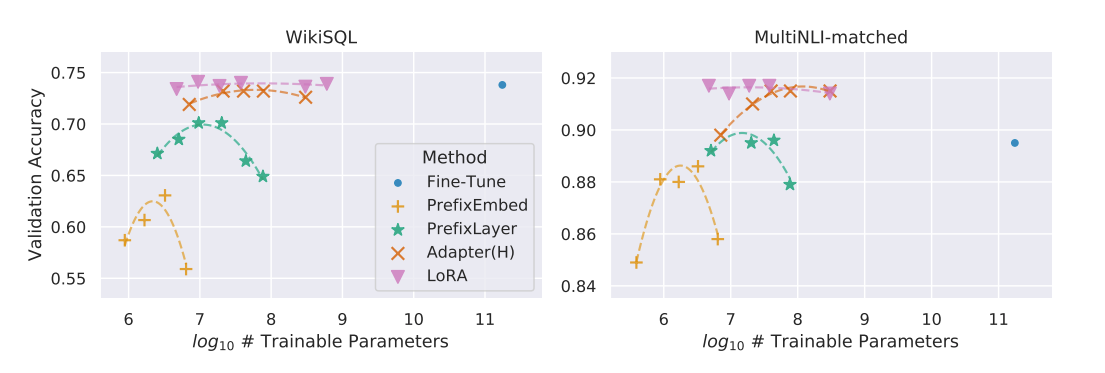
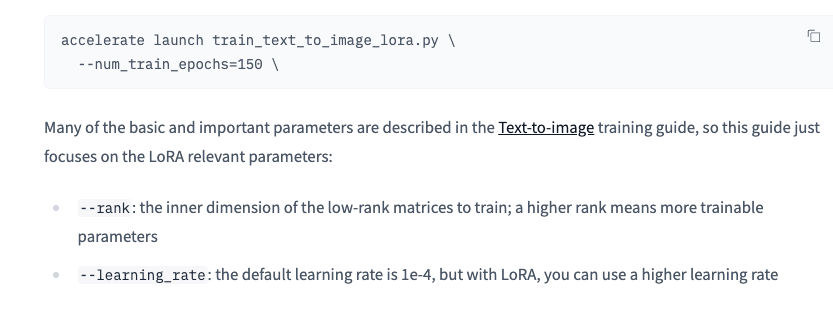
- LoRA rank (dim): 16 for subtle style: 32 when the style needs more punch. I settled on 16.
- Alpha: match rank (16) or half (8). I matched it.
- Learning rate: 1e-4 to start. 2e-4 if the style doesn’t stick. 1e-3 overcooked fast in my tests. Hugging Face’s LoRA training documentation recommends starting with 1e-4 for most stable diffusion models.
- Batch size: 2–4. I used 4 to keep steps reasonable.
- Epochs/steps: Aim for 1–2 full passes over the data. For 45 images × 10 repeats ÷ batch 4 ≈ 112 steps per epoch. I trained 2 epochs (≈224 steps). More than 3 epochs started to memorize backgrounds.
- Scheduler: Cosine or constant with warmup. I used cosine with 5% warmup.
- Precision: bfloat16 when available. It was fine here.
Regularization images
With style LoRAs, I don’t always add regularization. For objects or characters, I add 50–100 class images (plain “mug,” “portrait”) to keep anatomy and shapes honest. On Turbo, this noticeably reduced weird hand-like leaves in plant shots.
Checkpoints and saving
I enabled saving every 50–80 steps. It let me roll back to the sweetest spot, which for my set was around step 180. Later steps looked cleaner but less flexible in prompts.
If you want a quick sanity check: do a 60–90 step run first. It won’t be perfect, but it’ll tell you if your dataset is teaching the right lesson.
Trigger words
I used a unique token to anchor the style: “soka-style”. You could use something like “kavli-ark” or “mivva”. Short, invented, and not likely to collide with real words.
How I wrote captions
- Start captions with the token once: “soka-style, minimalist illustration …”
- Add a class word: illustration, photo, render, whatever matches.
- Keep it consistent across the dataset.
How I prompted
- Positive: “a product photo of a ceramic mug on a wooden desk, soka-style, soft paper texture, muted colors”
- Negative: “harsh shadows, heavy grain, text watermark, chromatic aberration”
When to avoid trigger words
If you’re training a very specific object (a brand bottle, a mascot), use a token + class word (“mivva-bottle”) in captions, but you don’t have to force the token into every inference prompt. In my tests, Turbo respected the training distribution: sometimes the class word alone was enough. The token helped when the scene got complex.
One oddity: stacking two style tokens confused the model (“soka-style, nova-style”). I got a murky blend. One token at a time was cleaner.
Validation images
Validation saved me from chasing ghosts.
Fixed seeds and a small grid
I set three prompts I care about and kept them fixed across runs:
- “a ceramic mug on a desk, soka-style, soft paper texture, muted colors”
- “a leafy plant by a window, soka-style, side light, clean background”
- “a planner and pen, soka-style, top-down, gentle shadows”
- Seed: fixed (I used 12345). One seed per prompt.
- Steps: 20–28 for Turbo. Beyond 30 started to oversharpen.
- CFG: 3.5–6. I liked 4.5 for balance.
- Sampler: DPM++ 2M Karras or a decent Euler variant. Both behaved.
- Size: 768×768 for parity with training crop.
I also rendered the same set once without the token to see if the style was too dominant. In my second run, mugs still looked “papery” without the token, a hint I’d pushed style too hard. Dialing LoRA weight down to 0.6 fixed it.
If you can, keep a lightweight validation panel open while training. Watching the same three prompts update is calmer than eyeballing random samples.
Fixes
Here’s what went wrong and what fixed it.
Overfit backgrounds
- Symptom: identical paper texture appears in unrelated scenes.
- Fix: reduce repeats per image (from 10 to 6), add 6–10 neutral backgrounds, lower LoRA weight at inference (0.6–0.75).
Color drift to beige
- Symptom: everything warms up like a late-afternoon filter.
- Fix: remove repetitive “warm/soft/cozy” adjectives in captions: add 6 cooler-toned images: set white-balance variety in the dataset: add “overly warm tones” to negative.
Brittle prompts
- Symptom: small prompt changes collapse composition.
- Fix: increase dataset variety in object types and layouts: train with a slightly lower LR (1e-4 instead of 2e-4): try rank 32 if the style is complex.
Publish & reuse
Training this LoRA was manageable largely because we built WaveSpeed to remove the annoying parts of the process. Instead of wiring scripts or babysitting GPUs, I could upload a small dataset, run short Turbo LoRA trainings, compare checkpoints, and reuse the model across projects without breaking my flow.
If you’re tired of style drift, overfitting, or losing track of “the good run,”.
→ Train a Z-Image Turbo LoRA on WaveSpeed
 When the third run felt steady, I published the LoRA inside WaveSpeed with a plain model card:
- What it’s for: subtle paper-texture style, muted palette, clean shapes.
- What it isn’t for: photoreal portraits, high-gloss products, heavy text overlays.
- Settings that worked: weight 0.6–0.85, CFG ~4.5, 20–26 steps, 768 output.
- Two good prompts and one caution.
- Version notes: trained Jan 2026, rank 16, LR 1e-4, ~224 steps.
I kept the license simple and added three validation images. Future me will thank past me for the specifics.
Reuse
- Stacking: I could stack this style LoRA with a separate object LoRA, but I kept only one style at a time. If you must stack, keep combined weight under 1.0.
- Merging: I didn’t bake it into a checkpoint. The whole point was flexibility.
- Teams: I shared the LoRA link and the three fixed validation prompts. It cut review back-and-forth. People looked at the same reference.
If you’re new to WaveSpeed or Z-Image Turbo, the official docs are worth a skim before your first run, especially their notes on learning rate and rank. I skimmed them after my first pass and wished I’d done it sooner.
Did you also swear up and down that you’d “just train a little LoRA,” only to find every image two nights later sporting an “eternal beige filter” or “forced paper texture background”?
Quick, dump your 45 images into WaveSpeed and try Z-Image Turbo LoRA. Then come back and tell me: did it save your header consistency, or did it make all your objects sprout “mysterious textured tentacles”?
Related Articles

GPT-5.4 for Developers: What the Leaked Signals Mean for AI Workflows

SkyReels V4 Use Cases: 6 Ways Creators Can Use It Right Now

GPT-5.4 Release Date: What the Signals Say

GPT-5.4 vs GPT-5.3: What Might Actually Change
