
TranslateGemma Online Demo + Quick Start Guide
Hi, I’m Dora. Have you heard of “TranslateGemma”?
The nudge for this one was small: a client sent copy with mixed English and Spanish plus a few sneaky placeholders, and I didn’t want to babysit a translation model line by line. You know the kind: one wrong step and the placeholders implode. I kept seeing “TranslateGemma” pop up in threads, so I tried it, not because it was new, but because I wanted a calmer way to get faithful translations without wrecking formatting. Spoiler: it mostly delivered. I tested it during January 2026 across a few online demos and a local setup. Here’s what actually helped, where it stumbled, and how I ended up structuring prompts to keep it steady.
Try TranslateGemma Online (No Setup)
I don’t love installing things just to see if they’re useful. So I started with TranslateGemma online. If you search “TranslateGemma online,” you’ll find a handful of hosted playgrounds: Hugging Face Spaces, Replicate demos, and a few lightweight web UIs that wrap Gemma-based checkpoints tuned for translation. Some need a free login: some don’t. Either way, you can usually paste text and select languages.
What surprised me: speed was fine even on shared demos. Short paragraphs came back in a second or two: longer pages took a bit more, but not enough to nudge me toward coffee. I kept staring at the screen anyway. Old habit, I guess. The bigger difference wasn’t speed, it was how I framed the prompt.
A simple “Translate to French” worked, but the outputs drifted when the text mixed tones, contained inline code, or used variables like {{first_name}}. The fix was a short, explicit instruction set. When the demo exposed a “system prompt” field, I used it. When it didn’t, I put the instruction at the top of the user message.
Here’s the minimal prompt that consistently reduced cleanup for me:
- Name the source and target languages.
- Tell the model what to keep unchanged (placeholders, code blocks, tags).
- Fence the text so the model knows where it starts and stops.
- Ask for pure translation without commentary.
Example I used online:
Example I used online:
Translate the following from English to Spanish. Keep placeholders like {{first_name}}, {{price}}, and HTML tags unchanged. Preserve line breaks and punctuation. Return only the translated text, nothing else.

<
Subject: Welcome, {{first_name}}.
Your total is {{price}}.
Click <a href="/start">here</a> to begin.
>>>
This didn’t save time the first time. After two runs, it did, mostly because I stopped fixing broken placeholders. If you’re just sanity-checking TranslateGemma online, try a short passage with and without that structure. The difference shows up fast.
Chat Template Format You Must Follow
 Gemma-style chat models respond best when you respect turn markers. Some UIs add them for you. Others expect raw text. If you’re sending prompts directly (API, Python, or a bare-bones UI), a clear, repeatable template helps.
Two reliable patterns worked for me:
1. Plain-text template (works in most web demos)
You are a precise translation assistant.
- Source language: English
- Target language: Spanish
- Keep placeholders like {{...}}, markdown backticks, and HTML tags unchanged.
- Preserve punctuation and line breaks. Don't add explanations.

Text to translate:
<
[PASTE YOUR TEXT]
>>>
2. Gemma chat-turn style (useful in libraries that expose the chat template)
<start_of_turn>user
You are a precise translation assistant.
Source: English
Target: Spanish
Rules: keep {{placeholders}}, code blocks, and HTML intact: preserve line breaks: output only the translation.

Text:
<
[PASTE YOUR TEXT]
>>>
<end_of_turn>
<start_of_turn>model
I didn’t expect the turn markers to matter this much, but they do. Without them, I saw more “helpful” paraphrasing (the model trying to improve the wording). With them, and with fenced input, the model stuck closer to the assignment.
Tiny details that made a big difference:
- Name the languages explicitly. “From English to Spanish” performed better than “Translate to Spanish.”
- Put the rules before the text. If you trail the rules after the text, they’re easier to ignore.
- Fence the text with a distinct start/stop (
<<<and>>>or triple backticks). This reduced accidental trimming at the start or end.
Run TranslateGemma Locally (Python)
 I like having a local fallback for longer work or sensitive drafts. Call me paranoid, but sometimes the cloud just feels too… chatty. On my machine (32 GB RAM, consumer GPU), a smaller Gemma-based translation checkpoint ran comfortably: larger ones needed more VRAM or quantization. If you’re CPU-only, it’s slow but doable with careful settings.
Here’s a simple pattern with Hugging Face Transformers. I’ve kept the model_id generic on purpose, pick a Gemma or Gemma-derived translation model you trust from the Hub, ideally one documented for translation. The template below mirrors the online prompts.
# Tested Jan 2026 with transformers >= 4.40

from transformers import AutoTokenizer, AutoModelForCausalLM, TextStreamer
import torch

model_id = "<your-gemma-translation-checkpoint>" # e.g., a Gemma chat or translation-tuned model

device = "cuda" if torch.cuda.is_available() else "cpu"
dtype = torch.float16 if device == "cuda" else torch.float32

# Load
tokenizer = AutoTokenizer.from_pretrained(model_id, use_fast=True)
model = AutoModelForCausalLM.from_pretrained(
    model_id,
    torch_dtype=dtype,
    device_map="auto" if device == "cuda" else None
)

# Prompt template (plain text). Swap for chat turns if your model requires them.
prompt = (
    "You are a precise translation assistant.\n"
    "Source language: English\n"
    "Target language: Spanish\n"
    "Rules: keep placeholders like {{...}}, code blocks, and HTML tags unchanged: "
    "preserve punctuation and line breaks: output only the translation.\n\n"
    "Text:\n<<<\n"
    "Subject: Welcome, {{first_name}}.\nYour total is {{price}}.\n"
    "<p>Click <a href=\"/start\">here</a> to begin.</p>\n"
    ">>>\n"
)

inputs = tokenizer(prompt, return_tensors="pt").to(model.device)

gen = model.generate(
    **inputs,
    max_new_tokens=300,
    temperature=0.3,
    top_p=0.9,
    repetition_penalty=1.02,
    do_sample=True,
    eos_token_id=tokenizer.eos_token_id,
)

output = tokenizer.decode(gen[0][inputs["input_ids"].shape[1]:], skip_special_tokens=True)
print(output)
A few notes from testing
- If your checkpoint includes a chat template, use the library’s
apply_chat_template()utility instead of manual strings. It cuts odd behaviors in half. - For long inputs, set
max_new_tokenshigh enough and keeptemperaturelow (0.2–0.4). Warmer sampling invited “improvements.” Some helpful, some… not so much. - Quantization helps on smaller GPUs. 4-bit (bitsandbytes) held up well for straight translation.
- If you need batch translation, wrap the prompt in a small function and stream lines. I found chunking by paragraph was safer than giant blobs, less chance of losing structure.
Need to run translation workloads without managing GPU infrastructure or local setups?
We built WaveSpeed so our team can call models via a unified API and handle batch tasks without spinning up servers or wrestling with drivers → Have a try!
Common Errors and Fixes
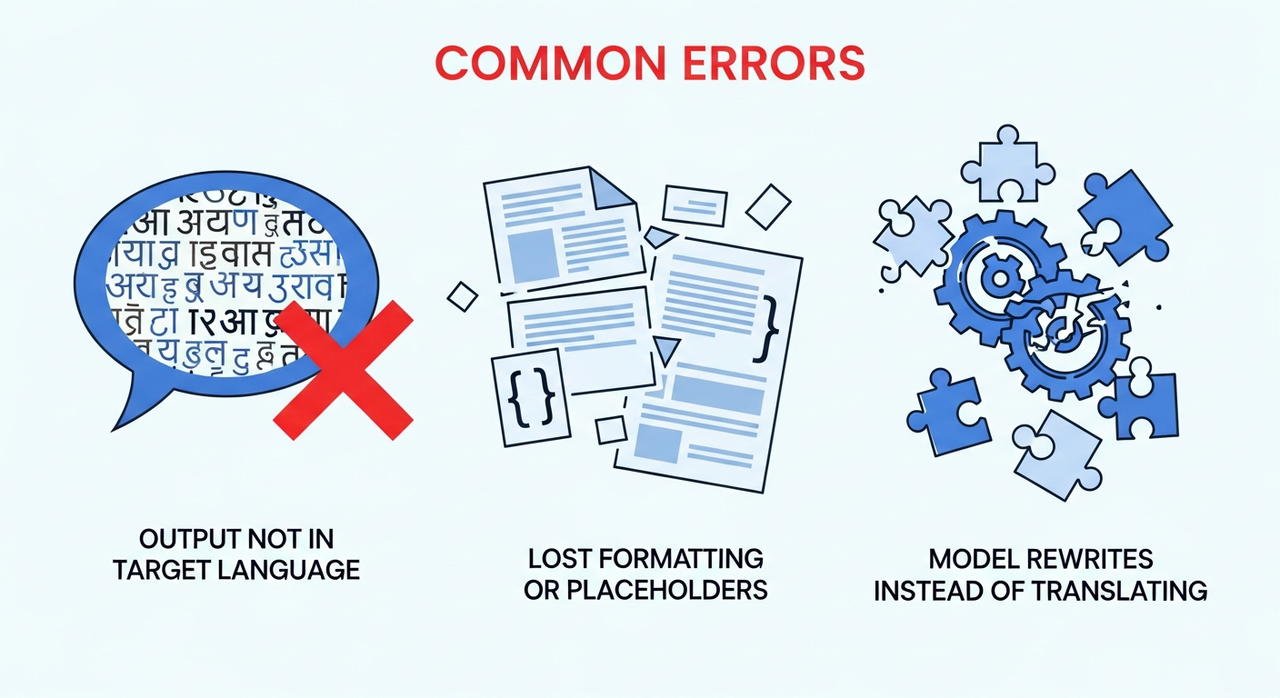 These were the patterns I ran into most while trying TranslateGemma online and locally, plus what actually reduced the friction for me.
Output Not in Target Language
I saw this mostly when I didn’t declare the source language. Mixed-language inputs confused it just enough to keep English phrases around. Fixes that stuck:
- Name both languages: “Translate from English to Spanish.” Don’t rely on detection when accuracy matters.
- Push temperature down (0.2–0.4) and use a light
repetition_penalty(around 1.02). It nudged the model away from creative rewrites. - Add a final guard line: “If the text is already in Spanish, return it unchanged.” This cut over-translation on bilingual snippets.
Lost Formatting or Placeholders
This was the big one with marketing emails and product strings. Early runs broke {{variables}} or re-ordered HTML. What helped:
- Be explicit: “Keep placeholders like
{{...}}and HTML tags unchanged. Do not translate inside code fences.” - Fence the input and preserve line breaks. The
<<<and>>>pattern worked better than relying on blank lines. - For fragile content, surround placeholders with markers in the prompt: “Placeholders are protected with double braces like
{{this}}. Do not alter them.” If a demo kept dropping braces, I temporarily replaced{{with[[[and}}with]]]before translation, then swapped back. It’s not elegant, but it’s safer for bulk jobs.
Model Rewrites Instead of Translating
Sometimes the output read like an editor’s rewrite, not a translation. Helpful in some contexts, annoying in most. My practical fixes:
- State the role and the constraint up top: “You are a translation assistant. Output only a faithful translation. No summaries, no explanations.”
- Lower temperature and avoid long
max_new_tokenson short inputs: extra headroom encouraged commentary in some checkpoints. - If the model still embellishes, try the chat-turn template with clear stop. In local code, set stop sequences to your turn markers (e.g.,
<end_of_turn>). In hosted demos without stop support, adding “Return only the translated text” reduced fluff about 80% of the time.
One more quiet note: some community checkpoints labeled for translation are actually instruction-tuned general models. They’ll translate, but they’re chattier. If you’re hitting all three issues at once, try a different checkpoint or a smaller, stricter one. Less clever often means more faithful in this lane. And honestly, that’s all I needed.
Have you tried TranslateGemma yet? What’s your go-to prompt for keeping placeholders intact, or the toughest text that tripped it up? Share your wins, fails, or favorite tricks below!
Related Articles

GPT-5.4 for Developers: What the Leaked Signals Mean for AI Workflows

SkyReels V4 Use Cases: 6 Ways Creators Can Use It Right Now

GPT-5.4 Release Date: What the Signals Say

GPT-5.4 vs GPT-5.3: What Might Actually Change
