
SkyReels V4 Use Cases: 6 Ways Creators Can Use It Right Now

A small thing pushed me into SkyReels V4: I kept stalling on short videos. Not the editing, the setup. Picking music, trimming a clip, exporting, re‑exporting. Too many tiny choices. I wanted something that didn’t ask for a mood board every time. So I spent last week trying a handful of SkyReels V4 use cases I kept hearing about, and I paid attention to what actually felt lighter in daily work.
I’m Dora. What follows is the six use cases that stuck, where the tool either removed small bits of friction or got in the way, and by how much. If you work with video around the edges of your day, social posts, product loops, quick demos, this is where SkyReels V4 felt useful, and where it didn’t.
Use Case 1 — Social Video with Ambient Audio
I started here because I avoid music selection like email on a Sunday. I fed SkyReels a 12‑second clip of a desk setup (overhead shot, coffee steam, a slow pan). Prompt was simple: “keep it calm, add subtle ambient audio, match motion.”
My first reaction: relief. It added soft room tone with a faint hum, more presence than silence, less distraction than stock tracks. I didn’t need to touch a timeline. Export took ~18 seconds on the web app and ~7–9 seconds via API on a rented GPU. The audio felt glued to the movement without obvious cuts.
Two limits showed up fast:
- SkyReels sometimes over-sweetens with reverb, especially on wider shots. I dialed the “wetness” down (their term) to 0.2 and it stopped sounding like an empty church.
- On fast edits, the ambient loop revealed a seam around 10–12 seconds. Extending to 20 seconds fixed it, but it’s a small tell if you post lots of micro‑cuts.
In practice, I used this to post two short clips to LinkedIn with almost no fiddling. It didn’t save me time on the first pass (I checked settings a lot), but by the third run I noticed my head was quieter, fewer choices to make, fewer interruptions.
What to create, what to expect
- Works well for B‑roll, behind‑the‑scenes, desk or workshop shots, silent demos, and timelapses.
- Expect steady ambient texture, not “songs.” Think footsteps, keys, light wind, soft synth pads. If you need a clear beat drop, this isn’t it.
- Best length in my tests: 10–30 seconds. Above 45 seconds, small loops can repeat unless you nudge variety.
- If you care about captions, add them elsewhere. SkyReels’ captions were accurate enough but visually bland out of the box.
Use Case 2 — Image-to-Video for Product Content
I tried three static shots: a charger, a ceramic mug, and a small LED light, all on a plain background. Prompt: “subtle motion, 3–5 seconds, product stays sharp, slow parallax, gentle shadow shift.”
Good news first: the motion felt believable. The mug caught a tiny highlight sweep, and the charger’s cable did a quiet sway that looked shot, not simulated. Outputs were 720p by default: I upscaled to 1080p in-app. Turnaround: ~12–20 seconds each.
Where it stumbled: edges. On the LED light, the grille mushy‑blurred during the parallax. I fixed this by setting a higher “structure preservation” value (from 0.6 to 0.85). Trade‑off: less motion freedom, but the product stayed crisp. Text on packaging held up if I masked it as “static.” Without that, letters warped at the corners.
For solo creators and small shops, this covers a lot of “show the thing” needs: short loops for a product page, header banners, or social cutaways. It won’t replace a well‑lit spin table, but when you only have a still image and a deadline, it’s… enough, in a good way.
One tip: shoot or export your source images a tiny bit wider than you think you need. SkyReels uses that space to fake camera movement without stretching details.
Use Case 3 — Video Extension & Scene Continuation
I tested scene continuation on a 5‑second clip of hands opening a notebook. I asked for “continue the action for 3 more seconds” and “same lighting, same grain.”
The seam between original and extension landed clean on take two. On the first try, the paper picked up a different fiber pattern, barely noticeable unless you stare. Locking “texture consistency” to high fix it. Motion stayed believable: the wrist turn and page lift carried through.
This saved me a small but real annoyance: reshooting a pick‑up. I’ve usually lived with hard cuts because re‑lighting a desk for a 2‑second fix isn’t worth it. Here, it was. Export times were in the 20–30 second range for 1080p.
Limits:
- If the source clip has fast perspective change (like a whip pan), continuation sometimes guesses wrong and you get a micro‑jump.
- Grain matching is decent, not perfect. I still prefer adding final grain in my editor afterward.
Use this when a clip ends too early or when you want a gentler out‑point for captions or overlays.
Use Case 4 — Inpainting: Clean Up or Replace Video Elements
This was my most practical win. I masked out a stray charger cable and a logo sticker on a laptop lid. Prompt: “natural desk texture, keep reflections.”
Cable removal worked on the first pass. The logo took two. On pass one, the specular highlight broke, a small wobble that made the surface look fake. I added a short reference frame showing the same lid without a logo (from an older shot), and pass two blended it convincingly.
I also tried a light replacement: swapping a blue mug for a green one. It looked fine in motion, but a single freeze‑frame revealed a soft edge around the handle. For social scroll, totally passable. For a product hero image, probably not.
What matters day to day: this knocked out the little edits I keep postponing. I spent ~4 minutes total on masks and prompts, versus 15–20 minutes in a traditional editor with clone/heal tools. If you do content in batches, that delta adds up fast.
Caveats:
- Small masks track best. Large, moving masks can wobble on frame 20–30. Feathering helps.
- Reflections are tricky. Provide a clean reference or keep changes subtle.
- Export a few frames as stills to check edges before you commit to a full render.
Use Case 5 — Audio-Referenced Matching
I fed SkyReels a quiet field recording: keys, chair scrape, faint HVAC, about 14 seconds. I asked it to match the mood over a slow pan of my shelf.
It did something I liked: instead of slapping the exact sounds on top, it generated an ambient bed that echoed the rhythm and texture. The shelf felt like it lived in the same room as the recording, even though it didn’t. That’s the right kind of cheat.
Two gotchas:
- If your reference has a sharp transient (a clap, a dropped pen), SkyReels sometimes tries to “explain” it visually by pushing a micro‑zoom or pulse. I turned off reactive motion to avoid that.
- Loudness came in hot. I now nudge output to around −16 LUFS for social. Easy to fix, but easy to miss.
I used this on two clips I’d normally mute. It gave them enough texture to feel intentional without calling attention to itself.
Give it a reference sound, match the mood
- Good sources: room tone, gentle foley, soft outdoor ambience, restrained synth pads.
- Avoid: busy music stems or noisy cafes, the model chases the chaos.
- Aim for 10–20 second clips. Below 6 seconds, it repeats: above 30, it smooths too much.
- If you care about sync points (beats, cuts), do those in your editor first, then ask SkyReels to fill the spaces between.
Use Case 6 — Developer Pipeline Integration
I moved from the web app to the API midweek because I didn’t want another click‑heavy step. Setup on my machine (macOS 15, Python 3.12) took about 10 minutes. I wired three endpoints: image‑to‑video, continuation, and audio‑match. I also added a small retry with exponential backoff, helpful when jobs queue during peak hours.
A simple flow that worked:
- Watch a “staging” folder in cloud storage.
- When a still lands, run image‑to‑video with a mild motion preset and save a 5‑second loop.
- If a short clip lands, try continuation to reach 8 seconds for social.
- If an audio snippet lands, attempt mood‑match and attach the result.
The point wasn’t full automation. It was removing the blank‑page pause. I could drop assets in a folder and get usable drafts back in under a minute. Then I decided if anything deserved a polish pass.
A few field notes:
- Rate limits were sane in my tests (5–10 concurrent jobs held steady). Past that, queue times climbed.
- Jobs return helpful metadata: seed, motion intensity, structure preservation, and a quick diff of visual changes. I saved these in a sidecar JSON so I could rerun a look without guessing.
- Costs will vary. I kept runs short and set sane defaults to avoid burning credits on 4K experiments I didn’t need.
This is the use case that made SkyReels feel like a system piece, not a novelty. I could see teams wiring it into CMS workflows or internal tools without babysitting it.
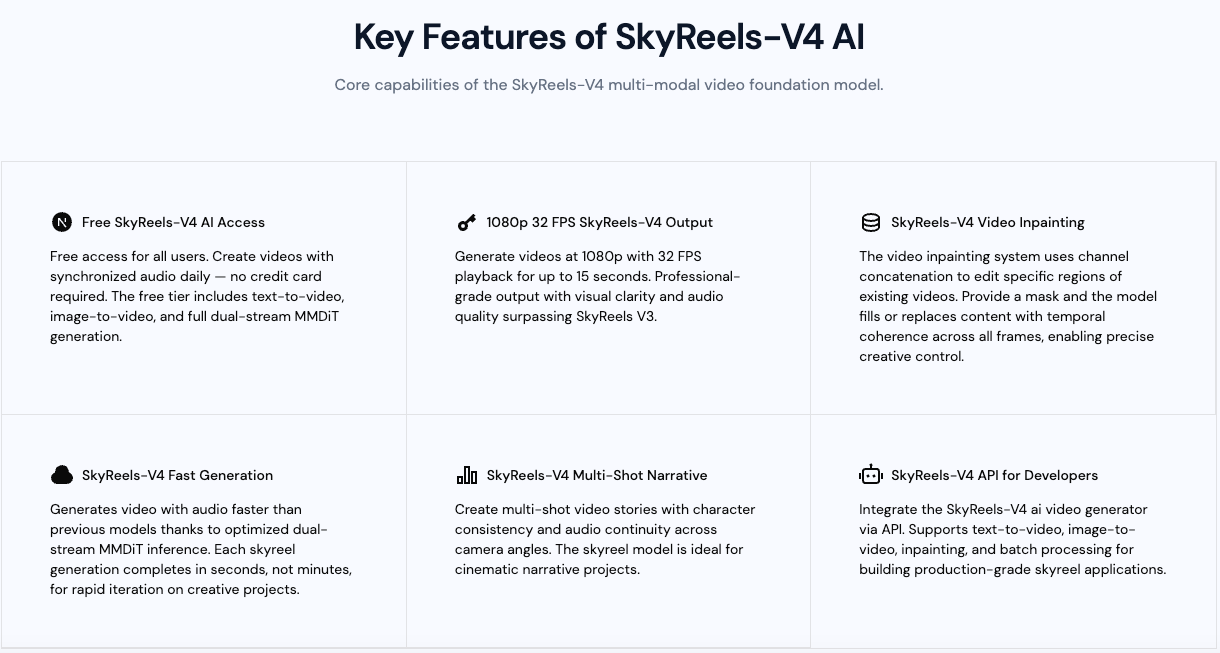
API / open-source workflow potential
- The API is the stable door. If you live in editors (Premiere, Resolve), think of SkyReels as a pre‑processor that hands you cleaner raw material.
- If you prefer open tools, you can mirror the flow with FFMPEG for ingest/extract and keep SkyReels only where the model actually adds value (motion inference, inpainting).
- For versioning, treat prompts and parameters like code: check them into git, store seeds, and save the exact model tag (I used V4.0 as labeled in the dashboard on March 6, 2026).
Which Use Case Should You Start With?
If you’re curious but short on time, start with the one that cuts a nagging corner in your week.
- If you’re posting quick clips and hate music choices: Social video with ambient audio. Low setup, fast relief.
- If your product shots feel too static: Image‑to‑video. Keep structure high, motion small.
- If your edits end too early: Video extension. It’s a quiet fix that saves reshoots.
- If tiny messes slow you down: Inpainting. Mask small, check edges.
- If silence makes clips feel empty: Audio‑referenced matching. Feed it room tone, not chaos.
- If you build internal tools: Pipeline integration. Let drafts appear where you already work.
None of these are magic. They’re small levers. Used together, they reduced a few decisions I didn’t enjoy and gave me a cleaner starting point. That’s enough for me, at least this month. I’m curious whether the ambient loops will still feel invisible after a dozen posts, or if I’ll start hearing the seams.
Related Articles

GPT-5.4 for Developers: What the Leaked Signals Mean for AI Workflows

GPT-5.4 Release Date: What the Signals Say

GPT-5.4 vs GPT-5.3: What Might Actually Change
