
MaxClaw Review: Tested Across Real Workflows (Honest Verdict)
Hello, buddy. Dora here. These days, I always kept tripping over the same small friction: simple multi-step chores that stole focus. Things like “skim three links, pull a sane summary, and nudge it to a Telegram chat” or “parse a 40‑page PDF, pull out risks, and drop a short note in my docs.” None of these are hard. They’re just the kind of tasks that make a day feel heavier than it needs to.
So I tried MaxClaw across two work weeks. I wanted to see if it could carry those chores without me babysitting it. I’m not here to rank features. I wanted to feel whether it lightened the day. That’s the bar.

How We Tested MaxClaw (Our Setup & Use Cases)
I used MaxClaw on macOS (M3 Air), Chrome, and iOS. My baseline: I usually run small agent-y flows in Notion + Zapier + a Claude API wrapper when needed. I’m comfortable wiring webhooks, but I don’t enjoy maintaining them.
My use cases were ordinary:
- Research capture: read 3–6 sources, extract the “boring but true” core, and forward to a Telegram channel I keep for weekly notes.
- Scheduling glue: align two calendars, propose slots, and send a confirm message once something sticks.
- Document read-through: scan long PDFs, extract decisions, risks, and to-dos, then draft a short report.
I measured three things:
- Setup time: minutes from sign-up to first useful run.
- Supervision load: number of nudges or rewrites per task.
- Drift or memory: whether it remembered preferences after a few days without prompts.
I ran each workflow 5–7 times to see if repetition reduced friction. That matters to me more than a shiny “first demo.”
Onboarding & First Impressions
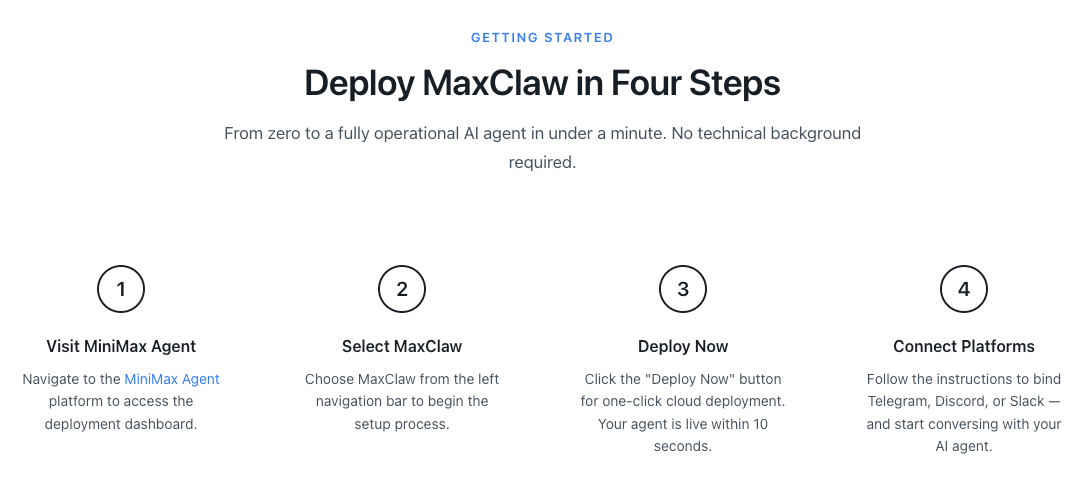
Time from sign-up to first working task
Sign-up was plain. Email, verify, pick a plan. I didn’t time it with a stopwatch, but I had my first working task in about 18 minutes. The slowest step wasn’t MaxClaw, it was me deciding what to automate first. I started with a small research→summary→Telegram nudge.
What caught me off guard: the default templates weren’t loud. No blinking confetti, no “10x your output…” vibe. I appreciated the restraint.
Platform integration experience
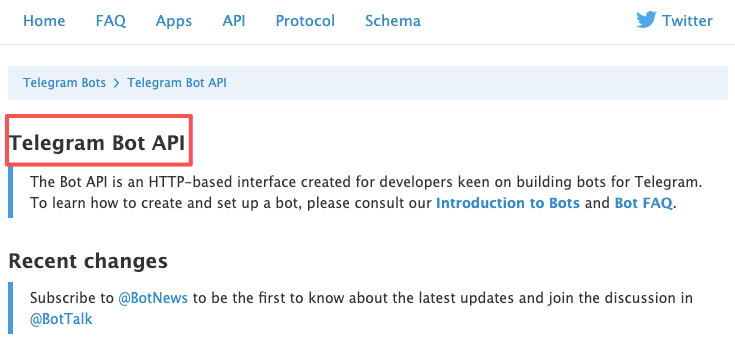
Telegram took a touch of fiddling. I created a bot through BotFather, grabbed the token, and pasted it into MaxClaw. I had to set the chat ID manually. Not hard, but it assumes you’ve done this before. If you haven’t, the Telegram Bot API docs are clearer than most product tooltips.
Calendar integration was smoother. It authenticated Google fast and showed busy/available blocks correctly on the first try. No duplicate calendars showed up (small relief).
For documents, I uploaded a 28‑page strategy deck (PDF) and a 43‑page research report (PDF). Parsing was quick enough that I didn’t drift to email while waiting. I did one run using a public link: it fetched fine, but I stuck to direct uploads to avoid permissions weirdness.
Real Workflow Tests
Test 1, Research + summarize + send via Telegram
I gave it 4 sources: one blog post, one press release, one technical note, and one forum thread. My instruction: ”*give me an unexcited summary in 6–8 bullets, with sources, then send to my Telegram channel.*”
Run 1: It summarized well but wrote in a slightly breathless tone. I tweaked the style instruction to “plain, not promotional.” Runs 2–6 kept the calmer voice. Tiny win: it started attaching source titles instead of raw URLs by run 3 (after I corrected it once). Links didn’t break in Telegram, which sometimes happens when tools over-format.
Time saved? The first run didn’t save time, it took me ~10 minutes to correct tone and source formatting. By run 4, it was down to ~2 minutes of review. Not dramatic, but the mental effort dropped. I didn’t have to hold the structure in my head.
Test 2, Multi-step scheduling task
I asked it to propose three 45‑minute slots between two calendars next week, prioritize mornings, then draft a short confirm note once someone replied with a choice. It handled time zones correctly (I’m UTC+1: the other person was ET). It didn’t try to be too clever, no “what about 6am?” nonsense.
The confirm message was neutral and clear. I liked that it didn’t assume “meeting accepted” before I pressed send. I did have to approve the final slot. Frankly, I prefer that. If an agent locks a slot I didn’t mean to confirm, I’m the one apologizing later.
Test 3, Document analysis and report generation
This was my real test. I asked it to read a 43‑page report and give me:
- key decisions in plain language,
- three risks with likelihood and impact (low/med/high),
- a one‑page brief I could paste into my notes.
Run 1 was decent but long. It gave me two pages. I asked for a max of 350 words, and it obeyed on later runs. The risk assessment was calm, not alarmist. When the PDF had tables, it summarized them instead of trying to rebuild them, good choice.
I cross‑checked two claims that felt shaky. They were actually fine: the report had them tucked in an appendix. That said, I wouldn’t hand this to a client without a pass from me. It’s a thinking aid, not a final drafter.
Long-Term Memory — Does It Actually Work?
Short answer: kind of, and that’s enough.
I gave MaxClaw a few standing preferences on day one:
- tone: plain, not promotional
- Telegram summaries: 6–8 bullets, sources with titles
- scheduling: avoid soft holds: prefer mornings my time
A week later, I ran the same tasks without restating those rules. It remembered tone and summary length. It forgot source titles once, then recovered the next run. The soft-hold rule held steady. When I changed “prefer mornings” to “anytime 9–5,” it honored that change right away.
Cost Breakdown
What the subscription covers
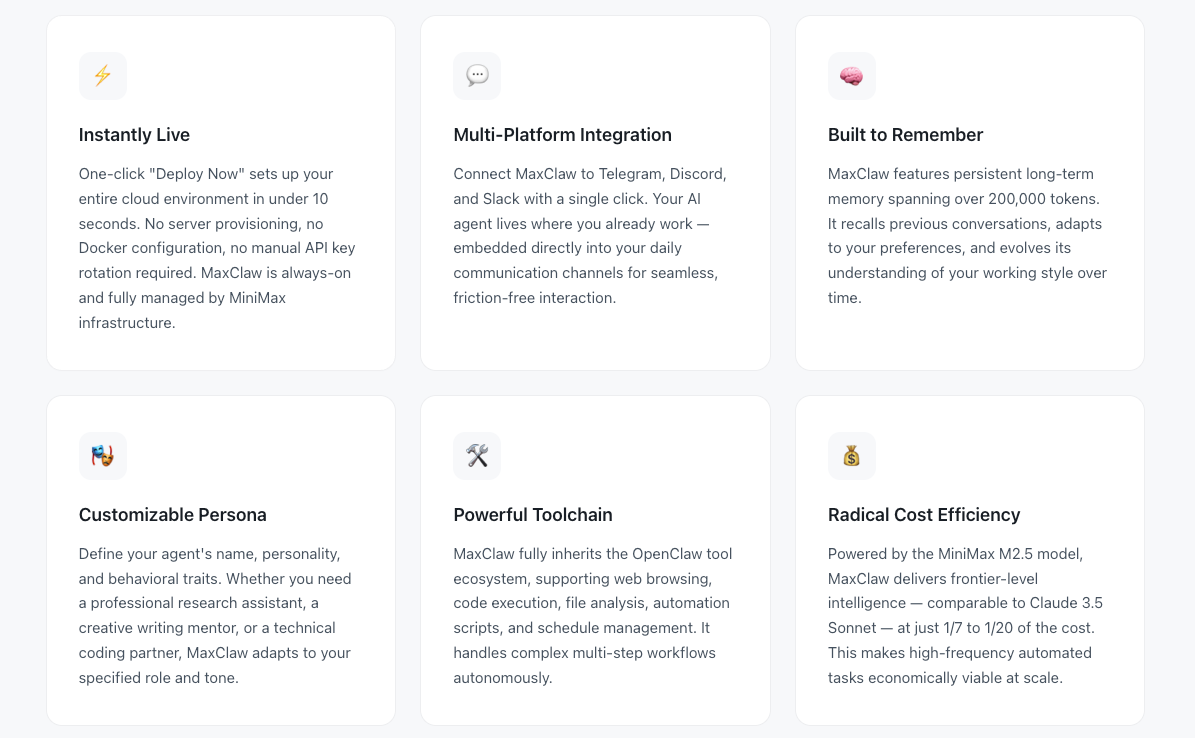
Pricing shifts, so check the product page for the latest. WaveSpeed’s MaxClaw analysis explains that from clicking “Create MaxClaw” to a running agent gateway takes under 20 seconds, with optional integrations following guided steps and requiring minimal configuration. During my test window, the subscription covered:
- access to the agent with built‑in integrations (Telegram, calendars, docs),
- a pool of monthly task runs and document processing,
- and hosted model usage so I didn’t manage API keys.
For me, the value wasn’t in “unlimited” anything. It was not having to maintain glue code. I didn’t babysit webhooks or wonder if a secret expired. That alone is worth something if your time is fragmented.
Compared to running OpenClaw with Claude API
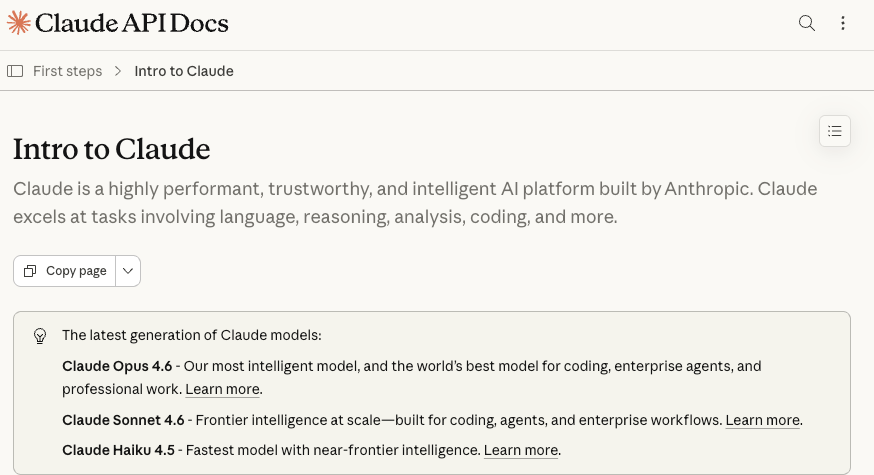
I couldn’t find stable, official docs for “OpenClaw.” If you’re thinking “DIY agent + Claude,” here’s my usual math using the Claude API:
- Model (e.g., Claude 3.5 Sonnet) pricing has hovered around low single‑digit dollars per million input tokens and higher for output. As of this writing, Anthropic lists per‑million rates: check their page for exact numbers.
- A typical research→summary run for me costs cents, not dollars. The heavy ones (long PDFs with multiple passes) add up, but still rarely cross a few dollars a day.
- Hidden costs: your time wiring retries, auth scopes, error handling, calendars, and Telegram bot edges. If you enjoy that (sometimes I do), great. If not, a subscription that just works may be cheaper in practice.
What MaxClaw Does Really Well
- Gets from idea to working flow fast. I didn’t fight a builder UI or spend an afternoon on “one more toggle.”
- Handles handoff moments gracefully. Drafts a message, waits for approval, then continues. That small pause saved me from over‑automation.
- Document digestion is reliable. It doesn’t hallucinate tables or force structure where none exists. Summaries felt grounded.
- Memory for small preferences is good enough. Style and small rules held across a week without me repeating them.
- Telegram + calendar integrations were stable. No duplicate posts, no time zone faceplants. I’ve learned to expect those: I didn’t see them here.
Where It Still Falls Short
- First‑run tone can drift upbeat. If you want dry and neutral, say it explicitly.
- Memory is shallow by design. It’s great for style and recurring settings, not for complex project context. I still keep key prompts in a note.
- Limited debug surface. When something misfires (like a source title missing), the logs are terse. I could fix it, but I wanted a clearer “why.”
- Source attribution needs nudging. It occasionally inferred authors from site names. Easy to correct, but worth watching if you share summaries widely.
Final Verdict — Who Should Get MaxClaw?
If your days are full of small, repeatable chores, summaries, nudges, light scheduling, and you’d rather not maintain bots and scripts, MaxClaw is worth a try. It won’t dazzle you, and that’s the point. It did the work without asking for attention.
Who’ll like it:
- independent creators who keep a quiet Telegram or Slack feed of research notes,
- operators and PMs who want predictable scheduling glue without building a mini‑system,
- researchers who need compact briefs from long docs, with enough control to keep tone steady.
This MaxClaw review boils down to a simple feel: after the first day, I spent less time thinking about “how” and more time reading the results. And that small relief, fewer tabs, fewer micro‑decisions, was the real win. I’m still curious how it’ll behave with messier, cross‑tool projects. I’ll keep an eye on that, quietly.
Related Articles

Introducing Bria Embed Product on WaveSpeedAI

Introducing Google Nano Banana 2 Edit Fast on WaveSpeedAI
