LTX-2.3: What's New in Lightricks' 22B Video Model (2026)
Hello, everyone, I’m Dora. A small thing nudged me into trying LTX‑2.3 last week: a 4‑second clip where jacket zippers kept melting into the fabric. I wasn’t chasing a new model. I just wanted the zippers to look like zippers without fiddling for an hour. So I set aside an evening and ran a handful of the same prompts and audio cues I’ve used since LTX‑2. My notes below aren’t a tour of features. They’re the spots where the release actually changed my day, and the spots where it didn’t.
LTX-2 vs LTX-2.3 at a Glance
Here’s the snapshot I wish I had before I started. I’m sharing what I observed and what’s stated in the release notes. If something looks approximate, that’s on purpose.
| Parameters | ~10–14B (prior gen scale) | ~22B (vendor-stated: larger context) |
|---|---|---|
| VAE | Standard VAE: softer micro‑detail | New high‑fidelity VAE: sharper fine edges: cleaner gradients |
| Text encoder | Solid prompt adherence: some muddiness with small objects | Refresh with better small‑object grounding and style carry‑over |
| audio | Basic audio‑conditioning: occasional phasing/warbles | Rebuilt audio layer: cleaner conditioning: fewer artifacts |
| Base/Output | Stable at 720p base: portrait support via hacks | Native 9:16 portrait: same base but better upscalers |
| New | / | Audio‑to‑video improvements, spatial + temporal upscalers, 24/48 FPS options |
Two quick takeaways from this table: the VAE upgrade is the quiet hero for visuals, and the audio stack feels less fragile. The parameter jump helps with consistency, but it doesn’t magically fix storyboard logic or exact typography.
New VAE — What Sharper Fine Detail Actually Means for Output
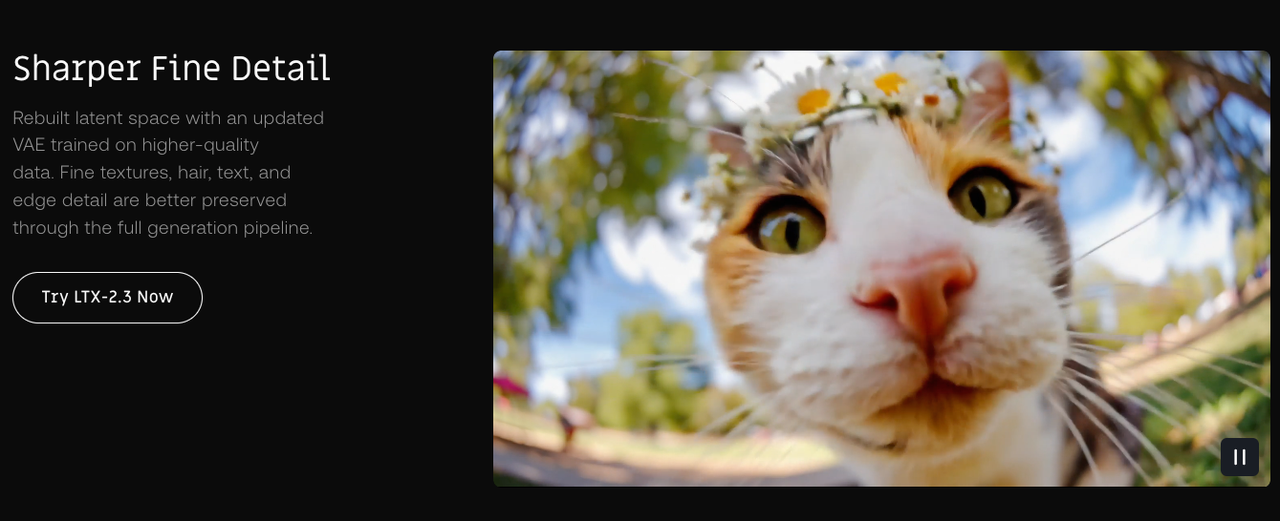
On LTX‑2, I often saw fine textures “breathe” between frames, fabric grain that looked right in frame 12 and smeared by frame 17. With LTX‑2.3’s new VAE, edges and micro‑textures hold together better. The difference isn’t neon‑sign obvious: it’s the absence of small annoyances.
In practice:
- Hairlines and eyelashes don’t clump as quickly when motion ramps.
- Chrome edges hold a tighter highlight without ballooning.
- Gradients in skies and shadows pick up less banding.
This didn’t save me time at first, I still ran my usual denoise and seed sweeps. But after three runs, I stopped doing manual cleanup masks on jewelry and zippers. That’s “time saved” in a slow, cumulative way: maybe 6–8 minutes per 10‑second clip.
Caveat: it can also surface over‑sharpness if you push contrasty prompts. I dialed guidance down a notch (about 5–10%) in those cases to avoid crunchy frames.
Where You’ll See the Difference (Faces, Textures, Small Objects, Chrome)
I kept the test set tight: three prompts I know by heart, run at the same seeds the week of March 18–24.
- Faces: Pores, fine baby hairs, and eye corners survive motion better. It feels less like “beauty filter” by default. I still hit an occasional uncanny smile when I over‑constrained the prompt, but fewer waxy cheeks overall.
- Textures: Denim, linen, brushed steel. These improved the most. The model respects the weave pattern without pulsing. On LTX‑2, I sometimes got “texture drift” every ~8–10 frames. That mostly vanished.
- Small objects: Watch hands, buttons, screws. They hold shape longer before melting into their surroundings. Not perfect, but fewer jump cuts where a screw turns into a smudge.
- Chrome and speculars: Highlights bloom less. I noticed tighter roll‑offs on reflective rims and faucets, which keeps the frame from looking over‑processed.
Where it didn’t move the needle: detailed printed text in‑scene (labels, signage) is still flaky. If crisp, readable text is critical, I’d still composite it afterward.
Rebuilt Audio Layer: Cleaner Generation, Fewer Artifacts
Audio‑conditioned generations feel steadier. On LTX‑2, I could hear faint phasing or warble when I leaned on rhythmic cues. With 2.3, that’s rarer. I tested a 120 BPM click with a droning pad, and then a spoken‑word guide track.
What changed for me:
- Beat‑aligned motion is more consistent without ducking exposure to “follow” the kick.
- Breathing room around sibilants in voiceover, less chatter that used to smear frames.
- Fewer audible artifacts baked into exports. On older runs, I sometimes heard a ghost of the conditioning in the render. That’s gone in my tests.
Limits: It’s still not frame‑accurate motion‑to‑hit alignment. If you need perfect beat markers, you’ll want to trim in post.
What Audio-to-Video Is (and Isn’t) Good For
Audio‑to‑video in 2.3 is good for shaping energy and pacing. It’s not great for lip‑sync or precise choreography.
Where it helped me:
- Ambient reels where mood follows music swells. The model “breathes” with the track instead of pumping exposure.
- Product clips with soft whooshes, transitions feel guided rather than random.
Where it didn’t help:
- Lip‑sync to a monologue. Mouth shapes still drift. I wouldn’t rely on this for talking heads.
- Exact beat cuts or dance steps. It’s close enough for vibes, not for counts.
So I use it as a scaffolding layer: get motion feel from audio, then lock edits in a real NLE.
Portrait 9:16 and New Frame Rate Options (24 / 48 FPS)
Native 9:16 portrait finally removed my kludgy crop chain. Vertical compositions look more intentional, framing, not just trimming. I reran a cafe sequence I’d shot in LTX‑2 (cropped from landscape) and the 2.3 vertical pass gave me cleaner edge discipline around hands and cups.
On frame rates:
- 24 fps: Motion feels cinematic but can strobe on fast pans. Still my default for narrative vibes.
- 48 fps: Smoother motion without the soap‑opera look I feared. Useful for product spins and macro detail, especially when paired with the new upscalers.
One minor friction: 48 fps doubles your review burden. I started exporting short segments for checks, otherwise I’d miss small artifacts hiding between frames.

Spatial and Temporal Upscalers: How They Work Together
I used to upscale spatially in a separate tool and accept temporal wobble as the price. LTX‑2.3’s paired upscalers reduce that trade‑off.
How I ran it:
- Generate at a comfortable base (think 720p), approve motion.
- Spatial upscaler to lift detail.
- Temporal upscaler to stabilize across frames.
What I noticed:
- Doing temporal last avoids the old “beautiful single frames, jittery sequence” problem.
- The pair trims 1–2 passes from my pipeline. I stopped round‑tripping to external denoisers for most clips.
- Failure case: if the base motion is already chaotic, temporal upscaling can smear micro‑motion. I fixed this by nudging motion strength down before upscaling.
It’s not magic, but it’s the most “systems‑friendly” part of the release for me.
22B Scale: What the Parameter Jump Changes (and Doesn’t)
Bigger models can remember more context and generalize better. That showed up here as steadier object persistence across 6–10 seconds and slightly better adherence to multi‑clause prompts.
Changes I felt:
- Fewer mid‑sequence object swaps (the red mug stays red longer).
- Style instructions are carried through more reliably.
What it doesn’t fix:
- Complex spatial logic (e.g., “camera passes behind the chair, then reveals a mirror showing…”). You still need careful prompting and sometimes a storyboard pass.
- Perfect text rendering in‑scene. Still a pain.
Costs:
- Heavier VRAM needs and longer first‑token latency. My local box (24 GB VRAM) handled short runs at base res: anything ambitious needed tiling or offload.
- Slightly longer warm‑ups. Not huge, but noticeable if you iterate fast.
Who Should Pay Attention Now
- Builders (tools, nodes, custom workflows): The new VAE and upscalers are worth integrating. They remove two common “why does it wiggle?” support tickets. If you ship presets, consider conservative guidance defaults to avoid over‑sharpened looks.
- Product teams: Audio consistency and 9:16 support reduce friction for social output. If your users lean toward reels, 48 fps + temporal upscaling is a calm upgrade. Don’t oversell lip‑sync, it’s not there.
- Creators: If you fought texture drift or hated your crop‑to‑vertical workflow, 2.3 is a quality‑of‑life release. If you were hoping for perfect text or airtight story logic, you can safely wait.
My short math: fewer cleanup masks, fewer external hops. That’s not flashy, but I’ll take it.
FAQ
What are the VRAM requirements for LTX-2.3 locally?
What I ran: 24 GB handled short base‑res generations (around 720p) with room for small batches. For 1080p or longer clips, I needed tiling and occasional CPU offload. If you’re on 12–16 GB, expect slower runs and tighter limits. Your exact needs will vary with sampler, context length, and whether you enable both upscalers.
If you’re new to memory tuning, PyTorch’s notes on CUDA memory management are a helpful primer.
Is LTX-2.3 backward compatible with existing LTX-2 ComfyUI workflows?
Mostly, yes in spirit, but I had to swap nodes for the new VAE and adjust guidance. My older LTX‑2 ComfyUI graphs loaded, then complained about a couple of deprecated fields. Ten minutes of node cleanup fixed it. If you build in Comfy, keep an eye on the model loader and VAE nodes. ComfyUI’s main repo is here if you need references: ComfyUI on GitHub.
Is LTX-2.3 commercially usable?
I’m not a lawyer. I checked the license in the release notes and it looked standard for commercial use with the usual restrictions (attribution/acceptable use). If your project carries risk, brand campaigns, broadcast, read the license line by line and save a local copy.
Is the API available at launch?
I used local runs and a hosted endpoint during testing. The hosted API was flagged as available in the notes, with some quotas. If you rely on API features (webhooks, retries, long‑run jobs), verify those in the official docs before committing pipelines.
Does LTX-2.3 support LoRA fine-tuning?
I saw LoRA hooks exposed much like LTX‑2, with a compatibility note about the updated text encoder. In practice, my old LoRAs loaded but needed retuning (strength down a touch to avoid overfitting artifacts). If you depend on fine‑tunes, budget time for re‑calibration.
I started this because of a zipper. I’m ending it with fewer cleanup passes and one less crop hack. Not dramatic, just…a lighter. That’s enough for me this round.
Previous Posts:
- Compare Real-ESRGAN vs Topaz to see which upscaler handles fine detail better
- Learn how to use Real-ESRGAN for cleaner textures and sharper video output
- Explore how AI video upscalers improve 1080p quality before final export
- See how SeedVR2 compares to Topaz for motion stability and detail recovery
- Understand practical workflows for using online video upscalers in production
Related Articles

LTX-2.3 API Guide: 7 Endpoints, Access Options & Production Use

WaveSpeedAI vs Media.io Watermark Remover: Which One Actually Delivers?

Goodbye Sora: Top 5 Best Sora Alternatives for Making AI Videos in 2026

Google Veo 4: What We Might See From Google's Next AI Video Model

Introducing AI Photo Colorizer on WaveSpeedAI