
Introducing WaveSpeedAI Sam3 Image on WaveSpeedAI
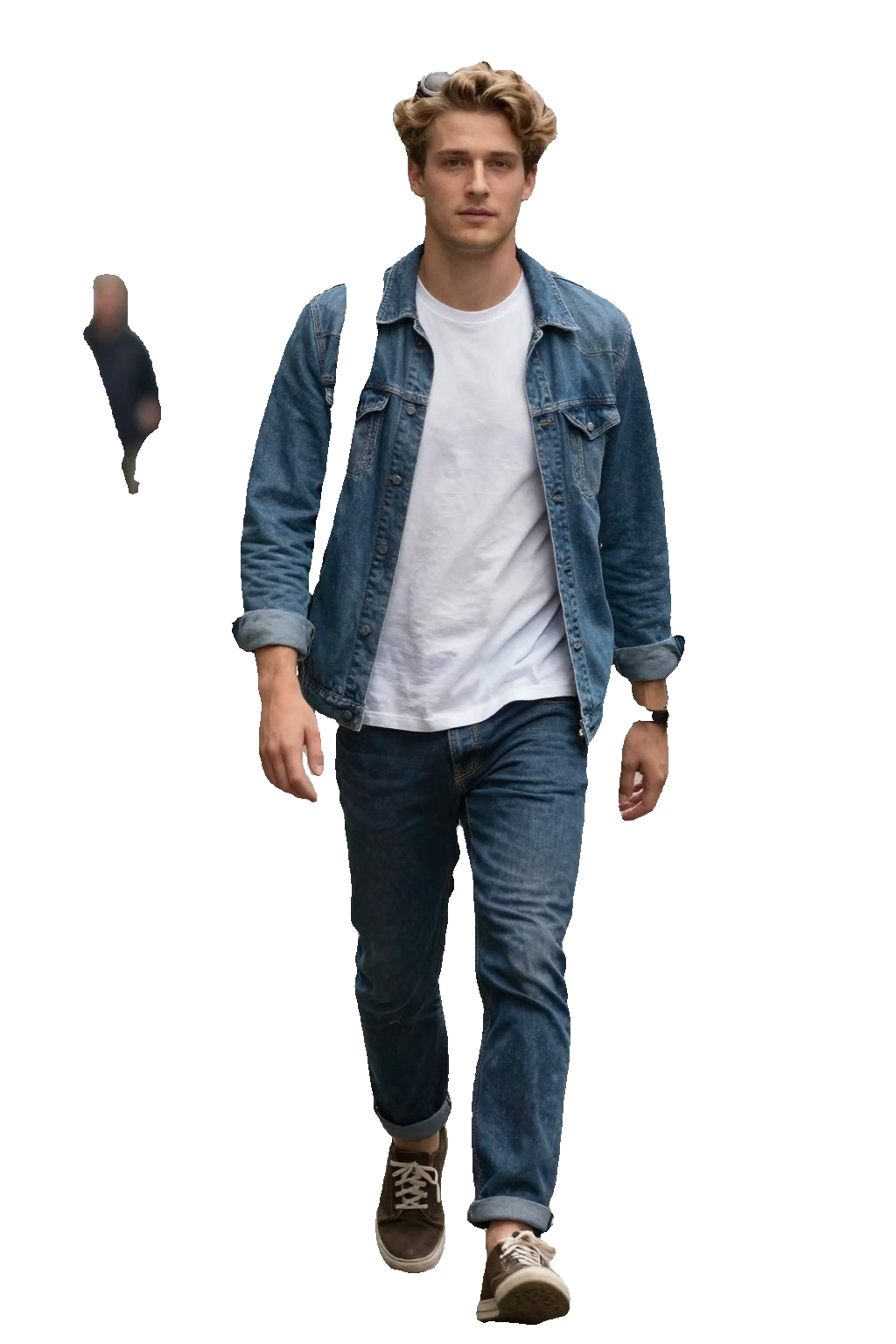
Precision Segmentation Meets Simplicity: SAM3 Image Arrives on WaveSpeedAI
The challenge of accurately isolating objects in images has long been a bottleneck for creative professionals, developers, and businesses. Whether you need to remove a background, extract a product for an e-commerce catalog, or generate training data for machine learning models, precise segmentation is essential—but traditionally complex. Today, we’re excited to announce that SAM3 Image Segmentation is now available on WaveSpeedAI, bringing Meta’s groundbreaking Segment Anything Model 3 technology to your fingertips with unprecedented ease and affordability.
What is SAM3 Image Segmentation?
SAM3 Image Segmentation is a unified foundation model for promptable image segmentation built on Meta’s revolutionary Segment Anything Model 3 architecture. Unlike traditional segmentation tools that require extensive manual masking or specialized training, SAM3 understands natural language, spatial coordinates, and visual boundaries—allowing you to describe, point to, or draw around exactly what you want to isolate.
The model represents a significant leap forward in zero-shot segmentation capabilities. Rather than being trained on specific object categories, SAM3 has learned a generalized understanding of what constitutes an “object” in an image. This means it can segment virtually anything—from common subjects like people, cars, and animals to obscure items it has never explicitly been trained to recognize.
Key Features That Set SAM3 Apart
SAM3 Image Segmentation offers a flexible, multi-modal approach to object segmentation that adapts to your workflow:
-
Text-Based Segmentation: Simply describe what you want to segment using natural language. Say “the red car” or “the person on the left” and receive a precise mask. This intuitive approach eliminates the need for manual masking or coordinate calculations.
-
Point Prompt Precision: Click directly on the object you want to segment. The model understands spatial context and generates accurate boundaries from a single point, perfect for situations where text descriptions might be ambiguous.
-
Bounding Box Control: Draw a rectangle around your target area to constrain the segmentation. This is particularly useful when working with cluttered scenes or when you need to isolate a specific instance among similar objects.
-
Combinable Prompts: The true power of SAM3 emerges when you combine prompt types. Use a text description with a bounding box for maximum accuracy, or add point prompts to refine edge cases.
-
Mask Overlay Visualization: Enable the apply_mask option to see the segmentation overlaid directly on your original image—invaluable for quality verification before downstream processing.
-
Built-in Prompt Enhancer: Not sure how to phrase your segmentation request? The automatic prompt enhancement tool improves your text descriptions for optimal results.
Real-World Applications
The versatility of SAM3 Image Segmentation opens doors across numerous industries and use cases:
E-Commerce and Product Photography
Retailers can instantly isolate products from their backgrounds, creating clean catalog images at scale. What previously required hours of manual work in Photoshop now takes seconds. Process thousands of SKUs without a dedicated design team.
Content Creation and Design
Graphic designers and content creators can extract subjects, swap backgrounds, and create composites with surgical precision. The natural language interface means less time learning complex tools and more time creating.
Machine Learning and Data Annotation
Training computer vision models requires vast amounts of accurately labeled data. SAM3 accelerates the annotation pipeline by generating high-quality segmentation masks automatically, reducing labeling costs and improving dataset quality.
Video Production and Visual Effects
Extract subjects frame-by-frame for compositing, rotoscoping, and effects work. While SAM3 processes individual images, its speed and accuracy make it practical for video workflows when combined with frame extraction tools.
Medical and Scientific Imaging
Researchers can segment specific structures, cells, or regions of interest in microscopy images, X-rays, and other scientific visualizations—though always as a tool to augment, not replace, expert analysis.
Real Estate and Architecture
Isolate buildings, rooms, or architectural elements for visualization, virtual staging, or documentation purposes.
Getting Started with SAM3 on WaveSpeedAI
Integrating SAM3 Image Segmentation into your workflow takes just minutes. Here’s how to get started using the WaveSpeed Python SDK:
import wavespeed

# Text-based segmentation
output = wavespeed.run(
    "wavespeed-ai/sam3-image",
    {
        "image": "https://your-image-url.com/photo.jpg",
        "prompt": "the person wearing a blue shirt"
    },
)

print(output["outputs"][0])  # Segmentation mask URL
For more precise control, you can use point or box prompts:
import wavespeed

# Point-based segmentation
output = wavespeed.run(
    "wavespeed-ai/sam3-image",
    {
        "image": "https://your-image-url.com/photo.jpg",
        "point_prompts": [[250, 300]],  # x, y coordinates
        "apply_mask": True  # Overlay mask on original
    },
)
The API supports multiple output formats including PNG (recommended for preserving transparency), JPEG, and WebP—giving you flexibility for different downstream applications.
Why WaveSpeedAI?
Running SAM3 on WaveSpeedAI provides distinct advantages that make it practical for production workloads:
Zero Cold Starts: Your requests begin processing immediately. No waiting for model initialization or container spin-up delays.
Consistent Performance: Whether you’re processing one image or ten thousand, you get reliable, predictable response times.
Transparent Pricing: At just $0.005 per image, SAM3 segmentation costs a fraction of manual editing or competing cloud services. Simple flat-rate pricing means no surprises based on image size or prompt complexity.
Production-Ready API: The REST API integrates seamlessly with existing workflows, CI/CD pipelines, and application backends.
Pro Tips for Optimal Results
To get the best segmentation quality from SAM3:
-
Be specific with text prompts: “The golden retriever on the grass” works better than just “dog” when multiple animals are present.
-
Use PNG output for masks: This preserves the alpha channel transparency essential for compositing workflows.
-
Combine prompt types strategically: When text alone is ambiguous, add a bounding box to constrain the search area.
-
Leverage the mask overlay feature: Enable apply_mask during development to visually verify results before building automated pipelines.
-
Consider the coordinate system: Point and box prompts use standard image coordinates (origin at top-left), so ensure your coordinates match your image dimensions.
Transform Your Image Workflow Today
SAM3 Image Segmentation represents a fundamental shift in how we approach object isolation. What once required specialized software, manual precision, and significant time investment is now accessible through a simple API call.
Whether you’re building the next generation of creative tools, scaling an e-commerce operation, or accelerating machine learning research, SAM3 on WaveSpeedAI gives you the precision and performance you need at a price point that makes sense.
Ready to experience the future of image segmentation? Try SAM3 Image Segmentation on WaveSpeedAI and see what’s possible when cutting-edge AI meets production-ready infrastructure.
Related Articles

GPT-5.4 for Developers: What the Leaked Signals Mean for AI Workflows

SkyReels V4 Use Cases: 6 Ways Creators Can Use It Right Now

GPT-5.4 Release Date: What the Signals Say

GPT-5.4 vs GPT-5.3: What Might Actually Change
