
Introducing WaveSpeedAI Meshy6 Image To 3d on WaveSpeedAI
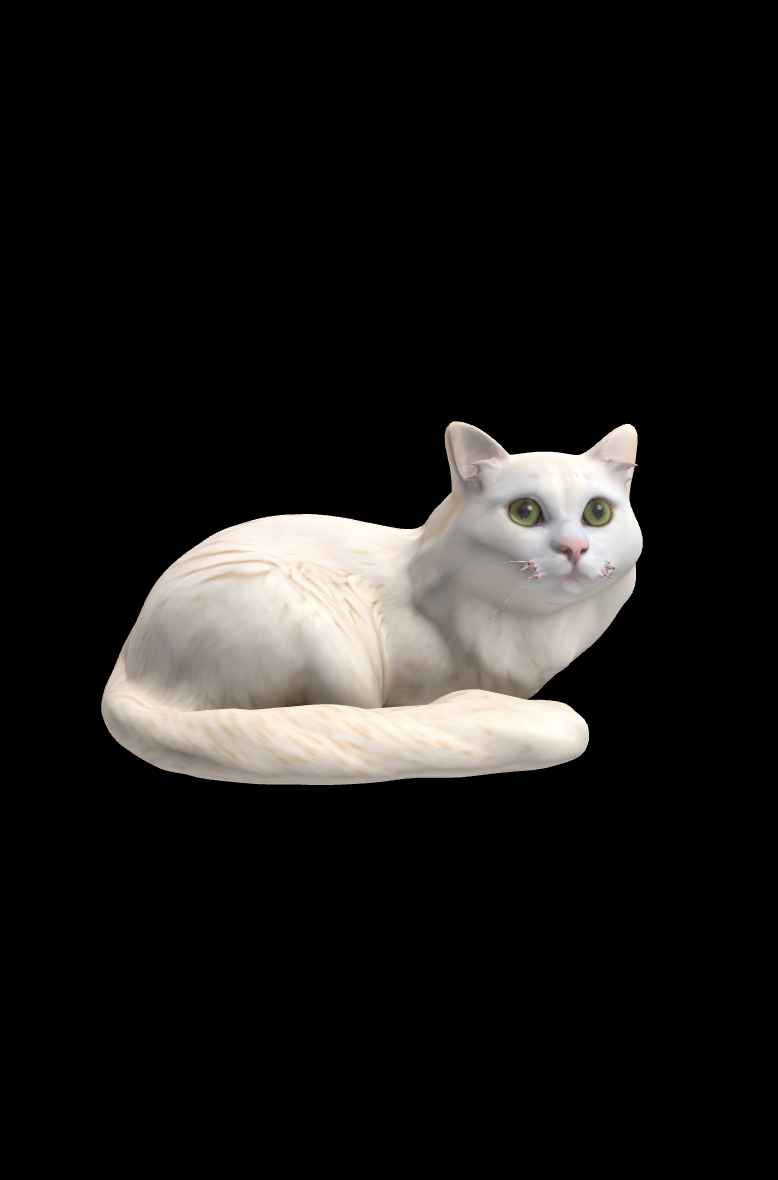
Introducing Meshy 6 Image-to-3D on WaveSpeedAI
The gap between 2D imagination and 3D reality has never been narrower. We’re thrilled to announce that Meshy 6 Image-to-3D is now available on WaveSpeedAI, bringing sculpting-level detail and studio-grade mesh fidelity to your creative workflow through a simple API call.
Whether you’re a game developer racing to populate virtual worlds, a product designer prototyping concepts, or a 3D artist exploring new creative frontiers, Meshy 6 transforms how you work with three-dimensional content.
What is Meshy 6?
Meshy 6 represents the latest evolution in AI-powered 3D generation from Meshy.ai, a platform that has already empowered over 5 million creators to generate more than 40 million 3D models. This newest version delivers what the company describes as a “sculpting-level” breakthrough—AI-generated meshes that rival hand-crafted 3D models in quality and detail.
The technology excels at interpreting 2D images and reconstructing them as complete 3D objects with accurate geometry, proper proportions, and production-ready topology. Unlike earlier generations of image-to-3D tools that struggled with fine details and complex geometries, Meshy 6 captures nuances that make models look genuinely realistic—even generating convincing details on surfaces not visible in the source image.
Key Features
Meshy 6 stands out from the competition with several capabilities that make it particularly valuable for professional workflows:
- Best-in-class geometry reconstruction – Achieves superior accuracy compared to previous versions, with substantial improvements in surface detail, anatomical accuracy for characters, and edge sharpness for hard-surface models
- Superior texture generation – Produces high-quality textures with optional PBR (Physically Based Rendering) maps including metallic, roughness, and normal maps for game-ready assets
- Multiple export formats – Outputs in GLB, FBX, OBJ, and USDZ formats, ensuring compatibility with virtually any 3D software, game engine, or AR platform
- Intelligent topology control – Choose between quad meshes for smooth surfaces ideal for animation, or triangle meshes for detailed, high-polygon geometry
- Smart symmetry handling – Automatic symmetry detection or manual override for creating balanced, clean models
- Animation-ready output – Optional A/T pose generation for characters intended for rigging and animation workflows
Advanced Texture Control
Beyond basic texture generation, Meshy 6 offers fine-grained control over the texturing process:
- Texture prompts – Guide the AI with text descriptions to achieve specific material appearances
- Reference images – Use additional images to influence the texture style and color palette
- PBR map generation – Enable physically-based rendering maps for realistic lighting behavior in modern game engines
Real-World Use Cases
Game Development
Game studios are using Meshy 6 to dramatically accelerate asset creation pipelines. What once required hours of manual modeling can now be accomplished in minutes. The technology is particularly effective for:
- Generating background props and environmental objects
- Creating character concepts for further refinement
- Rapid prototyping of game items and collectibles
- Populating open-world environments with unique assets
Product Visualization
E-commerce and product teams leverage Meshy 6 to create 3D versions of physical products from existing photography:
- Generate interactive 3D models for online stores
- Create AR experiences from product photos
- Build configurators showing products from all angles
- Prototype packaging and display concepts
3D Printing
The maker community has embraced AI-generated 3D models for rapid prototyping:
- Convert concept sketches to printable models
- Create custom figurines and collectibles
- Generate decorative objects from reference images
- Prototype mechanical parts and enclosures
Animation and VFX
Studios use Meshy 6 as a starting point for more complex productions:
- Generate base meshes for characters to be refined by artists
- Create background assets that don’t require hand-sculpting
- Rapid iteration on creature and character designs
- Pre-visualization of scenes before committing to full production
Getting Started on WaveSpeedAI
Accessing Meshy 6 through WaveSpeedAI gives you the power of cutting-edge 3D generation with the reliability and performance of enterprise infrastructure. Here’s how to generate your first 3D model:
import wavespeed

output = wavespeed.run(
    "wavespeed-ai/meshy6/image-to-3d",
    {
        "image_url": "https://example.com/your-image.png"
    },
)

print(output["outputs"])  # URLs to GLB, FBX, OBJ, and USDZ files
For game-ready assets with PBR textures:
import wavespeed

output = wavespeed.run(
    "wavespeed-ai/meshy6/image-to-3d",
    {
        "image_url": "https://example.com/game-character.png",
        "enable_pbr": True,
        "target_polycount": 50000,
        "topology": "triangle"
    },
)
For animation-ready characters:
import wavespeed

output = wavespeed.run(
    "wavespeed-ai/meshy6/image-to-3d",
    {
        "image_url": "https://example.com/character-concept.png",
        "is_a_t_pose": True,
        "topology": "quad",
        "symmetry_mode": "on"
    },
)
Why WaveSpeedAI?
Running Meshy 6 through WaveSpeedAI provides distinct advantages:
- No cold starts – Your API calls begin processing immediately without waiting for infrastructure to spin up
- Consistent performance – Enterprise-grade infrastructure ensures reliable generation times
- Simple pricing – Pay only for what you use at $0.20 per generation
- Multiple formats included – Each generation outputs GLB, FBX, OBJ, and USDZ formats at no extra cost
Tips for Best Results
To get the most out of Meshy 6, consider these recommendations:
- Use clear, well-lit images – The AI performs best when the source image shows the full object without occlusion
- Single subjects work best – Focus on one object per image for cleaner reconstruction
- Consider your end use – Enable PBR for game assets, use A/T pose for animated characters
- Iterate with prompts – Use texture prompts to guide the AI toward specific material appearances
Transform Your 3D Workflow Today
Meshy 6 represents a genuine leap forward in AI-powered 3D generation. The combination of superior geometry reconstruction, professional-grade texturing, and flexible export options makes it a valuable tool for creators across industries.
With WaveSpeedAI, you get instant access to this technology through a simple, affordable API—no subscriptions, no complicated setup, just powerful 3D generation when you need it.
Ready to turn your images into 3D models? Try Meshy 6 Image-to-3D on WaveSpeedAI and experience the future of 3D content creation.
Related Articles

GPT-5.4 for Developers: What the Leaked Signals Mean for AI Workflows

SkyReels V4 Use Cases: 6 Ways Creators Can Use It Right Now

GPT-5.4 Release Date: What the Signals Say

GPT-5.4 vs GPT-5.3: What Might Actually Change
