
Introducing Topaz Image Restore on WaveSpeedAI
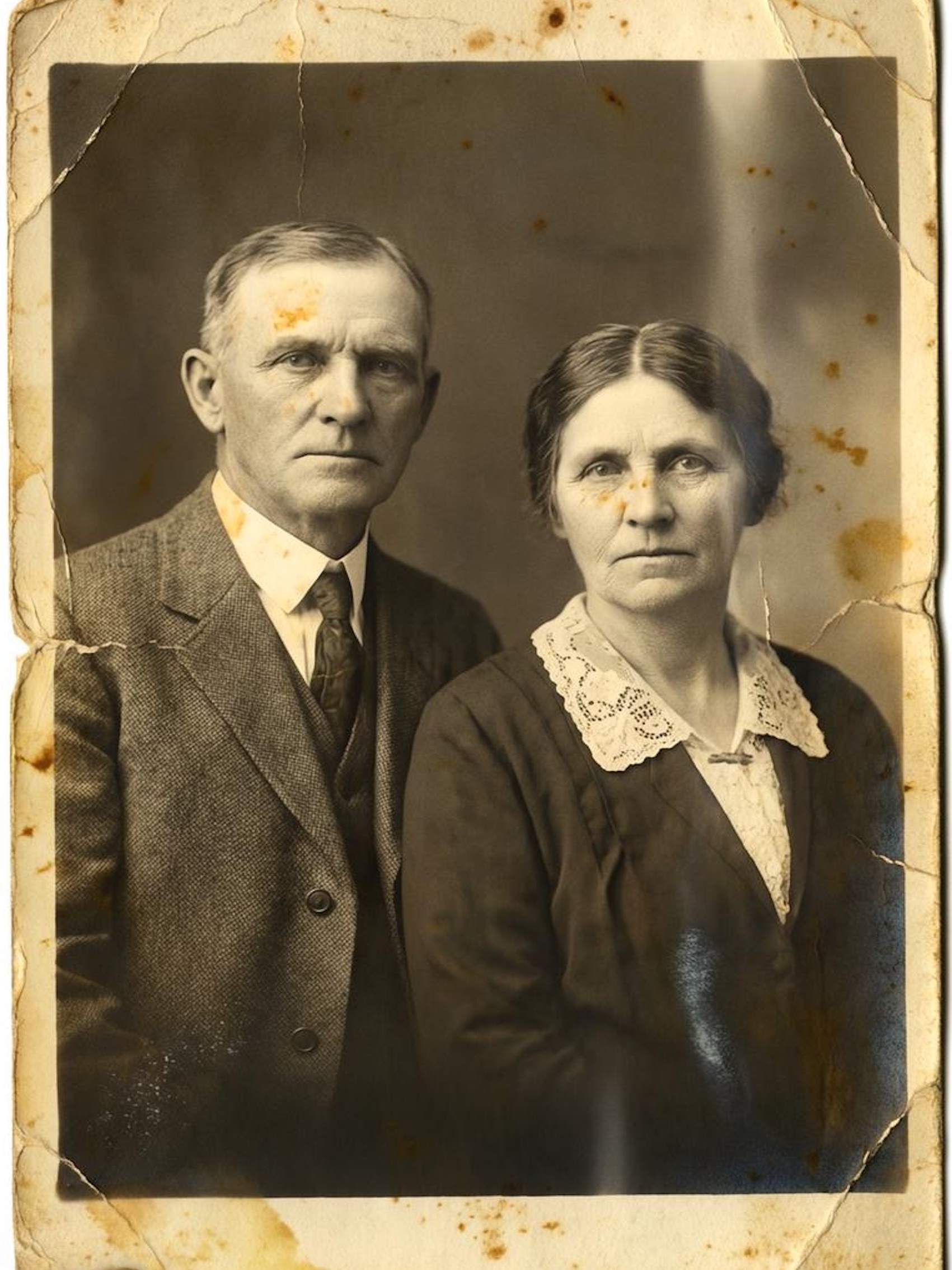
Bringing Your Memories Back to Life with Topaz Image Restore
Every family has a treasure trove of photographs tucked away in albums, shoeboxes, or forgotten drawers—images that capture irreplaceable moments from decades past. But time hasn’t been kind to these memories. Dust particles, scratches from handling, and the gradual decay of photographic paper have left many of these precious images damaged and faded.
Today, we’re excited to announce that Topaz Image Restore is now available on WaveSpeedAI, bringing professional-grade AI photo restoration to anyone who wants to preserve their visual heritage.
What is Topaz Image Restore?
Topaz Image Restore is a specialized AI model from Topaz Labs that automatically detects and removes dust, scratches, and surface imperfections from photographs. Unlike general-purpose image enhancement tools, this model was built specifically for the unique challenges of photo restoration—making it exceptionally good at distinguishing between actual image content and unwanted artifacts.
The technology behind Topaz Image Restore represents years of research into AI-powered image analysis. The model intelligently examines each photograph, identifying imperfections while carefully preserving the original details, textures, and character that make vintage photos special.
Key Features
- Intelligent Dust and Scratch Detection: The AI automatically identifies and removes dust particles, scratches, and surface damage without requiring manual selection or masking
- Two Restoration Models: Choose between the standard Dust-Scratch model for typical restoration needs, or the improved Dust-Scratch V2 for heavily damaged images requiring more aggressive treatment
- Detail Preservation: Unlike destructive editing techniques, Topaz Image Restore maintains the authentic character of your photographs while removing only the unwanted imperfections
- Flexible Output Formats: Export your restored images as JPEG for sharing, PNG for transparency support, or TIFF for archival-quality preservation
- Professional-Grade Results: Powered by the same technology trusted by professional photographers, archivists, and restoration specialists worldwide
Real-World Use Cases
Family Photo Preservation
Millions of family photographs are at risk of being lost to time. Whether it’s your grandparents’ wedding photo, a child’s first birthday, or a snapshot from a family reunion decades ago, Topaz Image Restore can help bring these memories back to their original clarity. The photograph restoration service market is projected to grow significantly, reaching approximately $2.5 billion by 2025, reflecting the growing appreciation for preserving personal and familial legacies.
Film Scanning and Negative Restoration
If you’ve recently digitized old film negatives or slides, you’ve likely encountered the frustration of dust spots and scratches that accumulated during years of storage. Topaz Image Restore excels at cleaning up these scanned images, producing results that look as though the film was handled in a professional darkroom.
Archive Digitization
Libraries, museums, and historical societies face the monumental task of digitizing vast collections of historical photographs. Topaz Image Restore accelerates this process by automating the tedious work of manual retouching, allowing archivists to focus on cataloging and preserving context rather than pixel-by-pixel cleanup.
Professional Print Restoration
Photographers and restoration specialists working with clients’ cherished prints can use Topaz Image Restore as a first pass in their workflow, handling the bulk of dust and scratch removal before applying any specialized manual adjustments.
Getting Started on WaveSpeedAI
Using Topaz Image Restore through WaveSpeedAI is straightforward. Simply upload your image, select your preferred restoration model, and let the AI work its magic.
import wavespeed

output = wavespeed.run(
    "topaz/image/restore",
    {
        "image": "https://your-image-url.com/vintage-photo.jpg",
        "model": "Dust-Scratch V2",
        "output_format": "png"
    },
)

print(output["outputs"][0])
Model Selection Tips
- Dust-Scratch: Best for photographs with light to moderate damage. This model strikes an excellent balance between removal effectiveness and processing speed.
- Dust-Scratch V2: Use this for heavily damaged images with prominent scratches or extensive dust accumulation. The V2 model provides more aggressive detection and removal but may take slightly longer to process.
Output Format Recommendations
- JPEG/JPG: Ideal for sharing on social media or via email, where smaller file sizes are preferred
- PNG: Perfect when you need lossless quality or plan to do additional editing
- TIFF: The choice for archival purposes, preserving maximum image quality for long-term storage
Why Choose WaveSpeedAI?
Running Topaz Image Restore through WaveSpeedAI offers several advantages over traditional desktop software:
- No Cold Starts: Your restoration jobs begin processing immediately—no waiting for models to load
- No Hardware Requirements: Professional-grade AI restoration without needing a powerful GPU or extensive local storage
- Simple API Integration: Easily incorporate photo restoration into your existing workflows, websites, or applications
- Affordable Pricing: At just $0.07 per image, you can restore your entire photo collection without breaking the bank—far less than the $35+ minimum that professional human restoration typically costs
Combine with Other Topaz Tools
For a complete restoration workflow, consider combining Topaz Image Restore with other Topaz models available on WaveSpeedAI:
- First: Use Topaz Image Restore to remove dust and scratches
- Then: Apply Topaz Image Sharpen to recover lost detail
- Finally: Use Topaz Image Enhance to upscale the restored image for printing
This three-step workflow can transform a damaged, low-resolution scan into a print-ready masterpiece.
Start Restoring Your Memories Today
Those photographs sitting in your attic or stored in aging albums represent irreplaceable moments—and every day that passes increases the risk of further deterioration. With Topaz Image Restore on WaveSpeedAI, you now have access to the same professional-grade restoration technology used by archivists and restoration specialists, available instantly through a simple API.
Whether you’re preserving a single treasured family portrait or digitizing an entire collection of historical images, Topaz Image Restore is ready to help you bring your memories back to life.
Related Articles

GPT-5.4 for Developers: What the Leaked Signals Mean for AI Workflows

SkyReels V4 Use Cases: 6 Ways Creators Can Use It Right Now

GPT-5.4 Release Date: What the Signals Say

GPT-5.4 vs GPT-5.3: What Might Actually Change
