
Introducing Kuaishou Kling Image V3 Edit on WaveSpeedAI
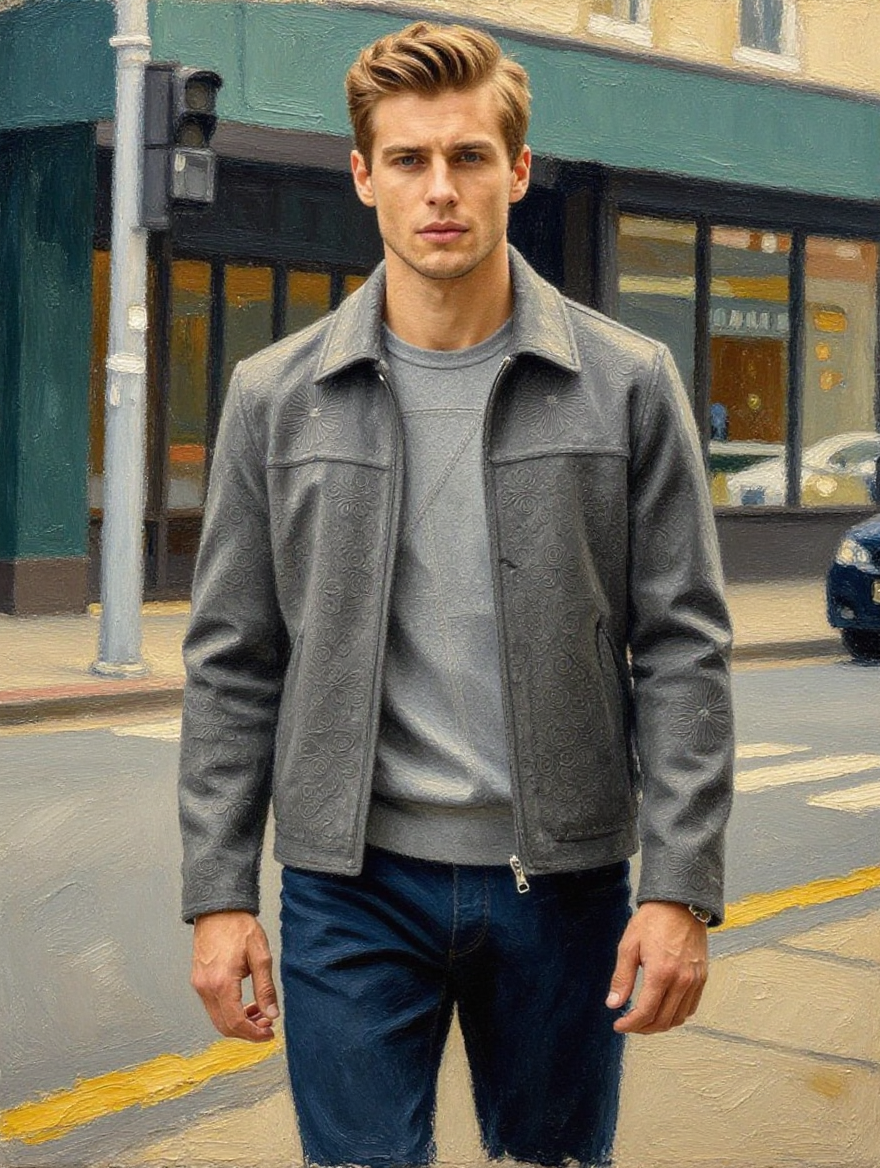
Introducing Kling Image V3 Edit: Text-Guided Image Editing From Kuaishou’s Latest Architecture
Image editing has long been one of AI’s most demanding tasks. While generating images from scratch has become routine, intelligently modifying existing images—changing specific elements while preserving everything else—requires a fundamentally different kind of understanding. Kuaishou’s Kling Image V3 Edit brings the power of the Kling 3.0 architecture to image editing, enabling precise, text-guided transformations that feel natural and intentional. It’s now available on WaveSpeedAI.
What is Kling Image V3 Edit?
Kling Image V3 Edit is Kuaishou’s dedicated image editing model built on the Kling 3.0 architecture—the same foundation that has propelled Kling to the top of AI generation benchmarks. While the broader Kling 3.0 family supports full multimodal workflows spanning text, images, audio, and video, Kling Image V3 Edit focuses specifically on a deceptively difficult task: modifying an existing image according to natural language instructions.
Upload a reference image, describe the changes you want in plain English, and the model applies those edits while preserving the original composition, lighting, style, and identity of unchanged elements. No masks, no layers, no manual selection tools. Just describe what you want to change, and the model figures out the rest.
This positions it squarely in the growing category of instruction-driven image editing, alongside models like Qwen-Image-Edit and Step1X-Edit. What distinguishes Kling Image V3 Edit is its heritage: the Kling 3.0 architecture’s strength in understanding spatial relationships and maintaining visual coherence translates directly into editing quality, particularly when preserving the aspects of an image you didn’t ask to change.
Key Features
-
Natural Language Editing: Describe changes conversationally—“change the jacket to red leather,” “add a sunset in the background,” “remove the person on the left”—and the model interprets your intent accurately. No technical editing vocabulary required.
-
Style and Identity Preservation: The model maintains the original image’s aesthetic signature. Lighting conditions, color grading, compositional balance, and subject identity remain intact in areas you haven’t explicitly asked to modify. This is the hardest part of AI editing, and where cheaper models typically fail.
-
Flexible Aspect Ratios: Output in 1:1, 3:4, 4:3, 9:16, 16:9, and more. Whether you’re editing product photos for Instagram stories or banner images for websites, the model adapts to your format requirements.
-
Resolution Control: Choose your output resolution starting at 1K, balancing quality against processing speed for your specific use case.
-
Batch Generation: Generate multiple edited variations from a single request. Submit one prompt and receive several interpretations, making it easy to explore creative directions without repeated API calls.
-
Built-in Prompt Enhancer: A built-in tool automatically refines vague editing instructions into detailed commands, improving output quality even when your initial description is rough or incomplete.
Real-World Use Cases
Fashion and E-Commerce
Product photography is expensive. Kling Image V3 Edit lets merchandising teams modify clothing colors, swap fabric patterns, adjust accessories, or change backgrounds across entire product catalogs without reshooting. A single hero image can spawn dozens of variations for different campaigns, seasonal promotions, or A/B testing.
Marketing and Advertising
Creative teams can adapt existing campaign visuals for new contexts instantly. Change a summer scene to winter, swap product placements, adjust branding elements, or localize imagery for different markets—all while maintaining the visual quality and style consistency that brand guidelines demand.
Creative Iteration and Concept Art
Designers and artists can explore variations of a concept rapidly. Rather than starting from scratch with each iteration, they can take a base composition and request specific modifications: different color palettes, alternative environments, stylistic shifts. The model’s preservation of unedited elements means each variation builds on a stable foundation.
Portrait and Lifestyle Photography
Adjust styling, swap backgrounds, modify accessories, or change lighting moods in portrait photos. Content creators producing at volume can maintain a consistent visual identity while efficiently adapting imagery for different platforms and audiences.
Content Repurposing
Transform existing visual assets for new platforms, formats, or campaigns. An image created for one context can be intelligently adapted for another without losing the qualities that made the original effective.
Getting Started on WaveSpeedAI
WaveSpeedAI makes integrating Kling Image V3 Edit into your workflow straightforward:
No Cold Starts: Requests execute immediately. There’s no waiting for model initialization, which matters for production applications where users expect instant feedback.
Fast Inference: WaveSpeedAI’s optimized infrastructure delivers rapid editing results, keeping creative workflows responsive and iteration cycles short.
Affordable Pricing: At $0.028 per image, Kling Image V3 Edit makes professional-grade AI editing accessible at any scale. Generate 100 edited images for under $3.
Quick Start with the API
import wavespeed

output = wavespeed.run(
    "kwaivgi/kling-image-v3/edit",
    {
        "prompt": "Change the jacket to red leather",
        "image": "https://example.com/your-image.png",
    },
)

print(output["outputs"][0])
Tips for Best Results
- Be specific about what should change and what shouldn’t. “Make the sky a dramatic sunset, keep everything else the same” outperforms “make it look cooler.”
- Use the Prompt Enhancer when your edit descriptions feel vague. The model’s built-in refinement can transform rough ideas into precise instructions.
- Generate multiple variations by setting
num_imagesabove 1. Different interpretations of your prompt often reveal unexpected creative directions. - Start with high-quality source images. The model preserves what’s already there, so better inputs yield better outputs.
- Use PNG format when you need lossless quality in your edited output, particularly for production assets.
The Kling Ecosystem on WaveSpeedAI
Kling Image V3 Edit is part of a comprehensive Kling model family available on WaveSpeedAI. Pair it with Kling Image V3 Text-to-Image to generate base images, then refine them with V3 Edit. Or take your edited images further with Kling Video O3 Pro Image-to-Video to animate them into video. The models work together as a complete creative pipeline, all accessible through a unified API with consistent pricing and zero cold starts.
Start Editing Today
Kling Image V3 Edit brings Kuaishou’s most advanced architecture to the specific challenge of intelligent image modification. For developers building creative tools, marketing teams scaling content production, or designers accelerating their iteration cycles, it offers a practical path from “almost right” to “exactly right”—described in plain language, executed in seconds.
Related Articles

Introducing Bria Embed Product on WaveSpeedAI

Introducing Google Nano Banana 2 Edit Fast on WaveSpeedAI
