
Introducing Bria Fibo Restore on WaveSpeedAI
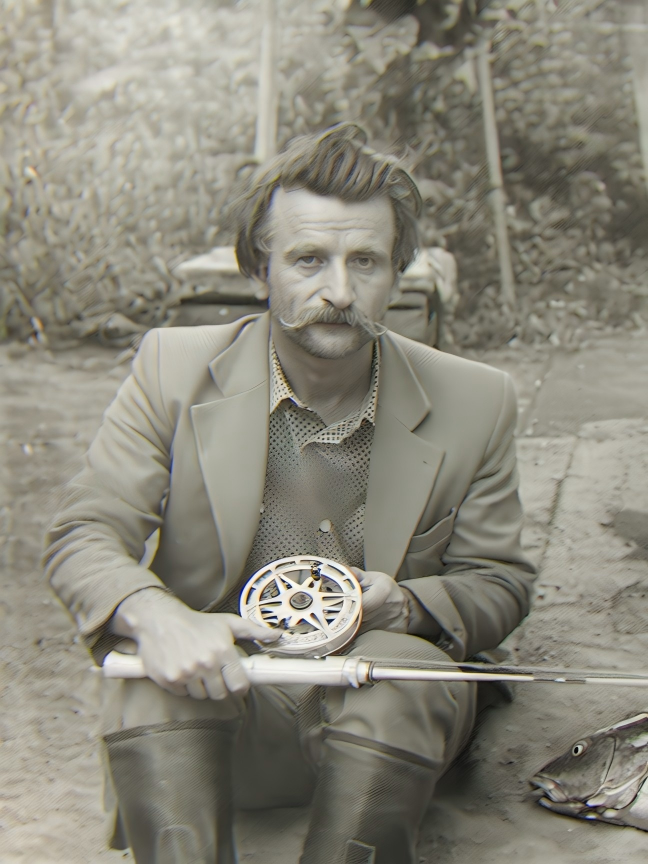
Introducing Bria FIBO Restore: AI-Powered Old Photo Restoration on WaveSpeedAI
Every family has a box of old photographs — faded snapshots tucked into albums, creased portraits stashed in drawers, vintage prints that carry irreplaceable memories. Time takes its toll on these images: scratches accumulate, colors fade, noise and grain obscure the faces we want to remember most. Professional photo restoration has traditionally been a painstaking, manual process that can cost dozens of dollars per image and take days to complete.
That changes today. WaveSpeedAI is thrilled to announce the availability of Bria FIBO Restore, an AI-powered photo restoration model that automatically repairs and enhances old or damaged photographs — bringing your most cherished memories back to life in seconds.
What is Bria FIBO Restore?
Bria FIBO Restore is a specialized image-to-image model from Bria AI’s FIBO family, purpose-built for restoring old and damaged photographs. Unlike general-purpose image enhancement tools, FIBO Restore is trained specifically to recognize and repair the kinds of degradation that affect physical photographs over time: scratches, tears, creases, film grain, color fading, noise, and blur.
The model is part of Bria AI’s broader FIBO ecosystem, which has earned a reputation for enterprise-grade visual AI. Bria’s models are trained exclusively on 100% licensed data, ensuring full commercial safety and compliance with regulations like the EU AI Act. This means you can confidently use FIBO Restore in professional and commercial workflows without worrying about IP concerns.
What makes FIBO Restore particularly compelling is its simplicity. There are no complex parameters to configure, no sliders to adjust, no manual masking required. You upload an image, and the model intelligently detects and repairs damage across the entire photograph — from subtle grain reduction to significant scratch removal.
Key Features
-
Automatic Damage Detection: The model intelligently identifies scratches, tears, creases, and other physical damage marks without requiring manual annotation or masking
-
Scratch and Tear Repair: Removes visible scratches, tears, and fold lines that accumulate on physical prints over decades of handling and storage
-
Noise and Grain Reduction: Cleans up film grain and digital noise that obscure fine details, while preserving the authentic character of the original photograph
-
Fade and Color Correction: Restores color vibrancy and contrast lost to age, UV exposure, and chemical degradation — breathing life back into washed-out prints
-
One-Click Workflow: No parameters to tune. Upload your image and receive a restored version — making it accessible to anyone, regardless of technical expertise
-
Works on Color and Black-and-White: Handles both color vintage photographs and monochrome prints, applying appropriate restoration techniques for each
-
Enterprise-Safe Licensing: Built on Bria’s foundation of 100% licensed training data, suitable for commercial use with full legal clarity
Use Cases
Family Photo Restoration
Perhaps the most universal use case. Millions of families have shoeboxes filled with aging photographs — wedding portraits from the 1960s, baby photos from the 1980s, vacation snapshots that have yellowed and cracked over the decades. FIBO Restore lets you digitize these memories and bring them back to their original clarity. At $0.04 per image, restoring an entire family album becomes remarkably affordable.
Historical Archives and Museums
Libraries, museums, and historical societies maintain vast collections of photographs documenting local and national history. Many of these images suffer from age-related degradation that makes them difficult to display or digitize. FIBO Restore enables archivists to process large volumes of historical photographs efficiently, preserving cultural heritage at scale.
Professional Restoration Services
Photo restoration businesses can dramatically accelerate their workflows by using FIBO Restore as a first-pass tool. The AI handles common damage types automatically, allowing skilled restorers to focus their time on the most challenging cases that require human judgment. This can significantly increase throughput while maintaining quality standards.
Print and Publishing
Publishers working with archival imagery — for books, magazines, documentaries, or exhibitions — frequently need to restore source photographs to print-ready quality. FIBO Restore provides a fast, cost-effective way to clean up vintage images before they go through additional editing and color grading.
Genealogy and Heritage Projects
The growing interest in genealogy and family heritage has created demand for restored photographs to accompany family trees, memorial projects, and heritage websites. FIBO Restore makes it easy for individuals researching their ancestry to enhance the visual quality of historical family photographs.
Social Media and Personal Projects
Whether you’re creating a tribute video for a grandparent’s birthday, building a family history website, or simply want to share a restored vintage photo on social media, FIBO Restore delivers polished results that are ready to share.
Getting Started on WaveSpeedAI
Using Bria FIBO Restore through WaveSpeedAI is remarkably straightforward:
-
Visit the Model Page: Head to Bria FIBO Restore on WaveSpeedAI to access the model
-
Upload Your Photo: Provide the old or damaged photograph you want to restore — either as a direct upload or a publicly accessible image URL
-
Run the Model: Click generate and let the AI analyze and repair your image
-
Download Your Result: Receive your restored photograph, ready to save, print, or share
For developers looking to integrate restoration into their applications, the WaveSpeedAI API makes it simple:
import wavespeed

output = wavespeed.run(
    "bria/fibo/restore",
    {"image": "https://example.com/old-photo.jpg"},
)

print(output["outputs"][0])  # Restored image URL
At just $0.04 per image, FIBO Restore delivers professional-grade restoration at a fraction of the cost of manual restoration services or subscription-based tools. Combined with WaveSpeedAI’s zero cold starts and fast inference, you can process individual photos or batch-restore entire collections without delays.
Pro Tips for Best Results
-
Scan at high resolution: The higher the quality of your input scan, the more detail the model has to work with. 300 DPI or higher is recommended for physical prints.
-
Combine with Bria FIBO Colorize: For black-and-white photos, first restore with FIBO Restore to remove damage, then use Bria FIBO Colorize to add natural color — a powerful two-step workflow for complete photo revival.
-
Batch processing via API: If you have a large collection to restore, use the WaveSpeedAI API to process images programmatically. At $0.04 per image, restoring 100 family photos costs just $4.
-
Manage expectations for severe damage: While FIBO Restore handles most common degradation beautifully, photos with large missing sections or extreme damage may show varying results. For these cases, the AI restoration serves as an excellent starting point before manual touch-up.
Conclusion
Bria FIBO Restore makes AI photo restoration accessible, affordable, and effortless. Whether you’re preserving a single treasured family portrait or processing thousands of archival images, the model delivers consistent, high-quality results with nothing more than an image upload. Backed by Bria’s commitment to licensed training data and enterprise-grade reliability, and powered by WaveSpeedAI’s fast, always-ready infrastructure, FIBO Restore is the simplest path from damaged photograph to restored memory.
Ready to bring your old photos back to life? Try Bria FIBO Restore on WaveSpeedAI today and see the difference AI-powered restoration can make.
Related Articles

Introducing Bria Embed Product on WaveSpeedAI

Introducing Google Nano Banana 2 Edit Fast on WaveSpeedAI
