
Run GLM-4.7-Flash Locally: Ollama, Mac & Windows Setup
Hi, I’m Dora. Several days ago, a small friction pushed me into this: I kept waiting on remote completions for tiny drafting tasks. Not minutes, just enough delay that I’d drift to email and lose the thread. Last week (Jan 2026), I tried running GLM-4.7-Flash locally to see if shaving those seconds would actually help me think straighter.
Short version: it did, but not for the glamorous reasons. GLM-4.7-Flash felt more like a steady assistant than a headline model. It’s fast enough to keep me in flow, and light enough to run on a laptop without cooking it. I’ll share what worked, where it stalled, and the setup that kept things boring, in a good way.
Hardware Requirements
Minimum GPU / RAM
I ran GLM-4.7-Flash on three machines:
- MacBook Pro M3 Pro (12-core CPU / 18-core GPU, 36 GB RAM)
- Mac mini M2 (24-GB unified memory)
- Windows desktop with RTX 4090 (24-GB VRAM)
From those tests, a practical floor:
- CPU-only (Mac/Windows/Linux): 16 GB system memory works, 32 GB is kinder. Expect slower first tokens.
- Apple Silicon (Metal): 16 GB unified memory is usable with 4-bit/5-bit quantization and a modest context (2–4K). 8 GB felt cramped.
- NVIDIA: 8–12 GB VRAM is the minimum I’d try for a 4-bit quant. 16 GB+ is more comfortable.
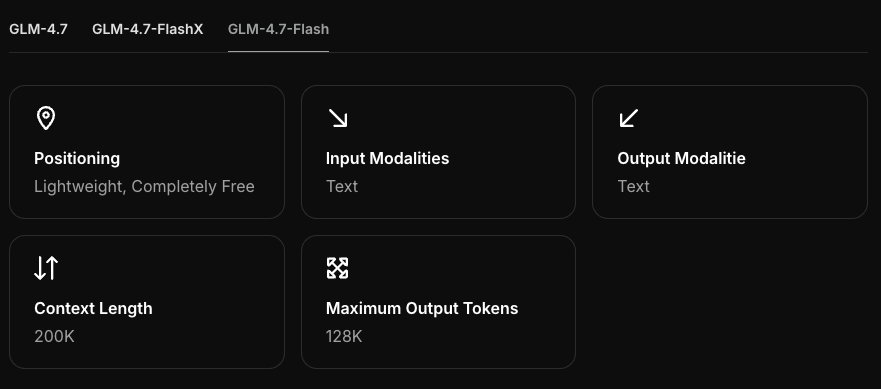
GLM-4.7-Flash feels like a mid-size model (think under 10–12B params). In 4-bit, you’re usually looking at ~5–6 GB of device memory plus KV cache. If you push long contexts or many parallel prompts, memory climbs.
Recommended Specs
If you want that “always responsive” feel:
- Apple Silicon: M3 or newer with 24–36 GB unified memory: keep context 4–8K.
- NVIDIA: 24 GB VRAM (e.g., 3090/4090) gives headroom for higher context and concurrency.
- Storage: fast SSD: models load faster and swap less.
I noticed the model stops feeling “flashy” when memory pressure kicks in, page-outs or VRAM spills add a subtle stutter that breaks flow. A little extra headroom goes a long way.
Ollama Setup
I used Ollama because it keeps local runs simple and consistent across machines. Version context matters here.
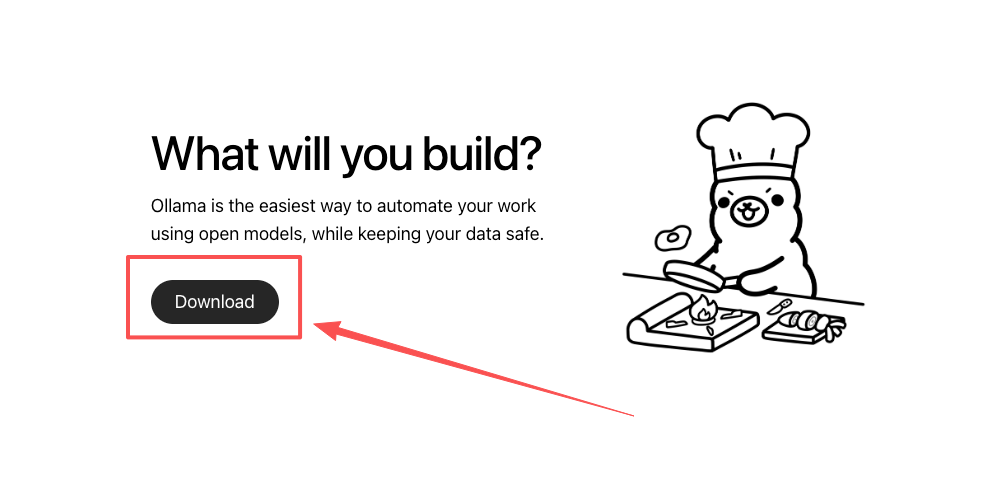
Install Ollama 0.14.3+
- macOS: brew install ollama (or update with brew upgrade ollama).
- Windows: use the official installer from the Ollama site.
- Linux: follow the curl script from the docs.
I’m on 0.14.3 as of this test (Jan 2026). Newer versions sometimes change default backends or quantization behavior, so I stick to the version that’s stable for me until I have a reason to jump.
Pull & Run GLM-4.7-Flash
Two paths worked for me:
-
If your Ollama library includes an official GLM-4.7-Flash build:
- ollama pull glm-4.7-flash
- ollama run glm-4.7-flash
-
If it doesn’t show up (this happened on one machine):
- Create a Modelfile that points to a known GGUF or compatible artifact for GLM-4.7-Flash.
- Example Modelfile (simplified):
- FROM ./glm-4.7-flash-q4.gguf
- Add prompt templates only if you know you need them: I left it minimal.
- Then: ollama create glm-4.7-flash-local -f Modelfile
- Run: ollama run glm-4.7-flash-local
Notes from use:
- First load is slower as it warms caches.
- I keep num_ctx conservative (4K or 8K) unless I’m summarizing a book draft. Larger contexts feel nice, but they’re memory-hungry and don’t always help quality for everyday drafting.
- If generations feel hesitant, try dropping temperature to 0.6–0.7 and bump top_p slightly: it tightened outputs for me without losing speed.
References: the Ollama docs are solid for platform-specific flags and current backends.
Mac Performance
M4 / M3 / M2 Benchmarks
These aren’t lab-grade, just steady runs on writing and light code prompts, temperature 0.7, 4K context, 4-bit quant:
- M4 (borrowed machine, 48 GB): 60–85 tok/s once warm. First token in ~350–500 ms.
- M3 Pro (36 GB): 35–55 tok/s. First token in ~500–800 ms.
- M2 (24 GB): 20–30 tok/s. First token in ~900–1200 ms.
Take the ranges as a vibe check. I pushed a few 8K contexts on the M3 Pro: speed dipped ~20–30% but stayed usable for drafting. On the M2, long contexts crossed my “feels sticky” line. I kept it to 2–4K there.
Memory Optimization
What helped most on macOS:
- Keep fewer terminal tabs running models. Obvious, yes, but I forget too.
- Right-size context. 4K is a sweet spot for me.
- Use 4-bit quant when you can. 5-bit felt similar in quality for my use, but slower.
- Close apps that grab GPU time (video editors, some browser tabs with WebGL).
I also noticed that using a stable system prompt reduced rework. Not faster on paper, but fewer retries means better “felt speed.” A small prompt like: “Be concise, use plain English, no marketing tone.” It fits the model’s strengths.
Windows + NVIDIA
RTX 3090 / 4090 Config
On the 4090 (24 GB), GLM-4.7-Flash felt consistently fast:
- 4-bit quant, 4–8K context: 120–220 tok/s after warmup.
- First token: ~250–400 ms.
- Parallel prompts: 2–3 streams before I saw stutter.
A friend ran it on a 3090 (24 GB) and saw ~15–25% lower throughput with similar settings. If you push beyond 8K context or keep many responses going at once, you will hit VRAM headroom. I usually back off to 4–6K and keep batches small.
CUDA Setup
What mattered in practice:
- Recent NVIDIA driver (clean install helped one machine that stuttered).
- CUDA 12.x and matching runtime if you’re stepping outside Ollama (vLLM/SGLang). For Ollama itself, you don’t always need a full Toolkit, but up-to-date drivers are non-negotiable.
- Power settings: set your GPU to “Prefer maximum performance.” It sounds like gamer advice, but it stopped clock-throttling during long runs.
If you hit load errors or hard falls back to CPU, I’d double-check:
- Driver version alignment with CUDA runtime.
- Whether an antivirus is scanning your model directory (it happened: it was silly: it was slow).
Reference: NVIDIA’s driver–CUDA compatibility table is worth a quick check before you sink an hour into debugging.
vLLM / SGLang
I tried GLM-4.7-Flash with vLLM and SGLang when I wanted more control over batching and server-style endpoints.
vLLM
- Install: recent Python, CUDA-compatible PyTorch, then pip install vllm.
- Run:
python -m vllm.entrypoints.openai.api_server --model <your_glm_flash_id> --dtype auto --max-model-len 4096 - Why I used it: stable OpenAI-compatible API, solid throughput for multi-user or multi-tab workflows.
SGLang
- Install: pip install sglang
- Run:
python -m sglang.launch_server --model <your_glm_flash_id> --context-length 4096 - Why I used it: low-latency streaming felt snappy, and it played nice with small routing tasks.
Both want a proper model path or HF repo ID. If GLM-4.7-Flash isn’t on your default index, you’ll need to point them to a local GGUF or a compatible weight format. Also: match CUDA and driver versions, or you’ll chase opaque kernel errors. I kept dtype on auto and only forced fp16 when I knew I had VRAM to spare.
For my single-user writing sessions, Ollama stayed simpler. vLLM/SGLang made sense when I tested tools that needed an OpenAI-style endpoint.
Troubleshooting
Model Load Failures
What I saw:
- “out of memory” during load. Fix: switch to a smaller quant (e.g., 4-bit), lower num_ctx, or close GPU-heavy apps.
- “no compatible backend” on Windows. Fix: update GPU driver: ensure you didn’t install a CPU-only PyTorch if you’re using vLLM/SGLang: reboot after driver upgrades.
- Model not found in Ollama. Fix: create a Modelfile and ollama create: or pull from the exact repo tag if it exists.
If a model silently falls back to CPU, the tell is fan noise (or lack of it) plus much slower tokens/sec. I’ve learned to check device utilization before assuming the model got “worse.”
Slow Inference Fixes
Small changes that mattered more than I expected:
- Right-size context. Halving context often speeds things up more than tinkering with sampling.
- Warm the cache. A quick short run improves the next one.
- Reduce parallel streams. Concurrency looks efficient until the KV cache trips you.
- For NVIDIA: set High Performance power mode, close overlay apps, and stop background encoders.
- On macOS: keep the charger in: some laptops downshift when on battery.
One more: I stopped chasing max tokens/sec. The better metric for me was “first usable thought.” GLM-4.7-Flash gave me that quickly when I kept prompts focused and contexts reasonable.
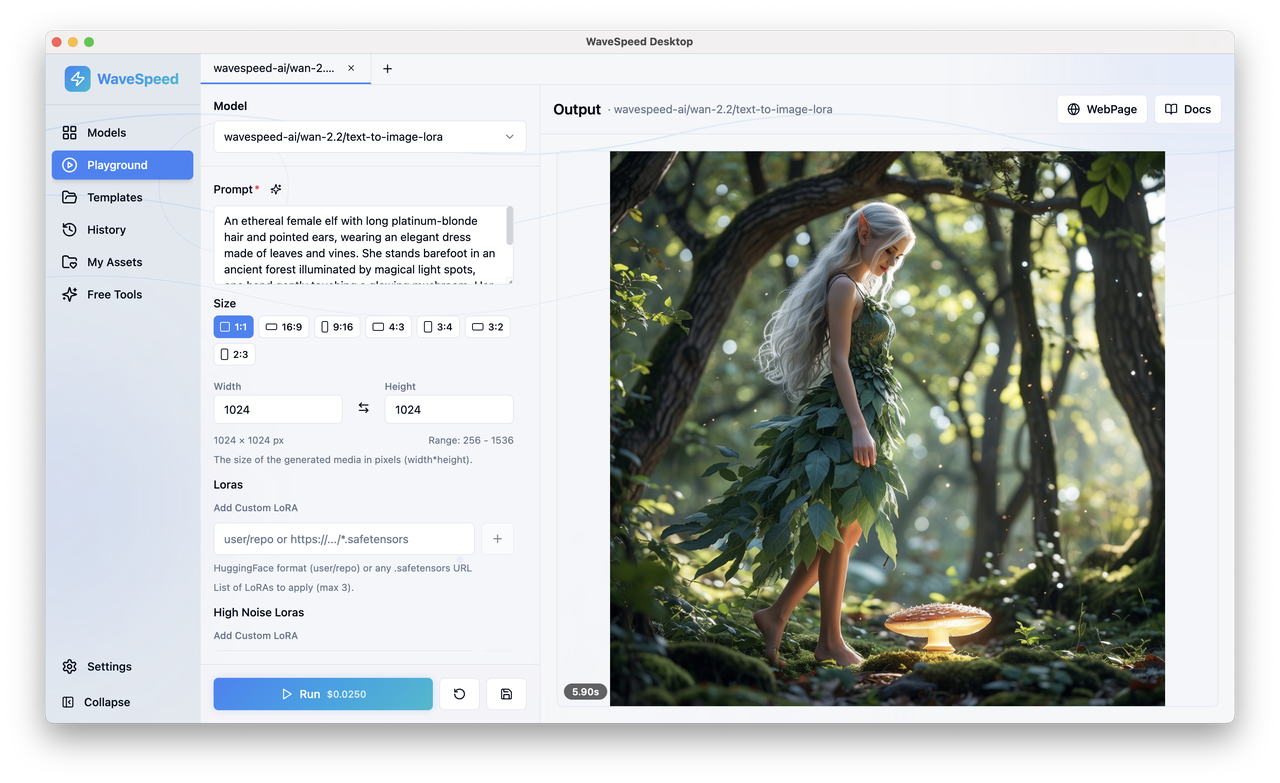 If you like the speed of GLM-4.7-Flash but don’t love babysitting drivers, CUDA versions, or backend quirks, try WaveSpeed - our own platform focused on stable, fast inference without the low-level tuning. You get predictable latency without worrying about model files, quant formats, or GPU compatibility.
Related Articles

GPT-5.4 for Developers: What the Leaked Signals Mean for AI Workflows

SkyReels V4 Use Cases: 6 Ways Creators Can Use It Right Now

GPT-5.4 Release Date: What the Signals Say

GPT-5.4 vs GPT-5.3: What Might Actually Change
