
GLM-4.7-Flash API: Chat Completions & Streaming Quick Start
Hey, I’m Dora. Last week I hit a small snag: a draft summary task that felt heavier than it should. The tools I normally use were either too slow or too clever for their own good. I wanted something fast and predictable, even if it wasn’t flashy.
So I gave the GLM-4.7-Flash API a proper run (January 2026). I wasn’t looking for a “wow.” I wanted clean requests, quick responses, and settings that behave the way they say they do. Here’s what I set up, what helped, where it stumbled, and why I’d use it again when I need speed without drama.
Get Your API Key
I started simple: get a key, make a request, see if the basics feel sane. I appreciate APIs that don’t hide the levers. For background, GLM-4.7-Flash is part of the broader GLM model family by Zhipu AI, which frames many of the design decisions around speed and predictability.
WaveSpeed Dashboard Walkthrough
I used the WaveSpeed dashboard, which wraps access to the GLM-4.7-Flash API. The flow was plain enough:
- Create a project (I named mine “flash-notes”).
- Generate a server key and a lightweight client token. I only used the server key in my local scripts.
- Skim the usage panel to spot the default rate limits. Mine showed a modest burst cap and a per-minute quota, enough for tests but not a production spike.
A small thing I liked: the dashboard shows recent 4xx/5xx errors with timestamps. When I hit limits later, I didn’t have to guess. If you’re doing team work, the role-based key visibility helped: I kept the write-capable key in a .env file and rotated once during the week to check that revocation worked (it did, instantly).
Basic Request
My first checkpoint was the same I use for any new model: a short prompt, a short answer, and no surprises in the JSON.
The API schema follows the same chat-completions pattern outlined in the official GLM-4.7 API guide, which meant I didn’t need to re-learn request semantics.
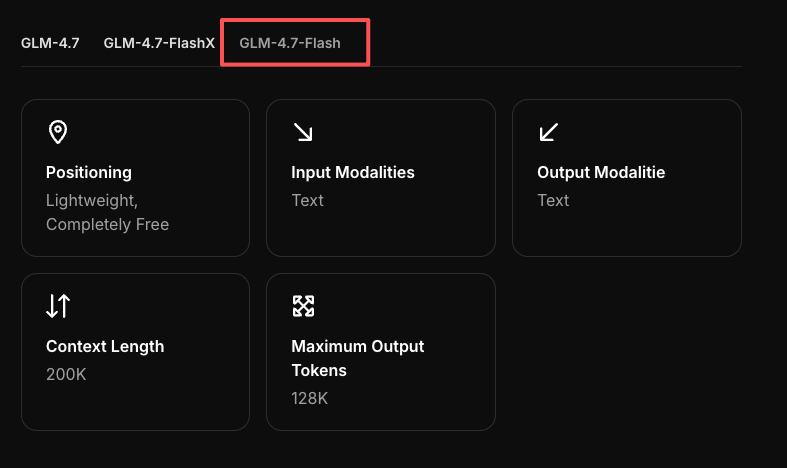
curl Example
Here’s the simplest call that worked consistently for me. The endpoint name may vary between providers: this is the pattern I used during tests.
curl https://api.wavespeed.ai/v1/chat/completions \
  -H "Authorization: Bearer $WAVESPEED_API_KEY" \
  -H "Content-Type: application/json" \
  -d '{
    "model": "GLM-4.7-Flash",
    "messages": [
      {"role": "system", "content": "You are concise and helpful."},
      {"role": "user", "content": "Summarize this in one sentence: GLM-4.7-Flash API quick test."}
    ],
    "temperature": 0.2,
    "max_tokens": 120
  }'
Notes from the run
- Latency: I saw first token ~200–400 ms on a small prompt mid-morning (US time). End-to-end completed under a second for short replies.
- Stability: Responses were well-formed JSON every time when streaming was off.
- Cost: I can’t speak to your plan, but tokens were reported clearly in usage logs. That matters when you’re pushing quick iterations.
Python Example
For tiny scripts, I prefer a single function with environment-loaded keys.
import os
import requests

API_KEY = os.getenv("WAVESPEED_API_KEY")
BASE_URL = "https://api.wavespeed.ai/v1/chat/completions"

payload = {
    "model": "GLM-4.7-Flash",
    "messages": [
        {"role": "system", "content": "You are concise and helpful."},
        {
            "role": "user",
            "content": "Give me 3 bullet points on maintaining a calm writing workflow."
        }
    ],
    "temperature": 0.3,
    "max_tokens": 180
}

headers = {
    "Authorization": f"Bearer {API_KEY}",
    "Content-Type": "application/json"
}

resp = requests.post(BASE_URL, json=payload, headers=headers, timeout=30)
resp.raise_for_status()

data = resp.json()
print(data["choices"][0]["message"]["content"])  # typical OpenAI-style schema
Two small reactions:
- Relief: The schema matched the usual chat-completions format, which meant no adapter layer. I dropped it into a pre-existing tool with minimal changes.
- A limit: Longer outputs at higher temperature sometimes meandered. That’s normal for “Flash”-type models: I clipped with
max_tokensand nudged tone via a tighter system prompt.
Enable Streaming
I only turn on streaming when I’m shaping text live or when latency matters more than completeness. GLM-4.7-Flash felt made for this: fast first tokens, stable chunking once the parameters were set correctly.
Stream Parameter Setup
To enable server-sent events (SSE), I set stream: true. That’s it. The rest is housekeeping: make sure your client reads event lines and stops on [DONE].
curl version I used:
curl https://api.wavespeed.ai/v1/chat/completions \
-H "Authorization: Bearer $WAVESPEED_API_KEY" \
-H "Content-Type: application/json" \
-N \
-d '{
  "model": "GLM-4.7-Flash",
  "messages": [
    {"role": "user", "content": "Draft a two-sentence intro about quiet tools."}
  ],
  "stream": true,
  "temperature": 0.2,
  "max_tokens": 120
}'
Two field notes:
- If you forget
-N(no-buffer) with curl, the stream can look stuck. - If you get a plain JSON blob instead of events, double-check that
streamis booleantrueand not a string.
Handle Chunks in Code
In Python, I read line-by-line, parse data: frames, and stop at the sentinel. This pattern worked smoothly.
import os, json, requests

API_KEY = os.getenv("WAVESPEED_API_KEY")
BASE_URL = "https://api.wavespeed.ai/v1/chat/completions"

payload = {
    "model": "GLM-4.7-Flash",
    "messages": [{"role": "user", "content": "Write a calm closing paragraph."}],
    "stream": True,
    "temperature": 0.2,
}

with requests.post(
    BASE_URL,
    json=payload,
    headers={
        "Authorization": f"Bearer {API_KEY}",
        "Content-Type": "application/json"
    },
    stream=True,
    timeout=60
) as r:
    r.raise_for_status()
    for line in r.iter_lines(decode_unicode=True):
        if not line or not line.startswith("data:"):
            continue
        data = line[len("data:"):].strip()
        if data == "[DONE]":
            break
        try:
            delta = json.loads(data)["choices"][0]["delta"].get("content", "")
            print(delta, end="", flush=True)
        except (KeyError, json.JSONDecodeError):
            # Skip malformed or heartbeat frames gracefully
            continue

print()  # newline
What surprised me a little: chunk timing was steady. I tried a few longer prompts and still got predictable pacing. Streaming didn’t save wall-clock time on very short replies, but it reduced my sense of waiting, which counts when I’m editing directly in the terminal.
Parameters Reference
I only adjust a few knobs day to day. With the GLM-4.7-Flash API, these behaved as expected.
temperature / top_p / max_tokens
- temperature: I kept this between 0.1 and 0.4 for production-flavored tasks. Lower numbers gave tighter, less imaginative phrasing, which is fine for summaries and support text. If you drift above 0.7, expect tangents.
- top_p: I left top_p around 0.9. When I tightened it to 0.6 with low temperature, outputs felt clipped, useful for bullet points, less so for nuanced writing.
- max_tokens: This was my guardrail. For short-form tasks, 150–250 kept costs tidy and prevented rambling. For outlines, 600–800 was enough. If the model stops early, it’s usually this, not a bug.
A small setup that worked well for me when I needed crisp, factual answers:
{
  "model": "GLM-4.7-Flash",
  "temperature": 0.2,
  "top_p": 0.9,
  "max_tokens": 200
}
Why this matters in practice: when you want speed, you don’t want rewrites. A conservative temperature with a generous but not unlimited max_tokens saved me from having to run the same call twice just to trim phrasing.
Common Errors
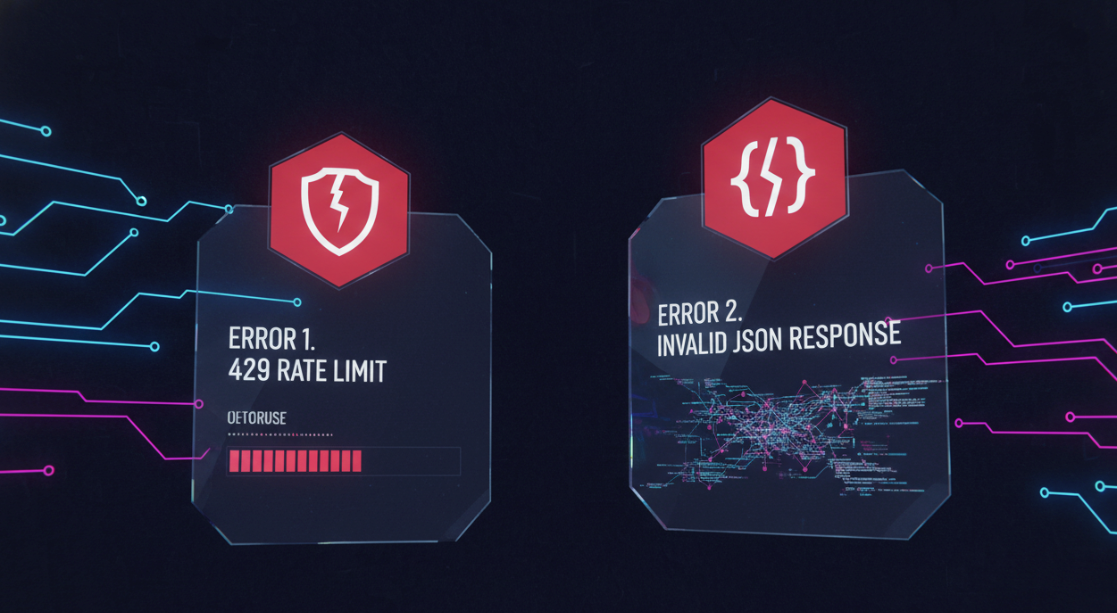 I kept a small notebook next to me while testing. Two errors came up enough to be worth mentioning plainly.
429 Rate Limit
What I saw:
- Bursts of parallel requests (5–10 at once) sometimes tripped a 429. It happened more in the first minute of a fresh key.
What helped:
- Backoff: jittered exponential delay (e.g., 200 ms, 400 ms, 800 ms, up to ~3 s) cleared spikes without me babysitting.
- Queues: coalescing near-identical prompts into a short batch window (100–200 ms) cut my peak rate by ~30% without changing UX.
- Dashboard checks: the usage panel confirmed when I was the problem. No mystery there, which I appreciated.
Who this trips up: teams wiring GLM-4.7-Flash into UI previews and server hooks at the same time. If it matters, ask your provider about higher per-minute caps or use a lightweight in-memory queue.
Invalid JSON Response
What I saw:
- When streaming is on, some clients try to parse every
data:frame as full JSON. That’s not how SSE works. Frames are partial. - Once, with a noisy connection, I got a truncated event line that broke strict parsers.
What helped:
- Guard your parser: only parse the JSON after
data:and expect it to contain a small delta, not the full message. Stop at[DONE]. - Timeouts: keep a reasonable read timeout but avoid killing a stream for a single malformed frame.
- If you need non-stream JSON: turn off stream and you’ll usually get a clean, single JSON object. In my runs, non-stream mode never produced malformed JSON.
One more minor snag: if your proxy or server injects logs into stdout, it can pollute the stream. Keep logs separate from response pipes.
After all this testing, the reason I stuck with WaveSpeed is pretty simple: I didn’t want to think about the plumbing.
 We built WaveSpeed to be the boring, reliable layer between your code and fast models like GLM-4.7-Flash. Clean endpoints, predictable behavior, and a dashboard that tells you what actually happened when something goes wrong—rate limits, errors, usage—without guesswork.
If you’re wiring Flash into summaries, drafts, UI previews, or background jobs and just want it to stay out of the way, that’s exactly the gap we’re trying to fill. → Click here!
Related Articles

GPT-5.4 for Developers: What the Leaked Signals Mean for AI Workflows

SkyReels V4 Use Cases: 6 Ways Creators Can Use It Right Now

GPT-5.4 Release Date: What the Signals Say

GPT-5.4 vs GPT-5.3: What Might Actually Change
