
Complete Guide to AI Image Generation APIs in 2026

The AI image generation landscape has evolved dramatically, with powerful APIs now accessible to developers worldwide. This comprehensive guide covers every major image generation API in 2026, ranked by LM Arena’s rigorous benchmarking methodology.
Understanding LM Arena Rankings
LM Arena (formerly LMSYS Arena) provides the gold standard for evaluating AI image models through blind human preference testing. Unlike synthetic benchmarks, LM Arena uses real-world user preferences to determine which models produce the most compelling images.
Methodology
- Blind A/B Testing: Users compare two anonymous images generated from the same prompt
- Elo Rating System: Similar to chess rankings, models gain/lose points based on head-to-head wins
- Diverse Prompts: Testing spans artistic styles, photorealism, text rendering, and complex compositions
- Continuous Updates: Rankings reflect the latest model versions and user preferences
This human-centered approach makes LM Arena the most trusted benchmark for real-world image quality.
Complete API Rankings & Comparison
Here’s the definitive comparison of all major image generation APIs as of December 2025:
| Rank | Model | Provider | Elo Score | API Access | Key Strength |
|---|---|---|---|---|---|
| #1 | GPT Image 1.5 | OpenAI | 1,284 | Official API | Best overall quality |
| #2 | Gemini 3 Pro Image | 1,268 | Gemini API | Multimodal integration | |
| #3 | Flux 2 Pro (v1.1) | Black Forest Labs | 1,265 | API Partners | Professional quality |
| #4 | Flux 2 Pro | Black Forest Labs | 1,258 | API Partners | High fidelity |
| #5 | Flux 2 Dev | Black Forest Labs | 1,245 | Open Weights | Developer favorite |
| #6 | Hunyuan Image 3.0 | Tencent | 1,238 | Official API | Asian language support |
| #7 | Flux 2 Schnell | Black Forest Labs | 1,232 | Open Weights | Fast generation |
| #8 | Seedream 4.5 | ByteDance | 1,225 | WaveSpeedAI Exclusive | Creative aesthetics |
| #9 | Ideogram 2.0 | Ideogram | 1,218 | Official API | Text rendering |
| #10 | DALL-E 3 | OpenAI | 1,205 | ChatGPT/API | Content safety |
| #11 | Stable Diffusion 3.5 Large | Stability AI | 1,198 | Open Source | Customizable |
| #12 | Leonardo Phoenix | Leonardo.ai | 1,185 | Creator Platform | Workflow tools |
Rankings based on LM Arena Image Leaderboard, updated December 2025
Detailed API Reviews
1. GPT Image 1.5 (OpenAI) - The New Leader
Elo Score: 1,284 | Rank: #1
OpenAI’s GPT Image 1.5, released in late 2025, represents the cutting edge of AI image generation. Built on the same multimodal architecture as GPT-5, it excels at understanding complex prompts and producing photorealistic results.
Key Features:
- Native prompt understanding without negative prompts
- Exceptional composition and lighting
- Strong adherence to detailed instructions
- Built-in content filtering and safety
API Access:
import wavespeed

output = wavespeed.run(
    "openai/gpt-image-1.5",
    {"prompt": "A serene Japanese garden at sunset, with koi pond and cherry blossoms"},
)

print(output["outputs"][0])  # Output URL
Pricing: $0.040 per image (1024x1024), $0.080 per image (HD quality)
Best For: Production applications requiring consistent, high-quality results
2. Gemini 3 Pro Image (Google) - Multimodal Excellence
Elo Score: 1,268 | Rank: #2
Google’s Gemini 3 Pro Image benefits from deep integration with Google’s multimodal AI stack. It excels at understanding context and generating images that align with complex, nuanced prompts.
Key Features:
- Seamless text-to-image and image-to-image workflows
- Strong understanding of spatial relationships
- Excellent at generating infographics and diagrams
- Integration with Google Cloud services
API Access:
import wavespeed

output = wavespeed.run(
    "google/gemini-3-pro-image",
    {"prompt": "Modern minimalist office space with floor-to-ceiling windows"},
)

print(output["outputs"][0])  # Output URL
Pricing: $0.035 per image (standard), $0.070 per image (HD)
Best For: Multimodal applications, technical documentation, infographics
3-5. Flux 2 Series (Black Forest Labs) - The Professional’s Choice
Elo Scores: 1,265 (Pro v1.1), 1,258 (Pro), 1,245 (Dev) | Ranks: #3-5
Black Forest Labs, founded by former Stability AI researchers, has created the Flux family of models that dominate the professional tier. With three variants occupying the top 5 positions, Flux represents exceptional value and quality.
Variants:
Flux 2 Pro (v1.1) - The flagship model with enhanced prompt adherence and photorealism improvements.
Flux 2 Pro - The original professional model, still delivering exceptional results.
Flux 2 Dev - Open-weight model for developers, offering 90% of Pro quality with full customization.
Key Features:
- Industry-leading photorealism
- Exceptional detail preservation
- Natural lighting and physics
- Wide aspect ratio support (1:3 to 3:1)
API Access (via WaveSpeedAI):
import wavespeed

output = wavespeed.run(
    "black-forest-labs/flux-2-pro",
    {"prompt": "Cinematic portrait of a cyberpunk character in neon-lit Tokyo streets"},
)

print(output["outputs"][0])  # Output URL
Pricing:
- Flux 2 Pro (v1.1): $0.055 per image
- Flux 2 Pro: $0.045 per image
- Flux 2 Dev: $0.025 per image (self-hosted: free)
Best For: Professional photography, marketing materials, creative productions
6. Hunyuan Image 3.0 (Tencent) - Global Powerhouse
Elo Score: 1,238 | Rank: #6
Tencent’s Hunyuan Image 3.0 brings world-class image generation with exceptional support for Asian languages and cultural contexts. It’s the top choice for multilingual applications.
Key Features:
- Native support for Chinese, Japanese, Korean prompts
- Strong cultural and contextual understanding
- Excellent at generating Asian architecture and fashion
- Competitive pricing and performance
API Access:
import wavespeed

output = wavespeed.run(
    "tencent/hunyuan-image-3.0",
    {"prompt": "传统中式庭院,小桥流水,假山亭台"},
)

print(output["outputs"][0])  # Output URL
Pricing: $0.030 per image (highly competitive)
Best For: Asian markets, multilingual applications, cultural content
7. Flux 2 Schnell - Speed Champion
Elo Score: 1,232 | Rank: #7
Flux 2 Schnell (“fast” in German) sacrifices minimal quality for 4-10x faster generation speeds. Perfect for interactive applications and rapid iteration.
Key Features:
- 1-4 step generation (vs 20-50 for other models)
- Near-instant results (2-5 seconds)
- Open-weight for self-hosting
- 80-85% quality of Flux Pro
Best For: Real-time applications, prototyping, high-volume generation
8. Seedream 4.5 (ByteDance) - Creative Excellence
Elo Score: 1,225 | Rank: #8
ByteDance’s Seedream 4.5 brings the creative DNA of TikTok and CapCut to image generation. This model excels at artistic and aesthetic content with unique creative flair.
Key Features:
- Distinctive artistic style and color palettes
- Exceptional at fantasy and concept art
- Strong motion and dynamic composition
- Exclusive access through WaveSpeedAI
API Access (WaveSpeedAI Exclusive):
import wavespeed

output = wavespeed.run(
    "bytedance/seedream-4.5",
    {"prompt": "Ethereal forest spirit surrounded by glowing butterflies and mystical lights"},
)

print(output["outputs"][0])  # Output URL
Pricing: $0.035 per image (via WaveSpeedAI)
Best For: Creative content, social media, fantasy art, concept design
9. Ideogram 2.0 - Text Rendering Specialist
Elo Score: 1,218 | rank: #9
Ideogram has carved out a unique niche with industry-leading text rendering capabilities. While other models struggle with text, Ideogram consistently produces readable, well-integrated typography.
Key Features:
- Best-in-class text rendering
- Natural text integration into scenes
- Strong typography and logo design
- Magic Prompt feature for automatic enhancement
API Access:
import wavespeed

output = wavespeed.run(
    "ideogram/ideogram-2.0",
    {"prompt": "Vintage coffee shop sign with 'Morning Brew' in elegant script"},
)

print(output["outputs"][0])  # Output URL
Pricing: $0.040 per image
Best For: Logos, signage, posters, marketing materials with text
10. DALL-E 3 (OpenAI) - The Reliable Classic
Elo Score: 1,205 | Rank: #10
While surpassed by GPT Image 1.5, DALL-E 3 remains a solid choice with proven reliability and the most stringent content safety systems.
Key Features:
- Industry-leading safety and content filtering
- Native ChatGPT integration
- Consistent, predictable results
- Automatic prompt enhancement
API Access:
import wavespeed

output = wavespeed.run(
    "openai/dall-e-3",
    {"prompt": "A friendly robot teaching children in a futuristic classroom"},
)

print(output["outputs"][0])  # Output URL
Pricing: $0.040 per image (standard), $0.080 per image (HD)
Best For: Educational content, family-friendly applications, safe deployments
11. Stable Diffusion 3.5 Large - Open Source Leader
Elo Score: 1,198 | Rank: #11
Stability AI’s Stable Diffusion 3.5 Large represents the pinnacle of open-source image generation. With full model weights available, it offers unmatched customization potential.
Key Features:
- Fully open-source and customizable
- Active community and ecosystem
- LoRA training and fine-tuning support
- No API costs when self-hosted
API Access (Via WaveSpeedAI):
import wavespeed

output = wavespeed.run(
    "stability/stable-diffusion-3-5-large",
    {"prompt": "Detailed macro photography of a dewdrop on a leaf"},
)

print(output["outputs"][0])  # Output URL
Pricing: Free (self-hosted), $0.025 per image (via API providers)
Best For: Custom models, research, privacy-sensitive applications
12. Leonardo Phoenix - Creator Platform
Elo Score: 1,185 | Rank: #12
Leonardo.ai focuses on empowering creators with an ecosystem of tools beyond just image generation, including upscaling, editing, and canvas features.
Key Features:
- Comprehensive creator workflow
- Real-time canvas editing
- Upscaling and enhancement tools
- Template and style library
Pricing: Subscription-based ($12-48/month) with token system
Best For: Content creators, designers needing full workflow tools
Special Mention: Midjourney - No Public API
Midjourney, despite being one of the most popular image generators, does not offer a public API. Access is exclusively through Discord bot interactions, making it unsuitable for programmatic integration.
Why No API?
- Focus on community-driven creative platform
- Discord-first user experience
- Manual quality control and moderation
Workarounds:
- Third-party unofficial APIs (against ToS)
- Manual Discord bot workflow
- Consider Flux 2 Pro as the closest alternative for quality
WaveSpeedAI: Unified Access to All APIs
Rather than managing multiple API keys, billing systems, and integrations, WaveSpeedAI provides a single unified interface to access all major image generation models.
Exclusive Model Access
WaveSpeedAI offers exclusive access to several cutting-edge models not available elsewhere:
Seedream 4.5 (ByteDance)
- Creative excellence with unique aesthetic
- Rank #8 on LM Arena
- Only available through WaveSpeedAI partnership
WAN Image 1.0 (Alibaba)
- Enterprise-grade Chinese image generation
- Exceptional e-commerce and product imagery
- Exclusive commercial licensing
Qwen Image (Alibaba)
- Multimodal Qwen ecosystem integration
- Strong text-to-image alignment
- Research and commercial use
Unified API Benefits
Single Integration:
import wavespeed

# Use any model with the same code
models = [
    "openai/gpt-image-1.5",
    "black-forest-labs/flux-2-pro",
    "bytedance/seedream-4.5"
]

prompt = "sunset over mountains"

for model in models:
    output = wavespeed.run(model, {"prompt": prompt})
    print(f"{model}: {output['outputs'][0]}")
Other Benefits:
- Unified billing across all models
- Consistent API interface
- Built-in failover and load balancing
- Usage analytics and cost tracking
- Priority support
Pricing Comparison
Here’s a comprehensive pricing breakdown across all major APIs:
| Model | Price per Image (1024x1024) | Price per HD Image | Self-Host Option |
|---|---|---|---|
| GPT Image 1.5 | $0.040 | $0.080 | No |
| Gemini 3 Pro Image | $0.035 | $0.070 | No |
| Flux 2 Pro (v1.1) | $0.055 | - | No |
| Flux 2 Pro | $0.045 | - | No |
| Flux 2 Dev | $0.025 | - | Yes (Free) |
| Hunyuan Image 3.0 | $0.030 | - | No |
| Flux 2 Schnell | $0.015 | - | Yes (Free) |
| Seedream 4.5 | $0.035 | - | No |
| Ideogram 2.0 | $0.040 | - | No |
| DALL-E 3 | $0.040 | $0.080 | No |
| SD 3.5 Large | $0.025 | - | Yes (Free) |
| Leonardo Phoenix | Subscription | Subscription | No |
WaveSpeedAI Unified Pricing:
- Pay-as-you-go with competitive rates
- Volume discounts (10K+ images: 15% off, 100K+: 25% off)
- Enterprise plans with dedicated infrastructure
- No subscription required
Use Case Recommendations
E-Commerce & Product Photography
Best Choice: Flux 2 Pro (v1.1) or GPT Image 1.5
- Photorealistic results
- Consistent lighting and backgrounds
- Professional quality for marketing
Social Media Content
Best Choice: Seedream 4.5 or Leonardo Phoenix
- Creative, eye-catching aesthetics
- Fast iteration and experimentation
- Trend-aware styling
Marketing Materials with Text
Best Choice: Ideogram 2.0
- Reliable text rendering
- Professional typography
- Logo and signage capabilities
Rapid Prototyping
Best Choice: Flux 2 Schnell
- Near-instant generation
- Cost-effective for high volume
- Good enough quality for iteration
Multilingual/Asian Markets
Best Choice: Hunyuan Image 3.0
- Native Asian language support
- Cultural context understanding
- Competitive pricing
Custom Models & Research
Best Choice: Stable Diffusion 3.5 Large
- Full model access
- Fine-tuning capabilities
- Privacy and control
Enterprise/Safety-Critical
Best Choice: DALL-E 3 or GPT Image 1.5
- Strongest content filtering
- Proven reliability
- Enterprise support available
Getting Started: Complete Code Examples
WaveSpeed Python SDK
Basic usage:
import wavespeed

output = wavespeed.run(
    "openai/gpt-image-1.5",
    {"prompt": "A futuristic city skyline at golden hour"},
)

print(f"Generated image: {output['outputs'][0]}")
Multi-Model Comparison
Compare results across models:
import wavespeed

models = [
    "openai/gpt-image-1.5",
    "google/gemini-3-pro-image",
    "black-forest-labs/flux-2-pro",
    "bytedance/seedream-4.5"
]

prompt = "A magical treehouse in an enchanted forest"

for model in models:
    output = wavespeed.run(model, {"prompt": prompt})
    print(f"{model}: {output['outputs'][0]}")
Batch Generation
Generate multiple variations efficiently:
import wavespeed

prompts = [
    "Modern kitchen with marble countertops",
    "Cozy reading nook with natural light",
    "Minimalist bedroom with plant accents",
    "Industrial loft living room"
]

for i, prompt in enumerate(prompts):
    output = wavespeed.run(
        "black-forest-labs/flux-2-pro",
        {"prompt": prompt}
    )
    print(f"Interior {i}: {output['outputs'][0]}")
Advanced: Style Transfer
Apply consistent style across generations:
import wavespeed

output = wavespeed.run(
    "bytedance/seedream-4.5",
    {
        "prompt": "Portrait of a young woman",
        "style_reference": "https://example.com/reference-style.jpg",
        "style_strength": 0.7
    }
)

print(f"Styled portrait: {output['outputs'][0]}")
Python with WaveSpeed SDK
import wavespeed

output = wavespeed.run(
    "openai/gpt-image-1.5",
    {"prompt": "A serene mountain landscape at dawn"}
)

print("Image URL:", output["outputs"][0])
REST API (cURL)
For any language or platform:
import wavespeed

output = wavespeed.run(
    "black-forest-labs/flux-2-pro",
    {"prompt": "Cyberpunk street scene with neon signs"}
)

print(output["outputs"][0])
Response:
{
  "id": "abc123",
  "status": "completed",
  "output": {
    "images": ["https://cdn.wavespeed.ai/generations/img_abc123.png"]
  }
}
Frequently Asked Questions
Which model should I use for my project?
- Best overall quality: GPT Image 1.5
- Best value: Flux 2 Pro or Hunyuan Image 3.0
- Creative content: Seedream 4.5
- Text/logos: Ideogram 2.0
- Speed: Flux 2 Schnell
- Customization: Stable Diffusion 3.5 Large
Can I use these images commercially?
Most APIs allow commercial use, but verify licensing:
- OpenAI (GPT Image, DALL-E): Commercial use permitted
- Google (Gemini): Commercial use permitted
- Flux models: Check specific license (Pro allows commercial)
- Seedream via WaveSpeedAI: Commercial use permitted
- Stable Diffusion: Fully open license
Always review current terms before commercial deployment.
How do I improve prompt quality?
Best practices across all models:
- Be specific: “Golden retriever puppy playing in autumn leaves” vs “dog outside”
- Describe style: Add “photorealistic”, “oil painting”, “3D render”, etc.
- Specify lighting: “soft natural light”, “dramatic sunset”, “studio lighting”
- Include composition: “close-up portrait”, “wide-angle landscape”, “aerial view”
- Add details: Colors, mood, atmosphere, time of day
What about image-to-image generation?
Most APIs support image-to-image workflows:
- Flux 2 Pro: Excellent img2img and inpainting
- Stable Diffusion 3.5: Full img2img and ControlNet support
- GPT Image 1.5: Image editing and variation
- Seedream 4.5: Style transfer and reference
Check specific API documentation for parameters.
Can I self-host these models?
Open-weight models (free to self-host):
- Flux 2 Dev
- Flux 2 Schnell
- Stable Diffusion 3.5 Large
Closed models (API only):
- GPT Image 1.5
- Gemini 3 Pro Image
- Flux 2 Pro variants
- Seedream 4.5
- Hunyuan Image 3.0
Self-hosting requires significant GPU resources (24GB+ VRAM recommended).
How are LM Arena rankings determined?
Rankings use human preference through:
- Blind A/B testing: Users compare two images without knowing which model generated them
- Elo ratings: Models gain/lose points based on win/loss records
- Large sample size: Tens of thousands of comparisons
- Diverse prompts: Testing across multiple categories and styles
This provides the most realistic assessment of real-world quality.
What resolution can I generate?
Common resolutions by model:
- Standard: 1024x1024 (most models)
- HD: 2048x2048 (GPT Image, Gemini, select models)
- Custom aspect ratios: Many models support 1:1, 4:3, 16:9, 9:16, and more
- Maximum: Up to 2048x2048 for most APIs
Higher resolutions typically cost more and take longer.
How fast is image generation?
Average generation times:
- Flux 2 Schnell: 2-5 seconds
- Flux 2 Dev: 8-15 seconds
- GPT Image 1.5: 10-20 seconds
- Flux 2 Pro: 15-30 seconds
- Stable Diffusion 3.5: 20-40 seconds (depends on steps)
Times vary based on resolution, parameters, and API load.
Is there content filtering?
Safety features by provider:
- OpenAI (GPT Image, DALL-E): Strictest filtering
- Google (Gemini): Strong safety features
- Others: Varies by provider and model
All major APIs include some content filtering. For unrestricted use, consider self-hosted open models with appropriate safeguards.
Conclusion: The Future of AI Image Generation
The AI image generation landscape in 2026 offers unprecedented choice and quality. From OpenAI’s dominant GPT Image 1.5 to the open-source flexibility of Stable Diffusion 3.5 Large, developers have access to world-class tools for every use case.
Key Takeaways
- Quality leaders: GPT Image 1.5, Gemini 3 Pro Image, and Flux 2 Pro variants dominate
- Best value: Flux 2 Dev and Hunyuan Image 3.0 offer excellent quality/price ratios
- Specialization matters: Choose Ideogram for text, Seedream for creativity, Schnell for speed
- Unified access: Platforms like WaveSpeedAI simplify multi-model integration
- Open source thrives: Stable Diffusion and Flux Dev enable customization
Looking Ahead
The rapid pace of innovation shows no signs of slowing. We expect:
- Continued quality improvements across all models
- Faster generation speeds approaching real-time
- Better prompt understanding reducing trial-and-error
- Enhanced editing features beyond pure generation
- Video generation maturing to match image quality
Getting Started Today
Ready to integrate AI image generation into your application?
- Choose your model based on your use case and budget
- Sign up for WaveSpeedAI for unified access to all models
- Start with the code examples in this guide
- Iterate and experiment with different models and prompts
- Monitor costs and quality to optimize your workflow
The best model is the one that delivers the results your users need at a cost your business can sustain. Start experimenting today to find your perfect fit.
Get started with WaveSpeedAI: https://wavespeed.ai
Last updated: December 27, 2025. Rankings and pricing subject to change. Always verify current information with official providers.
Related Articles

Best Fotor Alternative in 2026: WaveSpeedAI for AI Image Generation & Editing
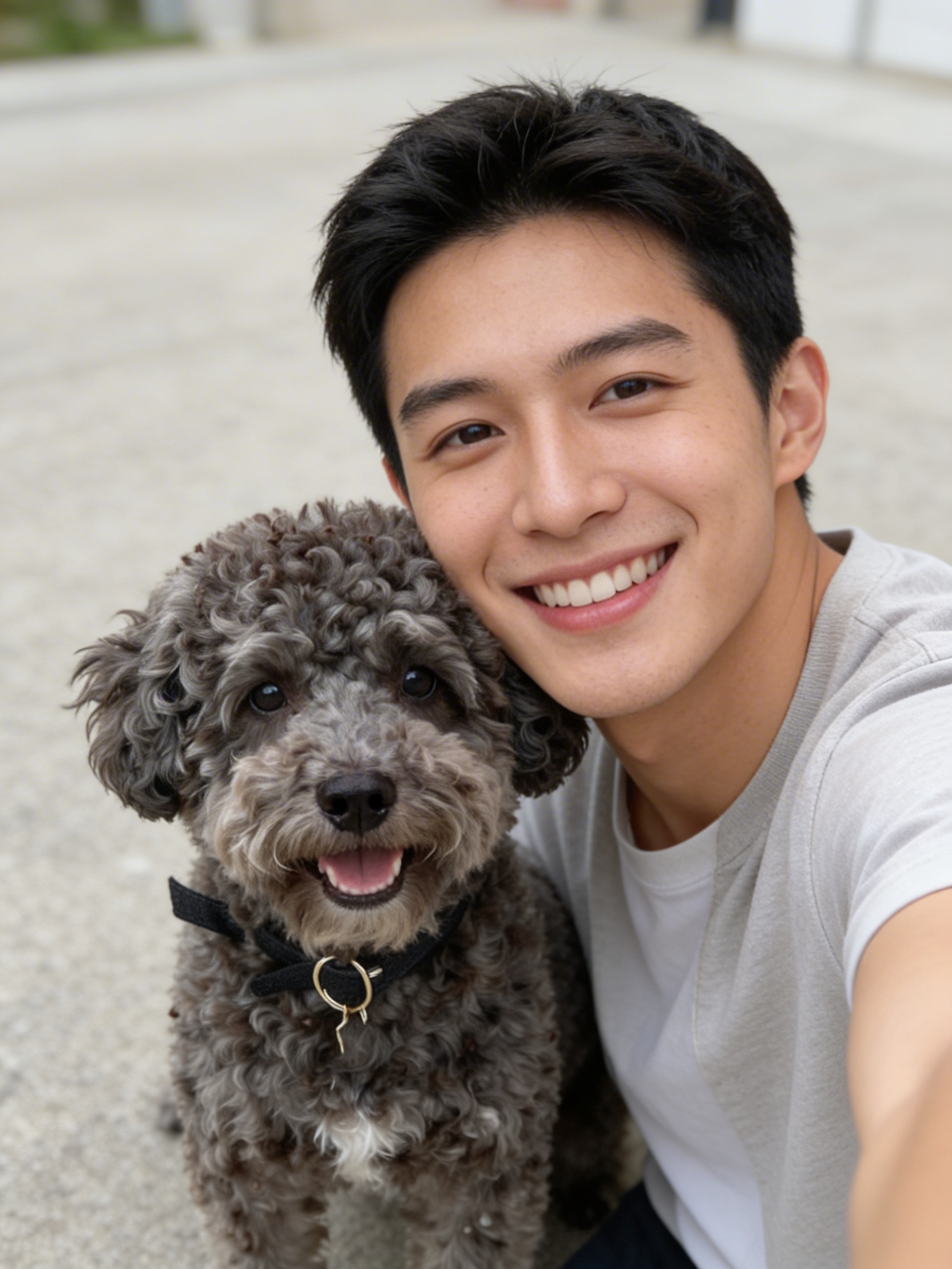
Introducing AI Dog Selfie on WaveSpeedAI
Best AI Content Moderation APIs and Tools in 2026: A Complete Comparison
How to Detect NSFW Images with AI: The Developer's Guide to Image Moderation APIs
Baseten Is Built for MLOps Teams — Here's a Simpler Alternative