
Kling Motion Control vs WAN 2.5: When to Use Each for Complex Movement
Hey, my friends! I’m Dora. A small thing pushed me into this comparison: a clip where the camera kept drifting when I needed it to stay on the subject’s hands. Not a big failure. Just enough wobble to make the shot feel messy. So I spent a few evenings in January 2026 testing Kling’s Motion Control against WAN 2.5 on the same prompts and reference assets, trying to pin down where each one feels steady, and where it doesn’t.
This isn’t about shiny features. I wanted to see how far I could push movement types that show up in real work: dance sequences, quick fight beats, and simple but deliberate camera moves. Here’s what I noticed after ~40 short runs and a handful of longer ones across both models.
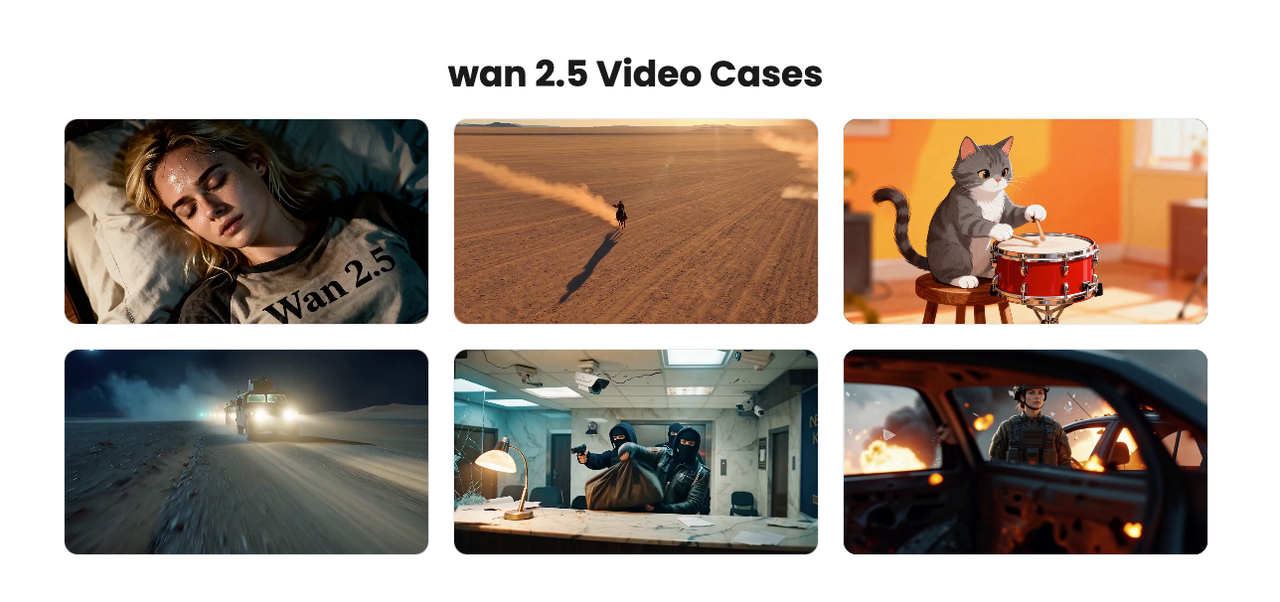
Quick decision table
If you’re skimming, this is the gist of Kling Motion Control vs WAN 2.5 based on my runs (Jan 2026). Your mileage may vary, versions shift fast.
| Scenario | My pick | Why |
|---|---|---|
| Precise camera paths (push-ins, pans, orbits) | Kling Motion Control | Camera intent sticks better, fewer unplanned tilts: easier to “lock” framing. |
| Fast, athletic body motion (dance/fight beats) | WAN 2.5 | Reads action verbs well: limbs track with less rubbery stretch. |
| Face consistency across movement | WAN 2.5 | Fewer identity drifts over 4–8s: still not perfect on extreme angles. |
| Object/prop continuity (hands/tools) | Kling Motion Control | Better grip consistency: fewer teleporting props. |
| Stylized looks + motion | Tie (slight WAN edge) | WAN leans cinematic out of the box: Kling catches up with references. |
| Long continuous shot (≥10s) | Kling Motion Control | Fewer sudden motion resets mid-clip. |
| Speed-to-first-usable result | WAN 2.5 | Shorter queues in my tests: first pass often “good enough.” |
To be honest, I prefer Kling when the camera is part of the storytelling. I lean WAN when the character’s body is the story.
Complex movement types (dance / fight / camera)
I started with a simple dance loop: a dancer doing a 4-count wave, front-facing, mid-shot. Then a short fight beat: dodge, step-in, quick hook. Finally, three camera patterns: slow push-in, 90° dolly left, and a handheld-style micro-shake.
Dance
- WAN 2.5: The rhythm felt believable faster. On take two, elbows and wrists tracked in a way that read as human. There’s still a touch of elasticity in the torso during twists, but the silhouette held.
- Kling Motion Control: Cleaner framing, but hands sometimes lost the beat, a slight “float” before landing on the count. Adding a simple reference GIF helped, but I needed an extra iteration to get the wrists right.
Fight
- WAN 2.5: Better momentum out of the box. The step-in + hook sequence carried weight. Glove alignment to the face wasn’t pixel-perfect, but the motion path made sense.
- Kling Motion Control: More conservative motion. The punch landed but felt pulled, like sparring not striking. When I nudged the motion emphasis up, the camera compensated instead of the body: it chose a mini-zoom to sell impact.
Camera moves
- Slow push-in: Kling held center framing across 8 seconds with minimal breathing. WAN added a subtle lateral drift on takes one and two: I had to be explicit about “no horizontal drift.”
- 90° dolly left: Kling’s parallax looked consistent, walls didn’t smear. WAN did fine, but a mid-clip micro-jitter showed up on one run.
- Handheld micro-shake: WAN’s shake felt organic without breaking identity. Kling sometimes interpreted it as a subject sway, not pure camera shake.
To my surprise: for body-led sequences (dance, fights), WAN 2.5 carries timing and weight better. For camera-led storytelling, Kling’s Motion Control features actually keep the camera honest.
Cost / speed tradeoff
I don’t have enterprise pricing for either, so this is from public access and credit-based tiers as of Jan 2026. Double-check your plan, these numbers move.
- WAN 2.5: My short clips (3–6s, 720–1080p) typically rendered in 1–3 minutes. Queues were lighter during early mornings US time. Credit burn felt modest per clip, and I could get to a usable take with fewer retries.
- Kling Motion Control: Similar clip lengths took 2–5 minutes for me, with occasional spikes when I used motion constraints or longer (10–12s) shots. I spent more iterations dialing camera notes, but fewer regenerations once the framing locked.
If you’re paying per render or per minute, WAN 2.5 might save you on exploration. If you’re cost-sensitive on final shots (and hate re-renders because the camera drifted), Kling may be cheaper in total because you won’t throw away as many takes at the end.
Time saved (rough):
- WAN 2.5 got me to “good enough” body motion in ~2 passes on average.
- Kling saved me 1–2 extra passes whenever the camera path mattered.
Small but real: over a day of iteration, that’s 15–30 minutes back you know, plus less mental churn.
Prompting differences
What tripped me up at first: both tools accept familiar text prompts, but the levers they actually listen to feel different.
Kling Motion Control
- Camera verbs land. Words like “static,” “locked-off,” “slow 10% push-in,” “orbit clockwise” produced predictable results. If you give a target subject (“keep hands centered”), it pays attention.
- Reference clips/images help a lot. A short reference GIF for a camera move made a bigger difference than extra adjectives. I also got value from specifying lens language (“35mm, mild depth of field”).
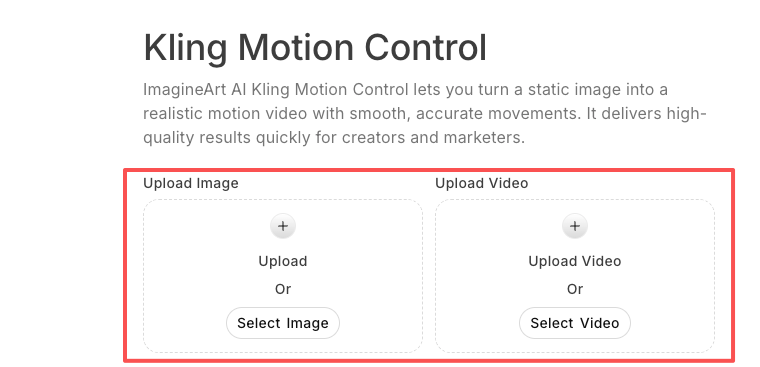
- Motion constraints are literal. If you over-constrain, Kling will keep the shot tidy but drain life from the subject. I learned to give the camera a job and let the body breathe.
WAN 2.5
- Action verbs land. “Snap turn,” “shoulder roll,” “shuffle-step,” “cross and hook” moved the character more accurately than camera notes.
- Style adjectives have weight. “Grainy night exterior, sodium vapor feel” shifted the look without wrecking motion.
- Negatives help stabilize. Phrases like “no camera sway,” “avoid lateral drift” reduced unwanted movement on take two.
Shared tips
- Keep prompts short for the first pass. I start with a one- or two-sentence intent, check what the model chooses to respect, then add a single constraint.
- Name the beats, not the outcome. “Four-count wave: wrists, elbows, shoulders, chest” worked better than “smooth dance wave.”
- If faces matter, mention angle. “Front-facing, chin level, minimal head turn” stabilized identity on both.
None of this is magic. It’s just the shape of what these models listen to right now.
When WAN wins
- You need believable body kinetics fast. For tutorials, TikTok-style clips, or previz where the character’s motion is the point, WAN 2.5 gets you moving sooner.
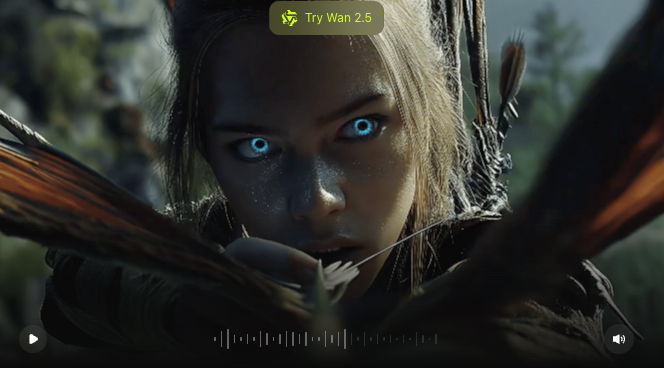
- You’re exploring creative directions. If you want to try five moods in an hour, WAN’s first passes are strong enough that you won’t resent the time.
- You’re okay guiding the camera later. If camera precision isn’t mission-critical, or you’ll reframe in edit, WAN’s slight drift won’t hurt much.
- You care about face stability across beats. It’s not flawless, but I saw fewer identity glitches on turns and minor occlusions.
Little friction: I did see occasional “pose snapping” when the model jumped between key poses too quickly. If it shows up, ask for an intermediate action (“half-beat pause”) or soften tempo words.
When Kling wins
- The camera is a character. If the feeling of the shot depends on a clean push, pan, or orbit, Kling’s Motion Control tools make that feel intentional.
- You need prop continuity. Hands stayed attached to objects more often for me. This mattered in product-y shots where a phone or cup shouldn’t teleport.
- You’re building a longer shot. Over 8–12 seconds, Kling introduced fewer mid-clip resets or micro-jitters. Not none, just fewer.
- You prefer reference-led control. If you like giving a tiny storyboard GIF or a camera path reference, Kling listens.
I have to say, if you push for explosive movement, Kling sometimes sells impact by moving the camera instead of the subject. Keep an eye on that. Dial motion constraints down a notch and re-run.
“If you only do one thing” recommendations
So I thought if you’re short on time:
- For dance or fight beats: try WAN 2.5 first with a minimal action-led prompt. Add one negative like “no horizontal camera drift.” If the rhythm feels right on pass one, lock a seed and iterate style.
- For camera-led shots: try Kling with a reference for movement (even a 2–3s GIF). Keep the text prompt simple: subject, lens, movement verb. Resist piling on adjectives.
- If faces matter: on both, specify “front-facing, chin-level” and keep head movement modest. Check the first pass before investing in look.
- If you want to skip repeated trial-and-error, our Wavespeed — helped you lock camera paths and body movements in one place, so you could focus on creativity instead of fighting drift and jitter. You can try it now!
- If budgets are tight: explore on WAN, finalize on Kling when the camera shot needs to survive edit without fixes.
What’s your take? Have you battled camera drift in Kling or WAN? Drop your wins, fails, or “why not both?” in the comments below! Or vote quick: Kling for camera magic, WAN for body beats?
Related Articles

GPT-5.4 for Developers: What the Leaked Signals Mean for AI Workflows

SkyReels V4 Use Cases: 6 Ways Creators Can Use It Right Now

GPT-5.4 Release Date: What the Signals Say

GPT-5.4 vs GPT-5.3: What Might Actually Change
