
Fix LTX-2 Errors in ComfyUI: OOM, Black Frames & Flicker Solutions

Hey, guys Dora here. I didn’t set out to debug LTX-2 in ComfyUI. It started with a tiny pause: a black preview window after a workflow I’d run a dozen times. No dramatic failure. Just… nothing. I retried, watched the console, nudged a setting or two. By the end of the week (tested Jan 6–10, 2026), I’d collected a handful of fixes that kept repeating. This isn’t a grand tutorial, more like notes I’d hand a friend who’s also trying to make LTX-2 behave without turning their morning into a driver reinstall. You know, the kind of quiet chaos we all know too well.
60-Second Diagnosis (symptom → cause mapping)
When LTX-2 misbehaves in ComfyUI, I’ve found quick pattern-matching beats guesswork. Here’s the 60-second map I run through before touching anything heavy:
Symptom: Flicker or frame-to-frame drift
Likely cause: unstable guidance (CFG too high), changing seeds, overly strong motion settings.
Quick try: fix the seed, lower CFG a notch, nudge motion/denoise down, add a temporal consistency step.
Symptom: Weird color shifts, “snow,” or stretched blocks
Likely cause: weight/version mismatch, wrong VAE, corrupted cache or partial download.
Quick try: re-verify hashes, clear model cache, confirm VAE compatibility.
Symptom: Node errors about shapes or NoneType
Likely cause: a node didn’t output (earlier failure), or incompatible node/model versions.
Quick try: isolate the failing branch, run up to that node only, check the ComfyUI console for the first real error line.
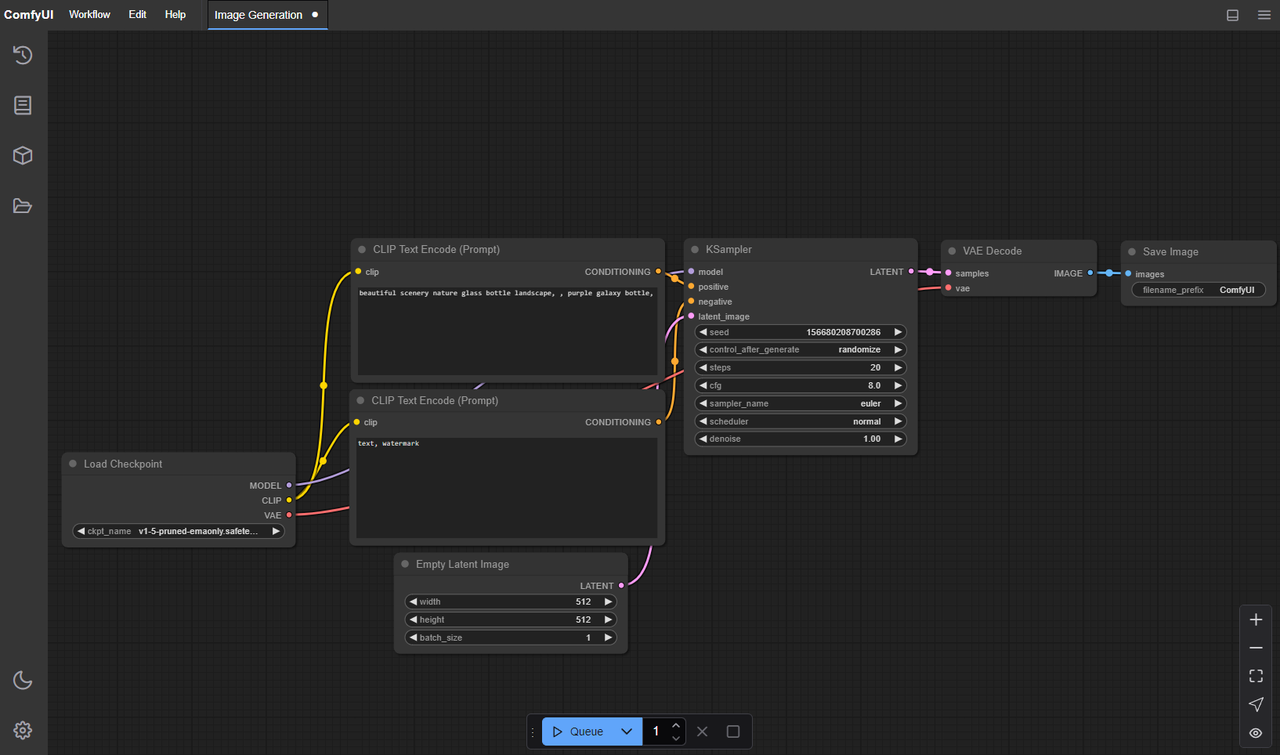 If one of these hits, I stop. One change at a time. Then I rerun a 2–3 second clip so I’m not burning time on long renders.
OOM Fix: Resolution / Precision / Batch Downgrade Order
My LTX-2 OOM routine is boring, but it works. I do it in this order and I only move to the next step if the OOM persists:
1. Resolution first
- Drop height/width by 20–30% instead of halving. Many LTX-2 graphs are stride-sensitive (multiples of 8 or 16). I keep dimensions divisible by 16 to avoid hidden padding.
- If you’re targeting 1024×576, try 896×504. Let me tell you, it looks closer to the original than you’d expect.
2. Precision next
- Switch model precision to fp16 (or bf16 if your stack supports it) in the relevant loader node. On NVIDIA consumer GPUs, fp16 usually gives the cleanest memory savings.
- Mixed precision is fine, but I avoid toggling per-node mid-run. Commit to one precision for the heavy parts.
3. Batch size last
- Set batch to 1 for video sampling. Even small batches multiply key activations in memory. I only bump batch for quick latents or previews.
I’ve also noticed a subtle win: lock the seed while tuning OOM. Randomness can mask whether your last change actually helped.
Black Screen: Model Loading vs Decode Issues
My first black screen this week turned out not to be a model failure at all. It was a decode quirk.
How I separate the two quickly
Check file size and duration
-
If the video is the right length and roughly the expected size, the frames might be there. Your player may not like the pixel format or color space.
-
Re-encode with a safe baseline:
ffmpeg -i input.mp4 -pix_fmt yuv420p -c:v libx264 -crf 18 output.mp4
(see the FFmpeg documentation for more encoding options)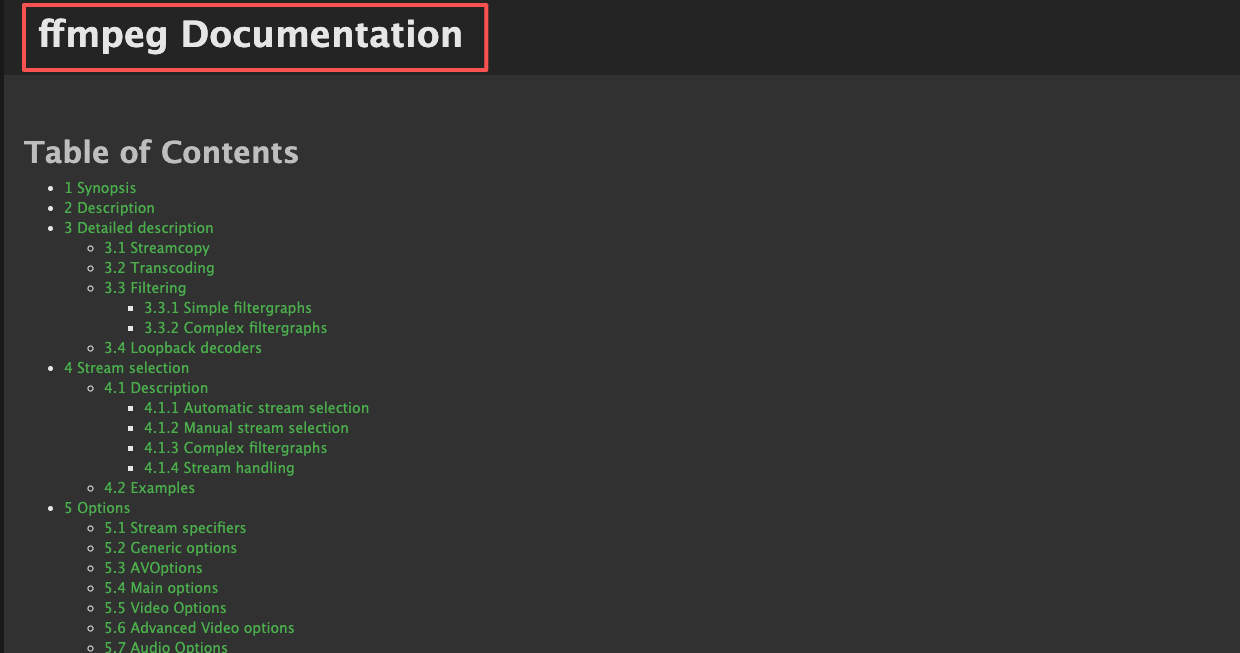 Scrub the ComfyUI console
 -
True model-load issues announce themselves: missing weights, incompatible keys, or a VAE/model hash mismatch.
-
If you see successful sampling logs and no exceptions, it’s probably a display/encode path.
Latent dimension mismatches
- LTX-2 pipelines expect certain strides (often multiples of 16). If your latent or control inputs don’t match, you can get blank or near-black frames.
- I verify that any resize nodes happen before the model expects them, and that all branches agree on width/height.
Color range surprises
- Full vs limited range can look crushed to black in some players. A quick re-encode (above) usually settles it.
If it is a model-load issue, I go to the source: check that the LTX-2 checkpoint path in the loader node points to the actual file, confirm the checksum, and make sure the node’s expected weight format (safetensors vs ckpt) matches the file. The official ComfyUI documentation and the model’s README are the only pages I trust for version/format notes.
Flicker Fix: Stability Params & Prompt Anchoring
Flicker isn’t always a bug. Sometimes it’s the model doing exactly what it was told, with too much freedom.
What steadied things for me:
-
Fix the seed
I lock the seed for any A/B test. It removes one slippery variable right away. -
Lower CFG a notch
If I’m at 8–9, I try 6. Overly high guidance can tug frames in different directions. -
Denoise and motion strength
Gentle reductions here (10–20%) often help more than cranking steps. I’ve found that slightly less denoise preserves temporal signals better. -
Prompt anchoring
Keep a stable base prompt and move changes into a small, explicit section (keyframes or a brief parenthetical). Changing the whole sentence across frames invites drift. -
Temporal consistency pass
If your graph has a temporal/consistency node, run it lightly. It won’t invent detail, but it can sand down the jitter. -
Sampler choice
I test 2–3 samplers with the same seed. Some are jumpier on video. If one calms the edges at the same step count, I keep it.
Small note: I stopped chasing “perfect” frame coherence. The aim for me is less mental fatigue while editing, something I can cut with, not perfection under a microscope.
Corrupted Output: Weight Mismatch / Path Errors
Corruption showed up for me as pink blocks, sparkly snow, or color banding that didn’t match the prompt. Every time, it was something mundane:
-
Mismatched weights
The loader expected a specific LTX-2 variant: I had a different one with similar naming. I now include the model date or hash in filenames. -
Wrong VAE
Swapping VAEs casually bit me. The fix was simple: use the VAE specified by the LTX-2 node docs or the model README. If none is specified, default to the one bundled or recommended by the graph author.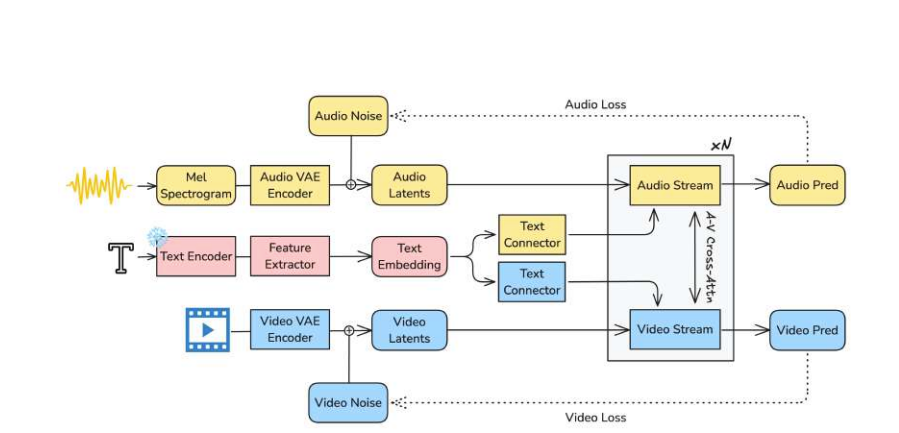
-
Partial downloads
A 3–8 GB checkpoint failing at 95% looks complete in a folder view. I check file size against the repo listing and, when available, verify the hash. -
Path hiccups (Windows especially)
Non-ASCII characters and very long paths have broken loads for me in the past. Trust me, I keep model paths short (e.g.,D:\models\ltx2\…) and avoid spaces when I can. -
Mixed formats
safetensors vs .ckpt isn’t interchangeable in some nodes. I match the node’s expectation.
When I suspect corruption, I re-run a known-good tiny prompt at a tiny resolution. If that’s clean, I know the issue lives in my current combo, not the whole install.
Log Reading: Which Layer Crashed
Most of my time-savers came from reading the first failing line, not the last dramatic one. ComfyUI’s console usually tells you enough if you slow down for thirty seconds.
What I look for:
-
CUDA out of memory
Not a bug. Reduce res/precision/batch as above. If it fails at the same step every time, you’re hitting a specific activation peak, drop steps or enable memory-efficient attention. -
CUDNN_STATUS_EXECUTION_FAILED or illegal memory access
Often driver or library mismatch. I note my CUDA, PyTorch, and GPU driver versions in a text file. If I recently updated one, I roll it back or rebuild the venv. The ComfyUI documentation has a small matrix of known-good combos.
-
size mismatch / shape errors
A tensor is the wrong shape. This is usually a node graph issue: a resize happens on one branch and not another, or a control input expects a different scale. I trace the dimensions where they diverge. -
KeyError / missing state_dict keys
Weight–node mismatch. Compare the listed missing keys with the model README. Wrong checkpoint variant or outdated node. -
AttributeError: ‘NoneType’ …
An earlier node returned nothing. I run the graph up to that node only. The first None is the real culprit.
Two habits that helped:
- Run short clips while debugging. Ten seconds of failure logs wastes far less time than a minute of silence.
- Enable any available debug/verbose toggle on the suspect node. Extra context beats guessing.
I keep a small “environment card” in the project folder: GPU model and VRAM, driver, CUDA, PyTorch, ComfyUI commit, node pack versions, and the LTX-2 checkpoint hash. When something breaks, I compare it to last week’s card before I blame the model.
When to Switch to Cloud (WaveSpeed troubleshooting shortcut)
 I don’t rush to the cloud for LTX-2, but there are moments when it’s the cleanest way to separate “my machine’s mood” from actual issues.
When I switch
- VRAM under 16 GB and I need 1024p outputs without heavy compromises.
- I’m seeing flaky crashes tied to my local CUDA/driver versions, and I don’t have time to rebuild.
- I want a second opinion: same graph, different hardware.
What I do on WaveSpeed (or any comparable GPU workspace)
- Pick a known-good image (documented CUDA/PyTorch combo). That matters more than raw TFLOPS when you’re debugging.
- Sync only the minimal graph, the exact LTX-2 weights (with hash), and one short test prompt.
- Run the tiniest reproducible case first. If it works in the cloud and not locally, it’s probably environment: if it fails in both, it’s the graph or weights.
Costs and trade-offs
- You’ll pay for compute, yes. But one clean repro can save an afternoon of driver roulette.
- Cloud disks can hide path issues too, just in different ways. I still keep paths short and ASCII.
This isn’t a push to move your workflow. It’s just a quiet shortcut when you’re stuck and the deadline is louder than your patience.
We built WaveSpeed for moments exactly like this — when you just need a clean GPU environment to rule things out fast. If you’re stuck debugging LTX-2, you can try our WaveSpeed here.
What’s the craziest LTX-2 bug you’ve run into this week? Drop a comment and let me know if it’s a new pitfall.
Related Articles
GPT-5 Model Versions Explained: From GPT-5 to GPT-5.4

How to Remove Sora Watermark: Best Methods

GPT-5.4 for Developers: What the Leaked Signals Mean for AI Workflows

SkyReels V4 Use Cases: 6 Ways Creators Can Use It Right Now

GPT-5.4 Release Date: What the Signals Say
