WAN 2.2 LoRA 학습 설정: 최적 학습률, 스텝 수, 트리거 단어
Hey my friends. Do you know? I liked how WAN 2.2 handled skin and lighting, but my usual LoRA training habits didn’t translate cleanly. Faces came out too glossy, and the model kept pulling backgrounds into the same soft studio look. It wasn’t “wrong,” just not mine. So in early January 2026, I ran a handful of short experiments to find WAN 2.2–specific LoRA training settings that felt sane. Nothing flashy. Just enough to dial down the plastic shine, hold a subject steady, and still let the base model breathe.
안녕하세요 친구들. 알고 계세요? WAN 2.2의 피부와 조명 처리 방식이 마음에 들었는데, 제 평소 LoRA 훈련 습관이 깔끔하게 적용되지 않았습니다. 얼굴이 너무 광택 있게 나왔고, 모델은 배경을 같은 부드러운 스튜디오 룩으로 자꾸만 끌어당겼습니다. 이게 “틀린” 건 아니었지만, 제 스타일이 아니었습니다. 그래서 2026년 1월 초, WAN 2.2 특화 LoRA 훈련 설정을 찾기 위해 짧은 실험들을 여러 번 진행했습니다. 멋진 건 없고, 플라스틱 광택을 줄이고, 피사체를 안정적으로 유지하고, 베이스 모델이 숨을 쉴 수 있게 할 정도면 충분했습니다.
If you’re looking for a quick template: this isn’t that. I’m sharing what held up over multiple runs, where I hesitated, and how I adjusted. The target keyword here is clear, WAN 2.2 LoRA training settings, but the goal is calmer work, not a new rabbit hole.
빠른 템플릿을 찾고 계신다면: 이건 아닙니다. 제가 여러 번의 실행에서 견딘 것, 망설인 부분, 그리고 어떻게 조정했는지를 공유하고 있습니다. 여기서 대상 키워드는 명확합니다. WAN 2.2 LoRA 훈련 설정이지만, 목표는 더 차분한 작업이지, 새로운 토끼굴이 아닙니다.
Why WAN LoRA Differs
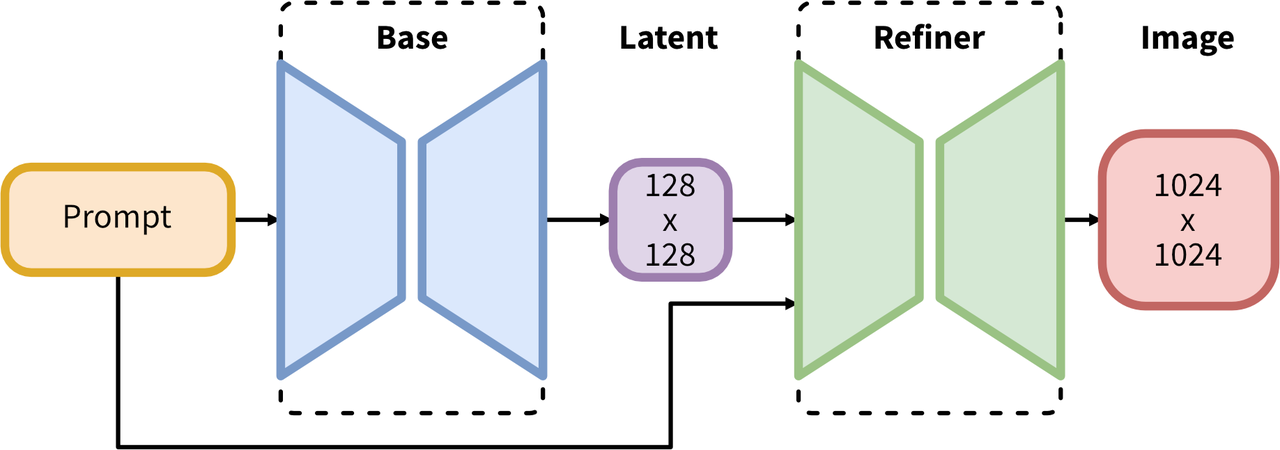
I noticed WAN 2.2 behaves like a very opinionated SDXL checkpoint: it’s tuned for crisp portraits, smooth gradients, and cinematic light. When I trained LoRAs the way I do on plainer SDXL bases, WAN kept pushing my results back toward that polished studio vibe.
WAN LoRA가 다른 이유
WAN 2.2가 매우 고집스러운 SDXL 체크포인트처럼 작동한다는 걸 알았습니다: 선명한 초상화, 부드러운 그래디언트, 영화적 조명에 맞춰져 있습니다. 제가 일반적인 SDXL 베이스에서 하는 방식대로 LoRA를 훈련했을 때, WAN은 계속 제 결과를 그 세련된 스튜디오 분위기로 밀어붙였습니다.
Field notes:
- Prompt gravity is strong. Even light weights (0.4–0.6) pull toward clean skin and symmetrical framing.
- Color clustering shows up early. If your dataset leans warm, WAN amplifies it.
- Backgrounds homogenize. Without nudges, it defaults to shallow depth of field and soft bokeh, no matter what you fed it.
현장 노트:
- 프롬프트 중력이 강합니다. 가벼운 가중치(0.4–0.6)라도 깨끗한 피부와 대칭적인 구도로 끌어당깁니다.
- 색상 클러스터링이 일찍 나타납니다. 데이터셋이 따뜻한 색상으로 치우쳐 있으면 WAN이 이를 증폭시킵니다.
- 배경이 동일화됩니다. 보정 없이는 어떤 것을 입력해도 얕은 심도와 부드러운 보케로 기본값이 설정됩니다.
What changed in practice: I lowered learning rates, used more regularization images than usual, and kept captions boring on purpose. WAN 2.2 rewards restraint. When I tried to “teach” style and subject at the same time, overfit crept in fast.
실제로 변한 점: 학습률을 낮추고, 평소보다 더 많은 정규화 이미지를 사용했으며, 의도적으로 캡션을 지루하게 유지했습니다. WAN 2.2는 절제에 보상합니다. 스타일과 피사체를 동시에 “학습”시키려고 했을 때, 과적합이 빠르게 나타났습니다.
If you’re coming from SD 1.5 LoRA habits, think: fewer clever tricks, more controlled baselines. If you’re used to SDXL, go a touch slower than normal and bake in regularization sooner.
SD 1.5 LoRA 습관에서 온다면, 생각해보세요: 더 적은 영리한 트릭, 더 제어된 기준선. SDXL에 익숙하다면, 평소보다 약간 더 느리게 진행하고 정규화를 더 일찍 적용하세요.
Dataset Size Guide
I ran four passes with curated portrait sets (Jan 5–12, 2026), each with tidy captions and mixed lighting. Here’s what held up:
데이터셋 크기 가이드
저는 정리된 캡션과 혼합 조명으로 큐레이션된 초상화 세트(2026년 1월 5-12일)로 4번의 실행을 했습니다. 여기 견딘 것들입니다:
-
8–12 images: Enough to anchor a specific person or product silhouette. Use strong regularization. Keep compositions varied.
-
15–30 images: Sweet spot for single-subject identity with mild style. Add 20–40% non-portrait shots if you want backgrounds to generalize.
-
40–80 images: Useful when you’re encoding a consistent brand look or a multi-angle object line. You’ll need careful captions and more steps.
-
8–12 이미지: 특정 인물이나 제품 실루엣을 고정하기에 충분합니다. 강한 정규화를 사용하세요. 구성을 다양하게 유지하세요.
-
15–30 이미지: 가벼운 스타일의 단일 피사체 정체성에 좋은 지점입니다. 배경이 일반화되길 원한다면 20–40%의 초상화가 아닌 샷을 추가하세요.
-
40–80 이미지: 일관된 브랜드 룩이나 다각도 물체 라인을 인코딩할 때 유용합니다. 신중한 캡션과 더 많은 스텝이 필요합니다.
Things that mattered more than raw count:
- Pose diversity over location diversity. WAN generalizes locations fine: it struggles when every shot is the same angle.
- Exposure balance. If half your set is underexposed, WAN darkens everything later. I standardized histograms before training.
- Caption simplicity. Descriptive, not poetic. “subject_token, denim jacket, window light, medium close-up” beats “moody candid portrait near a rainy window.”
원본 개수보다 더 중요했던 것:
- 위치 다양성보다 자세 다양성. WAN은 위치를 잘 일반화합니다: 모든 샷이 같은 각도일 때 어려워합니다.
- 노출 균형. 세트의 절반이 노출 부족이면, WAN은 나중에 모든 것을 어둡게 만듭니다. 훈련 전에 히스토그램을 표준화했습니다.
- 캡션 단순성. 시적이지 않고 설명적입니다. “subject_token, denim jacket, window light, medium close-up”이 “rainy window 근처의 moody candid portrait”보다 낫습니다.
For identity LoRAs, I landed on 12–20 images as a dependable floor. For style LoRAs, 30–50 gave me room to breathe without collapsing to WAN’s default portrait sheen.
정체성 LoRA의 경우, 12–20 이미지를 신뢰할 수 있는 최소로 설정했습니다. 스타일 LoRA의 경우, 30–50은 WAN의 기본 초상화 광택으로 붕괴되지 않고도 숨을 쉴 여유를 주었습니다.
LR/Steps Baseline
The WAN 2.2 LoRA training settings that felt stable for me (Kohya-ss and SDXL base):
LR/스텝 기준선
저에게 안정적으로 느껴진 WAN 2.2 LoRA 훈련 설정(Kohya-ss 및 SDXL 베이스):
-
Rank (dim): 16–32. I default to 16 for identity, 32 for style.
-
Alpha: match dim (e.g., 16/16). Lower alpha made results brittle.
-
Optimizer: AdamW with weight_decay 0.01.
-
Learning rate: 5e-5 for identity, 7e-5 to 1e-4 for style. WAN punishes high LR with plasticky skin and loss spikes.
-
Scheduler: cosine with warmup. Warmup 5% of total steps.
-
Batch size: 2–4 (A100/4090). Gradient accumulation to simulate 8 if needed.
-
Resolution: SDXL-native 1024 on the long side with bucketing (e.g., 1024×768, 1024×1024). Don’t upsize: it only memorizes noise.
-
Epochs/steps: I stop by steps, not epochs.
- 12–20 images: 1,200–2,000 steps
- 30–50 images: 2,000–3,500 steps
- 60–80 images: 3,500–5,000 steps
-
랭크(dim): 16–32. 정체성은 16으로, 스타일은 32로 기본값을 설정합니다.
-
알파: dim과 일치(예: 16/16). 낮은 알파는 결과를 취약하게 만들었습니다.
-
옵티마이저: weight_decay 0.01인 AdamW.
-
학습률: 정체성의 경우 5e-5, 스타일의 경우 7e-5 ~ 1e-4. WAN은 높은 LR에 플라스틱 같은 피부와 손실 스파이크로 처벌합니다.
-
스케줄러: 워밍업이 있는 코사인. 총 스텝의 5% 워밍업.
-
배치 크기: 2–4(A100/4090). 필요하면 8을 시뮬레이션하기 위해 그래디언트 누적.
-
해상도: 버킷팅이 있는 긴 쪽 SDXL 네이티브 1024(예: 1024×768, 1024×1024). 업사이징하지 마세요: 노이즈만 기억합니다.
-
에포크/스텝: 에포크가 아닌 스텝으로 중지합니다.
- 12–20 이미지: 1,200–2,000 스텝
- 30–50 이미지: 2,000–3,500 스텝
- 60–80 이미지: 3,500–5,000 스텝
Sanity checks I used:
- Save every 200–400 steps and preview with a fixed prompt + seed.
- If samples sharpen too fast before step 600, LR is high.
- If identity doesn’t lock by ~1,400 steps on a 20-image set, captions or regularization are off more than LR.
제가 사용한 정신 건강 확인:
- 200–400 스텝마다 저장하고 고정된 프롬프트 + 시드로 미리 봅니다.
- 샘플이 스텝 600 전에 너무 빠르게 선명해지면, LR이 높습니다.
- 20 이미지 세트에서 ~1,400 스텝까지 정체성이 잠기지 않으면, LR보다 캡션이나 정규화가 더 많이 벗어났습니다.
These numbers won’t win a leaderboard, but they resist WAN’s tendency to sand everything smooth.
이 숫자들은 순위표에서 이기지 못하겠지만, WAN의 모든 것을 부드럽게 샌딩하려는 경향을 저항합니다.
Trigger Word Strategy
I kept triggers minimal. WAN already has a strong prior: stacking cute tokens just adds noise.
트리거 단어 전략
트리거를 최소한으로 유지했습니다. WAN은 이미 강한 사전을 가지고 있습니다: 귀여운 토큰을 쌓는 것은 단지 노이즈만 추가합니다.
What I did:
- One instance token + one class token. Example: “sora_person” as the instance, “person” or “woman/man” as the class in captions.
- Put the instance token at the start of each caption. Keep it lowercase, one word if you can.
- Avoid style tokens in the same LoRA unless you truly want a style LoRA. Mixing identity and style in WAN 2.2 got muddy fast.
제가 한 일:
- 하나의 인스턴스 토큰 + 하나의 클래스 토큰. 예: “sora_person”을 인스턴스로, 캡션에서 “person” 또는 “woman/man”을 클래스로.
- 각 캡션의 시작에 인스턴스 토큰을 놓으세요. 소문자로 유지하고, 가능하면 한 단어로.
- 스타일 LoRA를 진정으로 원하는 경우가 아니면 같은 LoRA에서 스타일 토큰을 피하세요. WAN 2.2에서 정체성과 스타일을 섞으면 빠르게 진흙탕이 됩니다.
In prompts, I only call the LoRA and the instance token, then layer gentle steering:
- lora: name at 0.5–0.8
- instance token early in the prompt
- style words late and light (“natural light, clean color, minimal retouch”)
프롬프트에서, 저는 LoRA와 인스턴스 토큰만 호출한 후 부드러운 조향을 층화합니다:
- lora: 0.5–0.8에서의 이름
- 프롬프트 초반의 인스턴스 토큰
- 스타일 단어는 늦고 가볍게(“natural light, clean color, minimal retouch”)
I tried invented “WAN-style” triggers out of curiosity. They didn’t help. The base already does that part, the LoRA should carve out what you need, not re-announce what WAN 2.2 is good at.
호기심에서 만들어낸 “WAN-style” 트리거를 시도해봤습니다. 도움이 되지 않았습니다. 베이스가 이미 그 부분을 하고 있고, LoRA는 필요한 것을 새겨야 하지, WAN 2.2가 잘하는 것을 다시 발표하면 안 됩니다.
Regularization Images
This was the quiet hero. I used 1–3x regularization images per training image, class-matched to captions.
정규화 이미지
이것이 조용한 영웅이었습니다. 캡션에 클래스가 일치하는 훈련 이미지당 1–3배의 정규화 이미지를 사용했습니다.
-
For identity LoRAs: 20–60 reg images labeled as the same class (“person”). I generated them from WAN 2.2 itself with plain prompts: “photo of a person, neutral background, medium close-up, natural light.”
-
For object LoRAs: reg images per product class (“shoe,” “bottle,” “chair”). Keep them accurate: don’t mix classes.
-
정체성 LoRA의 경우: 같은 클래스(“person”)로 라벨이 지정된 20–60개의 정규화 이미지. WAN 2.2 자체에서 평문 프롬프트로 생성했습니다: “photo of a person, neutral background, medium close-up, natural light.”
-
물체 LoRA의 경우: 제품 클래스당 정규화 이미지(“shoe,” “bottle,” “chair”). 정확하게 유지하세요: 클래스를 섞지 마세요.
Why it mattered: WAN 2.2 likes to imprint its portrait aesthetic on everything. Reg images gave it permission to keep the base’s range while letting the LoRA hold identity. Without them, my LoRAs over-accented skin smoothing and bokeh, then refused to leave.
왜 중요했는가: WAN 2.2는 초상화 미학을 모든 것에 인장하는 것을 좋아합니다. 정규화 이미지는 베이스의 범위를 유지하면서 LoRA가 정체성을 유지할 수 있도록 허가했습니다. 그것들 없이, 제 LoRA는 피부 부드러움과 보케를 과도하게 강조한 후 떠나기를 거부했습니다.
Settings that felt right:
- Keep reg images visually bland and well-exposed.
- Don’t caption reg images with instance tokens: only the class.
- Mix 10–20% of training batches with reg images throughout (not just at the start).
맞다고 느껴지는 설정:
- 정규화 이미지를 시각적으로 평범하고 잘 노출된 상태로 유지하세요.
- 정규화 이미지에 인스턴스 토큰으로 캡션을 달지 마세요: 클래스만.
- 훈련 배치의 10–20%를 정규화 이미지와 섞으세요(시작 부분뿐만 아니라 처음부터 끝까지).
If you’re short on time, add reg images before you tweak the optimizer. It’s the bigger lever here.
시간이 부족하면, 옵티마이저를 조정하기 전에 정규화 이미지를 추가하세요. 여기서 더 큰 지렛대입니다.
Overfit Detection
I didn’t rely on loss alone. WAN hides overfit behind pretty samples. These were my tells:
과적합 감지
손실만으로 의존하지 않았습니다. WAN은 예쁜 샘플 뒤에 과적합을 숨깁니다. 이것이 제 신호였습니다:
-
Prompt inertia: changing the prompt barely changes the output. Everything drifts back to the same lens and background.
-
Skin plasticity: pores vanish uniformly, especially around cheeks and foreheads, even with gritty lighting prompts.
-
Pose echoing: repeated shoulders/neck angles across varied seeds.
-
Color lock: a warm tint that clings across different white-balance cues.
-
프롬프트 관성: 프롬프트를 변경해도 출력이 거의 변하지 않습니다. 모든 것이 같은 렌즈와 배경으로 돌아갑니다.
-
피부 가소성: 모공이 균일하게 사라집니다, 특히 뺨과 이마 주위에, 거친 조명 프롬프트가 있어도.
-
자세 에코: 다양한 시드 전반에 걸쳐 반복된 어깨/목 각도.
-
색상 잠금: 다양한 화이트 밸런스 신호 전반에 걸쳐 달라붙는 따뜻한 색조.
Quick checks I ran every 200–400 steps:
- Adversarial prompt: switch to “harsh overhead office light, fluorescent, unflattering” and see if texture returns.
- Background flip: force “busy street, cluttered shelves” to test composition flexibility.
- Negative prompt pressure: add “over-smooth skin, plastic texture, heavy retouch” and see if it listens.
200–400 스텝마다 실행한 빠른 확인:
- 적대적 프롬프트: “harsh overhead office light, fluorescent, unflattering”로 전환하고 텍스처가 돌아오는지 확인합니다.
- 배경 뒤집기: “busy street, cluttered shelves”를 강제로 구성 유연성을 테스트합니다.
- 부정적 프롬프트 압력: “over-smooth skin, plastic texture, heavy retouch”를 추가하고 귀를 기울이는지 확인합니다.
If two of those tests failed in a row, I rolled back to the previous checkpoint and either added more reg images or dropped LR by a notch.
두 테스트가 연속으로 실패하면, 이전 체크포인트로 롤백하고 더 많은 정규화 이미지를 추가하거나 LR을 한 단계 낮췄습니다.
Fix Collapses
I hit two kinds of collapse: identity melt and style lock.
붕괴 수정
두 가지 종류의 붕괴가 있었습니다: 정체성 용해와 스타일 잠금.
When identity melted (faces drifted, eyes misaligned):
- Lower LR one step (e.g., 7e-5 → 5e-5).
- Increase rank from 16 to 32 only if the dataset has enough angles: otherwise it memorizes poses, not identity.
- Tighten captions: cut adjectives, keep focal length hints, keep instance token first.
- Add 10–20 more reg images of the same class.
정체성이 용해될 때(얼굴이 표류했고, 눈이 정렬되지 않음):
- LR을 한 단계 낮추세요(예: 7e-5 → 5e-5).
- 데이터셋에 충분한 각도가 있는 경우에만 랭크를 16에서 32로 증가시키세요: 그렇지 않으면 정체성이 아니라 자세를 기억합니다.
- 캡션을 조이세요: 형용사를 자르고, 초점 거리 힌트를 유지하고, 인스턴스 토큰을 먼저 유지하세요.
- 같은 클래스의 정규화 이미지 10–20개를 추가하세요.
When style locked (everything looked like WAN’s default studio portrait):
- Add non-portrait shots to the dataset (environmental, hands, partial body).
- Increase steps by 400–800 with cosine schedule: don’t spike LR.
- Reduce LoRA weight at inference (0.8 → 0.5) and nudge guidance lower (CFG 5–6 → 3.5–4.5). WAN responds well to lower CFG.
- If using noise offset or heavy color aug, dial them back. WAN already stabilizes color: extra aug made my outputs muddy.
스타일이 잠길 때(모든 것이 WAN의 기본 스튜디오 초상화처럼 보임):
- 데이터셋에 초상화가 아닌 샷을 추가하세요(환경, 손, 부분 신체).
- 코사인 스케줄로 스텝을 400–800 증가시키세요: LR을 스파이크하지 마세요.
- 추론 시 LoRA 가중치를 줄이고(0.8 → 0.5) 지도를 더 낮게 밀어붙이세요(CFG 5–6 → 3.5–4.5). WAN은 낮은 CFG에 잘 반응합니다.
- 노이즈 오프셋이나 무거운 색상 aug를 사용하는 경우, 다시 조정하세요. WAN은 이미 색상을 안정화합니다: 추가 aug는 제 출력을 진흙투성이로 만들었습니다.
Other knobs that helped:
- Gradient clipping at 1.0 to avoid sudden spikes.
- EMA off for small runs: with tiny datasets, EMA made identity lag behind previews.
- Seed discipline: preview with a fixed seed every time. Small changes are easier to judge when everything else stands still.
도움이 된 다른 조정:
- 갑작스러운 스파이크를 피하기 위해 1.0에서 그래디언트 클리핑.
- 작은 실행을 위해 EMA 끄기: 작은 데이터셋으로, EMA는 정체성이 미리보기 뒤에서 지연되도록 만들었습니다.
- 시드 규율: 매번 고정된 시드로 미리 봅니다. 다른 모든 것이 멈춰 있을 때 작은 변화를 판단하기가 더 쉽습니다.
Export & Reuse
A few habits saved me time later:
내보내기 & 재사용
몇 가지 습관이 나중에 시간을 절약해주었습니다:
-
Save incremental checkpoints with clear names: model, rank, LR, steps, and date. Example: wan22_lora_id_r16_lr5e-5_s1800_2026-01-09.safetensors.
-
Keep the training prompt, validation prompt, and seed in the LoRA metadata if your tool supports it. Future me always thanks past me.
-
Version-sticky usage: LoRAs trained on WAN 2.2 worked best on WAN 2.2 and close siblings. They were usable on other SDXL bases, but color and skin handling shifted. I treat them as “WAN-first.”
-
Inference defaults that felt good:
- LoRA weight 0.5–0.8 (identity), 0.3–0.6 (style overlay)
- CFG 3.5–5.5
- 30–40 steps with a stable sampler (DPM++ 2M Karras worked fine)
- Keep prompts short: WAN hears subtle nudges
-
명확한 이름으로 증분 체크포인트를 저장하세요: 모델, 랭크, LR, 스텝, 날짜. 예: wan22_lora_id_r16_lr5e-5_s1800_2026-01-09.safetensors.
-
도구가 지원한다면 훈련 프롬프트, 유효성 검사 프롬프트, 시드를 LoRA 메타데이터에 유지하세요. 미래의 나는 항상 과거의 나에게 감사합니다.
-
버전 고착 사용: WAN 2.2에서 훈련된 LoRA는 WAN 2.2 및 가까운 형제에서 가장 잘 작동했습니다. 다른 SDXL 베이스에서 사용할 수 있었지만 색상 및 피부 처리가 변경되었습니다. 저는 이들을 “WAN-first”로 취급합니다.
-
좋다고 느껴지는 추론 기본값:
- LoRA 가중치 0.5–0.8(정체성), 0.3–0.6(스타일 오버레이)
- CFG 3.5–5.5
- 안정적인 샘플러로 30–40 스텝(DPM++ 2M Karras가 잘 작동함)
- 프롬프트를 짧게 유지하세요: WAN은 미묘한 밀어붙임을 듣습니다
If you want to merge LoRAs: I had better luck stacking small, single-purpose LoRAs (identity at 0.6 + mild color look at 0.3) than training one big “everything” LoRA. WAN respects modularity.
LoRA를 병합하려면: 하나의 큰 “everything” LoRA를 훈련하는 것보다 작은 단일 목적 LoRA(정체성 0.6 + 가벼운 색상 룩 0.3)를 쌓으면 더 운이 좋았습니다. WAN은 모듈성을 존중합니다.
For more detailed WAN 2.2 workflows and examples, check out the official ComfyUI documentation.
더 자세한 WAN 2.2 워크플로 및 예제는 공식 ComfyUI 문서를 확인하세요.
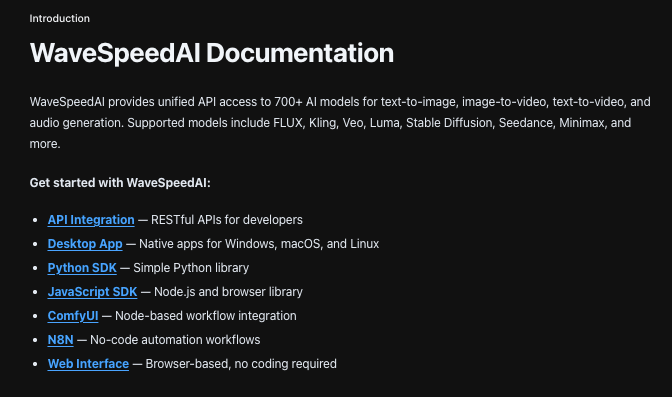
For training, I still prefer running things locally where I can see every knob. But when it comes to inference, model routing, or switching between base models without juggling APIs, you can try our WaveSpeed. It keeps different models behind one consistent endpoint so I can focus on prompts and outputs instead of infrastructure.
훈련의 경우, 저는 모든 조정을 볼 수 있는 로컬에서 실행하는 것을 선호합니다. 하지만 추론, 모델 라우팅, 또는 API를 저글링하지 않고 베이스 모델 간에 전환할 때, 저희 WaveSpeed를 시도해 보세요. 다양한 모델을 하나의 일관된 엔드포인트 뒤에 유지하므로 인프라 대신 프롬프트와 출력에 집중할 수 있습니다.
관련 기사

Seedance 2.0, WaveSpeedAI에 출시 예정: 네이티브 오디오가 포함된 ByteDance의 차세대 비디오 모델
Seedance 2.0 완벽 가이드: 멀티모달 비디오 생성

Seedance 2.0 vs Kling 3.0 vs Sora 2 vs Veo 3.1: 최고의 비디오 생성 비교

Seedream 5.0-Preview 완벽 가이드: 지능형 이미지 생성

Seedream 5.0 vs Nano Banana Pro vs GPT Image 1.5 vs Flux Klein vs Qwen Image: 완벽한 비교