Say It Smarter, Say It Smoother: The Arrival of MiniMax Speech 2.6
Introduction
There was a time when talking to AI always felt a little off — the rhythm too rigid, the tone too flat, the warmth just out of reach. But now, with the arrival of the MiniMax Speech 2.6 series — including Speech 2.6 Turbo and Speech 2.6 HD — on WaveSpeedAI, something remarkable has changed: the voice of AI has finally come alive.
It no longer sounds mechanical, but the present — responding in milliseconds, carrying emotion between pauses, and flowing with human-like ease.
Smoother, smarter, and more expressive than ever, AI has truly learned to speak.
Highlights of MiniMax Speech 2.6
The new model excels across multiple dimensions — from clarity and rhythm to emotion and expressiveness. Let’s dive into a few examples to truly hear the difference and experience how Speech 2.6 brings AI voices closer to human perfection.
1. Smoother than Ever
MiniMax Speech 2.6 brings unprecedented fluency to AI voices. Sentences flow naturally, transitions between phrases sound effortless, and even complex multilingual speech remains coherent and rhythmically balanced. Whether for narration, dialogue, or podcasts, it feels smooth—just like a human speaker.
2. More Emotional, More Human
Emotion now speaks louder. With enhanced tone dynamics and expressive control, Speech 2.6 captures subtle human feelings—warmth, excitement, calm, or authority—with lifelike precision. To illustrate this, we simulated a workplace conversation. Compared with the previous generation, the new model sounds less like it’s reading, and more like genuine communication.
Generated by MiniMax speech 2.5:
Generated by MiniMax speech 2.6:
3. Multilingual Power, Premium Quality
With support for 40+ languages, Speech 2.6 moves effortlessly between them—switching from English to 中文, from 日本語 to Français, and even العربية to Español with natural rhythm and emotional coherence. Every transition feels smooth, every accent stays true, and every sentence flows as if spoken by a single multilingual voice. From global marketing to international podcasts and cross-border customer support, Speech 2.6 delivers broadcast-grade clarity that makes the world sound closer, one language at a time.
Tips for Using Speech 2.6
To get the best results from Speech 2.6, focus on voice choice, language tuning, and expressive control.
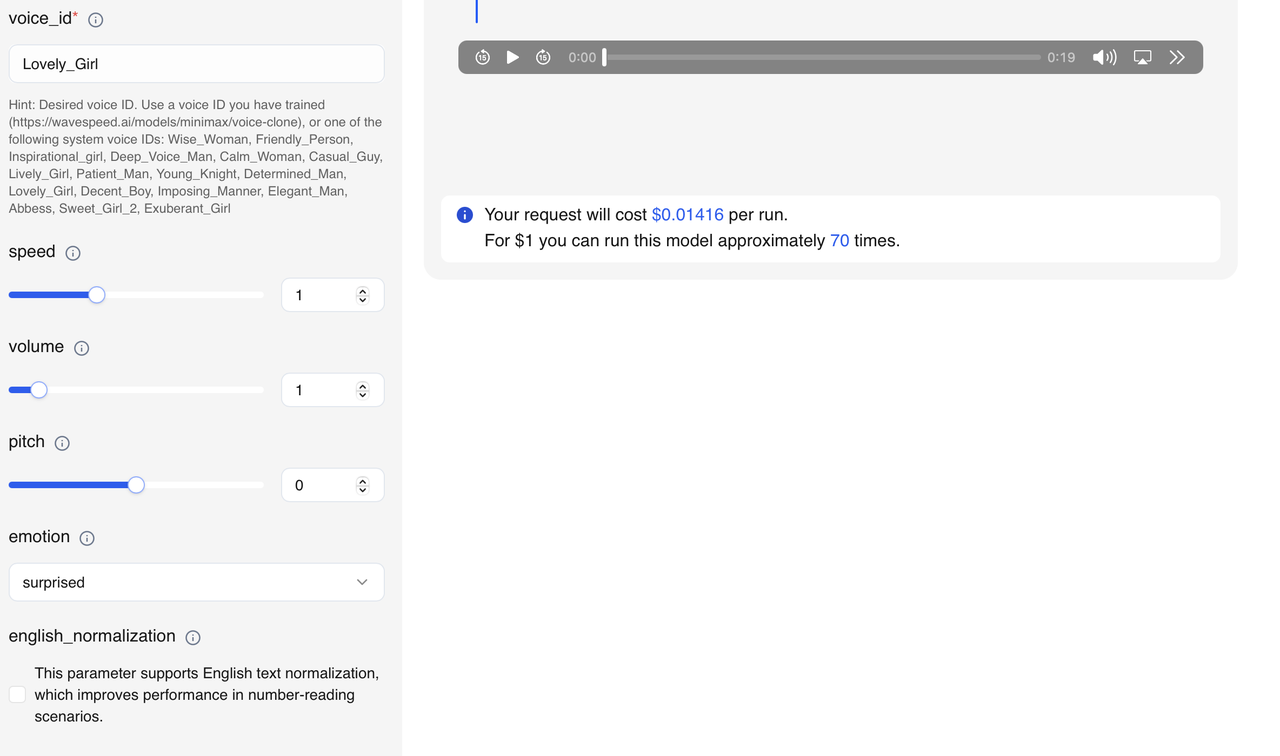
- 🎙️ Pick the right voice: Choose from built-in options like Calm_Woman, Lively_Girl, or Deep_Voice_Man—or clone your own voice for branding.
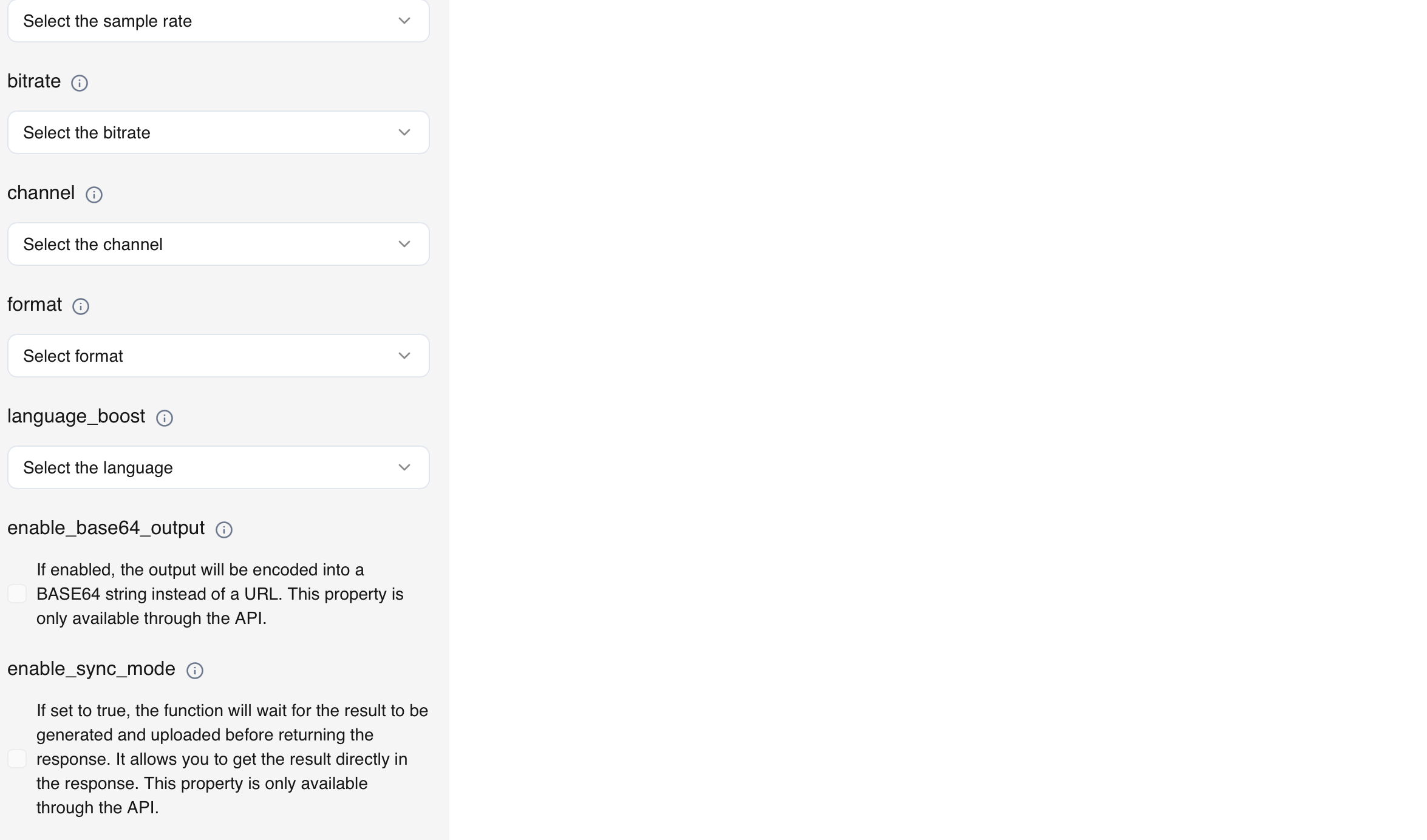
- 🌍 Fine-tune for languages: Enable english_normalization for clean number reading, and use language_boostto keep mixed-language inputs natural.
- 🎛️ Adjust parameters: Try 48 kHz for video, 44.1 kHz for podcasts; higher bitrate (≥192 k) for studio-quality sound.
- 💫 Shape expression: Modify speed, pitch, and volume for mood—smooth narration, emotional storytelling, or dynamic ads.
With seamless switching across 40+ languages, Speech 2.6 makes every voice sound natural, expressive, and globally ready.
To start today
Ready to elevate your audio projects with MiniMax Speech 2.6? Please visit our website WaveSpeedAI, where you can start using the models right out of the box.
Try MiniMax Speech 2.6 now!
🔗Speech 2.6 HD
🔗Speech 2.6 Turbo
Join Discord Community | Follow us on X (Twitter) | Open Source Projects
© 2025 WaveSpeedAI. All rights reserved.